Found 32 repositories(showing 30)
Sfedfcv
Skip to content github / docs Code Issues 80 Pull requests 35 Discussions Actions Projects 2 Security Insights Merge branch 'main' into 1862-Add-Travis-CI-migration-table 1862-Add-Travis-CI-migration-table (#1869, Iixixi/ZachryTylerWood#102, THEBOLCK79/docs#1, sbnbhk/docs#1) @martin389 martin389 committed on Dec 9, 2020 2 parents 2f9ec0c + 1588f50 commit 1a56ed136914e522f3a23ecc2be1c49f479a1a6a Showing 501 changed files with 5,397 additions and 1,362 deletions. 2 .github/allowed-actions.js @@ -30,7 +30,7 @@ module.exports = [ 'rachmari/labeler@832d42ec5523f3c6d46e8168de71cd54363e3e2e', 'repo-sync/github-sync@3832fe8e2be32372e1b3970bbae8e7079edeec88', 'repo-sync/pull-request@33777245b1aace1a58c87a29c90321aa7a74bd7d', 'rtCamp/action-slack-notify@e17352feaf9aee300bf0ebc1dfbf467d80438815', 'someimportantcompany/github-actions-slack-message@0b470c14b39da4260ed9e3f9a4f1298a74ccdefd', 'tjenkinson/gh-action-auto-merge-dependency-updates@cee2ac0', 'EndBug/add-and-commit@9358097a71ad9fb9e2f9624c6098c89193d83575' ] 72 .github/workflows/confirm-internal-staff-work-in-docs.yml @@ -0,0 +1,72 @@ name: Confirm internal staff meant to post in public on: issues: types: - opened - reopened - transferred pull_request_target: types: - opened - reopened jobs: check-team-membership: runs-on: ubuntu-latest continue-on-error: true if: github.repository == 'github/docs' steps: - uses: actions/github-script@626af12fe9a53dc2972b48385e7fe7dec79145c9 with: github-token: ${{ secrets.DOCUBOT_FR_PROJECT_BOARD_WORKFLOWS_REPO_ORG_READ_SCOPES }} script: | // Only perform this action with GitHub employees try { await github.teams.getMembershipForUserInOrg({ org: 'github', team_slug: 'employees', username: context.payload.sender.login, }); } catch(err) { // An error will be thrown if the user is not a GitHub employee // If a user is not a GitHub employee, we should stop here and // Not send a notification return } // Don't perform this action with Docs team members try { await github.teams.getMembershipForUserInOrg({ org: 'github', team_slug: 'docs', username: context.payload.sender.login, }); // If the user is a Docs team member, we should stop here and not send // a notification return } catch(err) { // An error will be thrown if the user is not a Docs team member // If a user is not a Docs team member we should continue and send // the notification } const issueNo = context.number || context.issue.number // Create an issue in our private repo await github.issues.create({ owner: 'github', repo: 'docs-internal', title: `@${context.payload.sender.login} confirm that \#${issueNo} should be in the public github/docs repo`, body: `@${context.payload.sender.login} opened https://github.com/github/docs/issues/${issueNo} publicly in the github/docs repo, instead of the private github/docs-internal repo.\n\n@${context.payload.sender.login}, please confirm that this belongs in the public repo and that no sensitive information was disclosed by commenting below and closing the issue.\n\nIf this was not intentional and sensitive information was shared, please delete https://github.com/github/docs/issues/${issueNo} and notify us in the \#docs-open-source channel.\n\nThanks! \n\n/cc @github/docs @github/docs-engineering` }); throw new Error('A Hubber opened an issue on the public github/docs repo'); - name: Send Slack notification if a GitHub employee who isn't on the docs team opens an issue in public if: ${{ failure() && github.repository == 'github/docs' }} uses: someimportantcompany/github-actions-slack-message@0b470c14b39da4260ed9e3f9a4f1298a74ccdefd with: channel: ${{ secrets.DOCS_OPEN_SOURCE_SLACK_CHANNEL_ID }} bot-token: ${{ secrets.SLACK_DOCS_BOT_TOKEN }} text: <@${{github.actor}}> opened https://github.com/github/docs/issues/${{ github.event.number || github.event.issue.number }} publicly on the github/docs repo instead of the private github/docs-internal repo. They have been notified via a new issue in the github/docs-internal repo to confirm this was intentional. 15 .github/workflows/js-lint.yml @@ -10,23 +10,8 @@ on: - translations jobs: see_if_should_skip: runs-on: ubuntu-latest outputs: should_skip: ${{ steps.skip_check.outputs.should_skip }} steps: - id: skip_check uses: fkirc/skip-duplicate-actions@36feb0d8d062137530c2e00bd278d138fe191289 with: cancel_others: 'false' github_token: ${{ github.token }} paths: '["**/*.js", "package*.json", ".github/workflows/js-lint.yml", ".eslint*"]' lint: runs-on: ubuntu-latest needs: see_if_should_skip if: ${{ needs.see_if_should_skip.outputs.should_skip != 'true' }} steps: - name: Check out repo uses: actions/checkout@5a4ac9002d0be2fb38bd78e4b4dbde5606d7042f 13 .github/workflows/repo-freeze-reminders.yml @@ -14,11 +14,10 @@ jobs: if: github.repository == 'github/docs-internal' steps: - name: Send Slack notification if repo is frozen uses: someimportantcompany/github-actions-slack-message@0b470c14b39da4260ed9e3f9a4f1298a74ccdefd if: ${{ env.FREEZE == 'true' }} uses: rtCamp/action-slack-notify@e17352feaf9aee300bf0ebc1dfbf467d80438815 env: SLACK_WEBHOOK: ${{ secrets.DOCS_ALERTS_SLACK_WEBHOOK }} SLACK_USERNAME: docs-repo-sync SLACK_ICON_EMOJI: ':freezing_face:' SLACK_COLOR: '#51A0D5' # Carolina Blue SLACK_MESSAGE: All repo-sync runs will fail for ${{ github.repository }} because the repo is currently frozen! with: channel: ${{ secrets.DOCS_ALERTS_SLACK_CHANNEL_ID }} bot-token: ${{ secrets.SLACK_DOCS_BOT_TOKEN }} color: info text: All repo-sync runs will fail for ${{ github.repository }} because the repo is currently frozen! 54 .github/workflows/repo-sync-stalls.yml @@ -0,0 +1,54 @@ name: Repo Sync Stalls on: workflow_dispatch: schedule: - cron: '*/30 * * * *' jobs: check-freezer: name: Check for deployment freezes runs-on: ubuntu-latest steps: - name: Exit if repo is frozen if: ${{ env.FREEZE == 'true' }} run: | echo 'The repo is currently frozen! Exiting this workflow.' exit 1 # prevents further steps from running repo-sync-stalls: runs-on: ubuntu-latest steps: - name: Check if repo sync is stalled uses: actions/github-script@626af12fe9a53dc2972b48385e7fe7dec79145c9 with: github-token: ${{ secrets.DOCUBOT_FR_PROJECT_BOARD_WORKFLOWS_REPO_ORG_READ_SCOPES }} script: | let pulls; const owner = context.repo.owner const repo = context.repo.repo try { pulls = await github.pulls.list({ owner: owner, repo: repo, head: `${owner}:repo-sync`, state: 'open' }); } catch(err) { throw err return } pulls.data.forEach(pr => { const timeDelta = Date.now() - Date.parse(pr.created_at); const minutesOpen = timeDelta / 1000 / 60; if (minutesOpen > 30) { core.setFailed('Repo sync appears to be stalled') } }) - name: Send Slack notification if workflow fails uses: someimportantcompany/github-actions-slack-message@0b470c14b39da4260ed9e3f9a4f1298a74ccdefd if: failure() with: channel: ${{ secrets.DOCS_ALERTS_SLACK_CHANNEL_ID }} bot-token: ${{ secrets.SLACK_DOCS_BOT_TOKEN }} color: failure text: Repo sync appears to be stalled for ${{github.repository}}. See https://github.com/${{github.repository}}/pulls?q=is%3Apr+is%3Aopen+repo+sync 16 .github/workflows/repo-sync.yml @@ -7,6 +7,7 @@ name: Repo Sync on: workflow_dispatch: schedule: - cron: '*/15 * * * *' # every 15 minutes @@ -70,11 +71,10 @@ jobs: number: ${{ steps.find-pull-request.outputs.number }} - name: Send Slack notification if workflow fails uses: rtCamp/action-slack-notify@e17352feaf9aee300bf0ebc1dfbf467d80438815 if: ${{ failure() }} env: SLACK_WEBHOOK: ${{ secrets.DOCS_ALERTS_SLACK_WEBHOOK }} SLACK_USERNAME: docs-repo-sync SLACK_ICON_EMOJI: ':ohno:' SLACK_COLOR: '#B90E0A' # Crimson SLACK_MESSAGE: The last repo-sync run for ${{github.repository}} failed. See https://github.com/${{github.repository}}/actions?query=workflow%3A%22Repo+Sync%22 uses: someimportantcompany/github-actions-slack-message@0b470c14b39da4260ed9e3f9a4f1298a74ccdefd if: failure() with: channel: ${{ secrets.DOCS_ALERTS_SLACK_CHANNEL_ID }} bot-token: ${{ secrets.SLACK_DOCS_BOT_TOKEN }} color: failure text: The last repo-sync run for ${{github.repository}} failed. See https://github.com/${{github.repository}}/actions?query=workflow%3A%22Repo+Sync%22 10 .github/workflows/sync-algolia-search-indices.yml @@ -33,8 +33,10 @@ jobs: GITHUB_TOKEN: ${{ secrets.GITHUB_TOKEN }} run: npm run sync-search - name: Send slack notification if workflow run fails uses: rtCamp/action-slack-notify@e17352feaf9aee300bf0ebc1dfbf467d80438815 uses: someimportantcompany/github-actions-slack-message@0b470c14b39da4260ed9e3f9a4f1298a74ccdefd if: failure() env: SLACK_WEBHOOK: ${{ secrets.DOCS_ALERTS_SLACK_WEBHOOK }} SLACK_MESSAGE: The last Algolia workflow run for ${{github.repository}} failed. Search actions for `workflow:Algolia` with: channel: ${{ secrets.DOCS_ALERTS_SLACK_CHANNEL_ID }} bot-token: ${{ secrets.SLACK_DOCS_BOT_TOKEN }} color: failure text: The last Algolia workflow run for ${{github.repository}} failed. Search actions for `workflow:Algolia` 15 .github/workflows/yml-lint.yml @@ -10,23 +10,8 @@ on: - translations jobs: see_if_should_skip: runs-on: ubuntu-latest outputs: should_skip: ${{ steps.skip_check.outputs.should_skip }} steps: - id: skip_check uses: fkirc/skip-duplicate-actions@36feb0d8d062137530c2e00bd278d138fe191289 with: cancel_others: 'false' github_token: ${{ github.token }} paths: '["**/*.yml", "**/*.yaml", "package*.json", ".github/workflows/yml-lint.yml"]' lint: runs-on: ubuntu-latest needs: see_if_should_skip if: ${{ needs.see_if_should_skip.outputs.should_skip != 'true' }} steps: - name: Check out repo uses: actions/checkout@5a4ac9002d0be2fb38bd78e4b4dbde5606d7042f 4 README.md @@ -28,7 +28,7 @@ If you've found a problem, you can open an issue using a [template](https://gith #### Solve an issue If you have a solution to one of the open issues, you will need to fork the repository and submit a PR using the [template](https://github.com/github/docs/blob/main/CONTRIBUTING.md#pull-request-template) that is visible automatically in the pull request body. For more details about this process, please check out [Getting Started with Contributing](/CONTRIBUTING.md). If you have a solution to one of the open issues, you will need to fork the repository and submit a pull request using the [template](https://github.com/github/docs/blob/main/CONTRIBUTING.md#pull-request-template) that is visible automatically in the pull request body. For more details about this process, please check out [Getting Started with Contributing](/CONTRIBUTING.md). #### Join us in discussions @@ -50,6 +50,8 @@ There are a few more things to know when you're getting started with this repo: In addition to the README you're reading right now, this repo includes other READMEs that describe the purpose of each subdirectory in more detail: - [content/README.md](content/README.md) - [content/graphql/README.md](content/graphql/README.md) - [content/rest/README.md](content/rest/README.md) - [contributing/README.md](contributing/README.md) - [data/README.md](data/README.md) - [data/reusables/README.md](data/reusables/README.md) BIN +164 KB assets/images/help/classroom/assignment-group-hero.png Binary file not shown. BIN +75.5 KB assets/images/help/classroom/assignment-ide-go-grant-access-button.png Binary file not shown. BIN +175 KB assets/images/help/classroom/assignment-individual-hero.png Binary file not shown. BIN +27.6 KB assets/images/help/classroom/assignment-repository-ide-button-in-readme.png Binary file not shown. BIN +83.4 KB assets/images/help/classroom/assignments-assign-deadline.png Binary file not shown. BIN +32.4 KB assets/images/help/classroom/assignments-assignment-title.png Binary file not shown. BIN +27.7 KB assets/images/help/classroom/assignments-autograding-click-pencil-or-trash.png Binary file not shown. BIN +72 KB assets/images/help/classroom/assignments-choose-repository-visibility.png Binary file not shown. BIN +20.1 KB assets/images/help/classroom/assignments-click-continue-button.png Binary file not shown. BIN +23.7 KB assets/images/help/classroom/assignments-click-create-assignment-button.png Binary file not shown. BIN +76.4 KB assets/images/help/classroom/assignments-click-grading-and-feedback.png Binary file not shown. BIN +53.1 KB assets/images/help/classroom/assignments-click-new-assignment-button.png Binary file not shown. BIN +134 KB assets/images/help/classroom/assignments-click-online-ide.png Binary file not shown. BIN +77.8 KB assets/images/help/classroom/assignments-click-pencil.png Binary file not shown. BIN +18.8 KB assets/images/help/classroom/assignments-click-review-button.png Binary file not shown. BIN +20.6 KB assets/images/help/classroom/assignments-click-save-test-case-button.png Binary file not shown. BIN +121 KB assets/images/help/classroom/assignments-click-template-repository-in-list.png Binary file not shown. BIN +21.1 KB assets/images/help/classroom/assignments-click-update-assignment.png Binary file not shown. BIN +76.9 KB assets/images/help/classroom/assignments-click-view-ide.png Binary file not shown. BIN +96.5 KB assets/images/help/classroom/assignments-click-view-test.png Binary file not shown. BIN +71.3 KB assets/images/help/classroom/assignments-define-teams.png Binary file not shown. BIN +39.4 KB assets/images/help/classroom/assignments-enable-feedback-pull-requests.png Binary file not shown. BIN +40.4 KB assets/images/help/classroom/assignments-type-protected-file-paths.png Binary file not shown. BIN +330 KB assets/images/help/classroom/autograding-actions-logs.png Binary file not shown. BIN +187 KB assets/images/help/classroom/autograding-actions-tab.png Binary file not shown. BIN +94.9 KB assets/images/help/classroom/autograding-click-grading-method.png Diff not rendered. BIN +57.5 KB assets/images/help/classroom/autograding-click-pencil.png Diff not rendered. BIN +57.7 KB assets/images/help/classroom/autograding-click-trash.png Diff not rendered. BIN +168 KB assets/images/help/classroom/autograding-hero.png Diff not rendered. BIN +154 KB assets/images/help/classroom/classroom-add-students-to-your-roster.png Diff not rendered. BIN +166 KB assets/images/help/classroom/classroom-copy-credentials.png Diff not rendered. BIN +181 KB assets/images/help/classroom/classroom-hero.png Diff not rendered. BIN +48.3 KB assets/images/help/classroom/classroom-settings-click-connection-settings.png Diff not rendered. BIN +94 KB ...ges/help/classroom/classroom-settings-click-disconnect-from-your-lms-button.png Diff not rendered. BIN +148 KB assets/images/help/classroom/classroom-settings-click-lms.png Diff not rendered. BIN +149 KB assets/images/help/classroom/click-assignment-in-list.png Diff not rendered. BIN +52.3 KB assets/images/help/classroom/click-classroom-in-list.png Diff not rendered. BIN +49.5 KB assets/images/help/classroom/click-create-classroom-button.png Diff not rendered. BIN +30 KB assets/images/help/classroom/click-create-roster-button.png Diff not rendered. BIN +78.2 KB assets/images/help/classroom/click-delete-classroom-button.png Diff not rendered. BIN +60.8 KB ...images/help/classroom/click-import-from-a-learning-management-system-button.png Diff not rendered. BIN +51.9 KB assets/images/help/classroom/click-new-classroom-button.png Diff not rendered. BIN +83.4 KB assets/images/help/classroom/click-organization.png Diff not rendered. BIN +28.4 KB assets/images/help/classroom/click-settings.png Diff not rendered. BIN +29.7 KB assets/images/help/classroom/click-students.png Diff not rendered. BIN +60 KB assets/images/help/classroom/click-update-students-button.png Diff not rendered. BIN +127 KB assets/images/help/classroom/delete-classroom-click-delete-classroom-button.png Diff not rendered. BIN +104 KB assets/images/help/classroom/delete-classroom-modal-with-warning.png Diff not rendered. BIN +264 KB assets/images/help/classroom/ide-makecode-arcade-version-control-button.png Diff not rendered. BIN +69.4 KB assets/images/help/classroom/ide-replit-version-control-button.png Diff not rendered. BIN +234 KB assets/images/help/classroom/lms-github-classroom-credentials.png Diff not rendered. BIN +955 KB assets/images/help/classroom/probot-settings.gif Diff not rendered. BIN +113 KB assets/images/help/classroom/roster-hero.png Diff not rendered. BIN +40.4 KB assets/images/help/classroom/settings-click-rename-classroom-button.png Diff not rendered. BIN +41 KB assets/images/help/classroom/settings-type-classroom-name.png Diff not rendered. BIN +140 KB assets/images/help/classroom/setup-click-authorize-github-classroom.png Diff not rendered. BIN +102 KB assets/images/help/classroom/setup-click-authorize-github.png Diff not rendered. BIN +163 KB assets/images/help/classroom/setup-click-grant.png Diff not rendered. BIN +324 KB assets/images/help/classroom/students-click-delete-roster-button-in-modal.png Diff not rendered. BIN +91.1 KB assets/images/help/classroom/students-click-delete-roster-button.png Diff not rendered. BIN +48.2 KB assets/images/help/classroom/type-classroom-name.png Diff not rendered. BIN +174 KB assets/images/help/classroom/type-or-upload-student-identifiers.png Diff not rendered. BIN +83.3 KB assets/images/help/classroom/use-drop-down-then-click-archive.png Diff not rendered. BIN +45.2 KB assets/images/help/classroom/use-drop-down-then-click-unarchive.png Diff not rendered. BIN +55.4 KB assets/images/help/discussions/choose-new-category.png Diff not rendered. BIN +56.8 KB assets/images/help/discussions/click-delete-and-move-button.png Diff not rendered. BIN +59.7 KB assets/images/help/discussions/click-delete-discussion.png Diff not rendered. BIN +65.3 KB assets/images/help/discussions/click-delete-for-category.png Diff not rendered. BIN +68.9 KB assets/images/help/discussions/click-delete-this-discussion-button.png Diff not rendered. BIN +353 KB assets/images/help/discussions/click-discussion-in-list.png Diff not rendered. BIN +41 KB assets/images/help/discussions/click-edit-categories.png Diff not rendered. BIN +64.3 KB assets/images/help/discussions/click-edit-for-category.png Diff not rendered. BIN +60.2 KB assets/images/help/discussions/click-edit-pinned-discussion.png Diff not rendered. BIN +104 KB assets/images/help/discussions/click-new-category-button.png Diff not rendered. BIN +98.2 KB assets/images/help/discussions/click-pin-discussion-button.png Diff not rendered. BIN +55.7 KB assets/images/help/discussions/click-pin-discussion.png Diff not rendered. BIN +104 KB assets/images/help/discussions/click-save.png Diff not rendered. BIN +59.9 KB assets/images/help/discussions/click-transfer-discussion-button.png Diff not rendered. BIN +60.2 KB assets/images/help/discussions/click-transfer-discussion.png Diff not rendered. BIN +63.3 KB assets/images/help/discussions/click-unpin-discussion-button.png Diff not rendered. BIN +59.8 KB assets/images/help/discussions/click-unpin-discussion.png Diff not rendered. BIN +140 KB assets/images/help/discussions/comment-mark-as-answer-button.png Diff not rendered. BIN +136 KB assets/images/help/discussions/comment-marked-as-answer.png Diff not rendered. BIN +234 KB assets/images/help/discussions/customize-pinned-discussion.png Diff not rendered. BIN +1.21 MB assets/images/help/discussions/discussons-hero.png Diff not rendered. BIN +139 KB assets/images/help/discussions/edit-category-details.png Diff not rendered. BIN +136 KB assets/images/help/discussions/edit-existing-category-details.png Diff not rendered. BIN +55.5 KB assets/images/help/discussions/existing-category-click-save-changes-button.png Diff not rendered. BIN +680 KB assets/images/help/discussions/hero.png Diff not rendered. BIN +307 KB assets/images/help/discussions/most-helpful.png Diff not rendered. BIN +52.9 KB assets/images/help/discussions/new-category-click-create-button.png Diff not rendered. BIN +132 KB assets/images/help/discussions/new-discussion-button.png Diff not rendered. BIN +140 KB assets/images/help/discussions/new-discussion-select-category-dropdown-menu.png Diff not rendered. BIN +46.7 KB assets/images/help/discussions/new-discussion-start-discussion-button.png Diff not rendered. BIN +108 KB assets/images/help/discussions/new-discussion-title-and-body-fields.png Diff not rendered. BIN +23.1 KB assets/images/help/discussions/public-repo-settings.png Diff not rendered. BIN +49.5 KB assets/images/help/discussions/repository-discussions-tab.png Diff not rendered. BIN +51.8 KB assets/images/help/discussions/search-and-filter-controls.png Diff not rendered. BIN +44.4 KB assets/images/help/discussions/search-result.png Diff not rendered. BIN +35.4 KB assets/images/help/discussions/select-discussions-checkbox.png Diff not rendered. BIN +44.8 KB assets/images/help/discussions/setup-discussions-button.png Diff not rendered. BIN +95.9 KB assets/images/help/discussions/toggle-allow-users-with-read-access-checkbox.png Diff not rendered. BIN +73 KB assets/images/help/discussions/unanswered-discussion.png Diff not rendered. BIN +81.3 KB assets/images/help/discussions/use-choose-a-repository-drop-down.png Diff not rendered. BIN +30.3 KB assets/images/help/discussions/your-discussions.png Diff not rendered. BIN +563 KB assets/images/help/education/click-get-teacher-benefits.png Diff not rendered. BIN +116 KB assets/images/help/images/overview-actions-result-navigate.png Diff not rendered. BIN +150 KB assets/images/help/images/overview-actions-result-updated-2.png Diff not rendered. BIN +128 KB assets/images/help/images/workflow-graph-job.png Diff not rendered. BIN +135 KB assets/images/help/images/workflow-graph.png Diff not rendered. BIN +5.46 KB assets/images/help/organizations/update-profile-button.png Diff not rendered. BIN +44.6 KB assets/images/help/pull_requests/dependency-review-rich-diff.png Diff not rendered. BIN +24.6 KB assets/images/help/pull_requests/dependency-review-source-diff.png Diff not rendered. BIN +214 KB assets/images/help/pull_requests/dependency-review-vulnerability.png Diff not rendered. BIN +105 KB assets/images/help/pull_requests/file-filter-menu-json.png Diff not rendered. BIN +22.5 KB (510%) assets/images/help/pull_requests/pull-request-tabs-changed-files.png Diff not rendered. BIN +45.2 KB assets/images/help/repository/actions-delete-artifact-updated.png Diff not rendered. BIN +122 KB assets/images/help/repository/actions-failed-pester-test-updated.png Diff not rendered. BIN +45.4 KB assets/images/help/repository/artifact-drop-down-updated.png Diff not rendered. BIN +54.5 KB assets/images/help/repository/cancel-check-suite-updated.png Diff not rendered. BIN +120 KB assets/images/help/repository/copy-link-button-updated-2.png Diff not rendered. BIN +77.6 KB assets/images/help/repository/delete-all-logs-updated-2.png Diff not rendered. BIN +326 KB assets/images/help/repository/docker-action-workflow-run-updated.png Diff not rendered. BIN +84.6 KB assets/images/help/repository/download-logs-drop-down-updated-2.png Diff not rendered. BIN +170 KB assets/images/help/repository/in-progress-run.png Diff not rendered. BIN +124 KB assets/images/help/repository/javascript-action-workflow-run-updated-2.png Diff not rendered. BIN +116 KB assets/images/help/repository/passing-data-between-jobs-in-a-workflow-updated.png Diff not rendered. BIN +80.8 KB assets/images/help/repository/rerun-checks-drop-down-updated.png Diff not rendered. BIN +41.2 KB assets/images/help/repository/search-log-box-updated-2.png Diff not rendered. BIN +133 KB assets/images/help/repository/super-linter-workflow-results-updated-2.png Diff not rendered. BIN +97.5 KB assets/images/help/repository/superlinter-lint-code-base-job-updated.png Diff not rendered. BIN -128 KB assets/images/help/repository/upload-build-test-artifact.png Diff not rendered. BIN +27.5 KB (170%) assets/images/help/repository/view-run-billable-time.png Diff not rendered. BIN +54.8 KB assets/images/help/repository/workflow-run-kebab-horizontal-icon-updated-2.png Diff not rendered. BIN +7.54 KB assets/images/help/settings/appearance-tab.png Diff not rendered. BIN +39.7 KB assets/images/help/settings/theme-settings-radio-buttons.png Diff not rendered. BIN +11.1 KB assets/images/help/settings/update-theme-preference-button.png Diff not rendered. BIN +22.5 KB assets/images/help/sponsors/billing-account-switcher.png Diff not rendered. BIN +6.37 KB (150%) assets/images/help/sponsors/edit-sponsorship-payment-button.png Diff not rendered. BIN +34.8 KB assets/images/help/sponsors/link-account-button.png Diff not rendered. BIN +12.8 KB (170%) assets/images/help/sponsors/manage-your-sponsorship-button.png Diff not rendered. BIN +20.6 KB assets/images/help/sponsors/organization-update-email-textbox.png Diff not rendered. BIN +13.5 KB assets/images/help/sponsors/pay-prorated-amount-link.png Diff not rendered. BIN +34.7 KB assets/images/help/sponsors/select-an-account-drop-down.png Diff not rendered. BIN +17 KB assets/images/help/sponsors/sponsor-as-drop-down-menu.png Diff not rendered. BIN +15.8 KB assets/images/help/sponsors/sponsoring-as-drop-down-menu.png Diff not rendered. BIN +16.1 KB assets/images/help/sponsors/sponsoring-settings-button.png Diff not rendered. BIN +29.5 KB assets/images/help/sponsors/sponsoring-tab.png Diff not rendered. BIN +7.91 KB assets/images/help/sponsors/update-checkbox-manage.png Diff not rendered. BIN +43 KB (160%) assets/images/marketplace/marketplace-request-button.png Diff not rendered. BIN +53.6 KB assets/images/marketplace/marketplace_verified_creator_badges_apps.png Diff not rendered. 6 content/actions/creating-actions/creating-a-docker-container-action.md @@ -226,6 +226,10 @@ jobs: ``` {% endraw %} From your repository, click the **Actions** tab, and select the latest workflow run. You should see "Hello Mona the Octocat" or the name you used for the `who-to-greet` input and the timestamp printed in the log. From your repository, click the **Actions** tab, and select the latest workflow run. {% if currentVersion == "free-pro-team@latest" or currentVersion ver_gt "enterprise-server@3.0" %}Under **Jobs** or in the visualization graph, click **A job to say hello**. {% endif %}You should see "Hello Mona the Octocat" or the name you used for the `who-to-greet` input and the timestamp printed in the log. {% if currentVersion == "free-pro-team@latest" or currentVersion ver_gt "enterprise-server@3.0" %}  {% else %}  {% endif %} 6 content/actions/creating-actions/creating-a-javascript-action.md @@ -261,9 +261,11 @@ jobs: ``` {% endraw %} From your repository, click the **Actions** tab, and select the latest workflow run. You should see "Hello Mona the Octocat" or the name you used for the `who-to-greet` input and the timestamp printed in the log. From your repository, click the **Actions** tab, and select the latest workflow run. {% if currentVersion == "free-pro-team@latest" or currentVersion ver_gt "enterprise-server@3.0" %}Under **Jobs** or in the visualization graph, click **A job to say hello**. {% endif %}You should see "Hello Mona the Octocat" or the name you used for the `who-to-greet` input and the timestamp printed in the log. {% if currentVersion == "free-pro-team@latest" or currentVersion ver_gt "enterprise-server@2.22" %} {% if currentVersion == "free-pro-team@latest" or currentVersion ver_gt "enterprise-server@3.0" %}  {% elsif currentVersion ver_gt "enterprise-server@2.22" %}  {% else %}  4 content/actions/guides/about-packaging-with-github-actions.md @@ -25,7 +25,11 @@ Creating a package at the end of a continuous integration workflow can help duri Now, when reviewing a pull request, you'll be able to look at the workflow run and download the artifact that was produced. {% if currentVersion == "free-pro-team@latest" or currentVersion ver_gt "enterprise-server@3.0" %}  {% else %}  {% endif %} This will let you run the code in the pull request on your machine, which can help with debugging or testing the pull request. 4 content/actions/guides/building-and-testing-powershell.md @@ -60,7 +60,11 @@ jobs: * `run: Test-Path resultsfile.log` - Check whether a file called `resultsfile.log` is present in the repository's root directory. * `Should -Be $true` - Uses Pester to define an expected result. If the result is unexpected, then {% data variables.product.prodname_actions %} flags this as a failed test. For example: {% if currentVersion == "free-pro-team@latest" or currentVersion ver_gt "enterprise-server@3.0" %}  {% else %}  {% endif %} * `Invoke-Pester Unit.Tests.ps1 -Passthru` - Uses Pester to execute tests defined in a file called `Unit.Tests.ps1`. For example, to perform the same test described above, the `Unit.Tests.ps1` will contain the following: ``` 7 content/actions/guides/storing-workflow-data-as-artifacts.md @@ -108,8 +108,6 @@ jobs: path: output/test/code-coverage.html ```  {% if currentVersion == "free-pro-team@latest" or currentVersion ver_gt "enterprise-server@2.22" %} ### Configuring a custom artifact retention period @@ -238,7 +236,12 @@ jobs: echo The result is $value ``` The workflow run will archive any artifacts that it generated. For more information on downloading archived artifacts, see "[Downloading workflow artifacts](/actions/managing-workflow-runs/downloading-workflow-artifacts)." {% if currentVersion == "free-pro-team@latest" or currentVersion ver_gt "enterprise-server@3.0" %}  {% else %}  {% endif %} {% if currentVersion == "free-pro-team@latest" %} 8 content/actions/index.md @@ -68,18 +68,18 @@ versions: <h2 class="mb-2 font-mktg h1">Code examples</h2> <div class="pr-lg-3 mb-5 mt-3"> <input class="js-code-example-filter input-lg py-2 px-3 col-12 col-lg-8 form-control" placeholder="Search code examples" type="search" autocomplete="off" aria-label="Search code examples"/> <input class="js-filter-card-filter input-lg py-2 px-3 col-12 col-lg-8 form-control" placeholder="Search code examples" type="search" autocomplete="off" aria-label="Search code examples"/> </div> <div class="d-flex flex-wrap gutter"> {% render 'code-example-card' for actionsCodeExamples as example %} </div> <button class="js-code-example-show-more btn btn-outline float-right">Show more {% octicon "arrow-right" %}</button> <button class="js-filter-card-show-more btn btn-outline float-right">Show more {% octicon "arrow-right" %}</button> <div class="js-code-example-no-results d-none py-4 text-center text-gray font-mktg"> <div class="js-filter-card-no-results d-none py-4 text-center text-gray font-mktg"> <div class="mb-3">{% octicon "search" width="24" %}</div> <h3 class="text-normal">Sorry, there is no result for <strong class="js-code-example-filter-value"></strong></h3> <h3 class="text-normal">Sorry, there is no result for <strong class="js-filter-card-value"></strong></h3> <p class="my-3 f4">It looks like we don't have an example that fits your filter.<br>Try another filter or add your code example</p> <a href="https://github.com/github/docs/blob/main/data/variables/action_code_examples.yml">Learn how to add a code example {% octicon "arrow-right" %}</a> </div> 11 content/actions/learn-github-actions/introduction-to-github-actions.md @@ -204,7 +204,7 @@ In this diagram, you can see the workflow file you just created and how the {% d ### Viewing the job's activity Once your job has started running, you can view each step's activity on {% data variables.product.prodname_dotcom %}. Once your job has started running, you can {% if currentVersion == "free-pro-team@latest" or currentVersion ver_gt "enterprise-server@3.0" %}see a visualization graph of the run's progress and {% endif %}view each step's activity on {% data variables.product.prodname_dotcom %}. {% data reusables.repositories.navigate-to-repo %} 1. Under your repository name, click **Actions**. @@ -213,7 +213,14 @@ Once your job has started running, you can view each step's activity on {% data  1. Under "Workflow runs", click the name of the run you want to see.  {% if currentVersion == "free-pro-team@latest" or currentVersion ver_gt "enterprise-server@2.22" %} {% if currentVersion == "free-pro-team@latest" or currentVersion ver_gt "enterprise-server@3.0" %} 1. Under **Jobs** or in the visualization graph, click the job you want to see.  {% endif %} {% if currentVersion == "free-pro-team@latest" or currentVersion ver_gt "enterprise-server@3.0" %} 1. View the results of each step.  {% elsif currentVersion ver_gt "enterprise-server@2.22" %} 1. Click on the job name to see the results of each step.  {% else %} 7 content/actions/managing-workflow-runs/canceling-a-workflow.md @@ -17,9 +17,14 @@ versions: {% data reusables.repositories.navigate-to-repo %} {% data reusables.repositories.actions-tab %} {% data reusables.repositories.navigate-to-workflow %} {% data reusables.repositories.view-run %} 1. From the list of workflow runs, click the name of the `queued` or `in progress` run that you want to cancel.  1. In the upper-right corner of the workflow, click **Cancel workflow**. {% if currentVersion == "free-pro-team@latest" or currentVersion ver_gt "enterprise-server@3.0" %}  {% else %}  {% endif %} ### Steps {% data variables.product.prodname_dotcom %} takes to cancel a workflow run 4 content/actions/managing-workflow-runs/downloading-workflow-artifacts.md @@ -20,4 +20,8 @@ versions: {% data reusables.repositories.navigate-to-workflow %} {% data reusables.repositories.view-run %} 1. Under **Artifacts**, click the artifact you want to download. {% if currentVersion == "free-pro-team@latest" or currentVersion ver_gt "enterprise-server@3.0" %}  {% else %}  {% endif %} 1 content/actions/managing-workflow-runs/index.md @@ -18,6 +18,7 @@ versions: {% data reusables.actions.enterprise-beta %} {% data reusables.actions.enterprise-github-hosted-runners %} {% if currentVersion == "free-pro-team@latest" or currentVersion ver_gt "enterprise-server@3.0" %}{% link_in_list /using-the-visualization-graph %}{% endif %} {% link_in_list /viewing-workflow-run-history %} {% link_in_list /using-workflow-run-logs %} {% link_in_list /manually-running-a-workflow %} 3 content/actions/managing-workflow-runs/re-running-a-workflow.md @@ -16,5 +16,4 @@ versions: {% data reusables.repositories.actions-tab %} {% data reusables.repositories.navigate-to-workflow %} {% data reusables.repositories.view-run %} 1. In the upper-right corner of the workflow, use the **Re-run jobs** drop-down menu, and select **Re-run all jobs**.  1. In the upper-right corner of the workflow, use the **Re-run jobs** drop-down menu, and select **Re-run all jobs**.{% if currentVersion == "free-pro-team@latest" or currentVersion ver_gt "enterprise-server@3.0" %}{% else %}{% endif %} 4 content/actions/managing-workflow-runs/removing-workflow-artifacts.md @@ -27,7 +27,11 @@ versions: {% data reusables.repositories.navigate-to-workflow %} {% data reusables.repositories.view-run %} 1. Under **Artifacts**, click {% octicon "trashcan" aria-label="The trashcan icon" %} next to the artifact you want to remove. {% if currentVersion == "free-pro-team@latest" or currentVersion ver_gt "enterprise-server@3.0" %}  {% else %}  {% endif %} {% if currentVersion == "free-pro-team@latest" or currentVersion ver_gt "enterprise-server@2.22" %} ### Setting the retention period for an artifact 23 content/actions/managing-workflow-runs/using-the-visualization-graph.md @@ -0,0 +1,23 @@ --- title: Using the visualization graph intro: Every workflow run generates a real-time graph that illustrates the run progress. You can use this graph to monitor and debug workflows. product: '{% data reusables.gated-features.actions %}' versions: free-pro-team: '*' enterprise-server: '>=3.1' --- {% data reusables.actions.enterprise-beta %} {% data reusables.actions.visualization-beta %} {% data reusables.actions.enterprise-github-hosted-runners %} {% data reusables.repositories.navigate-to-repo %} {% data reusables.repositories.actions-tab %} {% data reusables.repositories.navigate-to-workflow %} {% data reusables.repositories.view-run %} 1. The graph displays each job in the workflow. An icon to the left of the job name indicates the status of the job. Lines between jobs indicate dependencies.  2. Click on a job to view the job log.  18 content/actions/managing-workflow-runs/using-workflow-run-logs.md @@ -45,7 +45,11 @@ You can search the build logs for a particular step. When you search logs, only {% data reusables.repositories.navigate-to-job-superlinter %} {% if currentVersion == "free-pro-team@latest" or currentVersion ver_gt "enterprise-server@2.22" %} 1. In the upper-right corner of the log output, in the **Search logs** search box, type a search query. {% if currentVersion == "free-pro-team@latest" or currentVersion ver_gt "enterprise-server@3.0" %}  {% else %}  {% endif %} {% else %} 1. To expand each step you want to include in your search, click the step.  @@ -63,8 +67,12 @@ You can download the log files from your workflow run. You can also download a w {% data reusables.repositories.view-run-superlinter %} {% data reusables.repositories.navigate-to-job-superlinter %} {% if currentVersion == "free-pro-team@latest" or currentVersion ver_gt "enterprise-server@2.22" %} 1. In the upper right corner, click {% octicon "kebab-horizontal" aria-label="The horizontal kebab icon" %} and select **Download log archive**. 1. In the upper right corner, click {% if currentVersion == "free-pro-team@latest" or currentVersion ver_gt "enterprise-server@3.0" %}{% octicon "gear" aria-label="The gear icon" %}{% else %}{% octicon "kebab-horizontal" aria-label="The horizontal kebab icon" %}{% endif %} and select **Download log archive**. {% if currentVersion == "free-pro-team@latest" or currentVersion ver_gt "enterprise-server@3.0" %}  {% else %}  {% endif %} {% else %} 1. In the upper right corner, click {% octicon "kebab-horizontal" aria-label="The horizontal kebab icon" %} and select **Download log archive**.  @@ -80,9 +88,17 @@ You can delete the log files from your workflow run. {% data reusables.repositor {% data reusables.repositories.view-run-superlinter %} {% if currentVersion == "free-pro-team@latest" or currentVersion ver_gt "enterprise-server@2.22" %} 1. In the upper right corner, click {% octicon "kebab-horizontal" aria-label="The horizontal kebab icon" %}. {% if currentVersion == "free-pro-team@latest" or currentVersion ver_gt "enterprise-server@3.0" %}  {% else %}  {% endif %} 2. To delete the log files, click the **Delete all logs** button and review the confirmation prompt. {% if currentVersion == "free-pro-team@latest" or currentVersion ver_gt "enterprise-server@3.0" %}  {% else %}  {% endif %} After deleting logs, the **Delete all logs** button is removed to indicate that no log files remain in the workflow run. {% else %} 1. In the upper right corner, click {% octicon "kebab-horizontal" aria-label="The horizontal kebab icon" %}. 2 content/actions/managing-workflow-runs/viewing-job-execution-time.md @@ -15,7 +15,7 @@ Billable job execution minutes are only shown for jobs run on private repositori {% data reusables.repositories.actions-tab %} {% data reusables.repositories.navigate-to-workflow %} {% data reusables.repositories.view-run %} 1. Under the job summary, you can view the job's execution time. To view the billable job execution time, click **Run and billable time details**. 1. Under the job summary, you can view the job's execution time. To view details about the billable job execution time, click the time under **Billable time**.  {% note %} 5 content/actions/quickstart.md @@ -60,8 +60,13 @@ Committing the workflow file in your repository triggers the `push` event and ru {% data reusables.repositories.actions-tab %} {% data reusables.repositories.navigate-to-workflow-superlinter %} {% data reusables.repositories.view-run-superlinter %} {% if currentVersion == "free-pro-team@latest" or currentVersion ver_gt "enterprise-server@3.0" %} 1. Under **Jobs** or in the visualization graph, click the **Lint code base** job.  {% else %} 1. In the left sidebar, click the **Lint code base** job.  {% endif %} {% data reusables.repositories.view-failed-job-results-superlinter %} ### More starter workflows 49 content/developers/github-marketplace/about-github-marketplace.md @@ -1,6 +1,6 @@ --- title: About GitHub Marketplace intro: 'Learn the basics to prepare your app for review before joining {% data variables.product.prodname_marketplace %}.' intro: 'Learn about {% data variables.product.prodname_marketplace %} where you can share your apps and actions publicly with all {% data variables.product.product_name %} users.' redirect_from: - /apps/marketplace/getting-started/ - /marketplace/getting-started @@ -14,52 +14,41 @@ versions: {% data reusables.actions.actions-not-verified %} To learn about publishing {% data variables.product.prodname_actions %} in the {% data variables.product.prodname_marketplace %}, see "[Publishing actions in GitHub Marketplace](/actions/creating-actions/publishing-actions-in-github-marketplace)." To learn about publishing {% data variables.product.prodname_actions %} in {% data variables.product.prodname_marketplace %}, see "[Publishing actions in GitHub Marketplace](/actions/creating-actions/publishing-actions-in-github-marketplace)." ### Apps You can list verified and unverified apps in {% data variables.product.prodname_marketplace %}. Unverified apps do not go through the security, testing, and verification cycle {% data variables.product.prodname_dotcom %} requires for verified apps. Anyone can share their apps with other users on {% data variables.product.prodname_marketplace %} but only listings that are verified by {% data variables.product.company_short %} can include paid plans. For more information, see "[About verified creators](/developers/github-marketplace/about-verified-creators)." Verified apps have a green badge in {% data variables.product.prodname_marketplace %}. Unverified apps have a grey badge next to their listing and are only available as free apps. If you're interested in creating an app for {% data variables.product.prodname_marketplace %}, but you're new to {% data variables.product.prodname_github_apps %} or {% data variables.product.prodname_oauth_app %}s, see "[Building {% data variables.product.prodname_github_apps %}](/developers/apps/building-github-apps)" or "[Building {% data variables.product.prodname_oauth_app %}s](/developers/apps/building-oauth-apps)."  If you're interested in creating an app for {% data variables.product.prodname_marketplace %}, but you're new to {% data variables.product.prodname_github_apps %} and {% data variables.product.prodname_oauth_app %}s, see "[Building apps](/apps/)." {% data reusables.marketplace.github_apps_preferred %}, although you can list both OAuth and {% data variables.product.prodname_github_app %}s in {% data variables.product.prodname_marketplace %}. See "[Differences between GitHub and OAuth apps](/apps/differences-between-apps/)" for more details. To learn more about switching from OAuth to {% data variables.product.prodname_github_apps %}, see [Migrating OAuth Apps to {% data variables.product.prodname_github_app %}s](/apps/migrating-oauth-apps-to-github-apps/). {% data reusables.marketplace.github_apps_preferred %}, although you can list both OAuth and {% data variables.product.prodname_github_app %}s in {% data variables.product.prodname_marketplace %}. For more information, see "[Differences between {% data variables.product.prodname_github_apps %} and {% data variables.product.prodname_oauth_app %}s](/apps/differences-between-apps/)" and "[Migrating {% data variables.product.prodname_oauth_app %}s to {% data variables.product.prodname_github_apps %}](/apps/migrating-oauth-apps-to-github-apps/)." If you have questions about {% data variables.product.prodname_marketplace %}, please contact {% data variables.contact.contact_support %} directly. #### Unverified Apps Unverified apps do not need to meet the "[Requirements for listing an app on {% data variables.product.prodname_marketplace %}](/marketplace/getting-started/requirements-for-listing-an-app-on-github-marketplace/)" or go through the "[Security review process](/marketplace/getting-started/security-review-process/)". {% data reusables.marketplace.unverified-apps %} Having a published paid plan will prevent you from being able to submit an unverified app. You must remove paid plans or keep them in draft mode before publishing an unverified app. To list your unverified app in {% data variables.product.prodname_marketplace %}, you only need to create a "[Listing on {% data variables.product.prodname_marketplace %}](/marketplace/listing-on-github-marketplace/)" and submit it as an unverified listing. {% data reusables.marketplace.launch-with-free %} ### Publishing an app to {% data variables.product.prodname_marketplace %} #### Verified Apps When you have finished creating your app, you can share it with other users by publishing it to {% data variables.product.prodname_marketplace %}. In summary, the process is: If you've already built an app and you're interested in submitting a verified listing in {% data variables.product.prodname_marketplace %}, start here: 1. Review your app carefully to ensure that it will behave as expected in other repositories and that it follows best practice guidelines. For more information, see "[Security best practices for apps](/developers/github-marketplace/security-best-practices-for-apps)" and "[Requirements for listing an app](/developers/github-marketplace/requirements-for-listing-an-app#best-practice-for-customer-experience)." 1. [Getting started with {% data variables.product.prodname_marketplace %}](/marketplace/getting-started/)<br/>Learn about requirements, guidelines, and the app submission process. 1. Add webhook events to the app to track user billing requests. For more information about the {% data variables.product.prodname_marketplace %} API, webhook events, and billing requests, see "[Using the {% data variables.product.prodname_marketplace %} API in your app](/developers/github-marketplace/using-the-github-marketplace-api-in-your-app)." 1. [Integrating with the {% data variables.product.prodname_marketplace %} API](/marketplace/integrating-with-the-github-marketplace-api/)<br/>Before you can list your app on {% data variables.product.prodname_marketplace %}, you'll need to integrate billing flows using the {% data variables.product.prodname_marketplace %} API and webhook events. 1. Create a draft {% data variables.product.prodname_marketplace %} listing. For more information, see "[Drafting a listing for your app](/developers/github-marketplace/drafting-a-listing-for-your-app)." 1. [Listing on {% data variables.product.prodname_marketplace %}](/marketplace/listing-on-github-marketplace/) <br/>Create a draft {% data variables.product.prodname_marketplace %} listing, configure webhook settings, and set up pricing plans. 1. Add a pricing plan. For more information, see "[Setting pricing plans for your listing](/developers/github-marketplace/setting-pricing-plans-for-your-listing)." 1. [Selling your app](/marketplace/selling-your-app/)<br/>Learn about pricing plans, billing cycles, and how to receive payment from {% data variables.product.prodname_dotcom %} for your app. 1. Check whether your app meets the requirements for listing on {% data variables.product.prodname_marketplace %} as a free or a paid app. For more information, see "[Requirements for listing an app](/developers/github-marketplace/requirements-for-listing-an-app)." 1. [{% data variables.product.prodname_marketplace %} Insights](/marketplace/github-marketplace-insights/)<br/>See how your app is performing in {% data variables.product.prodname_marketplace %}. You can use metrics collected by {% data variables.product.prodname_dotcom %} to guide your marketing campaign and be successful in {% data variables.product.prodname_marketplace %}. 1. Read and accept the terms of the "[{% data variables.product.prodname_marketplace %} Developer Agreement](/articles/github-marketplace-developer-agreement/)." 1. [{% data variables.product.prodname_marketplace %} transactions](/marketplace/github-marketplace-transactions/)<br/>Download and view transaction data for your {% data variables.product.prodname_marketplace %} listing. 1. Submit your listing for publication in {% data variables.product.prodname_marketplace %}, requesting verification if you want to sell the app. For more information, see "[Submitting your listing for publication](/developers/github-marketplace/submitting-your-listing-for-publication)." ### Reviewing your app An onboarding expert will contact you with any questions or further steps. For example, if you have added a paid plan, you will need to complete the verification process and complete financial onboarding. As soon as your listing is approved the app is published to {% data variables.product.prodname_marketplace %}. We want to make sure that the apps offered on {% data variables.product.prodname_marketplace %} are safe, secure, and well tested. The {% data variables.product.prodname_marketplace %} onboarding specialists will review your app to ensure that it meets all requirements. Follow the guidelines in these articles before submitting your app: ### Seeing how your app is performing You can access metrics and transactions for your listing. For more information, see: * [Requirements for listing an app on {% data variables.product.prodname_marketplace %}](/marketplace/getting-started/requirements-for-listing-an-app-on-github-marketplace/) * [Security review process](/marketplace/getting-started/security-review-process/) - "[Viewing metrics for your listing](/developers/github-marketplace/viewing-metrics-for-your-listing)" - "[Viewing transactions for your listing](/developers/github-marketplace/viewing-transactions-for-your-listing)" 43 content/developers/github-marketplace/about-verified-creators.md @@ -0,0 +1,43 @@ --- title: About verified creators intro: 'Each organization that wants to sell apps on {% data variables.product.prodname_marketplace %} must follow a verification process. Their identity is checked and their billing process reviewed.' versions: free-pro-team: '*' --- ### About verified creators A verified creator is an organization that {% data variables.product.company_short %} has checked. Anyone can share their apps with other users on {% data variables.product.prodname_marketplace %} but only organizations that are verified by {% data variables.product.company_short %} can sell apps. For more information about organizations, see "[About organizations](/github/setting-up-and-managing-organizations-and-teams/about-organizations)." The verification process aims to protect users. For example, it verifies the seller's identity, checks that their {% data variables.product.product_name %} organization is set up securely, and that they can be contacted for support. After passing the verification checks, any apps that the organization lists on {% data variables.product.prodname_marketplace %} are shown with a verified creator badge {% octicon "verified" aria-label="Verified creator badge" %}. The organization can now add paid plans to any of their apps. Each app with a paid plan also goes through a financial onboarding process to check that it's set up to handle billing correctly.  In addition to the verified creator badge, you'll also see badges for unverified and verified apps. These apps were published using the old method for verifying individual apps.  For information on finding apps to use, see "[Searching {% data variables.product.prodname_marketplace %}](/github/searching-for-information-on-github/searching-github-marketplace)." ### About the verification process The first time you request verification for a listing of one of your apps, you will enter the verification process. An onboarding expert will guide you through the process. This includes checking: - Profile information - The basic profile information is populated accurately and appropriately. - Security - The organization has enabled two-factor authentication. - Verified domain - The organization has verified the domain of the site URL. - Purchase webhook event - The event is handled correctly by the app. When your organization is verified, all your apps are shown with a verified creator badge. You are now able to offer paid plans for any of your apps. For more information about the requirements for listing an app on {% data variables.product.prodname_marketplace %}, see "[Requirements for listing an app on {% data variables.product.prodname_marketplace %}](/marketplace/getting-started/requirements-for-listing-an-app-on-github-marketplace/)." {% data reusables.marketplace.app-transfer-to-org-for-verification %} For information on how to do this, see: "[Submitting your listing for publication](/developers/github-marketplace/submitting-your-listing-for-publication#transferring-an-app-to-an-organization-before-you-submit)." {% note %} **Note:** This verification process for apps replaces the previous process where individual apps were verified. The current process is similar to the verification process for actions. If you have apps that were verified under the old process, these will not be affected by the changes. The {% data variables.product.prodname_marketplace %} team will contact you with details of how to migrate to organization-based verification. {% endnote %} 12 content/developers/github-marketplace/billing-customers.md @@ -13,17 +13,17 @@ versions: ### Understanding the billing cycle Customers can choose a monthly or yearly billing cycle when they purchase your app. All changes customers make to the billing cycle and plan selection will trigger a `marketplace_purchase` event. You can refer to the `marketplace_purchase` webhook payload to see which billing cycle a customer selects and when the next billing date begins (`effective_date`). For more information about webhook payloads, see "[{% data variables.product.prodname_marketplace %} webhook events](/marketplace/integrating-with-the-github-marketplace-api/github-marketplace-webhook-events/)." Customers can choose a monthly or yearly billing cycle when they purchase your app. All changes customers make to the billing cycle and plan selection will trigger a `marketplace_purchase` event. You can refer to the `marketplace_purchase` webhook payload to see which billing cycle a customer selects and when the next billing date begins (`effective_date`). For more information about webhook payloads, see "[Webhook events for the {% data variables.product.prodname_marketplace %} API](/developers/github-marketplace/webhook-events-for-the-github-marketplace-api)." ### Providing billing services in your app's UI Customers must be able to perform the following actions from your app's website: - Customers must be able to modify or cancel their {% data variables.product.prodname_marketplace %} plans for personal and organizational accounts separately. Customers should be able to perform the following actions from your app's website: - Customers should be able to modify or cancel their {% data variables.product.prodname_marketplace %} plans for personal and organizational accounts separately. {% data reusables.marketplace.marketplace-billing-ui-requirements %} ### Billing services for upgrades, downgrades, and cancellations Follow these guidelines for upgrades, downgrades, and cancellations to maintain a clear and consistent billing process. For more detailed instructions about the {% data variables.product.prodname_marketplace %} purchase events, see "[Billing flows](/marketplace/integrating-with-the-github-marketplace-api/#billing-flows)." Follow these guidelines for upgrades, downgrades, and cancellations to maintain a clear and consistent billing process. For more detailed instructions about the {% data variables.product.prodname_marketplace %} purchase events, see "[Using the {% data variables.product.prodname_marketplace %} API in your app](/developers/github-marketplace/using-the-github-marketplace-api-in-your-app)." You can use the `marketplace_purchase` webhook's `effective_date` key to determine when a plan change will occur and periodically synchronize the [List accounts for a plan](/rest/reference/apps#list-accounts-for-a-plan). @@ -33,7 +33,7 @@ When a customer upgrades their pricing plan or changes their billing cycle from {% data reusables.marketplace.marketplace-failed-purchase-event %} For information about building upgrade and downgrade workflows into your app, see "[Upgrading and downgrading plans](/marketplace/integrating-with-the-github-marketplace-api/upgrading-and-downgrading-plans/)." For information about building upgrade and downgrade workflows into your app, see "[Handling plan changes](/developers/github-marketplace/handling-plan-changes)." #### Downgrades and cancellations @@ -45,4 +45,4 @@ When a customer cancels a plan, you must: {% data reusables.marketplace.cancellation-clarification %} - Enable them to upgrade the plan through GitHub if they would like to continue the plan at a later time. For information about building cancellation workflows into your app, see "[Cancelling plans](/marketplace/integrating-with-the-github-marketplace-api/cancelling-plans/)." For information about building cancellation workflows into your app, see "[Handling plan cancellations](/developers/github-marketplace/handling-plan-cancellations)." 20 ...nt/developers/github-marketplace/customer-experience-best-practices-for-apps.md @@ -0,0 +1,20 @@ --- title: Customer experience best practices for apps intro: 'Guidelines for creating an app that will be easy to use and understand.' shortTitle: Customer experience best practice versions: free-pro-team: '*' --- If you follow these best practices it will help you to provide a good customer experience. ### Customer communication - Marketing materials for the app should accurately represent the app's behavior. - Apps should include links to user-facing documentation that describe how to set up and use the app. - Customers should be able to see what type of plan they have in the billing, profile, or account settings section of the app. - Customers should be able to install and use your app on both a personal account and an organization account. They should be able to view and manage the app on those accounts separately. ### Plan management {% data reusables.marketplace.marketplace-billing-ui-requirements %} 4 content/developers/github-marketplace/drafting-a-listing-for-your-app.md @@ -59,8 +59,8 @@ Once you've created a {% data variables.product.prodname_marketplace %} draft li ### Submitting your app Once you've completed your {% data variables.product.prodname_marketplace %} listing, you can submit your listing for review from the **Overview** page. You'll need to read and accept the "[{% data variables.product.prodname_marketplace %} Developer Agreement](/articles/github-marketplace-developer-agreement/)," and then you can click **Submit for review**. After you submit your app for review, the {% data variables.product.prodname_marketplace %} onboarding team will contact you with additional information about the onboarding process. You can learn more about the onboarding and security review process in "[Getting started with {% data variables.product.prodname_marketplace %}](/marketplace/getting-started/)." Once you've completed your {% data variables.product.prodname_marketplace %} listing, you can submit your listing for review from the **Overview** page. You'll need to read and accept the "[{% data variables.product.prodname_marketplace %} Developer Agreement](/articles/github-marketplace-developer-agreement/)," and then you can click **Submit for review**. After you submit your app for review, an onboarding expert will contact you with additional information about the onboarding process. You can learn more about the onboarding and security review process in "[Getting started with {% data variables.product.prodname_marketplace %}](/marketplace/getting-started/)." ### Removing a {% data variables.product.prodname_marketplace %} listing If you no longer want to list your app in {% data variables.product.prodname_marketplace %}, contact [marketplace@github.com](mailto:marketplace@github.com) to remove your listing. If you no longer want to list your app in {% data variables.product.prodname_marketplace %}, contact {% data variables.contact.contact_support %} to remove your listing. 2 content/developers/github-marketplace/handling-new-purchases-and-free-trials.md @@ -28,7 +28,7 @@ GitHub then sends the [`marketplace_purchase`](/webhooks/event-payloads/#marketp Read the `effective_date` and `marketplace_purchase` object from the `marketplace_purchase` webhook to determine which plan the customer purchased, when the billing cycle starts, and when the next billing cycle begins. If your app offers a free trial, read the `marketplace_purchase[on_free_trial]` attribute from the webhook. If the value is `true`, your app will need to track the free trial start date (`effective_date`) and the date the free trial ends (`free_trial_ends_on`). Use the `free_trial_ends_on` date to display the remaining days left in a free trial in your app's UI. You can do this in either a banner or in your [billing UI](/marketplace/selling-your-app/billing-customers-in-github-marketplace/#providing-billing-services-in-your-apps-ui). To learn how to handle cancellations before a free trial ends, see "[Cancelling plans](/marketplace/integrating-with-the-github-marketplace-api/cancelling-plans/)." See "[Upgrading and downgrading plans](/marketplace/integrating-with-the-github-marketplace-api/upgrading-and-downgrading-plans/)" to find out how to transition a free trial to a paid plan when a free trial expires. If your app offers a free trial, read the `marketplace_purchase[on_free_trial]` attribute from the webhook. If the value is `true`, your app will need to track the free trial start date (`effective_date`) and the date the free trial ends (`free_trial_ends_on`). Use the `free_trial_ends_on` date to display the remaining days left in a free trial in your app's UI. You can do this in either a banner or in your [billing UI](/marketplace/selling-your-app/billing-customers-in-github-marketplace/#providing-billing-services-in-your-apps-ui). To learn how to handle cancellations before a free trial ends, see "[Handling plan cancellations](/developers/github-marketplace/handling-plan-cancellations)." See "[Handling plan changes](/developers/github-marketplace/handling-plan-changes)" to find out how to transition a free trial to a paid plan when a free trial expires. See "[{% data variables.product.prodname_marketplace %} webhook events](/marketplace/integrating-with-the-github-marketplace-api/github-marketplace-webhook-events/)" for an example of the `marketplace_purchase` event payload. 6 content/developers/github-marketplace/index.md @@ -11,8 +11,10 @@ versions: {% topic_link_in_list /creating-apps-for-github-marketplace %} {% link_in_list /about-github-marketplace %} {% link_in_list /about-verified-creators %} {% link_in_list /requirements-for-listing-an-app %} {% link_in_list /security-review-process-for-submitted-apps %} {% link_in_list /security-best-practices-for-apps %} {% link_in_list /customer-experience-best-practices-for-apps %} {% link_in_list /viewing-metrics-for-your-listing %} {% link_in_list /viewing-transactions-for-your-listing %} {% topic_link_in_list /using-the-github-marketplace-api-in-your-app %} @@ -27,7 +29,7 @@ versions: {% link_in_list /writing-a-listing-description-for-your-app %} {% link_in_list /setting-pricing-plans-for-your-listing %} {% link_in_list /configuring-a-webhook-to-notify-you-of-plan-changes %} {% link_in_list /submitting-your-listing-for-review %} {% link_in_list /submitting-your-listing-for-publication %} {% topic_link_in_list /selling-your-app-on-github-marketplace %} {% link_in_list /pricing-plans-for-github-marketplace-apps %} {% link_in_list /billing-customers %} 32 content/developers/github-marketplace/pricing-plans-for-github-marketplace-apps.md @@ -10,35 +10,45 @@ versions: {% data variables.product.prodname_marketplace %} pricing plans can be free, flat rate, or per-unit, and GitHub lists the price in US dollars. Customers purchase your app using a payment method attached to their {% data variables.product.product_name %} account, without having to leave GitHub.com. You don't have to write code to perform billing transactions, but you will have to handle [billing flows](/marketplace/integrating-with-the-github-marketplace-api/#billing-flows) for purchase events. {% data variables.product.prodname_marketplace %} pricing plans can be free, flat rate, or per-unit. Prices are set, displayed, and processed in US dollars. Paid plans are restricted to verified listings. Customers purchase your app using a payment method attached to their {% data variables.product.product_name %} account, without having to leave {% data variables.product.prodname_dotcom_the_website %}. You don't have to write code to perform billing transactions, but you will have to handle events from the {% data variables.product.prodname_marketplace %} API. For more information, see "[Using the {% data variables.product.prodname_marketplace %} API in your app](/developers/github-marketplace/using-the-github-marketplace-api-in-your-app)." If the app you're listing on {% data variables.product.prodname_marketplace %} has multiple plan options, you can set up corresponding pricing plans. For example, if your app has two plan options, an open source plan and a pro plan, you can set up a free pricing plan for your open source plan and a flat pricing plan for your pro plan. Each {% data variables.product.prodname_marketplace %} listing must have an annual and a monthly price for every plan that's listed. For more information on how to create a pricing plan, see "[Setting a {% data variables.product.prodname_marketplace %} listing's pricing plan](/marketplace/listing-on-github-marketplace/setting-a-github-marketplace-listing-s-pricing-plan/)." {% note %} {% data reusables.marketplace.free-plan-note %} **Note:** If you're listing an app on {% data variables.product.prodname_marketplace %}, you can't list your app with a free pricing plan if you offer a paid service outside of {% data variables.product.prodname_marketplace %}. ### Types of pricing plans {% endnote %} #### Free pricing plans ### Types of pricing plans {% data reusables.marketplace.free-apps-encouraged %} Free plans are completely free for users. If you set up a free pricing plan, you cannot charge users that choose the free pricing plan for the use of your app. You can create both free and paid plans for your listing. All apps need to handle events for new purchases and cancellations. Apps that only have free plans do not need to handle events for free trials, upgrades, and downgrades. For more information, see: "[Using the {% data variables.product.prodname_marketplace %} API in your app](/developers/github-marketplace/using-the-github-marketplace-api-in-your-app)." If you add a paid plan to an app that you've already listed in {% data variables.product.prodname_marketplace %} as a free service, you'll need to request verification for the app and go through financial onboarding. #### Paid pricing plans **Free pricing plans** are completely free for users. If you set up a free pricing plan, you cannot charge users that choose the free pricing plan for the use of your app. You can create both free and paid plans for your listing. Unverified free apps do not need to implement any billing flows. Free apps that are verified by Github need to implement billing flows for new purchases and cancellations, but do not need to implement billing flows for free trials, upgrades, and downgrades. If you add a paid plan to an app that you've already listed in {% data variables.product.prodname_marketplace %} as a free service, you'll need to resubmit the app for review. There are two types of paid pricing plan: **Flat rate pricing plans** charge a set fee on a monthly and yearly basis. - Flat rate pricing plans charge a set fee on a monthly and yearly basis. **Per-unit pricing plans** charge a set fee on either a monthly or yearly basis for a unit that you specify. A "unit" can be anything you'd like (for example, a user, seat, or person). - Per-unit pricing plans charge a set fee on either a monthly or yearly basis for a unit that you specify. A "unit" can be anything you'd like (for example, a user, seat, or person). **Marketplace free trials** provide 14-day free trials of OAuth or GitHub Apps to customers. When you [set up a Marketplace pricing plan](/marketplace/listing-on-github-marketplace/setting-a-github-marketplace-listing-s-pricing-plan/), you can select the option to provide a free trial for flat-rate or per-unit pricing plans. You may also want to offer free trials. These provide free, 14-day trials of OAuth or GitHub Apps to customers. When you set up a Marketplace pricing plan, you can select the option to provide a free trial for flat-rate or per-unit pricing plans. ### Free trials Customers can start a free trial for any available paid plan on a Marketplace listing, but will not be able to create more than one free trial for a Marketplace product. Customers can start a free trial for any paid plan on a Marketplace listing that includes free trials. However, customers cannot create more than one free trial per marketplace product. Free trials have a fixed length of 14 days. Customers are notified 4 days before the end of their trial period (on day 11 of the free trial) that their plan will be upgraded. At the end of a free trial, customers will be auto-enrolled into the plan they are trialing if they do not cancel. See "[New purchases and free trials](/marketplace/integrating-with-the-github-marketplace-api/handling-new-purchases-and-free-trials/)" for details on how to handle free trials in your app. For more information, see: "[Handling new purchases and free trials](/developers/github-marketplace/integrating-with-the-github-marketplace-api/handling-new-purchases-and-free-trials/)." {% note %} 61 content/developers/github-marketplace/requirements-for-listing-an-app.md @@ -1,6 +1,6 @@ --- title: Requirements for listing an app intro: 'Apps on {% data variables.product.prodname_marketplace %} must meet the requirements outlined on this page before our {% data variables.product.prodname_marketplace %} onboarding specialists will approve the listing.' intro: 'Apps on {% data variables.product.prodname_marketplace %} must meet the requirements outlined on this page before the listing can be published.' redirect_from: - /apps/adding-integrations/listing-apps-on-github-marketplace/requirements-for-listing-an-app-on-github-marketplace/ - /apps/marketplace/listing-apps-on-github-marketplace/requirements-for-listing-an-app-on-github-marketplace/ @@ -12,49 +12,62 @@ versions: free-pro-team: '*' --- <!--UI-LINK: Displayed as a link on the https://github.com/marketplace/new page.--> The requirements for listing an app on {% data variables.product.prodname_marketplace %} vary according to whether you want to offer a free or a paid app. Before you submit your app for review, you must read and accept the terms of the "[{% data variables.product.prodname_marketplace %} Developer Agreement](/articles/github-marketplace-developer-agreement/)." You'll accept the terms within your [draft listing](/marketplace/listing-on-github-marketplace/creating-a-draft-github-marketplace-listing/) on {% data variables.product.product_name %}. Once you've submitted your app, one of the {% data variables.product.prodname_marketplace %} onboarding specialists will reach out to you with more information about the onboarding process, and review your app to ensure it meets these requirements: ### Requirements for all {% data variables.product.prodname_marketplace %} listings ### User experience All listings on {% data variables.product.prodname_marketplace %} should be for tools that provide value to the {% data variables.product.product_name %} community. When you submit your listing for publication, you must read and accept the terms of the "[{% data variables.product.prodname_marketplace %} Developer Agreement](/articles/github-marketplace-developer-agreement/)." - {% data variables.product.prodname_github_app %}s should have a minimum of 100 installations. - {% data variables.product.prodname_oauth_app %}s should have a minimum of 200 users. #### User experience requirements for all apps All listings should meet the following requirements, regardless of whether they are for a free or paid app. - Listings must not actively persuade users away from {% data variables.product.product_name %}. - Listings must include valid contact information for the publisher. - Listings must have a relevant description of the application. - Listings must specify a pricing plan. - Apps must provide value to customers and integrate with the platform in some way beyond authentication. - Apps must be publicly available in {% data variables.product.prodname_marketplace %} and cannot be in beta or available by invite only. - Apps cannot actively persuade users away from {% data variables.product.product_name %}. - Marketing materials for the app must accurately represent the app's behavior. - Apps must include links to user-facing documentation that describe how to set up and use the app. - When a customer purchases an app and GitHub redirects them to the app's installation URL, the app must begin the OAuth flow immediately. For details, see "[Handling new purchases and free trials](/marketplace/integrating-with-the-github-marketplace-api/handling-new-purchases-and-free-trials/#step-3-authorization)." - Apps must have webhook events set up to notify the publisher of any plan changes or cancellations using the {% data variables.product.prodname_marketplace %} API. For more information, see "[Using the {% data variables.product.prodname_marketplace %} API in your app](/developers/github-marketplace/using-the-github-marketplace-api-in-your-app)." - Customers must be able to install your app and select repositories on both a personal and organization account. They should be able to view and manage those accounts separately. For more information on providing a good customer experience, see "[Customer experience best practices for apps](/developers/github-marketplace/customer-experience-best-practices-for-apps)." ### Brand and listing #### Brand and listing requirements for all apps - Apps that use GitHub logos must follow the "[{% data variables.product.product_name %} Logos and Usage](https://github.com/logos)" guidelines. - Apps that use GitHub logos must follow the {% data variables.product.company_short %} guidelines. For more information, see "[{% data variables.product.company_short %} Logos and Usage](https://github.com/logos)." - Apps must have a logo, feature card, and screenshots images that meet the recommendations provided in "[Writing {% data variables.product.prodname_marketplace %} listing descriptions](/marketplace/listing-on-github-marketplace/writing-github-marketplace-listing-descriptions/)." - Listings must include descriptions that are well written and free of grammatical errors. For guidance in writing your listing, see "[Writing {% data variables.product.prodname_marketplace %} listing descriptions](/marketplace/listing-on-github-marketplace/writing-github-marketplace-listing-descriptions/)." ### Security To protect your customers, we recommend that you also follow security best practices. For more information, see "[Security best practices for apps](/developers/github-marketplace/security-best-practices-for-apps)." ### Considerations for free apps Apps will go through a security review before being listed on {% data variables.product.prodname_marketplace %}. A successful review will meet the requirements and follow the security best practices listed in "[Security review process](/marketplace/getting-started/security-review-process/)." For information on the review process, contact [marketplace@github.com](mailto:marketplace@github.com). {% data reusables.marketplace.free-apps-encouraged %} ### Requirements for paid apps In addition to the requirements for all apps above, each app that you offer as a paid service on {% data variables.product.prodname_marketplace %} must also meet the following requirements: - {% data variables.product.prodname_github_app %}s should have a minimum of 100 installations. - {% data variables.product.prodname_oauth_app %}s should have a minimum of 200 users. - All paid apps must handle {% data variables.product.prodname_marketplace %} purchase events for new purchases, upgrades, downgrades, cancellations, and free trials. For more information, see "[Billing requirements for paid apps](#billing-requirements-for-paid-apps)" below. - Publishing organizations must have a verified domain and must enable two-factor authentication. For more information, see "[Requiring two-factor authentication in your organization](/github/setting-up-and-managing-organizations-and-teams/requiring-two-factor-authentication-in-your-organization.") ### Billing flows When you are ready to publish the app on {% data variables.product.prodname_marketplace %} you must request verification for the listing. Your app must integrate [billing flows](/marketplace/integrating-with-the-github-marketplace-api/#billing-flows) using the [{% data variables.product.prodname_marketplace %} webhook event](/marketplace/integrating-with-the-github-marketplace-api/github-marketplace-webhook-events/). {% note %} #### Free apps The verification process is open to organizations. {% data reusables.marketplace.app-transfer-to-org-for-verification %} For information on how to do this, see: "[Submitting your listing for publication](/developers/github-marketplace/submitting-your-listing-for-publication#transferring-an-app-to-an-organization-before-you-submit)." {% data reusables.marketplace.free-apps-encouraged %} If you are listing a free app, you'll need to meet these requirements: {% endnote %} - Customers must be able to see that they have a free plan in the billing, profile, or account settings section of the app. - When a customer cancels your app, you must follow the flow for [cancelling plans](/marketplace/integrating-with-the-github-marketplace-api/cancelling-plans/). ### Billing requirements for paid apps #### Paid apps Your app does not need to handle payments but does need to use {% data variables.product.prodname_marketplace %} purchase events to manage new purchases, upgrades, downgrades, cancellations, and free trials. For information about how integrate these events into your app, see "[Using the {% data variables.product.prodname_marketplace %} API in your app](/developers/github-marketplace/using-the-github-marketplace-api-in-your-app)." To offer your app as a paid service, you'll need to meet these requirements to list your app on {% data variables.product.prodname_marketplace %}: Using GitHub's billing API allows customers to purchase an app without leaving GitHub and to pay for the service with the payment method already attached to their {% data variables.product.product_name %} account. - To sell your app in {% data variables.product.prodname_marketplace %}, it must use GitHub's billing system. Your app does not need to handle payments but does need to use "[{% data variables.product.prodname_marketplace %} purchase events](/marketplace/integrating-with-the-github-marketplace-api/github-marketplace-webhook-events/)" to manage new purchases, upgrades, downgrades, cancellations, and free trials. See "[Billing flows](/marketplace/integrating-with-the-github-marketplace-api/#billing-flows)" to learn about how to integrate these events into your app. Using GitHub's billing system allows customers to purchase an app without leaving GitHub and pay for the service with the payment method already attached to their {% data variables.product.product_name %} account. - Apps must support both monthly and annual billing for paid subscriptions purchases. - Listings may offer any combination of free and paid plans. Free plans are optional but encouraged. For more information, see "[Setting a {% data variables.product.prodname_marketplace %} listing's pricing plan](/marketplace/listing-on-github-marketplace/setting-a-github-marketplace-listing-s-pricing-plan/)." {% data reusables.marketplace.marketplace-billing-ui-requirements %} 60 content/developers/github-marketplace/security-best-practices-for-apps.md @@ -0,0 +1,60 @@ --- title: Security best practices for apps intro: 'Guidelines for preparing a secure app to share on {% data variables.product.prodname_marketplace %}.' redirect_from: - /apps/marketplace/getting-started/security-review-process/ - /marketplace/getting-started/security-review-process - /developers/github-marketplace/security-review-process-for-submitted-apps shortTitle: Security best practice versions: free-pro-team: '*' --- If you follow these best practices it will help you to provide a secure user experience. ### Authorization, authentication, and access control We recommend creating a GitHub App rather than an OAuth App. {% data reusables.marketplace.github_apps_preferred %}. See "[Differences between GitHub Apps and OAuth Apps](/apps/differences-between-apps/)" for more details. - Apps should use the principle of least privilege and should only request the OAuth scopes and GitHub App permissions that the app needs to perform its intended functionality. For more information, see [Principle of least privilege](https://en.wikipedia.org/wiki/Principle_of_least_privilege) in Wikipedia. - Apps should provide customers with a way to delete their account, without having to email or call a support person. - Apps should not share tokens between different implementations of the app. For example, a desktop app should have a separate token from a web-based app. Individual tokens allow each app to request the access needed for GitHub resources separately. - Design your app with different user roles, depending on the functionality needed by each type of user. For example, a standard user should not have access to admin functionality, and billing managers might not need push access to repository code. - Apps should not share service accounts such as email or database services to manage your SaaS service. - All services used in your app should have unique login and password credentials. - Admin privilege access to the production hosting infrastructure should only be given to engineers and employees with administrative duties. - Apps should not use personal access tokens to authenticate and should authenticate as an [OAuth App](/apps/about-apps/#about-oauth-apps) or a [GitHub App](/apps/about-apps/#about-github-apps): - OAuth Apps should authenticate using an [OAuth token](/apps/building-oauth-apps/authorizing-oauth-apps/). - GitHub Apps should authenticate using either a [JSON Web Token (JWT)](/apps/building-github-apps/authenticating-with-github-apps/#authenticating-as-a-github-app), [OAuth token](/apps/building-github-apps/identifying-and-authorizing-users-for-github-apps/), or [installation access token](/apps/building-github-apps/authenticating-with-github-apps/#authenticating-as-an-installation). ### Data protection - Apps should encrypt data transferred over the public internet using HTTPS, with a valid TLS certificate, or SSH for Git. - Apps should store client ID and client secret keys securely. We recommend storing them as [environmental variables](http://en.wikipedia.org/wiki/Environment_variable#Getting_and_setting_environment_variables). - Apps should delete all GitHub user data within 30 days of receiving a request from the user, or within 30 days of the end of the user's legal relationship with GitHub. - Apps should not require the user to provide their GitHub password. - Apps should encrypt tokens, client IDs, and client secrets. ### Logging and monitoring Apps should have logging and monitoring capabilities. App logs should be retained for at least 30 days and archived for at least one year. A security log should include: - Authentication and authorization events - Service configuration changes - Object reads and writes - All user and group permission changes - Elevation of role to admin - Consistent timestamping for each event - Source users, IP addresses, and/or hostnames for all logged actions ### Incident response workflow To provide a secure experience for users, you should have a clear incident response plan in place before listing your app. We recommend having a security and operations incident response team in your company rather than using a third-party vendor. You should have the capability to notify {% data variables.product.product_name %} within 24 hours of a confirmed incident. For an example of an incident response workflow, see the "Data Breach Response Policy" on the [SANS Institute website](https://www.sans.org/information-security-policy/). A short document with clear steps to take in the event of an incident is more valuable than a lengthy policy template. ### Vulnerability management and patching workflow You should conduct regular vulnerability scans of production infrastructure. You should triage the results of vulnerability scans and define a period of time in which you agree to remediate the vulnerability. If you are not ready to set up a full vulnerability management program, it's useful to start by creating a patching process. For guidance in creating a patch management policy, see this TechRepublic article "[Establish a patch management policy](https://www.techrepublic.com/blog/it-security/establish-a-patch-management-policy-87756/)." 94 ...ent/developers/github-marketplace/security-review-process-for-submitted-apps.md This file was deleted. 53 content/developers/github-marketplace/setting-pricing-plans-for-your-listing.md @@ -1,6 +1,6 @@ --- title: Setting pricing plans for your listing intro: 'When [listing your app on {% data variables.product.prodname_marketplace %}](/marketplace/listing-on-github-marketplace/), you can choose to provide your app as a free service or sell your app. If you plan to sell your app, you can create different pricing plans for different feature tiers.' intro: 'When you list your app on {% data variables.product.prodname_marketplace %}, you can choose to provide your app as a free service or sell your app. If you plan to sell your app, you can create different pricing plans for different feature tiers.' redirect_from: - /apps/adding-integrations/managing-pricing-and-payments-for-a-github-marketplace-listing/setting-a-github-marketplace-listing-s-pricing-plan/ - /apps/marketplace/managing-pricing-and-payments-for-a-github-marketplace-listing/setting-a-github-marketplace-listing-s-pricing-plan/ @@ -17,57 +17,52 @@ versions: free-pro-team: '*' --- ### About setting pricing plans If you want to sell an app on {% data variables.product.prodname_marketplace %}, you need to request verification when you publish the listing for your app. During the verification process, an onboarding expert checks the organization's identity and security settings. The onboarding expert will also take the organization through financial onboarding. For more information, see: "[Requirements for listing an app on {% data variables.product.prodname_marketplace %}](/marketplace/getting-started/requirements-for-listing-an-app-on-github-marketplace/)." ### Creating pricing plans To learn about the types of pricing plans that {% data variables.product.prodname_marketplace %} offers, see "[{% data variables.product.prodname_marketplace %} Pricing Plans](/marketplace/selling-your-app/github-marketplace-pricing-plans/)." You'll also find helpful billing guidelines in "[Selling your app](/marketplace/selling-your-app/)." Pricing plans can be in the draft or published state. If you haven't submitted your {% data variables.product.prodname_marketplace %} listing for approval, a published listing will function the same way as draft listings until your app is approved and listed on {% data variables.product.prodname_marketplace %}. Draft listings allow you to create and save new pricing plans without making them available on your {% data variables.product.prodname_marketplace %} listing page. Once you publish the pricing plan, it's available for customers to purchase immediately. You can publish up to 10 pricing plans. {% data reusables.marketplace.app-transfer-to-org-for-verification %} For information on how to do this, see: "[Submitting your listing for publication](/developers/github-marketplace/submitting-your-listing-for-publication#transferring-an-app-to-an-organization-before-you-submit)." To create a pricing plan for your {% data variables.product.prodname_marketplace %} listing, click **Plans and pricing** in the left sidebar of your [{% data variables.product.prodname_marketplace %} listing page](https://github.com/marketplace/manage). If you haven't created a {% data variables.product.prodname_marketplace %} listing yet, read "[Creating a draft {% data variables.product.prodname_marketplace %} listing](/marketplace/listing-on-github-marketplace/creating-a-draft-github-marketplace-listing/)" to learn how. When you click **New draft plan**, you'll see a form that allows you to customize your pricing plan. You'll need to configure the following fields to create a pricing plan: {% data variables.product.prodname_marketplace %} offers several different types of pricing plan. For detailed information, see "[Pricing plans for {% data variables.product.prodname_marketplace %}](/developers/github-marketplace/pricing-plans-for-github-marketplace-apps)." #### Plan name ### About saving pricing plans Your pricing plan's name will appear on your {% data variables.product.prodname_marketplace %} app's landing page. You can customize the name of your pricing plan to align to the plan's resources, the size of the company that will use the plan, or anything you'd like. You can save pricing plans in a draft or published state. If you haven't submitted your {% data variables.product.prodname_marketplace %} listing for approval, a published plan will function in the same way as a draft plan until your listing is approved and shown on {% data variables.product.prodname_marketplace %}. Draft plans allow you to create and save new pricing plans without making them available on your {% data variables.product.prodname_marketplace %} listing page. Once you publish a pricing plan on a published listing, it's available for customers to purchase immediately. You can publish up to 10 pricing plans. #### Pricing models For guidelines on billing customers, see "[Billing customers](/developers/github-marketplace/billing-customers)." ##### Free plans {% data reusables.marketplace.free-apps-encouraged %} A free plan still requires you to handle [new purchase](/marketplace/integrating-with-the-github-marketplace-api/handling-new-purchases-and-free-trials/) and [cancellation](/marketplace/integrating-with-the-github-marketplace-api/cancelling-plans/) billing flows. See "[Billing flows](/marketplace/integrating-with-the-github-marketplace-api/#billing-flows)" for more details. ##### Flat-rate plans ### Creating pricing plans Flat-rate pricing plans allow you to offer your service to customers for a flat-rate fee. {% data reusables.marketplace.marketplace-pricing-free-trials %} To create a pricing plan for your {% data variables.product.prodname_marketplace %} listing, click **Plans and pricing** in the left sidebar of your [{% data variables.product.prodname_marketplace %} listing page](https://github.com/marketplace/manage). For more information, see "[Creating a draft {% data variables.product.prodname_marketplace %} listing](/marketplace/listing-on-github-marketplace/creating-a-draft-github-marketplace-listing/)." You must set a price for both monthly and yearly subscriptions in U.S. Dollars for flat-rate plans. When you click **New draft plan**, you'll see a form that allows you to customize your pricing plan. You'll need to configure the following fields to create a pricing plan: ##### Per-unit plans - **Plan name** - Your pricing plan's name will appear on your {% data variables.product.prodname_marketplace %} app's landing page. You can customize the name of your pricing plan to align with the plan's resources, the size of the company that will use the plan, or anything you'd like. Per-unit pricing allows you to offer your app in units. For example, a unit can be a person, seat, or user. You'll need to provide a name for the unit and set a price for both monthly and yearly subscriptions, in U.S. Dollars. - **Pricing models** - There are three types of pricing plan: free, flat-rate, and per-unit. All plans require you to process new purchase and cancellation events from the marketplace API. In addition, for paid plans: #### Available for - You must set a price for both monthly and yearly subscriptions in US dollars. - Your app must process plan change events. - You must request verification to publish a listing with a paid plan. - {% data reusables.marketplace.marketplace-pricing-free-trials %} {% data variables.product.prodname_marketplace %} pricing plans can apply to **Personal and organization accounts**, **Personal accounts only**, or **Organization accounts only**. For example, if your pricing plan is per-unit and provides multiple seats, you would select **Organization accounts only** because there is no way to assign seats to people in an organization from a personal account. For detailed information, see "[Pricing plans for {% data variables.product.prodname_marketplace %} apps](/developers/github-marketplace/pricing-plans-for-github-marketplace-apps)" and "[Using the {% data variables.product.prodname_marketplace %} API in your app](/developers/github-marketplace/using-the-github-marketplace-api-in-your-app)." #### Short description - **Available for** - {% data variables.product.prodname_marketplace %} pricing plans can apply to **Personal and organization accounts**, **Personal accounts only**, or **Organization accounts only**. For example, if your pricing plan is per-unit and provides multiple seats, you would select **Organization accounts only** because there is no way to assign seats to people in an organization from a personal account. Write a brief summary of the details of the pricing plan. The description might include the type of customer the plan is intended for or the resources the plan includes. - **Short description** - Write a brief summary of the details of the pricing plan. The description might include the type of customer the plan is intended for or the resources the plan includes. #### Bullets - **Bullets** - You can write up to four bullets that include more details about your pricing plan. The bullets might include the use cases of your app or list more detailed information about the resources or features included in the plan. You can write up to four bullets that include more details about your pricing plan. The bullets might include the use cases of your app or list more detailed information about the resources or features included in the plan. {% data reusables.marketplace.free-plan-note %} ### Changing a {% data variables.product.prodname_marketplace %} listing's pricing plan If a pricing plan for your {% data variables.product.prodname_marketplace %} plan is no longer needed or if you need to adjust pricing details, you can remove it. If a pricing plan for your {% data variables.product.prodname_marketplace %} listing is no longer needed, or if you need to adjust pricing details, you can remove it.  Once you publish a pricing plan for an app already listed in the {% data variables.product.prodname_marketplace %}, you can't make changes to the plan. Instead, you'll need to remove the pricing plan. Customers who already purchased the removed pricing plan will continue to use it until they opt out and move onto a new pricing plan. For more on pricing plans, see "[{% data variables.product.prodname_marketplace %} pricing plans](/marketplace/selling-your-app/github-marketplace-pricing-plans/)." Once you publish a pricing plan for an app that is already listed in {% data variables.product.prodname_marketplace %}, you can't make changes to the plan. Instead, you'll need to remove the pricing plan and create a new plan. Customers who already purchased the removed pricing plan will continue to use it until they opt out and move onto a new pricing plan. For more on pricing plans, see "[{% data variables.product.prodname_marketplace %} pricing plans](/marketplace/selling-your-app/github-marketplace-pricing-plans/)." Once you remove a pricing plan, users won't be able to purchase your app using that plan. Existing users on the removed pricing plan will continue to stay on the plan until they cancel their plan subscription. 37 content/developers/github-marketplace/submitting-your-listing-for-publication.md @@ -0,0 +1,37 @@ --- title: Submitting your listing for publication intro: 'You can submit your listing for the {% data variables.product.prodname_dotcom %} community to use.' redirect_from: - /marketplace/listing-on-github-marketplace/submitting-your-listing-for-review - /developers/github-marketplace/submitting-your-listing-for-review versions: free-pro-team: '*' --- Once you've completed the listing for your app, you'll see two buttons that allow you to request publication of the listing with or without verification. The **Request** button for "Publish without verification" is disabled if you have published any paid pricing plans in the listing.  {% data reusables.marketplace.launch-with-free %} After you submit your listing for review, an onboarding expert will reach out to you with additional information. For an overview of the process for creating and submitting a listing, see "[About {% data variables.product.prodname_marketplace %}](/developers/github-marketplace/about-github-marketplace#publishing-an-app-to-github-marketplace)." ### Prerequisites for publishing with verification Before you request verification of your listing, you'll need to integrate the {% data variables.product.prodname_marketplace %} billing flows and webhook into your app. For more information, see "[Using the {% data variables.product.prodname_marketplace %} API in your app](/developers/github-marketplace/using-the-github-marketplace-api-in-your-app)." If you've met the requirements for listing and you've integrated with the {% data variables.product.prodname_marketplace %} API, go ahead and submit your listing. For more information, see "[Requirements for listing an app](/developers/github-marketplace/requirements-for-listing-an-app)." {% data reusables.marketplace.app-transfer-to-org-for-verification %} For information on how to do this, see: "[Transferring an app to an organization before you submit](#transferring-an-app-to-an-organization-before-you-submit)" below. ### Transferring an app to an organization before you submit You cannot sell an app that's owned by a user account. You need to transfer the app to an organization that is already a verified creator, or that can request verification for a listing for the app. For details, see: 1. "[Creating an organization from scratch](/github/setting-up-and-managing-organizations-and-teams/creating-a-new-organization-from-scratch)" 1. "[Transferring ownership of a GitHub App](/developers/apps/transferring-ownership-of-a-github-app)" or "[Transferring ownership of an OAuth App](/developers/apps/transferring-ownership-of-an-oauth-app)" 22 content/developers/github-marketplace/submitting-your-listing-for-review.md This file was deleted. 4 content/developers/github-marketplace/testing-your-app.md @@ -1,6 +1,6 @@ --- title: Testing your app intro: 'GitHub recommends testing your app with APIs and webhooks before submitting your listing to {% data variables.product.prodname_marketplace %} so you can provide an ideal experience for customers. Before the {% data variables.product.prodname_marketplace %} onboarding team approves your app, it must adequately handle the [billing flows](/marketplace/integrating-with-the-github-marketplace-api/#billing-flows).' intro: 'GitHub recommends testing your app with APIs and webhooks before submitting your listing to {% data variables.product.prodname_marketplace %} so you can provide an ideal experience for customers. Before an onboarding expert approves your app, it must adequately handle the billing flows.' redirect_from: - /apps/marketplace/testing-apps-apis-and-webhooks/ - /apps/marketplace/integrating-with-the-github-marketplace-api/testing-github-marketplace-apps/ @@ -13,7 +13,7 @@ versions: ### Testing apps You can use a [draft {% data variables.product.prodname_marketplace %} listing](/marketplace/listing-on-github-marketplace/creating-a-draft-github-marketplace-listing/) to simulate each of the [billing flows](/marketplace/integrating-with-the-github-marketplace-api/#billing-flows). A listing in the draft state means that it has not been submitted for approval. Any purchases you make using a draft {% data variables.product.prodname_marketplace %} listing will _not_ create real transactions, and GitHub will not charge your credit card. You can use a draft {% data variables.product.prodname_marketplace %} listing to simulate each of the billing flows. A listing in the draft state means that it has not been submitted for approval. Any purchases you make using a draft {% data variables.product.prodname_marketplace %} listing will _not_ create real transactions, and GitHub will not charge your credit card. For more information, see "[Drafting a listing for your app](/developers/github-marketplace/drafting-a-listing-for-your-app)" and "[Using the {% data variables.product.prodname_marketplace %} API in your app](/developers/github-marketplace/using-the-github-marketplace-api-in-your-app)." #### Using a development app with a draft listing to test changes 2 .../developers/github-marketplace/webhook-events-for-the-github-marketplace-api.md @@ -1,6 +1,6 @@ --- title: Webhook events for the GitHub Marketplace API intro: 'A {% data variables.product.prodname_marketplace %} app receives information about changes to a user''s plan from the Marketplace purchase event webhook. A Marketplace purchase event is triggered when a user purchases, cancels, or changes their payment plan. For details on how to respond to each of these types of events, see "[Billing flows](/marketplace/integrating-with-the-github-marketplace-api/#billing-flows)."' intro: 'A {% data variables.product.prodname_marketplace %} app receives information about changes to a user''s plan from the Marketplace purchase event webhook. A Marketplace purchase event is triggered when a user purchases, cancels, or changes their payment plan.' redirect_from: - /apps/marketplace/setting-up-github-marketplace-webhooks/about-webhook-payloads-for-a-github-marketplace-listing/ - /apps/marketplace/integrating-with-the-github-marketplace-api/github-marketplace-webhook-events/ 4 content/developers/webhooks-and-events/webhook-events-and-payloads.md @@ -445,7 +445,7 @@ Key | Type | Description #### Webhook payload object {% data reusables.webhooks.installation_properties %} {% data reusables.webhooks.app_desc %} {% data reusables.webhooks.app_always_desc %} {% data reusables.webhooks.sender_desc %} #### Webhook payload example @@ -469,7 +469,7 @@ Key | Type | Description #### Webhook payload object {% data reusables.webhooks.installation_repositories_properties %} {% data reusables.webhooks.app_desc %} {% data reusables.webhooks.app_always_desc %} {% data reusables.webhooks.sender_desc %} #### Webhook payload example 54 ...ssions/collaborating-with-your-community-using-discussions/about-discussions.md @@ -0,0 +1,54 @@ --- title: About discussions intro: Use discussions to ask and answer questions, share information, make announcements, and conduct or participate in a conversation about a project on {% data variables.product.product_name %}. versions: free-pro-team: '*' --- {% data reusables.discussions.beta %} ### About discussions With {% data variables.product.prodname_discussions %}, the community for your project can create and participate in conversations within the project's repository. Discussions empower a project's maintainers, contributors, and visitors to gather and accomplish the following goals in a central location, without third-party tools. - Share announcements and information, gather feedback, plan, and make decisions - Ask questions, discuss and answer the questions, and mark the discussions as answered - Foster an inviting atmosphere for visitors and contributors to discuss goals, development, administration, and workflows  You don't need to close a discussion like you close an issue or a pull request. If a repository administrator or project maintainer enables discussions for a repository, anyone who visits the repository can create and participate in discussions for the repository. Repository administrators and project maintainers can manage discussions and discussion categories in a repository, and pin discussions to increase the visibility of the discussion. Moderators and collaborators can mark comments as answers, lock discussions, and convert issues to discussions. For more information, see "[Repository permission levels for an organization](/github/setting-up-and-managing-organizations-and-teams/repository-permission-levels-for-an-organization)." For more information about management of discussions for your repository, see "[Managing discussions in your repository](/discussions/managing-discussions-for-your-community/managing-discussions-in-your-repository)." ### About categories and formats for discussions {% data reusables.discussions.you-can-categorize-discussions %} {% data reusables.discussions.about-categories-and-formats %} {% data reusables.discussions.repository-category-limit %} For discussions with a question/answer format, an individual comment within the discussion can be marked as the discussion's answer. {% data reusables.discussions.github-recognizes-members %} For more information, see "[Managing categories for discussions in your repository](/discussions/managing-discussions-for-your-community/managing-categories-for-discussions-in-your-repository)." ### Best practices for discussions As a community member or maintainer, start a discussion to ask a question or discuss information that affects the community. For more information, see "[Collaborating with maintainers using discussions](/discussions/collaborating-with-your-community-using-discussions/collaborating-with-maintainers-using-discussions)." Participate in a discussion to ask and answer questions, provide feedback, and engage with the project's community. For more information, see "[Participating in a discussion](/discussions/collaborating-with-your-community-using-discussions/participating-in-a-discussion)." You can spotlight discussions that contain important, useful, or exemplary conversations among members in the community. For more information, see "[Managing discussions in your repository](/discussions/managing-discussions-for-your-community/managing-discussions-in-your-repository#pinning-a-discussion)." {% data reusables.discussions.you-can-convert-an-issue %} For more information, see "[Moderating discussions in your repository](/discussions/managing-discussions-for-your-community/moderating-discussions#converting-an-issue-to-a-discussion)." ### Sharing feedback You can share your feedback about {% data variables.product.prodname_discussions %} with {% data variables.product.company_short %}. To join the conversation, see [`github/feedback`](https://github.com/github/feedback/discussions?discussions_q=category%3A%22Discussions+Feedback%22). ### Further reading - "[About writing and formatting on {% data variables.product.prodname_dotcom %}](/github/writing-on-github/about-writing-and-formatting-on-github)" - "[Searching discussions](/github/searching-for-information-on-github/searching-discussions)" - "[About notifications](/github/managing-subscriptions-and-notifications-on-github/about-notifications)" - "[Moderating comments and conversations](/github/building-a-strong-community/moderating-comments-and-conversations)" - "[Maintaining your safety on {% data variables.product.prodname_dotcom %}](/github/building-a-strong-community/maintaining-your-safety-on-github)" 50 ...community-using-discussions/collaborating-with-maintainers-using-discussions.md @@ -0,0 +1,50 @@ --- title: Collaborating with maintainers using discussions shortTitle: Collaborating with maintainers intro: You can contribute to the goals, plans, health, and community for a project on {% data variables.product.product_name %} by communicating with the maintainers of the project in a discussion. permissions: People with read permissions to a repository can start and participate in discussions in the repository. versions: free-pro-team: '*' --- {% data reusables.discussions.beta %} ### About collaboration with maintainers using discussions {% data reusables.discussions.about-discussions %} If you use or contribute to a project, you can start a discussion to make suggestions and engage with maintainers and community members about your plans, questions, ideas, and feedback. For more information, see "[About discussions](/discussions/collaborating-with-your-community-using-discussions/about-discussions)." {% data reusables.discussions.about-categories-and-formats %} Repository administrators and project maintainers can delete a discussion. For more information, see "[Managing discussions in your repository](/discussions/managing-discussions-for-your-community/managing-discussions-in-your-repository#deleting-a-discussion)." {% data reusables.discussions.github-recognizes-members %} These members appear in a list of the most helpful contributors to the project's discussions. As your project grows, you can grant higher access permissions to active members of your community. For more information, see "[Granting higher permissions to top contributors](/discussions/guides/granting-higher-permissions-to-top-contributors)"  For more information about participation in discussions, see "[Participating in a discussion](/discussions/collaborating-with-your-community-using-discussions/participating-in-a-discussion)." ### Prerequisites To collaborate with maintainers using discussions, a repository administrator or project maintainer must enable discussions for the repository. For more information, see "[Enabling or disabling discussions for a repository](/github/administering-a-repository/enabling-or-disabling-github-discussions-for-a-repository)." ### Starting a discussion {% data reusables.discussions.starting-a-discussion %} ### Filtering the list of discussions You can search for discussions and filter the list of discussions in a repository. For more information, see "[Searching discussions](/github/searching-for-information-on-github/searching-discussions)." {% data reusables.repositories.navigate-to-repo %} {% data reusables.discussions.discussions-tab %} 1. In the **Search all discussions** field, type a search query. Optionally, to the right of the search field, click a button to further filter the results.  1. In the list of discussions, click the discussion you want to view.  ### Converting an issue to a discussion {% data reusables.discussions.you-can-convert-an-issue %} For more information, see "[Moderating discussions in your repository](/discussions/managing-discussions-for-your-community/moderating-discussions#converting-an-issue-to-a-discussion#converting-an-issue-to-a-discussion)." ### Further reading - "[About writing and formatting on {% data variables.product.prodname_dotcom %}](/github/writing-on-github/about-writing-and-formatting-on-github)" - "[Maintaining your safety on {% data variables.product.prodname_dotcom %}](/github/building-a-strong-community/maintaining-your-safety-on-github)" 14 content/discussions/collaborating-with-your-community-using-discussions/index.md @@ -0,0 +1,14 @@ --- title: Collaborating with your community using discussions shortTitle: Collaborating using discussions intro: Gather and discuss your project with community members and other maintainers. versions: free-pro-team: '*' --- {% data reusables.discussions.beta %} {% link_in_list /about-discussions %} {% link_in_list /participating-in-a-discussion %} {% link_in_list /collaborating-with-maintainers-using-discussions %} 31 ...borating-with-your-community-using-discussions/participating-in-a-discussion.md @@ -0,0 +1,31 @@ --- title: Participating in a discussion intro: You can converse with the community and maintainers in a forum within the repository for a project on {% data variables.product.product_name %}. permissions: People with read permissions to a repository can participate in discussions in the repository. versions: free-pro-team: '*' --- {% data reusables.discussions.beta %} ### About participation in a discussion {% data reusables.discussions.about-discussions %} For more information, see "[About discussions](/discussions/collaborating-with-your-community-using-discussions/about-discussions)." In addition to starting or viewing a discussion, you can comment in response to the original comment from the author of the discussion. You can also create a comment thread by replying to an individual comment that another community member made within the discussion, and react to comments with emoji. For more information about reactions, see "[About conversations on {% data variables.product.prodname_dotcom %}](/github/collaborating-with-issues-and-pull-requests/about-conversations-on-github#reacting-to-ideas-in-comments)." You can block users and report disruptive content to maintain a safe and pleasant environment for yourself on {% data variables.product.product_name %}. For more information, see "[Maintaining your safety on {% data variables.product.prodname_dotcom %}](/github/building-a-strong-community/maintaining-your-safety-on-github)." ### Prerequisites Discussions must be enabled for the repository for you to participate in a discussion in the repository. For more information, see "[Enabling or disabling discussions for a repository](/github/administering-a-repository/enabling-or-disabling-github-discussions-for-a-repository)." ### Creating a discussion {% data reusables.discussions.starting-a-discussion %} ### Marking a comment as an answer Discussion authors and users with the triage role or greater for a repository can mark a comment as the answer to a discussion in the repository. {% data reusables.discussions.marking-a-comment-as-an-answer %} 49 content/discussions/guides/best-practices-for-community-conversations-on-github.md @@ -0,0 +1,49 @@ --- title: Best practices for community conversations on GitHub shortTitle: Best practices for community conversations intro: 'You can use discussions to brainstorm with your team, and eventually move the conversation to a discussion when you are ready to scope out the work.' versions: free-pro-team: '*' --- {% data reusables.discussions.beta %} ### Community conversations in {% data variables.product.prodname_discussions %} Since {% data variables.product.prodname_discussions %} is an open forum, there is an opportunity to bring non-code collaboration into a project's repository and gather diverse feedback and ideas more quickly. You can help drive a productive conversation by: - Asking pointed questions and follow-up questions to garner specific feedback - Capture a diverse experience and distill it down to main points - Open an issue to take action based on the conversation, where applicable For more information about opening an issue and cross-referencing a discussion, see "[Opening an issue from a comment](/github/managing-your-work-on-github/opening-an-issue-from-a-comment)." ### Learning about conversations on GitHub You can create and participate in discussions, issues, and pull requests, depending on the type of conversation you'd like to have. You can use {% data variables.product.prodname_discussions %} to discuss big picture ideas, brainstorm, and spike out a project's specific details before committing it to an issue, which can then be scoped. Discussions are useful for teams if: - You are in the discovery phase of a project and are still learning which director your team wants to go in - You want to collect feedback from a wider community about a project - You want to keep bug fixes, feature requests, and general conversations separate Issues are useful for discussing specific details of a project such as bug reports and planned improvements. For more information, see "[About issues](/articles/about-issues)." Pull requests allow you to comment directly on proposed changes. For more information, see "[About pull requests](/articles/about-pull-requests)" and "[Commenting on a pull request](/articles/commenting-on-a-pull-request)." {% data reusables.organizations.team-discussions-purpose %} For more information, see "[About team discussions](/articles/about-team-discussions)." ### Following contributing guidelines Before you open a discussion, check to see if the repository has contributing guidelines. The CONTRIBUTING file includes information about how the repository maintainer would like you to contribute ideas to the project. For more information, see "[Setting up your project for healthy contributions](/github/building-a-strong-community/setting-up-your-project-for-healthy-contributions)." ### Next steps To continue learning about {% data variables.product.prodname_discussions %} and quickly create a discussion for your community, see "[Quickstart for {% data variables.product.prodname_discussions %}](/discussions/quickstart)." ### Further reading - "[Setting up your project for healthy contributions](/articles/setting-up-your-project-for-healthy-contributions)" - "[Using templates to encourage useful issues and pull requests](/github/building-a-strong-community/using-templates-to-encourage-useful-issues-and-pull-requests)" - "[Moderating comments and conversations](/articles/moderating-comments-and-conversations)" - "[Writing on {% data variables.product.prodname_dotcom %}](/articles/writing-on-github)" 21 content/discussions/guides/finding-discussions-across-multiple-repositories.md @@ -0,0 +1,21 @@ --- title: Finding discussions across multiple repositories intro: 'You can easily access every discussion you''ve created or participated in across multiple repositories.' versions: free-pro-team: '*' --- {% data reusables.discussions.beta %} ### Finding discussions 1. Navigate to {% data variables.product.prodname_dotcom_the_website %}. 1. In the top-right corner of {% data variables.product.prodname_dotcom_the_website %}, click your profile photo, then click **Your enterprises**.  1. Toggle between **Created** and **Commented** to see the discussions you've created or participated in. ### Further reading - "[Searching discussions](/github/searching-for-information-on-github/searching-discussions)" - "[About discussions](/discussions/collaborating-with-your-community-using-discussions/about-discussions)" - "[Managing discussions for your community](/discussions/managing-discussions-for-your-community)" 32 content/discussions/guides/granting-higher-permissions-to-top-contributors.md @@ -0,0 +1,32 @@ --- title: Granting higher permissions to top contributors intro: 'Repository administrators can promote any community member to a moderator and maintainer.' versions: free-pro-team: '*' --- {% data reusables.discussions.beta %} ### Introduction The most helpful contributors for the past 30 days are highlighted on the {% data variables.product.prodname_discussions %} dashboard, based on how many comments were marked as answers by other community members. Helpful contributors can help drive a healthy community and moderate and guide the community space in addition to maintainers. ### Step 1: Audit your discussions top contributors {% data reusables.repositories.navigate-to-repo %} {% data reusables.discussions.discussions-tab %} 1. Compare the list of contributors with their access permissions to see who qualifies to moderate the discussion. ### Step 2: Review permission levels for discussions People with triage permissions for a repository can help moderate a project's discussions by marking comments as answers, locking discussions that are not longer useful or are damaging to the community, and converting issues to discussions when an idea is still in the early stages of development. For more information, see "[Moderating discussions](/discussions/managing-discussions-for-your-community/moderating-discussions)." For more information about repository permission levels and {% data variables.product.prodname_discussions %}, see "[Repository permissions levels for an organization](/github/setting-up-and-managing-organizations-and-teams/repository-permission-levels-for-an-organization)." ### Step 3: Change permissions levels for top contributors You can change a contributor's permission levels to give them more access to the tooling they need to moderate GitHub Discussions. To change a person's or team's permission levels, see "[Managing teams and people with access to your repository](/github/administering-a-repository/managing-teams-and-people-with-access-to-your-repository)." ### Step 4: Notify community members of elevated access When you change a collaborators permission level, they will receive a notification for the change. 29 content/discussions/guides/index.md @@ -0,0 +1,29 @@ --- title: Discussions guides shortTitle: Guides intro: 'Discover pathways to get started or learn best practices for participating or monitoring your community''s discussions.' versions: free-pro-team: '*' --- {% data reusables.discussions.beta %} ### Getting started with discussions {% link_in_list /about-discussions %} {% link_in_list /best-practices-for-community-conversations-on-github %} {% link_in_list /finding-discussions-across-multiple-repositories %} <!-- {% link_in_list /managing-notifications-for-discussions %} --> ### Administering discussions {% link_in_list /granting-higher-permissions-to-top-contributors %} <!--<!-- Commenting out what is only nice to have for discussions release {% link_in_list /updating-your-contributing-guidelines-with-discussions %} --> <!-- ### Discussions and open source projects {% link_in_list /collaborating-on-open-source-projects-in-discussions %} {% link_in_list /welcoming-contributions-to-your-communitys-discussions %} --> 55 content/discussions/index.md @@ -0,0 +1,55 @@ --- title: GitHub Discussions Documentation beta_product: true shortTitle: GitHub Discussions intro: '{% data variables.product.prodname_discussions %} is a collaborative communication forum for the community around an open source project. Community members can ask and answer questions, share updates, have open-ended conversations, and follow along on decisions affecting the community''s way of working.' introLinks: quickstart: /discussions/quickstart featuredLinks: guides: - /discussions/collaborating-with-your-community-using-discussions/about-discussions - /discussions/collaborating-with-your-community-using-discussions/participating-in-a-discussion - /discussions/managing-discussions-for-your-community/moderating-discussions gettingStarted: - /discussions/quickstart guideCards: - /discussions/collaborating-with-your-community-using-discussions/about-discussions - /discussions/collaborating-with-your-community-using-discussions/participating-in-a-discussion - /discussions/managing-discussions-for-your-community/moderating-discussions popular: - /discussions/guides/granting-higher-permissions-to-top-contributors - /discussions/guides/best-practices-for-community-conversations-on-github - /discussions/guides/finding-discussions-across-multiple-repositories - /discussions/collaborating-with-your-community-using-discussions/collaborating-with-maintainers-using-discussions - /discussions/managing-discussions-for-your-community/managing-categories-for-discussions-in-your-repository product_video: https://www.youtube-nocookie.com/embed/DbTWBP3_RbM layout: product-landing versions: free-pro-team: '*' --- <!-- {% link_with_intro /quickstart %} --> <!-- {% link_with_intro /discussions-guides %} --> <!-- {% link_with_intro /collaborating-with-your-community-using-discussions %} --> <!-- {% link_with_intro /managing-discussions-for-your-community %} --> <!-- Community examples --> {% assign discussionsCommunityExamples = site.data.variables.discussions_community_examples %} {% if discussionsCommunityExamples %} <div class="my-6 pt-6"> <h2 class="mb-2 font-mktg h1">Communities using discussions</h2> <div class="d-flex flex-wrap gutter"> {% render 'discussions-community-card' for discussionsCommunityExamples as example %} </div> {% if discussionsCommunityExamples.length > 6 %} <button class="js-filter-card-show-more btn btn-outline float-right">Show more {% octicon "arrow-right" %}</button> {% endif %} <div class="js-filter-card-no-results d-none py-4 text-center text-gray font-mktg"> <div class="mb-3">{% octicon "search" width="24" %}</div> <h3 class="text-normal">Sorry, there is no result for <strong class="js-filter-card-value"></strong></h3> <p class="my-3 f4">It looks like we don't have an example that fits your filter.<br>Try another filter or add your code example</p> <a href="https://github.com/github/docs/blob/main/data/variables/discussions_community_examples.yml">Add your community {% octicon "arrow-right" %}</a> </div> </div> {% endif %} 13 content/discussions/managing-discussions-for-your-community/index.md @@ -0,0 +1,13 @@ --- title: Managing discussions for your community shortTitle: Managing discussions intro: 'You can enable and configure discussions for your repository, and you can use tools on {% data variables.product.product_name %} to moderate conversations among community members.' versions: free-pro-team: '*' --- {% data reusables.discussions.beta %} {% link_in_list /managing-discussions-in-your-repository %} {% link_in_list /managing-categories-for-discussions-in-your-repository %} {% link_in_list /moderating-discussions %} 64 ...ns-for-your-community/managing-categories-for-discussions-in-your-repository.md @@ -0,0 +1,64 @@ --- title: Managing categories for discussions in your repository intro: You can categorize the discussions in your repository to organize conversations for your community members, and you can choose a format for each category. permissions: Repository administrators and people with write or greater access to a repository can enable discussions in the repository. versions: free-pro-team: '*' --- {% data reusables.discussions.beta %} ### About categories for discussions {% data reusables.discussions.about-discussions %} {% data reusables.discussions.about-categories-and-formats %} Each category must have a unique name and emoji pairing, and can be accompanied by a detailed description stating its purpose. Categories help maintainers organize how conversations are filed and are customizable to help distinguish categories that are Q&A or more open-ended conversations.{% data reusables.discussions.repository-category-limit %} For more information, see "[About discussions](/discussions/collaborating-with-your-community-using-discussions/about-discussions#about-categories-and-formats-for-discussions)." ### Default categories | Category | Purpose | Type | | :- | :- | :- | | #️⃣ General | Anything and everything relevant to the project | Open-ended discussion | |💡Ideas | Ideas to change or improve the project | Open-ended discussion | | 🙏 Q&A | Questions for the community to answer, with a question/answer format | Question and Answer | | 🙌 Show and tell | Creations, experiments, or tests relevant to the project | Open-ended discussion | ### Creating a category {% data reusables.repositories.navigate-to-repo %} {% data reusables.discussions.discussions-tab %} {% data reusables.discussions.edit-categories %} 1. Click **New category**.  1. Edit the emoji, title, description, and discussion format for the category. For more information about discussion formats, see "[About discussions](/discussions/collaborating-with-your-community-using-discussions/about-discussions#about-categories-and-formats-for-discussions)."  1. Click **Create**.  ### Editing a category You can edit a category to change the category's emoji, title, description, and discussion format. {% data reusables.repositories.navigate-to-repo %} {% data reusables.discussions.discussions-tab %} 1. To the right of a category in the list, click {% octicon "pencil" aria-label="The pencil icon" %}.  1. {% data reusables.discussions.edit-category-details %}  1. Click **Save changes**.  ### Deleting a category When you delete a category, {% data variables.product.product_name %} will move all discussions in the deleted category to an existing category that you choose. {% data reusables.repositories.navigate-to-repo %} {% data reusables.discussions.discussions-tab %} 1. To the right of a category in the list, click {% octicon "trash" aria-label="The trash icon" %}.  1. Use the drop-down menu, and choose a new category for any discussions in the category you're deleting.  1. Click **Delete & Move**.  108 ...aging-discussions-for-your-community/managing-discussions-in-your-repository.md @@ -0,0 +1,108 @@ --- title: Managing discussions in your repository intro: You can categorize, spotlight, transfer, or delete the discussions in a repository. permissions: Repository administrators and people with write or greater access to a repository can manage discussions in the repository. versions: free-pro-team: '*' --- {% data reusables.discussions.beta %} ### About management of discussions {% data reusables.discussions.about-discussions %} For more information about discussions, see "[About discussions](/discussions/collaborating-with-your-community-using-discussions/about-discussions)." Organization owners can choose the permissions required to create a discussion for repositories owned by the organization. For more information, see "[Managing discussion creation for repositories in your organization](/github/setting-up-and-managing-organizations-and-teams/managing-discussion-creation-for-repositories-in-your-organization)." As a discussions maintainer, you can create community resources to encourage discussions that are aligned with the overall project goal and maintain a friendly open forum for collaborators. Creating a code of conduct or contribution guidelines for collaborators to follow will help facilitate a collaborative and productive forum. For more information on creating community resources, see "[Adding a code of conduct to your project](/github/building-a-strong-community/adding-a-code-of-conduct-to-your-project)," and "[Setting guidelines for repository contributors](/github/building-a-strong-community/setting-guidelines-for-repository-contributors)." For more information on facilitating a healthy discussion, see "[Moderating comments and conversations](/github/building-a-strong-community/moderating-comments-and-conversations)." ### Prerequisites To manage discussions in a repository, discussions must be enabled for the repository. For more information, see "[Enabling or disabling discussions for a repository](/github/administering-a-repository/enabling-or-disabling-github-discussions-for-a-repository)." ### Changing the category for a discussion You can categorize discussions to help community members find related discussions. For more information, see "[Managing categories for discussions in your repository](/discussions/managing-discussions-for-your-community/managing-categories-for-discussions-in-your-repository)" article. You can also move a discussion to a different category. {% data reusables.repositories.navigate-to-repo %} {% data reusables.discussions.discussions-tab %} {% data reusables.discussions.click-discussion-in-list %} 1. In the right sidebar, click {% octicon "pencil" aria-label="The pencil icon" %} **Edit pinned discussion**.  ### Pinning a discussion You can pin up to four important discussions above the list of discussions for the repository. {% data reusables.repositories.navigate-to-repo %} {% data reusables.discussions.discussions-tab %} {% data reusables.discussions.click-discussion-in-list %} 1. In the right sidebar, click {% octicon "pin" aria-label="The pin icon" %} **Pin discussion**.  1. Optionally, customize the look of the pinned discussion.  1. Click **Pin discussion**.  ### Editing a pinned discussion Editing a pinned discussion will not change the discussion's category. For more information, see "[Managing categories for discussions in your repository](/discussions/managing-discussions-for-your-community/managing-categories-for-discussions-in-your-repository)." {% data reusables.repositories.navigate-to-repo %} {% data reusables.discussions.discussions-tab %} {% data reusables.discussions.click-discussion-in-list %} 1. In the right sidebar, click {% octicon "pencil" aria-label="The pencil icon" %} **Edit pinned discussion**.  1. Customize the look of the pinned discussion.  1. Click **Pin discussion**.  ### Unpinning a discussion {% data reusables.repositories.navigate-to-repo %} {% data reusables.discussions.discussions-tab %} {% data reusables.discussions.click-discussion-in-list %} 1. In the right sidebar, click {% octicon "pin" aria-label="The pin icon" %} **Unpin discussion**.  1. Read the warning, then click **Unpin discussion**.  ### Transferring a discussion To transfer a discussion, you must have permissions to create discussions in the repository where you want to transfer the discussion. {% data reusables.repositories.navigate-to-repo %} {% data reusables.discussions.discussions-tab %} {% data reusables.discussions.click-discussion-in-list %} 1. In the right sidebar, click {% octicon "arrow-right" aria-label="The right arrow icon" %} **Transfer discussion**.  1. Select the **Choose a repository** drop-down, and click the repository you want to transfer the discussion to.  1. Click **Transfer discussion**.  ### Deleting a discussion {% data reusables.repositories.navigate-to-repo %} {% data reusables.discussions.discussions-tab %} {% data reusables.discussions.click-discussion-in-list %} 1. In the right sidebar, click {% octicon "trash" aria-label="The trash arrow icon" %} **Delete discussion**.  1. Read the warning, then click **Delete this discussion**.  ### Converting issues based on labels You can convert all issues with the same label to discussions in bulk. Future issues with this label will also automatically convert to the discussion and category you configure. {% data reusables.repositories.navigate-to-repo %} {% data reusables.repositories.sidebar-issues %} {% data reusables.project-management.labels %} 1. Next to the label you want to convert to issues, click **Convert issues**. 1. Select the **Choose a category** drop-down menu, and click a category for your discussion. 1. Click **I understand, convert this issue to a discussion**. 40 ...t/discussions/managing-discussions-for-your-community/moderating-discussions.md @@ -0,0 +1,40 @@ --- title: Moderating discussions intro: 'You can promote healthy collaboration by marking comments as answers, locking or unlocking discussions, and converting issues to discussions. and editing or deleting comments, discussions, and categories that don''t align with your community''s code of conduct to discussions.' permissions: People with triage access to a repository can moderate discussions in the repository. versions: free-pro-team: '*' --- {% data reusables.discussions.beta %} ### About moderating discussions {% data reusables.discussions.about-discussions %} If you have triage permissions for a repository, you can help moderate a project's discussions by marking comments as answers, locking discussions that are not longer useful or are damaging to the community, and converting issues to discussions when an idea is still in the early stages of development. ### Marking a comment as an answer {% data reusables.discussions.marking-a-comment-as-an-answer %} ### Locking discussions It's appropriate to lock a conversation when the entire conversation is not constructive or violates your community's code of conduct or {% data variables.product.prodname_dotcom %}'s [Community Guidelines](/github/site-policy/github-community-guidelines). You can also lock a conversation to prevent comments on a discussion you want to use as an announcement to the community. When you lock a conversation, people with write access to the repository will still be able to comment on the discussion. {% data reusables.repositories.navigate-to-repo %} {% data reusables.discussions.discussions-tab %} 1. In the list of discussions, click the discussion you want to lock.  1. In the right margin of a discussion, click **Lock conversation**. 1. Read the information about locking conversations and click **Lock conversation on this discussion**. 1. When you're ready to unlock the conversation, click **Unlock conversation**, then click **Unlock conversation on this discussion**. ### Converting an issue to a discussion When you convert an issue to a discussion, the discussion is automatically created using the content from the issue. People with write access to a repository can bulk convert issues based on labels. For more information, see "[Managing discussions in your repository](/discussions/managing-discussions-for-your-community/managing-discussions-in-your-repository)." {% data reusables.repositories.navigate-to-repo %} {% data reusables.repositories.sidebar-issues %} 1. In the list of issues, click the issue you'd like to convert. 1. In the right margin of an issue, click **Convert to discussion**. 1. Select the **Choose a category** drop-down menu, and click a category for your discussion. 1. Click **I understand, convert this issue to a discussion**. 62 content/discussions/quickstart.md @@ -0,0 +1,62 @@ --- title: Quickstart for GitHub Discussions intro: 'Enable {% data variables.product.prodname_discussions %} on an existing repository and start conversations with your community.' allowTitleToDifferFromFilename: true versions: free-pro-team: '*' --- {% data reusables.discussions.beta %} ### Introduction {% data variables.product.prodname_discussions %} is a collaborative communication forum for the community around an open source project. Discussions are for conversations that need to be transparent and accessible but do not need to be tracked on a project board and are not related to code, unlike issues. Discussions enable fluid, open conversation in a public forum. Discussions give a space for more collaborative conversations by connecting and giving a more centralized area to connect and find information. ### Enabling {% data variables.product.prodname_discussions %} on your repository Repository owners and people with write access can enable {% data variables.product.prodname_discussions %} for a community on their public repositories. When you first enable a {% data variables.product.prodname_discussions %}, you will be invited to configure a welcome post. {% data reusables.repositories.navigate-to-repo %} 1. Under your repository name, click {% octicon "gear" aria-label="The gear icon" %} **Settings**.  1. Under "Features", click **Set up discussions**.  1. Under "Start a new discussion," edit the template to align with the resources and tone you want to set for your community. 1. Click **Start discussion**.  ### Welcoming contributions to your discussions You can welcome your community and introduce a new way to communicate in a repository by creating a welcome post and pin the post to your {% data variables.product.prodname_discussions %} page. Pinning and locking discussions helps people know that a post is meant as an announcement. You can use announcements as a way to link people to more resources and offer guidance for opening discussions in your community. For more information about pinning a discussion, see "[Managing discussions in your repository](/discussions/managing-discussions-for-your-community/managing-discussions-in-your-repository#pinning-a-discussion)." ### Setting up community guidelines for contributors You can set contributing guidelines to encourage collaborators to have meaningful, useful conversations that are relevant to the repository. You can also update the repository's README to communicate expectations on when collaborators should open an issue or discussion. For more information about providing guidelines for your project, see "[Adding a code of conduct to your project](/github/building-a-strong-community/adding-a-code-of-conduct-to-your-project)" and "[Setting up your project for healthy contributions](/github/building-a-strong-community/setting-up-your-project-for-healthy-contributions)." ### Creating a new discussion Anyone with access to a repository can create a discussion. {% data reusables.discussions.starting-a-discussion %} ### Organizing discussions into relevant categories Repository owners and people with write access can create new categories to keep discussions organized. Collaborators participating and creating new discussions can group discussions into the most relevant existing categories. Discussions can also be recategorized after they are created. For more information, see "[Managing categories for discussions in your repository](/discussions/managing-discussions-for-your-community/managing-categories-for-discussions-in-your-repository)" ### Promoting healthy conversations People with write permissions for a repository can help surface important conversations by pinning discussions, deleting discussions that are no longer useful or are damaging to the community, and transferring discussions to more relevant repositories owned by the organization. For more information, see "[Managing discussions in your repository](/discussions/managing-discussions-for-your-community/managing-discussions-in-your-repository)." People with triage permissions for a repository can help moderate a project's discussions by marking comments as answers, locking discussions that are not longer useful or are damaging to the community, and converting issues to discussions when an idea is still in the early stages of development. For more information, see "[Moderating discussions](/discussions/managing-discussions-for-your-community/moderating-discussions)." ### Next steps Once there is a clear path to scope work out and move an idea from concept to reality, you can create an issue and start tracking your progress. For more information on creating an issue from a discussion, see "[Moderating discussions](/discussions/managing-discussions-for-your-community/moderating-discussions)." 45 content/education/guides.md @@ -0,0 +1,45 @@ --- title: Guides for GitHub Education intro: 'These guides for {% data variables.product.prodname_education %} help you teach and learn both {% data variables.product.product_name %} and software development.' allowTitleToDifferFromFilename: true versions: free-pro-team: '*' --- ### Get started with {% data variables.product.product_name %} Teachers, students, and researchers can use tools from {% data variables.product.product_name %} to enrich a software development curriculum and develop real-world collaboration skills. - [Sign up for a new {% data variables.product.prodname_dotcom %} account](/github/getting-started-with-github/signing-up-for-a-new-github-account) - [Git and {% data variables.product.prodname_dotcom %} quickstart ](/github/getting-started-with-github/quickstart) - [Apply for an educator or researcher discount](/education/teach-and-learn-with-github-education/apply-for-an-educator-or-researcher-discount) - [Apply for a student developer pack](/education/teach-and-learn-with-github-education/apply-for-a-student-developer-pack) ### Run a software development course with {% data variables.product.company_short %} Administer a classroom, assign and review work from your students, and teach the new generation of software developers with {% data variables.product.prodname_classroom %}. - [Basics of setting up {% data variables.product.prodname_classroom %} ](/education/manage-coursework-with-github-classroom/basics-of-setting-up-github-classroom) - [Manage classrooms](/education/manage-coursework-with-github-classroom/manage-classrooms) - [Create an individual assignment](/education/manage-coursework-with-github-classroom/create-an-individual-assignment) - [Create a group assignment](/education/manage-coursework-with-github-classroom/create-a-group-assignment) - [Create an assignment from a template repository](/education/manage-coursework-with-github-classroom/create-an-assignment-from-a-template-repository) - [Leave feedback with pull requests](/education/manage-coursework-with-github-classroom/leave-feedback-with-pull-requests) - [Use autograding](/education/manage-coursework-with-github-classroom/use-autograding) ### Learn to develop software Incorporate {% data variables.product.prodname_dotcom %} into your education, and use the same tools as the professionals. - [Git and {% data variables.product.prodname_dotcom %} learning resources](/github/getting-started-with-github/git-and-github-learning-resources) - [Use {% data variables.product.prodname_dotcom %} for your schoolwork](/education/teach-and-learn-with-github-education/use-github-for-your-schoolwork) - [Try {% data variables.product.prodname_desktop %}](/desktop) - [Try {% data variables.product.prodname_cli %}](/github/getting-started-with-github/github-cli) ### Contribute to the community Participate in the community, get training from {% data variables.product.company_short %}, and learn or teach new skills. - [{% data variables.product.prodname_education_community %}](https://education.github.community) - [About Campus Experts](/education/teach-and-learn-with-github-education/about-campus-experts) - [About Campus Advisors](/education/teach-and-learn-with-github-education/about-campus-advisors) 43 content/education/index.md @@ -0,0 +1,43 @@ --- title: GitHub Education Documentation shortTitle: Education intro: "{% data variables.product.prodname_education %} helps you teach or learn software development with the tools and support of {% data variables.product.company_short %}'s platform and community." introLinks: quickstart: /education/quickstart featuredLinks: guides: - /education/teach-and-learn-with-github-education/apply-for-a-student-developer-pack - /education/teach-and-learn-with-github-education/apply-for-an-educator-or-researcher-discount - /education/teach-and-learn-with-github-education/use-github-at-your-educational-institution guideCards: - /github/getting-started-with-github/signing-up-for-a-new-github-account - /github/getting-started-with-github/git-and-github-learning-resources - /education/manage-coursework-with-github-classroom/basics-of-setting-up-github-classroom popular: - /education/teach-and-learn-with-github-education/use-github-for-your-schoolwork - /education/teach-and-learn-with-github-education/use-github-in-your-classroom-and-research - /desktop - /github/getting-started-with-github/github-cli - /education/manage-coursework-with-github-classroom/teach-with-github-classroom changelog: - title: 'Try something new at Local Hack Day: Learn' date: '2020-10-15' href: https://github.blog/2020-10-15-try-something-new-at-local-hack-day-learn/ - title: 'Remote Education: Creating community through shared experiences' date: '2020-09-24' href: https://github.blog/2020-09-24-remote-education-creating-community-through-shared-experiences/ - title: 'Remote Education: A series of best practices for online campus communities' date: '2020-09-10' href: https://github.blog/2020-09-10-remote-education-a-series-of-best-practices-for-online-campus-communities/ - title: Welcome to the inaugural class of MLH Fellows date: '2020-06-24' href: https://github.blog/2020-06-24-welcome-to-the-inaugural-class-of-mlh-fellows/ layout: product-landing versions: free-pro-team: '*' --- <!-- {% link_with_intro /teach-and-learn-with-github-education %} --> <!-- {% link_with_intro /manage-coursework-with-github-classroom %} --> 31 ...work-with-github-classroom/about-using-makecode-arcade-with-github-classroom.md @@ -0,0 +1,31 @@ --- title: About using MakeCode Arcade with GitHub Classroom shortTitle: About using MakeCode Arcade intro: You can configure MakeCode Arcade as the online IDE for assignments in {% data variables.product.prodname_classroom %}. versions: free-pro-team: '*' redirect_from: - /education/manage-coursework-with-github-classroom/student-experience-makecode --- ### About MakeCode Arcade MakeCode Arcade is an online integrated development environment (IDE) for developing retro arcade games using drag-and-drop block programming and JavaScript. Students can write, edit, run, test, and debug code in a browser with MakeCode Arcade. For more information about online IDEs and {% data variables.product.prodname_classroom %}, see "[Integrate {% data variables.product.prodname_classroom %} with an online IDE](/education/manage-coursework-with-github-classroom/integrate-github-classroom-with-an-online-ide)." {% data reusables.classroom.readme-contains-button-for-online-ide %} The first time the student clicks the button to visit MakeCode Arcade, the student must sign into MakeCode Arcade with {% data variables.product.product_name %} credentials. After signing in, the student will have access to a development environment containing the code from the assignment repository, fully configured on MakeCode Arcade. For more information about working on MakeCode Arcade, see the [MakeCode Arcade Tour](https://arcade.makecode.com/ide-tour) and [documentation](https://arcade.makecode.com/docs) on the MakeCode Arcade website. MakeCode Arcade does not support multiplayer-editing for group assignments. Instead, students can collaborate with Git and {% data variables.product.product_name %} features like branches and pull requests. ### About submission of assignments with MakeCode Arcade By default, MakeCode Arcade is configured to push to the assignment repository on {% data variables.product.product_location %}. After making progress on an assignment with MakeCode Arcade, students should push changes to {% data variables.product.product_location %} using the {% octicon "mark-github" aria-label="The GitHub mark" %}{% octicon "arrow-up" aria-label="The up arrow icon" %} button at the bottom of the screen.  ### Further reading - "[About READMEs](/github/creating-cloning-and-archiving-repositories/about-readmes)" 33 ...ge-coursework-with-github-classroom/about-using-replit-with-github-classroom.md @@ -0,0 +1,33 @@ --- title: About using Repl.it with GitHub Classroom shortTitle: About using Repl.it intro: You can configure Repl.it as the online integrated development environment (IDE) for assignments in {% data variables.product.prodname_classroom %}. versions: free-pro-team: '*' redirect_from: - /education/manage-coursework-with-github-classroom/student-experience-replit --- ### About Repl.it Repl.it is an online integrated development environment (IDE) that supports multiple programming languages. Students can write, edit, run, test, and debug code in a browser with Repl.it. For more information about online IDEs and {% data variables.product.prodname_classroom %}, see "[Integrate {% data variables.product.prodname_classroom %} with an online IDE](/education/manage-coursework-with-github-classroom/integrate-github-classroom-with-an-online-ide)." {% data reusables.classroom.readme-contains-button-for-online-ide %} The first time the student clicks the button to visit Repl.it, the student must sign into Repl.it with {% data variables.product.product_name %} credentials. After signing in, the student will have access to a development environment containing the code from the assignment repository, fully configured on Repl.it. For more information about working on Repl.it, see the [Repl.it Quickstart Guide](https://docs.repl.it/misc/quick-start#the-repl-environment). For group assignments, students can use Repl.it Multiplayer to work collaboratively. For more information, see the [Repl.it Multiplayer](https://repl.it/site/multiplayer) website. ### About submission of assignments with Repl.it By default, Repl.it is configured to push to the assignment repository on {% data variables.product.product_location %}. After making progress on an assignment with Repl.it, students should push changes to {% data variables.product.product_location %} using the version control functionality in the left sidebar.  For more information about using Git on Repl.it, see the [Repl.it + Git Tutorial](https://repl.it/talk/learn/Replit-Git-Tutorial/23331) on the Repl.it website. ### Further reading - "[About READMEs](/github/creating-cloning-and-archiving-repositories/about-readmes)" 33 ...anage-coursework-with-github-classroom/basics-of-setting-up-github-classroom.md @@ -0,0 +1,33 @@ --- title: Basics of setting up GitHub Classroom shortTitle: '{% data variables.product.prodname_classroom %} basics' intro: Learn how to set up your classroom, manage assignments, and configure time-saving automation. versions: free-pro-team: '*' --- ### Videos about {% data variables.product.prodname_classroom %} You can watch a series of short video tutorials about the configuration and use of {% data variables.product.prodname_classroom %}. To watch all videos as part of a continuous playlist, see the [{% data variables.product.prodname_classroom %} Getting Started Guide](https://www.youtube.com/playlist?list=PLIRjfNq867bewk3ZGV6Z7a16YDNRCpK3u) on YouTube. For more information about terminology for {% data variables.product.prodname_classroom %}, see "[Glossary](/education/manage-coursework-with-github-classroom/glossary)". 1. <a href="https://youtu.be/xVVeqIDgCvM" target="_blank">Getting started</a> {% octicon "link-external" aria-label="The external link icon" %} 2. <a href="https://youtu.be/DTzrKduaHj8" target="_blank">Adding your student roster</a> {% octicon "link-external" aria-label="The external link icon" %} 3. Creating assignments - <a href="https://youtu.be/6QzKZ63KLss" target="_blank">Creating an assignment using a {% data variables.product.prodname_dotcom %} repository</a> {% octicon "link-external" aria-label="The external link icon" %} - <a href="https://youtu.be/Qmwh6ijsQJU" target="_blank">Creating an assignment using Microsoft MakeCode as your online IDE</a> {% octicon "link-external" aria-label="The external link icon" %} - <a href="https://youtu.be/p_g5sQ7hUis" target="_blank">Creating an assignment using Repl.it as your online IDE</a> {% octicon "link-external" aria-label="The external link icon" %} 4. <a href="https://youtu.be/ObaFRGp_Eko" target="_blank">How students complete assignments</a> {% octicon "link-external" aria-label="The external link icon" %} 5. <a href="https://youtu.be/g45OJn3UyCU" target="_blank">How teachers review assignments</a> {% octicon "link-external" aria-label="The external link icon" %} 6. <a href="https://youtu.be/QxrA3taZdNM" target="_blank">Creating group assignments</a> {% octicon "link-external" aria-label="The external link icon" %} 7. <a href="https://youtu.be/tJK2cmoh1KM" target="_blank">Next steps to get started</a> {% octicon "link-external" aria-label="The external link icon" %} 8. <a href="https://youtu.be/X87v3SFQxLU" target="_blank">{% data variables.product.prodname_dotcom %} Teacher Toolbox</a> {% octicon "link-external" aria-label="The external link icon" %} ### Next steps For more information about teaching with {% data variables.product.prodname_classroom %}, see "[Teach with {% data variables.product.prodname_classroom %}](/education/manage-coursework-with-github-classroom/teach-with-github-classroom)." ### Further reading - "[Teach and learn with {% data variables.product.prodname_education %}](/education/teach-and-learn-with-github-education)" 51 ...with-github-classroom/configure-default-settings-for-assignment-repositories.md @@ -0,0 +1,51 @@ --- title: Configure default settings for assignment repositories shortTitle: Configure defaults for assignment repositories intro: You can use the Probot Settings app to configure the default settings for repositories that {% data variables.product.prodname_classroom %} creates for an assignment. permissions: Organization owners can configure default settings for assignment repositories by installing a {% data variables.product.prodname_github_app %} for the organization. versions: free-pro-team: '*' redirect_from: - /education/manage-coursework-with-github-classroom/probot-settings --- ### About configuration of defaults for assignment repositories {% data variables.product.prodname_classroom %} creates a repository that belongs for each student or team that accepts an assignment. The repository belongs to the organization that you use for {% data variables.product.prodname_classroom %}. Assignment repositories can be empty, or you can use a template repository. For more information, see "[Create an assignment from a template repository](/education/manage-coursework-with-github-classroom/create-an-assignment-from-a-template-repository)." {% data reusables.classroom.you-may-want-to-predefine-repository-settings %} With the Probot Settings app, you can create a file named _.github/settings.yml_ in a repository that contains a list of settings for the repository, and then install a {% data variables.product.prodname_github_app %} for your organization that automatically applies the settings to the repository. You can include _.github/settings.yml_ in a template repository that you use for an assignment in {% data variables.product.prodname_classroom %}. When an individual or team accepts the assignment, {% data variables.product.prodname_classroom %} creates the assignment repository, and the Settings app automatically applies the settings from _.github/settings.yml_. Probot is a a project, framework, and collection of free apps to automate {% data variables.product.product_name %}. A Probot app can listen to repository events, like the creation of new commits, comments, and issues, and automatically respond to the event. For more information, see the [Probot website](https://probot.github.io) and the [Settings app website](https://probot.github.io/apps/settings/). For more information about {% data variables.product.prodname_github_apps %}, see "[About apps](/developers/apps/about-apps)." ### Adding the Settings app to your organization After you install the Probot Settings app for your organization, the app will apply the settings that you define in _.github/settings.yml_ for any repository in your organization, including new assignment repositories that {% data variables.product.prodname_classroom %} creates. 1. Navigate to the [Settings app page](https://github.com/apps/settings). 1. Click **Install**, then click the organization that you use for {% data variables.product.prodname_classroom %}. Provide the app full access to all repositories owned by the organization.  ### Configuring default settings for an assignment repository 1. Create a template repository that contains a _.github/settings.yml_ file. For a complete list of settings, see the [README](https://github.com/probot/settings#github-settings) for the `probot/settings` repository. For more information about using a template repository for starter code in {% data variables.product.prodname_classroom %}, see "[Create an assignment from a template repository](/education/manage-coursework-with-github-classroom/create-an-assignment-from-a-template-repository)." {% warning %} **Warning:** Do not define `collaborators` in the _.github/settings.yml_ file for your template repository. {% data variables.product.prodname_classroom %} automatically grants teachers and teaching assistants access to assignment repositories. {% endwarning %} 1. Create an assignment using the template repository containing _.github/settings.yml_ as the starter code. {% data reusables.classroom.for-more-information-about-assignment-creation %} The Probot Settings app for your organization will now apply the settings you define in _.github/settings.yml_ within the template repository to every assignment repository that {% data reusables.classroom.you-may-want-to-predefine-repository-settings %} creates for a student or team. ### Further reading - [Probot apps](https://probot.github.io/apps/) - [Probot documentation](https://probot.github.io/docs/) 142 ...th-github-classroom/connect-a-learning-management-system-to-github-classroom.md @@ -0,0 +1,142 @@ --- title: Connect a learning management system to GitHub Classroom intro: You can configure an LTI-compliant learning management system (LMS) to connect to {% data variables.product.prodname_classroom %} so that you can import a roster for your classroom. versions: free-pro-team: '*' redirect_from: - /education/manage-coursework-with-github-classroom/configuring-a-learning-management-system-for-github-classroom - /education/manage-coursework-with-github-classroom/connect-to-lms - /education/manage-coursework-with-github-classroom/generate-lms-credentials - /education/manage-coursework-with-github-classroom/setup-canvas - /education/manage-coursework-with-github-classroom/setup-generic-lms - /education/manage-coursework-with-github-classroom/setup-moodle --- ### About configuration of your LMS You can connect a learning management system (LMS) to {% data variables.product.prodname_classroom %}, and {% data variables.product.prodname_classroom %} can import a roster of student identifiers from the LMS. To connect your LMS to {% data variables.product.prodname_classroom %}, you must enter configuration credentials for {% data variables.product.prodname_classroom %} in your LMS. ### Prerequisites To configure an LMS to connect to {% data variables.product.prodname_classroom %}, you must first create a classroom. For more information, see "[Manage classrooms](/education/manage-coursework-with-github-classroom/manage-classrooms#creating-a-classroom)." ### Supported LMSes {% data variables.product.prodname_classroom %} supports import of roster data from LMSes that implement Learning Tools Interoperability (LTI) standards. - LTI version 1.0 and/or 1.1 - LTI Names and Roles Provisioning 1.X Using LTI helps keep your information safe and secure. LTI is an industry-standard protocol and GitHub Classroom's use of LTI is certified by the Instructional Management System (IMS) Global Learning Consortium. For more information, see [Learning Tools Interoperability](https://www.imsglobal.org/activity/learning-tools-interoperability) and [About IMS Global Learning Consortium](http://www.imsglobal.org/aboutims.html) on the IMS Global Learning Consortium website. {% data variables.product.company_short %} has tested import of roster data from the following LMSes into {% data variables.product.prodname_classroom %}. - Canvas - Google Classroom - Moodle - Sakai Currently, {% data variables.product.prodname_classroom %} doesn't support import of roster data from Blackboard or Brightspace ### Generating configuration credentials for your classroom {% data reusables.classroom.sign-into-github-classroom %} {% data reusables.classroom.click-classroom-in-list %} {% data reusables.classroom.click-students %} 1. If your classroom already has a roster, you can either update the roster or delete the roster and create a new roster. - For more information about deleting and creating a roster, see "[Deleting a roster for a classroom](/education/manage-coursework-with-github-classroom/manage-classrooms#deleting-a-roster-for-a-classroom)" and "[Creating a roster for your classroom](/education/manage-coursework-with-github-classroom/manage-classrooms#creating-a-roster-for-your-classroom)." - For more information about updating a roster, see "[Adding students to the roster for your classroom](/education/manage-coursework-with-github-classroom/manage-classrooms#adding-students-to-the-roster-for-your-classroom)." 1. In the list of LMSes, click your LMS. If your LMS is not supported, click **Other LMS**.  1. Read about connecting your LMS, then click **Connect to _LMS_**. 1. Copy the "Consumer Key", "Shared Secret", and "Launch URL" for the connection to the classroom.  ### Configuring a generic LMS You must configure the privacy settings for your LMS to allow external tools to receive roster information. 1. Navigate to your LMS. 1. Configure an external tool. 1. Provide the configuration credentials you generated in {% data variables.product.prodname_classroom %}. - Consumer key - Shared secret - Launch URL (sometimes called "tool URL" or similar) ### Configuring Canvas You can configure {% data variables.product.prodname_classroom %} as an external app for Canvas to import roster data into your classroom. For more information about Canvas, see the [Canvas website](https://www.instructure.com/canvas/). 1. Sign into [Canvas](https://www.instructure.com/canvas/#login). 1. Select the Canvas course to integrate with {% data variables.product.prodname_classroom %}. 1. In the left sidebar, click **Settings**. 1. Click the **Apps** tab. 1. Click **View app configurations**. 1. Click **+App**. 1. Select the **Configuration Type** drop-down menu, and click **By URL**. 1. Paste the configuration credentials from {% data variables.product.prodname_classroom %}. For more information, see "[Generating configuration credentials for your classroom](#generating-configuration-credentials-for-your-classroom)." | Field in Canvas app configuration | Value or setting | | :- | :- | | **Consumer Key** | Consumer key from {% data variables.product.prodname_classroom %} | | **Shared Secret** | Shared secret from {% data variables.product.prodname_classroom %} | | **Allow this tool to access the IMS Names and Role Provisioning Service** | Enabled | | **Configuration URL** | Launch URL from {% data variables.product.prodname_classroom %} | {% note %} **Note**: If you don't see a checkbox in Canvas labeled "Allow this tool to access the IMS Names and Role Provisioning Service", then your Canvas administrator must contact Canvas support to enable membership service configuration for your Canvas account. Without enabling this feature, you won't be able to sync the roster from Canvas. For more information, see [How do I contact Canvas Support?](https://community.canvaslms.com/t5/Canvas-Basics-Guide/How-do-I-contact-Canvas-Support/ta-p/389767) on the Canvas website. {% endnote %} 1. Click **Submit**. 1. In the left sidebar, click **Home**. 1. To prompt Canvas to send a confirmation email, in the left sidebar, click **GitHub Classroom**. Follow the instructions in the email to finish linking {% data variables.product.prodname_classroom %}. ### Configuring Moodle You can configure {% data variables.product.prodname_classroom %} as an activity for Moodle to import roster data into your classroom. For more information about Moodle, see the [Moodle website](https://moodle.org). You must be using Moodle version 3.0 or greater. 1. Sign into [Moodle](https://moodle.org/login/index.php). 1. Select the Moodle course to integrate with {% data variables.product.prodname_classroom %}. 1. Click **Turn editing on**. 1. Wherever you'd like {% data variables.product.prodname_classroom %} to be available in Moodle, click **Add an activity or resource**. 1. Choose **External tool** and click **Add**. 1. In the "Activity name" field, type "GitHub Classroom". 1. In the **Preconfigured tool** field, to the right of the drop-down menu, click **+**. 1. Under "External tool configuration", paste the configuration credentials from {% data variables.product.prodname_classroom %}. For more information, see "[Generating configuration credentials for your classroom](#generating-configuration-credentials-for-your-classroom)." | Field in Moodle app configuration | Value or setting | | :- | :- | | **Tool name** | {% data variables.product.prodname_classroom %} - _YOUR CLASSROOM NAME_<br/><br/>**Note**: You can use any name, but we suggest this value for clarity. | | **Tool URL** | Launch URL from {% data variables.product.prodname_classroom %} | | **LTI version** | LTI 1.0/1.1 | | **Default launch container** | New window | | **Consumer key** | Consumer key from {% data variables.product.prodname_classroom %} | | **Shared secret** | Shared secret from {% data variables.product.prodname_classroom %} | 1. Scroll to and click **Services**. 1. To the right of "IMS LTI Names and Role Provisioning", select the drop-down menu and click **Use this service to retrieve members' information as per privacy settings**. 1. Scroll to and click **Privacy**. 1. To the right of **Share launcher's name with tool** and **Share launcher's email with tool**, select the drop-down menus to click **Always**. 1. At the bottom of the page, click **Save changes**. 1. In the **Preconfigure tool** menu, click **GitHub Classroom - _YOUR CLASSROOM NAME_**. 1. Under "Common module settings", to the right of "Availability", select the drop-down menu and click **Hide from students**. 1. At the bottom of the page, click **Save and return to course**. 1. Navigate to anywhere you chose to display {% data variables.product.prodname_classroom %}, and click the {% data variables.product.prodname_classroom %} activity. ### Importing a roster from your LMS For more information about importing the roster from your LMS into {% data variables.product.prodname_classroom %}, see "[Manage classrooms](/education/manage-coursework-with-github-classroom/manage-classrooms#creating-a-roster-for-your-classroom)." ### Disconnecting your LMS {% data reusables.classroom.sign-into-github-classroom %} {% data reusables.classroom.click-classroom-in-list %} {% data reusables.classroom.click-settings %} 1. Under "Connect to a learning management system (LMS)", click **Connection Settings**.  1. Under "Delete Connection to your learning management system", click **Disconnect from your learning management system**.  145 .../education/manage-coursework-with-github-classroom/create-a-group-assignment.md @@ -0,0 +1,145 @@ --- title: Create a group assignment intro: 'You can create a collaborative assignment for teams of students who participate in your course.' versions: free-pro-team: '*' redirect_from: - /education/manage-coursework-with-github-classroom/create-group-assignments --- ### About group assignments {% data reusables.classroom.assignments-group-definition %} Students can work together on a group assignment in a shared repository, like a team of professional developers. When a student accepts a group assignment, the student can create a new team or join an existing team. {% data variables.product.prodname_classroom %} saves the teams for an assignment as a set. You can name the set of teams for a specific assignment when you create the assignment, and you can reuse that set of teams for a later assignment. {% data reusables.classroom.classroom-creates-group-repositories %} {% data reusables.classroom.about-assignments %} You can decide how many teams one assignment can have, and how many members each team can have. Each team that a student creates for an assignment is a team within your organization on {% data variables.product.product_name %}. The visibility of the team is secret. Teams that you create on {% data variables.product.product_name %} will not appear in {% data variables.product.prodname_classroom %}. For more information, see "[About teams](/github/setting-up-and-managing-organizations-and-teams/about-teams)." For a video demonstration of the creation of a group assignment, see "[Basics of setting up {% data variables.product.prodname_classroom %}](/education/manage-coursework-with-github-classroom/basics-of-setting-up-github-classroom)." ### Prerequisites {% data reusables.classroom.assignments-classroom-prerequisite %} ### Creating an assignment {% data reusables.classroom.assignments-guide-create-the-assignment %} ### Setting up the basics for an assignment Name your assignment, decide whether to assign a deadline, define teams, and choose the visibility of assignment repositories. - [Naming an assignment](#naming-an-assignment) - [Assigning a deadline for an assignment](#assigning-a-deadline-for-an-assignment) - [Choosing an assignment type](#choosing-an-assignment-type) - [Defining teams for an assignment](#defining-teams-for-an-assignment) - [Choosing a visibility for assignment repositories](#choosing-a-visibility-for-assignment-repositories) #### Naming an assignment For a group assignment, {% data variables.product.prodname_classroom %} names repositories by the repository prefix and the name of the team. By default, the repository prefix is the assignment title. For example, if you name an assignment "assignment-1" and the team's name on {% data variables.product.product_name %} is "student-team", the name of the assignment repository for members of the team will be `assignment-1-student-team`. {% data reusables.classroom.assignments-type-a-title %} #### Assigning a deadline for an assignment {% data reusables.classroom.assignments-guide-assign-a-deadline %} #### Choosing an assignment type Under "Individual or group assignment", select the drop-down menu, then click **Group assignment**. You can't change the assignment type after you create the assignment. If you'd rather create a individual assignment, see "[Create an individual assignment](/education/manage-coursework-with-github-classroom/create-an-individual-assignment)." #### Defining teams for an assignment If you've already created a group assignment for the classroom, you can reuse a set of teams for the new assignment. To create a new set with the teams that your students create for the assignment, type the name for the set. Optionally, type the maximum number of team members and total teams. {% tip %} **Tips**: - We recommend including details about the set of teams in the name for the set. For example, if you want to use the set of teams for one assignment, name the set after the assignment. If you want to reuse the set throughout a semester or course, name the set after the semester or course. - If you'd like to assign students to a specific team, give your students a name for the team and provide a list of members. {% endtip %}  #### Choosing a visibility for assignment repositories {% data reusables.classroom.assignments-guide-choose-visibility %} {% data reusables.classroom.assignments-guide-click-continue-after-basics %} ### Adding starter code and configuring a development environment {% data reusables.classroom.assignments-guide-intro-for-environment %} - [Choosing a template repository](#choosing-a-template-repository) - [Choosing an online integrated development environment (IDE)](#choosing-an-online-integrated-development-environment-ide) #### Choosing a template repository By default, a new assignment will create an empty repository for each team that a student creates. {% data reusables.classroom.you-can-choose-a-template-repository %} For more information about template repositories, see "[Creating a template repository](/github/creating-cloning-and-archiving-repositories/creating-a-template-repository)." {% data reusables.classroom.assignments-guide-choose-template-repository %} #### Choosing an online integrated development environment (IDE) {% data reusables.classroom.about-online-ides %} For more information, see "[Integrate {% data variables.product.prodname_classroom %} with an IDE](/education/manage-coursework-with-github-classroom/integrate-github-classroom-with-an-ide)." {% data reusables.classroom.assignments-guide-choose-an-online-ide %} {% data reusables.classroom.assignments-guide-click-continue-after-starter-code-and-feedback %} ### Providing feedback Optionally, you can automatically grade assignments and create a space for discussing each submission with the team. - [Testing assignments automatically](#testing-assignments-automatically) - [Preventing changes to important files](#preventing-changes-to-important-files) - [Creating a pull request for feedback](#creating-a-pull-request-for-feedback) #### Testing assignments automatically {% data reusables.classroom.assignments-guide-using-autograding %} #### Preventing changes to important files {% data reusables.classroom.assignments-guide-prevent-changes %} #### Creating a pull request for feedback {% data reusables.classroom.you-can-create-a-pull-request-for-feedback %} {% data reusables.classroom.assignments-guide-create-review-pull-request %} {% data reusables.classroom.assignments-guide-click-create-assignment-button %} ### Inviting students to an assignment {% data reusables.classroom.assignments-guide-invite-students-to-assignment %} You can see the teams that are working on or have submitted an assignment in the **Teams** tab for the assignment. {% data reusables.classroom.assignments-to-prevent-submission %} <div class="procedural-image-wrapper"> <img alt="Group assignment" class="procedural-image-wrapper" src="/assets/images/help/classroom/assignment-group-hero.png"> </div> ### Next steps - After you create the assignment and your students form teams, team members can start work on the assignment using Git and {% data variables.product.product_name %}'s features. Students can clone the repository, push commits, manage branches, create and review pull requests, address merge conflicts, and discuss changes with issues. Both you and the team can review the commit history for the repository. For more information, see "[Getting started with {% data variables.product.prodname_dotcom %}](/github/getting-started-with-github)," "[Creating, cloning, and archiving repositories](/github/creating-cloning-and-archiving-repositories)," "[Using Git](/github/using-git)," and "[Collaborating with issues and pull requests](/github/collaborating-with-issues-and-pull-requests)," and the free course on [managing merge conflicts](https://lab.github.com/githubtraining/managing-merge-conflicts) from {% data variables.product.prodname_learning %}. - When a team finishes an assignment, you can review the files in the repository, or you can review the history and visualizations for the repository to better understand how the team collaborated. For more information, see "[Visualizing repository data with graphs](/github/visualizing-repository-data-with-graphs)." - You can provide feedback for an assignment by commenting on individual commits or lines in a pull request. For more information, see "[Commenting on a pull request](/github/collaborating-with-issues-and-pull-requests/commenting-on-a-pull-request)" and "[Opening an issue from code](/github/managing-your-work-on-github/opening-an-issue-from-code)." For more information about creating saved replies to provide feedback for common errors, see "[About saved replies](/github/writing-on-github/about-saved-replies)." ### Further reading - "[Use {% data variables.product.prodname_dotcom %} in your classroom and research](/education/teach-and-learn-with-github-education/use-github-in-your-classroom-and-research)" - "[Connect a learning management system to {% data variables.product.prodname_classroom %}](/education/manage-coursework-with-github-classroom/connect-a-learning-management-system-to-github-classroom)" - [Using Existing Teams in Group Assignments?](https://education.github.community/t/using-existing-teams-in-group-assignments/6999) in the {% data variables.product.prodname_education %} Community 19 ...sework-with-github-classroom/create-an-assignment-from-a-template-repository.md @@ -0,0 +1,19 @@ --- title: Create an assignment from a template repository intro: You can create an assignment from a template repository to provide starter code, documentation, and other resources to your students. versions: free-pro-team: '*' redirect_from: - /education/manage-coursework-with-github-classroom/using-template-repos-for-assignments --- You can use a template repository on {% data variables.product.product_name %} as starter code for an assignment on {% data variables.product.prodname_classroom %}. Your template repository can contain boilerplate code, documentation, and other resources for your students. For more information, see "[Creating a template repository](/github/creating-cloning-and-archiving-repositories/creating-a-template-repository)." To use the template repository for your assignment, the template repository must be owned by your organization, or the visibility of the template repository must be public. {% data reusables.classroom.you-may-want-to-predefine-repository-settings %} For more information, see "[Configure default settings for assignment repositories](/education/manage-coursework-with-github-classroom/configure-default-settings-for-assignment-repositories)." ### Further reading - "[Create an individual assignment](/education/manage-coursework-with-github-classroom/create-an-individual-assignment)" - "[Create a group assignment](/education/manage-coursework-with-github-classroom/create-a-group-assignment)" 124 ...tion/manage-coursework-with-github-classroom/create-an-individual-assignment.md @@ -0,0 +1,124 @@ --- title: Create an individual assignment intro: You can create an assignment for students in your course to complete individually. versions: free-pro-team: '*' redirect_from: - /education/manage-coursework-with-github-classroom/creating-an-individual-assignment - /education/manage-coursework-with-github-classroom/create-an-individual-assignment --- ### About individual assignments {% data reusables.classroom.assignments-individual-definition %} {% data reusables.classroom.classroom-creates-individual-repositories %} {% data reusables.classroom.about-assignments %} For a video demonstration of the creation of an individual assignment, see "[Basics of setting up {% data variables.product.prodname_classroom %}](/education/manage-coursework-with-github-classroom/basics-of-setting-up-github-classroom)." ### Prerequisites {% data reusables.classroom.assignments-classroom-prerequisite %} ### Creating an assignment {% data reusables.classroom.assignments-guide-create-the-assignment %} ### Setting up the basics for an assignment Name your assignment, decide whether to assign a deadline, and choose the visibility of assignment repositories. - [Naming an assignment](#naming-an-assignment) - [Assigning a deadline for an assignment](#assigning-a-deadline-for-an-assignment) - [Choosing an assignment type](#choosing-an-assignment-type) - [Choosing a visibility for assignment repositories](#choosing-a-visibility-for-assignment-repositories) #### Naming an assignment For an individual assignment, {% data variables.product.prodname_classroom %} names repositories by the repository prefix and the student's {% data variables.product.product_name %} username. By default, the repository prefix is the assignment title. For example, if you name an assignment "assignment-1" and the student's username on {% data variables.product.product_name %} is @octocat, the name of the assignment repository for @octocat will be `assignment-1-octocat`. {% data reusables.classroom.assignments-type-a-title %} #### Assigning a deadline for an assignment {% data reusables.classroom.assignments-guide-assign-a-deadline %} #### Choosing an assignment type Under "Individual or group assignment", select the drop-down menu, and click **Individual assignment**. You can't change the assignment type after you create the assignment. If you'd rather create a group assignment, see "[Create a group assignment](/education/manage-coursework-with-github-classroom/create-a-group-assignment)." #### Choosing a visibility for assignment repositories {% data reusables.classroom.assignments-guide-choose-visibility %} {% data reusables.classroom.assignments-guide-click-continue-after-basics %} ### Adding starter code and configuring a development environment {% data reusables.classroom.assignments-guide-intro-for-environment %} - [Choosing a template repository](#choosing-a-template-repository) - [Choosing an online integrated development environment (IDE)](#choosing-an-online-integrated-development-environment-ide) #### Choosing a template repository By default, a new assignment will create an empty repository for each student on the roster for the classroom. {% data reusables.classroom.you-can-choose-a-template-repository %} For more information about template repositories, see "[Creating a template repository](/github/creating-cloning-and-archiving-repositories/creating-a-template-repository)." {% data reusables.classroom.assignments-guide-choose-template-repository %} {% data reusables.classroom.assignments-guide-click-continue-after-starter-code-and-feedback %} #### Choosing an online integrated development environment (IDE) {% data reusables.classroom.about-online-ides %} For more information, see "[Integrate {% data variables.product.prodname_classroom %} with an IDE](/education/manage-coursework-with-github-classroom/integrate-github-classroom-with-an-ide)." {% data reusables.classroom.assignments-guide-choose-an-online-ide %} ### Providing feedback for an assignment Optionally, you can automatically grade assignments and create a space for discussing each submission with the student. - [Testing assignments automatically](#testing-assignments-automatically) - [Preventing changes to important files](#preventing-changes-to-important-files) - [Creating a pull request for feedback](#creating-a-pull-request-for-feedback) #### Testing assignments automatically {% data reusables.classroom.assignments-guide-using-autograding %} #### Preventing changes to important files {% data reusables.classroom.assignments-guide-prevent-changes %} #### Creating a pull request for feedback {% data reusables.classroom.you-can-create-a-pull-request-for-feedback %} {% data reusables.classroom.assignments-guide-create-review-pull-request %} {% data reusables.classroom.assignments-guide-click-create-assignment-button %} ### Inviting students to an assignment {% data reusables.classroom.assignments-guide-invite-students-to-assignment %} You can see whether a student has joined the classroom and accepted or submitted an assignment in the **All students** tab for the assignment. {% data reusables.classroom.assignments-to-prevent-submission %} <div class="procedural-image-wrapper"> <img alt="Individual assignment" class="procedural-image-wrapper" src="/assets/images/help/classroom/assignment-individual-hero.png"> </div> ### Next steps - Once you create the assignment, students can start work on the assignment using Git and {% data variables.product.product_name %}'s features. Students can clone the repository, push commits, manage branches, create and review pull requests, address merge conflicts, and discuss changes with issues. Both you and student can review the commit history for the repository. For more information, see "[Getting started with {% data variables.product.prodname_dotcom %}](/github/getting-started-with-github)," "[Creating, cloning, and archiving repositories](/github/creating-cloning-and-archiving-repositories)," "[Using Git](/github/using-git)," and "[Collaborating with issues and pull requests](/github/collaborating-with-issues-and-pull-requests)." - When a student finishes an assignment, you can review the files in the repository, or you can review the history and visualizations for the repository to better understand the student's work. For more information, see "[Visualizing repository data with graphs](/github/visualizing-repository-data-with-graphs)." - You can provide feedback for an assignment by commenting on individual commits or lines in a pull request. For more information, see "[Commenting on a pull request](/github/collaborating-with-issues-and-pull-requests/commenting-on-a-pull-request)" and "[Opening an issue from code](/github/managing-your-work-on-github/opening-an-issue-from-code)." For more information about creating saved replies to provide feedback for common errors, see "[About saved replies](/github/writing-on-github/about-saved-replies)." ### Further reading - "[Use {% data variables.product.prodname_dotcom %} in your classroom and research](/education/teach-and-learn-with-github-education/use-github-in-your-classroom-and-research)" - "[Connect a learning management system to {% data variables.product.prodname_classroom %}](/education/manage-coursework-with-github-classroom/connect-a-learning-management-system-to-github-classroom)" 9 ...on/manage-coursework-with-github-classroom/get-started-with-github-classroom.md @@ -0,0 +1,9 @@ --- title: Get started with GitHub Classroom shortTitle: Get started intro: Learn how to configure and use {% data variables.product.prodname_classroom %} to administer your course. mapTopic: true versions: free-pro-team: '*' --- 52 content/education/manage-coursework-with-github-classroom/glossary.md @@ -0,0 +1,52 @@ --- title: Glossary intro: You can review explanations of terminology for {% data variables.product.prodname_classroom %}. versions: free-pro-team: '*' --- ### assignment An assignment is coursework in {% data variables.product.prodname_classroom %}. A teacher can assign an assignment to an individual student or a group of students. Teachers can import starter code for the assignment, assign students, and create a deadline for each assignment. For more information, see the definitions for "[individual assignment](#individual-assignment)" and "[group assignment](#group-assignment)." --- ### classroom A classroom is the basic unit of {% data variables.product.prodname_classroom %}. Teachers can use a classroom to organize and manage students, teaching assistants, and assignments for a single course. A classroom belongs to an organization on {% data variables.product.prodname_dotcom_the_website %}. To administer a classroom, you must be an organization owner for the organization on {% data variables.product.prodname_dotcom %}. For more information, see "[Manage classrooms](/education/manage-coursework-with-github-classroom/manage-classrooms)." --- ### {% data variables.product.prodname_classroom %} {% data variables.product.prodname_classroom %} is a web application for educators that provides course administration tools integrated with {% data variables.product.prodname_dotcom %}. For more information, see the [{% data variables.product.prodname_classroom %}](https://classroom.github.com/) website. --- ### group assignment {% data reusables.classroom.assignments-group-definition %} For more information, see "[Create a group assignment](/education/manage-coursework-with-github-classroom/create-a-group-assignment)." --- ### identifier An identifier in {% data variables.product.prodname_classroom %} is a unique ID for a student participating in a course. For example, an identifier can be a student name, alphanumeric ID, or email address. --- ### individual assignment {% data reusables.classroom.assignments-individual-definition %} For more information, see "[Create an individual assignment](/education/manage-coursework-with-github-classroom/create-an-individual-assignment)." --- ### roster A roster allows a teacher to manage students and assignment submissions in a classroom on {% data variables.product.prodname_classroom %}. Teachers can create a roster by entering a list of student identifiers, or by connecting {% data variables.product.prodname_classroom %} to a learning management system (LMS). For more information about identifiers, see the definition of "[identifier](#identifier)." For more information about connecting {% data variables.product.prodname_classroom %} to an LMS, see "[Connect a learning management system to {% data variables.product.prodname_classroom %}](/education/manage-coursework-with-github-classroom/connect-a-learning-management-system-to-github-classroom)." --- ### Further reading - "[{% data variables.product.prodname_dotcom %} glossary](/github/getting-started-with-github/github-glossary)" 32 content/education/manage-coursework-with-github-classroom/index.md @@ -0,0 +1,32 @@ --- title: Manage coursework with GitHub Classroom shortTitle: '{% data variables.product.prodname_classroom %}' intro: With {% data variables.product.prodname_classroom %}, you can use {% data variables.product.product_name %} to administer or participate in a course about software development. versions: free-pro-team: '*' --- ### Table of Contents {% topic_link_in_list /get-started-with-github-classroom %} {% link_in_list /basics-of-setting-up-github-classroom %} {% link_in_list /glossary %} {% topic_link_in_list /teach-with-github-classroom %} {% link_in_list /manage-classrooms %} {% link_in_list /create-an-individual-assignment %} {% link_in_list /create-a-group-assignment %} {% link_in_list /create-an-assignment-from-a-template-repository %} {% link_in_list /leave-feedback-with-pull-requests %} {% link_in_list /use-autograding %} {% link_in_list /configure-default-settings-for-assignment-repositories %} {% link_in_list /connect-a-learning-management-system-to-github-classroom %} {% topic_link_in_list /integrate-github-classroom-with-an-ide %} {% link_in_list /integrate-github-classroom-with-an-online-ide %} {% link_in_list /about-using-makecode-arcade-with-github-classroom %} {% link_in_list /about-using-replit-with-github-classroom %} {% link_in_list /run-student-code-in-an-online-ide %} {% topic_link_in_list /learn-with-github-classroom %} {% link_in_list /view-autograding-results %} 8 ...nage-coursework-with-github-classroom/integrate-github-classroom-with-an-ide.md @@ -0,0 +1,8 @@ --- title: Integrate GitHub Classroom with an IDE shortTitle: Integrate with an IDE intro: You can help your students write, test, and debug code by preconfiguring a development environment for assignment repositories on {% data variables.product.prodname_classroom %}. mapTopic: true versions: free-pro-team: '*' --- 42 ...ursework-with-github-classroom/integrate-github-classroom-with-an-online-ide.md @@ -0,0 +1,42 @@ --- title: Integrate GitHub Classroom with an online IDE shortTitle: Integrate with an online IDE intro: You can preconfigure a supported online integrated development environment (IDE) for assignments you create in {% data variables.product.prodname_classroom %}. versions: free-pro-team: '*' redirect_from: - /education/manage-coursework-with-github-classroom/online-ide-integrations --- ### About integration with an online IDE {% data reusables.classroom.about-online-ides %} After a student accepts an assignment with an online IDE, the README file in the student's assignment repository will contain a button to open the assignment in the IDE. The student can begin working immediately, and no additional configuration is necessary.  ### Supported online IDEs {% data variables.product.prodname_classroom %} supports the following online IDEs. You can learn more about the student experience for each IDE. | IDE | More information | | :- | :- | | Microsoft MakeCode Arcade | "[About using MakeCode Arcade with {% data variables.product.prodname_classroom %}](/education/manage-coursework-with-github-classroom/about-using-makecode-arcade-with-github-classroom)" | | Repl.it | "[About using Repl.it with GitHub Classroom](/education/manage-coursework-with-github-classroom/about-using-replit-with-github-classroom)" | ### Configuring an online IDE for an assignment You can choose the online IDE you'd like to use for an assignment when you create an assignment. To learn how to create a new assignment that uses an online IDE, see "[Create an individual assignment](/education/manage-coursework-with-github-classroom/create-an-individual-assignment)" or "[Create a group assignment](/education/manage-coursework-with-github-classroom/create-a-group-assignment)." ### Authorizing the OAuth app for an online IDE The first time you configure an assignment with an online IDE, you must authorize the OAuth app for the online IDE for your organization.  For all repositories, grant the app **read** access to metadata, administration, and code, and **write** access to administration and code. For more information, see "[Authorizing OAuth Apps](/github/authenticating-to-github/authorizing-oauth-apps)." ### Further reading - "[About READMEs](/github/creating-cloning-and-archiving-repositories/about-readmes)" 7 ...ducation/manage-coursework-with-github-classroom/learn-with-github-classroom.md @@ -0,0 +1,7 @@ --- title: Learn with GitHub Classroom intro: You can participate in coursework in {% data variables.product.prodname_classroom %} and see results from your teacher. mapTopic: true versions: free-pro-team: '*' --- 33 ...on/manage-coursework-with-github-classroom/leave-feedback-with-pull-requests.md @@ -0,0 +1,33 @@ --- title: Leave feedback with pull requests intro: You can leave feedback for your students in a special pull request within the repository for each assignment. permissions: People with read permissions to a repository can leave feedback in a pull request for the repository. versions: free-pro-team: '*' redirect_from: - /education/manage-coursework-with-github-classroom/leaving-feedback-in-github --- ### About feedback pull requests for assignments {% data reusables.classroom.you-can-create-a-pull-request-for-feedback %} When you enable the pull request for feedback for an assignment, {% data variables.product.prodname_classroom %} will create a special pull request titled **Feedback** in the assignment repository for each student or team. The pull request automatically shows every commit that a student pushed to the assignment repository's default branch. ### Prerequisites To create and access the feedback pull request, you must enable the feedback pull request when you create the assignment. {% data reusables.classroom.for-more-information-about-assignment-creation %} ### Leaving feedback in a pull request for an assignment {% data reusables.classroom.sign-into-github-classroom %} 1. In the list of classrooms, click the classroom with the assignment you want to review.  {% data reusables.classroom.click-assignment-in-list %} 1. To the right of the submission, click **Review**.  1. Review the pull request. For more information, see "[Commenting on a pull request](/github/collaborating-with-issues-and-pull-requests/commenting-on-a-pull-request)." ### Further reading - "[Integrate {% data variables.product.prodname_classroom %} with an IDE](http://localhost:4000/en/free-pro-team@latest/education/manage-coursework-with-github-classroom/integrate-github-classroom-with-an-ide)" 121 content/education/manage-coursework-with-github-classroom/manage-classrooms.md @@ -0,0 +1,121 @@ --- title: Manage classrooms intro: You can create and manage a classroom for each course that you teach using {% data variables.product.prodname_classroom %}. permissions: Organization owners can manage a classroom for an organization. versions: free-pro-team: '*' redirect_from: - /education/manage-coursework-with-github-classroom/archive-a-classroom --- ### About classrooms {% data reusables.classroom.about-classrooms %}  ### About management of classrooms {% data variables.product.prodname_classroom %} uses organization accounts on {% data variables.product.product_name %} to manage permissions, administration, and security for each classroom that you create. Each organization can have multiple classrooms. After you create a classroom, {% data variables.product.prodname_classroom %} will prompt you to invite teaching assistants (TAs) and admins to the classroom. Each classroom can have one or more admins. Admins can be teachers, TAs, or any other course administrator who you'd like to have control over your classrooms on {% data variables.product.prodname_classroom %}. Invite TAs and admins to your classroom by inviting the user accounts on {% data variables.product.product_name %} to your organization as organization owners and sharing the URL for your classrom. Organization owners can administer any classroom for the organization. For more information, see "[Permission levels for an organization](/github/setting-up-and-managing-organizations-and-teams/permission-levels-for-an-organization)" and "[Inviting users to join your organization](/github/setting-up-and-managing-organizations-and-teams/inviting-users-to-join-your-organization)." When you're done using a classroom, you can archive the classroom and refer to the classroom, roster, and assignments later, or you can delete the classroom if you no longer need the classroom. ### About classroom rosters Each classroom has a roster. A roster is a list of identifiers for the students who participate in your course. When you first share the URL for an assignment with a student, the student must sign into {% data variables.product.product_name %} with a user account to link the user account to an identifier for the classroom. After the student links a user account, you can see the associated user account in the roster. You can also see when the student accepts or submits an assignment.  ### Prerequisites You must have an organization account on {% data variables.product.product_name %} to manage classrooms on {% data variables.product.prodname_classroom %}. For more information, see "[Types of {% data variables.product.company_short %} accounts](/github/getting-started-with-github/types-of-github-accounts#organization-accounts)" and "[Creating a new organization from scratch](/github/setting-up-and-managing-organizations-and-teams/creating-a-new-organization-from-scratch)." You must authorize the OAuth app for {% data variables.product.prodname_classroom %} for your organization to manage classrooms for your organization account. For more information, see "[Authorizing OAuth Apps](/github/authenticating-to-github/authorizing-oauth-apps)." ### Creating a classroom {% data reusables.classroom.sign-into-github-classroom %} 1. Click **New classroom**.  {% data reusables.classroom.guide-create-new-classroom %} After you create a classroom, you can begin creating assignments for students. For more information, see "[Create an individual assignment](/education/manage-coursework-with-github-classroom/create-an-individual-assignment)" or "[Create a group assignment](/education/manage-coursework-with-github-classroom/create-a-group-assignment)." ### Creating a roster for your classroom You can create a roster of the students who participate in your course. If your course already has a roster, you can update the students on the roster or delete the roster. For more information, see "[Adding a student to the roster for your classroom](#adding-students-to-the-roster-for-your-classroom)" or "[Deleting a roster for a classroom](#deleting-a-roster-for-a-classroom)." {% data reusables.classroom.sign-into-github-classroom %} {% data reusables.classroom.click-classroom-in-list %} {% data reusables.classroom.click-students %} 1. To connect {% data variables.product.prodname_classroom %} to your LMS and import a roster, click {% octicon "mortar-board" aria-label="The mortar board icon" %} **Import from a learning management system** and follow the instructions. For more information, see "[Connect a learning management system to {% data variables.product.prodname_classroom %}](/education/manage-coursework-with-github-classroom/connect-a-learning-management-system-to-github-classroom)."  1. To create a roster manually, type your student identifiers. Optionally, click **Upload a CSV or text file** to upload a file containing the identifiers.  1. Click **Create roster**.  ### Adding students to the roster for your classroom Your classroom must have an existing roster to add students to the roster. For more information about creating a roster, see "[Creating a roster for your classrom](#creating-a-roster-for-your-classroom)." {% data reusables.classroom.sign-into-github-classroom %} {% data reusables.classroom.click-classroom-in-list %} {% data reusables.classroom.click-students %} 1. To the right of "Classroom roster", click **Update students**.  1. Follow the instructions to add students to the roster. - To import students from an LMS, click **Sync from a learning management system**. For more information about importing a roster from an LMS, see "[Connect a learning management system to {% data variables.product.prodname_classroom %}](/education/manage-coursework-with-github-classroom/connect-a-learning-management-system-to-github-classroom)." - To manually add students, under "Manually add students", click **Upload a CSV or text file** or type the identifiers for the students, then click **Add roster entries**.  ### Renaming a classroom {% data reusables.classroom.sign-into-github-classroom %} {% data reusables.classroom.click-classroom-in-list %} {% data reusables.classroom.click-settings %} 1. Under "Classroom name", type a new name for the classroom.  1. Click **Rename classroom**.  ### Archiving or unarchiving a classroom You can archive a classroom that you no longer use on {% data variables.product.prodname_classroom %}. When you archive a classroom, you can't create new assignments or edit existing assignments for the classroom. Students can't accept invitations to assignments in archived classrooms. {% data reusables.classroom.sign-into-github-classroom %} 1. To the right of a classroom's name, select the {% octicon "kebab-horizontal" aria-label="The horizontal kebab icon" %} drop-down menu, then click **Archive**.  1. To unarchive a classroom, to the right of a classroom's name, select the {% octicon "kebab-horizontal" aria-label="The horizontal kebab icon" %} drop-down menu, then click **Unarchive**.  ### Deleting a roster for a classroom {% data reusables.classroom.sign-into-github-classroom %} {% data reusables.classroom.click-classroom-in-list %} {% data reusables.classroom.click-students %} 1. Under "Delete this roster", click **Delete roster**.  1. Read the warnings, then click **Delete roster**.  ### Deleting a classroom {% data reusables.classroom.sign-into-github-classroom %} {% data reusables.classroom.click-classroom-in-list %} {% data reusables.classroom.click-settings %} 1. To the right of "Delete this classroom", click **Delete classroom**.  1. **Read the warnings**. 1. To verify that you're deleting the correct classroom, type the name of the classroom you want to delete.  1. Click **Delete classroom**.  22 ...on/manage-coursework-with-github-classroom/run-student-code-in-an-online-ide.md @@ -0,0 +1,22 @@ --- title: Run student code in an online IDE intro: You can run the code from a student assignment within the online integrated development environment (IDE) that you configured for the assignment. versions: free-pro-team: '*' redirect_from: - /education/manage-coursework-with-github-classroom/running-student-code --- ### About student code and online IDEs If you configure an online integrated development environment (IDE) for an assignment, you can run the code within the online IDE. You don't need to clone the assignment repository to your computer. For more information about online IDEs, see "[Integrate {% data variables.product.prodname_classroom %} with an online IDE](/education/manage-coursework-with-github-classroom/integrate-github-classroom-with-an-online-ide)." ### Running student code in the online IDE {% data reusables.classroom.sign-into-github-classroom %} {% data reusables.classroom.click-classroom-in-list %} {% data reusables.classroom.click-assignment-in-list %} 1. To the right of the submission, click **View IDE**.  8 ...ducation/manage-coursework-with-github-classroom/teach-with-github-classroom.md @@ -0,0 +1,8 @@ --- title: Teach with GitHub Classroom intro: Learn how to set up your classroom and assignments. mapTopic: true versions: free-pro-team: '*' --- 93 content/education/manage-coursework-with-github-classroom/use-autograding.md 30 ...t/education/manage-coursework-with-github-classroom/view-autograding-results.md 90 content/education/quickstart.md 1 ...github-education/about-campus-advisors.md → ...github-education/about-campus-advisors.md 1 ...-github-education/about-campus-experts.md → ...-github-education/about-campus-experts.md 1 ...ducation-for-educators-and-researchers.md → ...ducation-for-educators-and-researchers.md 5 ...on/about-github-education-for-students.md → ...on/about-github-education-for-students.md 9 ...ithub-education/about-github-education.md → ...ithub-education/about-github-education.md 5 .../applying-for-a-student-developer-pack.md → ...ion/apply-for-a-student-developer-pack.md 14 ...for-an-educator-or-researcher-discount.md → ...for-an-educator-or-researcher-discount.md 26 content/education/teach-and-learn-with-github-education/index.md 3 ...github-at-your-educational-institution.md → ...github-at-your-educational-institution.md 3 ...ation/using-github-for-your-schoolwork.md → ...ucation/use-github-for-your-schoolwork.md 3 ...-github-in-your-classroom-and-research.md → ...-github-in-your-classroom-and-research.md 5 ...-for-a-student-developer-pack-approved.md → ...-for-a-student-developer-pack-approved.md 3 ...ucator-or-researcher-discount-approved.md → ...ucator-or-researcher-discount-approved.md 20 ...ering-a-repository/enabling-or-disabling-github-discussions-for-a-repository.md 5 content/github/administering-a-repository/index.md 2 content/github/authenticating-to-github/reviewing-your-security-log.md 1 content/github/collaborating-with-issues-and-pull-requests/index.md 74 ...with-issues-and-pull-requests/reviewing-dependency-changes-in-a-pull-request.md 19 ...g-with-issues-and-pull-requests/reviewing-proposed-changes-in-a-pull-request.md 10 content/github/creating-cloning-and-archiving-repositories/about-repositories.md 15 content/github/customizing-your-github-workflow/about-github-marketplace.md 2 content/github/getting-started-with-github/git-and-github-learning-resources.md 4 content/github/getting-started-with-github/github-glossary.md 6 content/github/getting-started-with-github/signing-up-for-a-new-github-account.md 1 content/github/index.md 2 ...b/managing-security-vulnerabilities/about-alerts-for-vulnerable-dependencies.md 25 ...hub/managing-security-vulnerabilities/about-managing-vulnerable-dependencies.md 1 content/github/managing-security-vulnerabilities/index.md 4 ...nerabilities/viewing-and-updating-vulnerable-dependencies-in-your-repository.md 3 ...criptions-and-notifications-on-github/managing-notifications-from-your-inbox.md 6 content/github/managing-your-work-on-github/about-issues.md 3 content/github/searching-for-information-on-github/about-searching-on-github.md 5 content/github/searching-for-information-on-github/index.md 114 content/github/searching-for-information-on-github/searching-discussions.md 2 ...ithub/searching-for-information-on-github/searching-issues-and-pull-requests.md 2 ...nd-managing-billing-and-payments-on-github/about-billing-for-github-sponsors.md 4 ...-billing-and-payments-on-github/discounted-subscriptions-for-github-accounts.md 19 ...ing-up-and-managing-billing-and-payments-on-github/downgrading-a-sponsorship.md 16 ...tting-up-and-managing-billing-and-payments-on-github/upgrading-a-sponsorship.md 4 content/github/setting-up-and-managing-organizations-and-teams/index.md 27 ...and-teams/managing-discussion-creation-for-repositories-in-your-organization.md 25 ...izations-and-teams/managing-updates-from-accounts-your-organization-sponsors.md 3 ...p-and-managing-organizations-and-teams/permission-levels-for-an-organization.md 14 ...ing-organizations-and-teams/repository-permission-levels-for-an-organization.md 86 ...naging-organizations-and-teams/reviewing-the-audit-log-for-your-organization.md 1 content/github/setting-up-and-managing-your-github-user-account/index.md 24 ...etting-up-and-managing-your-github-user-account/managing-your-theme-settings.md 12 content/github/site-policy/github-additional-product-terms.md 8 ...porting-the-open-source-community-with-github-sponsors/about-github-sponsors.md 17 ...community-with-github-sponsors/attributing-sponsorships-to-your-organization.md 28 ...e-open-source-community-with-github-sponsors/changing-your-sponsorship-tiers.md 22 ...th-github-sponsors/configuring-webhooks-for-events-in-your-sponsored-account.md 17 ...ting-the-open-source-community-with-github-sponsors/contacting-your-sponsors.md 25 ...munity-with-github-sponsors/editing-your-profile-details-for-github-sponsors.md 1 content/github/supporting-the-open-source-community-with-github-sponsors/index.md 12 ...ce-community-with-github-sponsors/managing-your-payouts-from-github-sponsors.md 18 ...he-open-source-community-with-github-sponsors/managing-your-sponsorship-goal.md 39 ...ing-the-open-source-community-with-github-sponsors/managing-your-sponsorship.md 10 ...munity-with-github-sponsors/setting-up-github-sponsors-for-your-organization.md 10 ...munity-with-github-sponsors/setting-up-github-sponsors-for-your-user-account.md 62 ...-source-community-with-github-sponsors/sponsoring-an-open-source-contributor.md 27 ...source-community-with-github-sponsors/viewing-your-sponsors-and-sponsorships.md 23 content/github/teaching-and-learning-with-github-education/index.md This file was deleted. 7 ...nt/github/visualizing-repository-data-with-graphs/about-the-dependency-graph.md 1 content/github/working-with-github-support/index.md 10 content/graphql/README.md 58 ...tting-started-with-github-container-registry/about-github-container-registry.md This file was deleted. 15 content/packages/getting-started-with-github-container-registry/index.md This file was deleted. 95 content/packages/guides/about-github-container-registry.md 2 ...ol-and-visibility-for-container-images.md → ...ol-and-visibility-for-container-images.md 5 ...che-maven-for-use-with-github-packages.md → ...che-maven-for-use-with-github-packages.md 1 ...ng-docker-for-use-with-github-packages.md → ...ng-docker-for-use-with-github-packages.md 1 ...otnet-cli-for-use-with-github-packages.md → ...otnet-cli-for-use-with-github-packages.md 1 ...ng-gradle-for-use-with-github-packages.md → ...ng-gradle-for-use-with-github-packages.md 1 ...uring-npm-for-use-with-github-packages.md → ...uring-npm-for-use-with-github-packages.md 1 ...-rubygems-for-use-with-github-packages.md → ...-rubygems-for-use-with-github-packages.md 2 ...ting-a-repository-to-a-container-image.md → ...ting-a-repository-to-a-container-image.md 10 content/packages/guides/container-guides-for-github-packages.md 2 ...er-registry/deleting-a-container-image.md → ...ages/guides/deleting-a-container-image.md 2 ...ry/enabling-improved-container-support.md → ...es/enabling-improved-container-support.md 33 content/packages/guides/index.md 2 ...b-container-registry-for-docker-images.md → ...b-container-registry-for-docker-images.md 10 content/packages/guides/package-client-guides-for-github-packages.md 2 ...stry/pushing-and-pulling-docker-images.md → ...ides/pushing-and-pulling-docker-images.md 1 ...ng-github-packages-with-github-actions.md → ...ng-github-packages-with-github-actions.md 46 content/packages/index.md 60 ...anaging-packages/about-github-packages.md → ...-github-packages/about-github-packages.md 13 ...concepts-for-github-container-registry.md → ...ages/core-concepts-for-github-packages.md 16 content/packages/learn-github-packages/index.md 1 ...managing-packages/publishing-a-package.md → ...n-github-packages/publishing-a-package.md 3 ...d-managing-packages/deleting-a-package.md → ...ges/manage-packages/deleting-a-package.md 8 ...publishing-and-managing-packages/index.md → content/packages/manage-packages/index.md 1 ...managing-packages/installing-a-package.md → ...s/manage-packages/installing-a-package.md 1 ...and-managing-packages/viewing-packages.md → ...kages/manage-packages/viewing-packages.md 11 content/packages/managing-container-images-with-github-container-registry/index.md This file was deleted. 109 content/packages/quickstart.md 20 content/packages/using-github-packages-with-your-projects-ecosystem/index.md This file was deleted. 10 content/rest/README.md 18 content/rest/overview/resources-in-the-rest-api.md 2 content/rest/overview/troubleshooting.md 10 content/rest/reference/enterprise-admin.md 2 data/products.yml 2 data/reusables/accounts/create-account.md 2 data/reusables/actions/actions-not-verified.md 7 data/reusables/actions/visualization-beta.md 5 data/reusables/audit_log/audit-log-api-info.md 1 data/reusables/audit_log/audit-log-git-events-retention.md 1 data/reusables/classroom/about-assignments.md 1 data/reusables/classroom/about-autograding.md 1 data/reusables/classroom/about-classrooms.md 1 data/reusables/classroom/about-online-ides.md 1 data/reusables/classroom/assignments-classroom-prerequisite.md 2 data/reusables/classroom/assignments-click-pencil.md 1 data/reusables/classroom/assignments-group-definition.md 5 data/reusables/classroom/assignments-guide-assign-a-deadline.md 5 data/reusables/classroom/assignments-guide-choose-an-online-ide.md 5 data/reusables/classroom/assignments-guide-choose-template-repository.md 9 data/reusables/classroom/assignments-guide-choose-visibility.md 7 data/reusables/classroom/assignments-guide-click-continue-after-basics.md 7 ...s/classroom/assignments-guide-click-continue-after-starter-code-and-feedback.md 5 data/reusables/classroom/assignments-guide-click-create-assignment-button.md 5 data/reusables/classroom/assignments-guide-create-review-pull-request.md 5 data/reusables/classroom/assignments-guide-create-the-assignment.md 1 data/reusables/classroom/assignments-guide-intro-for-environment.md 3 data/reusables/classroom/assignments-guide-invite-students-to-assignment.md 7 data/reusables/classroom/assignments-guide-prevent-changes.md 23 data/reusables/classroom/assignments-guide-using-autograding.md 1 data/reusables/classroom/assignments-individual-definition.md 1 data/reusables/classroom/assignments-to-prevent-submission.md 5 data/reusables/classroom/assignments-type-a-title.md 1 data/reusables/classroom/classroom-creates-group-repositories.md 1 data/reusables/classroom/classroom-creates-individual-repositories.md 1 data/reusables/classroom/classroom-enables-invitation-urls.md 2 data/reusables/classroom/click-assignment-in-list.md 2 data/reusables/classroom/click-classroom-in-list.md 2 data/reusables/classroom/click-settings.md 2 data/reusables/classroom/click-students.md 1 data/reusables/classroom/for-more-information-about-assignment-creation.md 6 data/reusables/classroom/guide-create-new-classroom.md 5 data/reusables/classroom/invitation-url-warning.md 1 data/reusables/classroom/readme-contains-button-for-online-ide.md 1 data/reusables/classroom/sign-into-github-classroom.md 1 data/reusables/classroom/use-add-test-drop-down-to-click-grading-method.md 1 data/reusables/classroom/you-can-choose-a-template-repository.md 1 data/reusables/classroom/you-can-create-a-pull-request-for-feedback.md 1 data/reusables/classroom/you-may-want-to-predefine-repository-settings.md 1 data/reusables/discussions/about-categories-and-formats.md 1 data/reusables/discussions/about-discussions.md 5 data/reusables/discussions/beta.md 2 data/reusables/discussions/click-discussion-in-list.md 2 data/reusables/discussions/discussions-tab.md 2 data/reusables/discussions/edit-categories.md 1 data/reusables/discussions/edit-category-details.md 8 ...les/discussions/enabling-or-disabling-github-discussions-for-your-repository.md 1 data/reusables/discussions/github-recognizes-members.md 16 data/reusables/discussions/marking-a-comment-as-an-answer.md 1 data/reusables/discussions/repository-category-limit.md 10 data/reusables/discussions/starting-a-discussion.md 1 data/reusables/discussions/you-can-categorize-discussions.md 1 data/reusables/discussions/you-can-convert-an-issue.md 1 data/reusables/discussions/you-can-use-discussions.md 1 data/reusables/discussions/you-cannot-convert-a-discussion.md 2 data/reusables/education/about-github-education-link.md 2 data/reusables/education/apply-for-team.md 2 data/reusables/education/click-get-teacher-benefits.md 6 data/reusables/education/educator-requirements.md 1 data/reusables/gated-features/discussions.md 1 data/reusables/marketplace/app-transfer-to-org-for-verification.md 5 data/reusables/marketplace/free-plan-note.md 2 data/reusables/marketplace/launch-with-free.md 8 data/reusables/marketplace/marketplace-billing-ui-requirements.md 2 data/reusables/package_registry/billing-for-container-registry.md 2 data/reusables/package_registry/container-registry-beta-billing-note.md 2 data/reusables/package_registry/container-registry-beta.md 2 data/reusables/package_registry/docker_registry_deprecation_status.md 2 data/reusables/package_registry/feature-preview-for-container-registry.md 2 data/reusables/package_registry/required-scopes.md 2 data/reusables/package_registry/viewing-packages.md 3 data/reusables/repositories/dependency-review.md 7 data/reusables/repositories/navigate-to-job-superlinter.md 4 data/reusables/repositories/view-failed-job-results-superlinter.md 4 data/reusables/repositories/view-specific-line-superlinter.md 2 data/reusables/search/date_gt_lt.md 2 data/reusables/sponsors/billing-switcher.md 2 data/reusables/sponsors/change-tier.md 2 data/reusables/sponsors/choose-updates.md 2 data/reusables/sponsors/developer-sponsored-choose-updates.md This file was deleted. 4 data/reusables/sponsors/manage-developer-sponsorship.md This file was deleted. 4 data/reusables/sponsors/manage-org-sponsorship.md This file was deleted. 2 data/reusables/sponsors/manage-sponsorship.md 1 data/reusables/sponsors/manage-updates-for-orgs.md 2 data/reusables/sponsors/maximum-tier.md 4 data/reusables/sponsors/navigate-to-org-sponsors-dashboard.md This file was deleted. 2 ...onsors/navigate-to-sponsored-developer.md → ...sponsors/navigate-to-sponsored-account.md 1 data/reusables/sponsors/navigate-to-sponsored-org.md This file was deleted. 2 ...ors/navigate-to-dev-sponsors-dashboard.md → ...ponsors/navigate-to-sponsors-dashboard.md 2 data/reusables/sponsors/no-fees.md 5 data/reusables/sponsors/org-sponsors-release-phase.md 2 data/reusables/sponsors/pay-prorated-amount.md 2 data/reusables/sponsors/prorated-sponsorship.md 2 data/reusables/sponsors/sponsor-account.md 7 data/reusables/sponsors/sponsorship-dashboard.md 2 data/reusables/sponsors/sponsorship-details.md 1 data/reusables/webhooks/app_always_desc.md 3 data/ui.yml 7 data/variables/action_code_examples.yml 37 data/variables/discussions_community_examples.yml 6 data/variables/product.yml 21 includes/all-articles.html 4 includes/breadcrumbs.html 2 includes/code-example-card.html 14 includes/discussions-community-card.html 2 includes/header-notification.html 90 javascripts/filter-cards.js 92 javascripts/filter-code-examples.js This file was deleted. 4 javascripts/index.js 64 layouts/product-landing.html 68 lib/data-directory.js 28 lib/filename-to-key.js 7 lib/frontmatter.js 2 lib/liquid-tags/data.js 25 lib/page.js 54 lib/pages.js 21 lib/redirects/get-docs-path-from-developer-path.js 41 lib/redirects/precompile.js 231 lib/rest/static/decorated/api.github.com.json 495 lib/rest/static/dereferenced/api.github.com.deref.json 17 lib/rewrite-local-links.js 10 lib/site-data.js 24 lib/warm-server.js 5 middleware/breadcrumbs.js 38 middleware/categories-for-support-team.js 6 middleware/contextualizers/early-access-links.js 103 middleware/csp.js 69 middleware/early-access-breadcrumbs.js 1 middleware/index.js 45 package-lock.json 3 package.json 4 script/check-s3-images.js 4 script/early-access/clone-locally 41 script/early-access/create-branch 7 server.js 2 stylesheets/article.scss 4 tests/browser/browser.js 10 tests/content/category-pages.js 2 tests/content/crowdin-config.js 3 tests/content/featured-links.js 5 tests/content/glossary.js 42 tests/content/remove-liquid-statements.js 39 tests/content/site-data-references.js 4 tests/content/site-data.js 22 tests/fixtures/rest-redirects.json 10 tests/graphql/build-changelog-test.js 9 tests/helpers/conditional-runs.js 20 tests/meta/orphan-tests.js 23 tests/rendering/breadcrumbs.js 4 tests/rendering/rest.js 3 tests/rendering/server.js 47 tests/routing/developer-site-redirects.js 10 tests/routing/redirects.js 15 tests/unit/data-directory/filename-to-key.js 1 tests/unit/data-directory/fixtures/README.md 1 tests/unit/data-directory/fixtures/bar.yaml 1 tests/unit/data-directory/fixtures/foo.json 1 tests/unit/data-directory/fixtures/nested/baz.md 40 tests/unit/data-directory/index.js 19 tests/unit/early-access.js 4 tests/unit/find-page.js 57 tests/unit/liquid-helpers.js 140 tests/unit/page.js 2 tests/unit/pages.js 0 comments on commit 1a56ed1 Leave a comment You’re not receiving notifications from this thread. © 2021 GitHub, Inc. Terms Privacy Security Status Docs Contact GitHub Pricing API Training Blog About
Masudbro94
Open in app Get started ITNEXT Published in ITNEXT You have 2 free member-only stories left this month. Sign up for Medium and get an extra one Kush Kush Follow Apr 15, 2021 · 7 min read · Listen Save How you can Control your Android Device with Python Photo by Caspar Camille Rubin on Unsplash Photo by Caspar Camille Rubin on Unsplash Introduction A while back I was thinking of ways in which I could annoy my friends by spamming them with messages for a few minutes, and while doing some research I came across the Android Debug Bridge. In this quick guide I will show you how you can interface with it using Python and how to create 2 quick scripts. The ADB (Android Debug Bridge) is a command line tool (CLI) which can be used to control and communicate with an Android device. You can do many things such as install apps, debug apps, find hidden features and use a shell to interface with the device directly. To enable the ADB, your device must firstly have Developer Options unlocked and USB debugging enabled. To unlock developer options, you can go to your devices settings and scroll down to the about section and find the build number of the current software which is on the device. Click the build number 7 times and Developer Options will be enabled. Then you can go to the Developer Options panel in the settings and enable USB debugging from there. Now the only other thing you need is a USB cable to connect your device to your computer. Here is what todays journey will look like: Installing the requirements Getting started The basics of writing scripts Creating a selfie timer Creating a definition searcher Installing the requirements The first of the 2 things we need to install, is the ADB tool on our computer. This comes automatically bundled with Android Studio, so if you already have that then do not worry. Otherwise, you can head over to the official docs and at the top of the page there should be instructions on how to install it. Once you have installed the ADB tool, you need to get the python library which we will use to interface with the ADB and our device. You can install the pure-python-adb library using pip install pure-python-adb. Optional: To make things easier for us while developing our scripts, we can install an open-source program called scrcpy which allows us to display and control our android device with our computer using a mouse and keyboard. To install it, you can head over to the Github repo and download the correct version for your operating system (Windows, macOS or Linux). If you are on Windows, then extract the zip file into a directory and add this directory to your path. This is so we can access the program from anywhere on our system just by typing in scrcpy into our terminal window. Getting started Now that all the dependencies are installed, we can start up our ADB and connect our device. Firstly, connect your device to your PC with the USB cable, if USB debugging is enabled then a message should pop up asking if it is okay for your PC to control the device, simply answer yes. Then on your PC, open up a terminal window and start the ADB server by typing in adb start-server. This should print out the following messages: * daemon not running; starting now at tcp:5037 * daemon started successfully If you also installed scrcpy, then you can start that by just typing scrcpy into the terminal. However, this will only work if you added it to your path, otherwise you can open the executable by changing your terminal directory to the directory of where you installed scrcpy and typing scrcpy.exe. Hopefully if everything works out, you should be able to see your device on your PC and be able to control it using your mouse and keyboard. Now we can create a new python file and check if we can find our connected device using the library: Here we import the AdbClient class and create a client object using it. Then we can get a list of devices connected. Lastly, we get the first device out of our list (it is generally the only one there if there is only one device connected). The basics of writing scripts The main way we are going to interface with our device is using the shell, through this we can send commands to simulate a touch at a specific location or to swipe from A to B. To simulate screen touches (taps) we first need to work out how the screen coordinates work. To help with these we can activate the pointer location setting in the developer options. Once activated, wherever you touch on the screen, you can see that the coordinates for that point appear at the top. The coordinate system works like this: A diagram to show how the coordinate system works A diagram to show how the coordinate system works The top left corner of the display has the x and y coordinates (0, 0) respectively, and the bottom right corners’ coordinates are the largest possible values of x and y. Now that we know how the coordinate system works, we need to check out the different commands we can run. I have made a list of commands and how to use them below for quick reference: Input tap x y Input text “hello world!” Input keyevent eventID Here is a list of some common eventID’s: 3: home button 4: back button 5: call 6: end call 24: volume up 25: volume down 26: turn device on or off 27: open camera 64: open browser 66: enter 67: backspace 207: contacts 220: brightness down 221: brightness up 277: cut 278: copy 279: paste If you wanted to find more, here is a long list of them here. Creating a selfie timer Now we know what we can do, let’s start doing it. In this first example I will show you how to create a quick selfie timer. To get started we need to import our libraries and create a connect function to connect to our device: You can see that the connect function is identical to the previous example of how to connect to your device, except here we return the device and client objects for later use. In our main code, we can call the connect function to retrieve the device and client objects. From there we can open up the camera app, wait 5 seconds and take a photo. It’s really that simple! As I said before, this is simply replicating what you would usually do, so thinking about how to do things is best if you do them yourself manually first and write down the steps. Creating a definition searcher We can do something a bit more complex now, and that is to ask the browser to find the definition of a particular word and take a screenshot to save it on our computer. The basic flow of this program will be as such: 1. Open the browser 2. Click the search bar 3. Enter the search query 4. Wait a few seconds 5. Take a screenshot and save it But, before we get started, you need to find the coordinates of your search bar in your default browser, you can use the method I suggested earlier to find them easily. For me they were (440, 200). To start, we will have to import the same libraries as before, and we will also have our same connect method. In our main function we can call the connect function, as well as assign a variable to the x and y coordinates of our search bar. Notice how this is a string and not a list or tuple, this is so we can easily incorporate the coordinates into our shell command. We can also take an input from the user to see what word they want to get the definition for: We will add that query to a full sentence which will then be searched, this is so that we can always get the definition. After that we can open the browser and input our search query into the search bar as such: Here we use the eventID 66 to simulate the press of the enter key to execute our search. If you wanted to, you could change the wait timings per your needs. Lastly, we will take a screenshot using the screencap method on our device object, and we can save that as a .png file: Here we must open the file in the write bytes mode because the screencap method returns bytes representing the image. If all went according to plan, you should have a quick script which searches for a specific word. Here it is working on my phone: A GIF to show how the definition searcher example works on my phone A GIF to show how the definition searcher example works on my phone Final thoughts Hopefully you have learned something new today, personally I never even knew this was a thing before I did some research into it. The cool thing is, that you can do anything you normal would be able to do, and more since it just simulates your own touches and actions! I hope you enjoyed the article and thank you for reading! 💖 468 9 468 9 More from ITNEXT Follow ITNEXT is a platform for IT developers & software engineers to share knowledge, connect, collaborate, learn and experience next-gen technologies. Sabrina Amrouche Sabrina Amrouche ·Apr 15, 2021 Using the Spotify Algorithm to Find High Energy Physics Particles Python 5 min read Using the Spotify Algorithm to Find High Energy Physics Particles Wenkai Fan Wenkai Fan ·Apr 14, 2021 Responsive design at different levels in Flutter Flutter 3 min read Responsive design at different levels in Flutter Abhishek Gupta Abhishek Gupta ·Apr 14, 2021 Getting started with Kafka and Rust: Part 2 Kafka 9 min read Getting started with Kafka and Rust: Part 2 Adriano Raiano Adriano Raiano ·Apr 14, 2021 How to properly internationalize a React application using i18next React 17 min read How to properly internationalize a React application using i18next Gary A. Stafford Gary A. Stafford ·Apr 14, 2021 AWS IoT Core for LoRaWAN, AWS IoT Analytics, and Amazon QuickSight Lora 11 min read AWS IoT Core for LoRaWAN, Amazon IoT Analytics, and Amazon QuickSight Read more from ITNEXT Recommended from Medium Morpheus Morpheus Morpheus Swap — Resurrection Ashutosh Kumar Ashutosh Kumar GIT Branching strategies and GitFlow Balachandar Paulraj Balachandar Paulraj Delta Lake Clones: Systematic Approach for Testing, Sharing data Jason Porter Jason Porter Week 3 -Yieldly No-Loss Lottery Results Casino slot machines Mikolaj Szabó Mikolaj Szabó in HackerNoon.com Why functional programming matters Tt Tt Set Up LaTeX on Mac OS X Sierra Goutham Pratapa Goutham Pratapa Upgrade mongo to the latest build Julia Says Julia Says in Top Software Developers in the World How to Choose a Software Vendor AboutHelpTermsPrivacy Get the Medium app A button that says 'Download on the App Store', and if clicked it will lead you to the iOS App store A button that says 'Get it on, Google Play', and if clicked it will lead you to the Google Play store
rramatchandran
# big-o-performance A simple html app to demonstrate performance costs of data structures. - Clone the project - Navigate to the root of the project in a termina or command prompt - Run 'npm install' - Run 'npm start' - Go to the URL specified in the terminal or command prompt to try out the app. # This app was created from the Create React App NPM. Below are instructions from that project. Below you will find some information on how to perform common tasks. You can find the most recent version of this guide [here](https://github.com/facebookincubator/create-react-app/blob/master/template/README.md). ## Table of Contents - [Updating to New Releases](#updating-to-new-releases) - [Sending Feedback](#sending-feedback) - [Folder Structure](#folder-structure) - [Available Scripts](#available-scripts) - [npm start](#npm-start) - [npm run build](#npm-run-build) - [npm run eject](#npm-run-eject) - [Displaying Lint Output in the Editor](#displaying-lint-output-in-the-editor) - [Installing a Dependency](#installing-a-dependency) - [Importing a Component](#importing-a-component) - [Adding a Stylesheet](#adding-a-stylesheet) - [Post-Processing CSS](#post-processing-css) - [Adding Images and Fonts](#adding-images-and-fonts) - [Adding Bootstrap](#adding-bootstrap) - [Adding Flow](#adding-flow) - [Adding Custom Environment Variables](#adding-custom-environment-variables) - [Integrating with a Node Backend](#integrating-with-a-node-backend) - [Proxying API Requests in Development](#proxying-api-requests-in-development) - [Deployment](#deployment) - [Now](#now) - [Heroku](#heroku) - [Surge](#surge) - [GitHub Pages](#github-pages) - [Something Missing?](#something-missing) ## Updating to New Releases Create React App is divided into two packages: * `create-react-app` is a global command-line utility that you use to create new projects. * `react-scripts` is a development dependency in the generated projects (including this one). You almost never need to update `create-react-app` itself: it’s delegates all the setup to `react-scripts`. When you run `create-react-app`, it always creates the project with the latest version of `react-scripts` so you’ll get all the new features and improvements in newly created apps automatically. To update an existing project to a new version of `react-scripts`, [open the changelog](https://github.com/facebookincubator/create-react-app/blob/master/CHANGELOG.md), find the version you’re currently on (check `package.json` in this folder if you’re not sure), and apply the migration instructions for the newer versions. In most cases bumping the `react-scripts` version in `package.json` and running `npm install` in this folder should be enough, but it’s good to consult the [changelog](https://github.com/facebookincubator/create-react-app/blob/master/CHANGELOG.md) for potential breaking changes. We commit to keeping the breaking changes minimal so you can upgrade `react-scripts` painlessly. ## Sending Feedback We are always open to [your feedback](https://github.com/facebookincubator/create-react-app/issues). ## Folder Structure After creation, your project should look like this: ``` my-app/ README.md index.html favicon.ico node_modules/ package.json src/ App.css App.js index.css index.js logo.svg ``` For the project to build, **these files must exist with exact filenames**: * `index.html` is the page template; * `favicon.ico` is the icon you see in the browser tab; * `src/index.js` is the JavaScript entry point. You can delete or rename the other files. You may create subdirectories inside `src`. For faster rebuilds, only files inside `src` are processed by Webpack. You need to **put any JS and CSS files inside `src`**, or Webpack won’t see them. You can, however, create more top-level directories. They will not be included in the production build so you can use them for things like documentation. ## Available Scripts In the project directory, you can run: ### `npm start` Runs the app in the development mode.<br> Open [http://localhost:3000](http://localhost:3000) to view it in the browser. The page will reload if you make edits.<br> You will also see any lint errors in the console. ### `npm run build` Builds the app for production to the `build` folder.<br> It correctly bundles React in production mode and optimizes the build for the best performance. The build is minified and the filenames include the hashes.<br> Your app is ready to be deployed! ### `npm run eject` **Note: this is a one-way operation. Once you `eject`, you can’t go back!** If you aren’t satisfied with the build tool and configuration choices, you can `eject` at any time. This command will remove the single build dependency from your project. Instead, it will copy all the configuration files and the transitive dependencies (Webpack, Babel, ESLint, etc) right into your project so you have full control over them. All of the commands except `eject` will still work, but they will point to the copied scripts so you can tweak them. At this point you’re on your own. You don’t have to ever use `eject`. The curated feature set is suitable for small and middle deployments, and you shouldn’t feel obligated to use this feature. However we understand that this tool wouldn’t be useful if you couldn’t customize it when you are ready for it. ## Displaying Lint Output in the Editor >Note: this feature is available with `react-scripts@0.2.0` and higher. Some editors, including Sublime Text, Atom, and Visual Studio Code, provide plugins for ESLint. They are not required for linting. You should see the linter output right in your terminal as well as the browser console. However, if you prefer the lint results to appear right in your editor, there are some extra steps you can do. You would need to install an ESLint plugin for your editor first. >**A note for Atom `linter-eslint` users** >If you are using the Atom `linter-eslint` plugin, make sure that **Use global ESLint installation** option is checked: ><img src="http://i.imgur.com/yVNNHJM.png" width="300"> Then make sure `package.json` of your project ends with this block: ```js { // ... "eslintConfig": { "extends": "./node_modules/react-scripts/config/eslint.js" } } ``` Projects generated with `react-scripts@0.2.0` and higher should already have it. If you don’t need ESLint integration with your editor, you can safely delete those three lines from your `package.json`. Finally, you will need to install some packages *globally*: ```sh npm install -g eslint babel-eslint eslint-plugin-react eslint-plugin-import eslint-plugin-jsx-a11y eslint-plugin-flowtype ``` We recognize that this is suboptimal, but it is currently required due to the way we hide the ESLint dependency. The ESLint team is already [working on a solution to this](https://github.com/eslint/eslint/issues/3458) so this may become unnecessary in a couple of months. ## Installing a Dependency The generated project includes React and ReactDOM as dependencies. It also includes a set of scripts used by Create React App as a development dependency. You may install other dependencies (for example, React Router) with `npm`: ``` npm install --save <library-name> ``` ## Importing a Component This project setup supports ES6 modules thanks to Babel. While you can still use `require()` and `module.exports`, we encourage you to use [`import` and `export`](http://exploringjs.com/es6/ch_modules.html) instead. For example: ### `Button.js` ```js import React, { Component } from 'react'; class Button extends Component { render() { // ... } } export default Button; // Don’t forget to use export default! ``` ### `DangerButton.js` ```js import React, { Component } from 'react'; import Button from './Button'; // Import a component from another file class DangerButton extends Component { render() { return <Button color="red" />; } } export default DangerButton; ``` Be aware of the [difference between default and named exports](http://stackoverflow.com/questions/36795819/react-native-es-6-when-should-i-use-curly-braces-for-import/36796281#36796281). It is a common source of mistakes. We suggest that you stick to using default imports and exports when a module only exports a single thing (for example, a component). That’s what you get when you use `export default Button` and `import Button from './Button'`. Named exports are useful for utility modules that export several functions. A module may have at most one default export and as many named exports as you like. Learn more about ES6 modules: * [When to use the curly braces?](http://stackoverflow.com/questions/36795819/react-native-es-6-when-should-i-use-curly-braces-for-import/36796281#36796281) * [Exploring ES6: Modules](http://exploringjs.com/es6/ch_modules.html) * [Understanding ES6: Modules](https://leanpub.com/understandinges6/read#leanpub-auto-encapsulating-code-with-modules) ## Adding a Stylesheet This project setup uses [Webpack](https://webpack.github.io/) for handling all assets. Webpack offers a custom way of “extending” the concept of `import` beyond JavaScript. To express that a JavaScript file depends on a CSS file, you need to **import the CSS from the JavaScript file**: ### `Button.css` ```css .Button { padding: 20px; } ``` ### `Button.js` ```js import React, { Component } from 'react'; import './Button.css'; // Tell Webpack that Button.js uses these styles class Button extends Component { render() { // You can use them as regular CSS styles return <div className="Button" />; } } ``` **This is not required for React** but many people find this feature convenient. You can read about the benefits of this approach [here](https://medium.com/seek-ui-engineering/block-element-modifying-your-javascript-components-d7f99fcab52b). However you should be aware that this makes your code less portable to other build tools and environments than Webpack. In development, expressing dependencies this way allows your styles to be reloaded on the fly as you edit them. In production, all CSS files will be concatenated into a single minified `.css` file in the build output. If you are concerned about using Webpack-specific semantics, you can put all your CSS right into `src/index.css`. It would still be imported from `src/index.js`, but you could always remove that import if you later migrate to a different build tool. ## Post-Processing CSS This project setup minifies your CSS and adds vendor prefixes to it automatically through [Autoprefixer](https://github.com/postcss/autoprefixer) so you don’t need to worry about it. For example, this: ```css .App { display: flex; flex-direction: row; align-items: center; } ``` becomes this: ```css .App { display: -webkit-box; display: -ms-flexbox; display: flex; -webkit-box-orient: horizontal; -webkit-box-direction: normal; -ms-flex-direction: row; flex-direction: row; -webkit-box-align: center; -ms-flex-align: center; align-items: center; } ``` There is currently no support for preprocessors such as Less, or for sharing variables across CSS files. ## Adding Images and Fonts With Webpack, using static assets like images and fonts works similarly to CSS. You can **`import` an image right in a JavaScript module**. This tells Webpack to include that image in the bundle. Unlike CSS imports, importing an image or a font gives you a string value. This value is the final image path you can reference in your code. Here is an example: ```js import React from 'react'; import logo from './logo.png'; // Tell Webpack this JS file uses this image console.log(logo); // /logo.84287d09.png function Header() { // Import result is the URL of your image return <img src={logo} alt="Logo" />; } export default function Header; ``` This works in CSS too: ```css .Logo { background-image: url(./logo.png); } ``` Webpack finds all relative module references in CSS (they start with `./`) and replaces them with the final paths from the compiled bundle. If you make a typo or accidentally delete an important file, you will see a compilation error, just like when you import a non-existent JavaScript module. The final filenames in the compiled bundle are generated by Webpack from content hashes. If the file content changes in the future, Webpack will give it a different name in production so you don’t need to worry about long-term caching of assets. Please be advised that this is also a custom feature of Webpack. **It is not required for React** but many people enjoy it (and React Native uses a similar mechanism for images). However it may not be portable to some other environments, such as Node.js and Browserify. If you prefer to reference static assets in a more traditional way outside the module system, please let us know [in this issue](https://github.com/facebookincubator/create-react-app/issues/28), and we will consider support for this. ## Adding Bootstrap You don’t have to use [React Bootstrap](https://react-bootstrap.github.io) together with React but it is a popular library for integrating Bootstrap with React apps. If you need it, you can integrate it with Create React App by following these steps: Install React Bootstrap and Bootstrap from NPM. React Bootstrap does not include Bootstrap CSS so this needs to be installed as well: ``` npm install react-bootstrap --save npm install bootstrap@3 --save ``` Import Bootstrap CSS and optionally Bootstrap theme CSS in the ```src/index.js``` file: ```js import 'bootstrap/dist/css/bootstrap.css'; import 'bootstrap/dist/css/bootstrap-theme.css'; ``` Import required React Bootstrap components within ```src/App.js``` file or your custom component files: ```js import { Navbar, Jumbotron, Button } from 'react-bootstrap'; ``` Now you are ready to use the imported React Bootstrap components within your component hierarchy defined in the render method. Here is an example [`App.js`](https://gist.githubusercontent.com/gaearon/85d8c067f6af1e56277c82d19fd4da7b/raw/6158dd991b67284e9fc8d70b9d973efe87659d72/App.js) redone using React Bootstrap. ## Adding Flow Flow typing is currently [not supported out of the box](https://github.com/facebookincubator/create-react-app/issues/72) with the default `.flowconfig` generated by Flow. If you run it, you might get errors like this: ```js node_modules/fbjs/lib/Deferred.js.flow:60 60: Promise.prototype.done.apply(this._promise, arguments); ^^^^ property `done`. Property not found in 495: declare class Promise<+R> { ^ Promise. See lib: /private/tmp/flow/flowlib_34952d31/core.js:495 node_modules/fbjs/lib/shallowEqual.js.flow:29 29: return x !== 0 || 1 / (x: $FlowIssue) === 1 / (y: $FlowIssue); ^^^^^^^^^^ identifier `$FlowIssue`. Could not resolve name src/App.js:3 3: import logo from './logo.svg'; ^^^^^^^^^^^^ ./logo.svg. Required module not found src/App.js:4 4: import './App.css'; ^^^^^^^^^^^ ./App.css. Required module not found src/index.js:5 5: import './index.css'; ^^^^^^^^^^^^^ ./index.css. Required module not found ``` To fix this, change your `.flowconfig` to look like this: ```ini [libs] ./node_modules/fbjs/flow/lib [options] esproposal.class_static_fields=enable esproposal.class_instance_fields=enable module.name_mapper='^\(.*\)\.css$' -> 'react-scripts/config/flow/css' module.name_mapper='^\(.*\)\.\(jpg\|png\|gif\|eot\|otf\|webp\|svg\|ttf\|woff\|woff2\|mp4\|webm\)$' -> 'react-scripts/config/flow/file' suppress_type=$FlowIssue suppress_type=$FlowFixMe ``` Re-run flow, and you shouldn’t get any extra issues. If you later `eject`, you’ll need to replace `react-scripts` references with the `<PROJECT_ROOT>` placeholder, for example: ```ini module.name_mapper='^\(.*\)\.css$' -> '<PROJECT_ROOT>/config/flow/css' module.name_mapper='^\(.*\)\.\(jpg\|png\|gif\|eot\|otf\|webp\|svg\|ttf\|woff\|woff2\|mp4\|webm\)$' -> '<PROJECT_ROOT>/config/flow/file' ``` We will consider integrating more tightly with Flow in the future so that you don’t have to do this. ## Adding Custom Environment Variables >Note: this feature is available with `react-scripts@0.2.3` and higher. Your project can consume variables declared in your environment as if they were declared locally in your JS files. By default you will have `NODE_ENV` defined for you, and any other environment variables starting with `REACT_APP_`. These environment variables will be defined for you on `process.env`. For example, having an environment variable named `REACT_APP_SECRET_CODE` will be exposed in your JS as `process.env.REACT_APP_SECRET_CODE`, in addition to `process.env.NODE_ENV`. These environment variables can be useful for displaying information conditionally based on where the project is deployed or consuming sensitive data that lives outside of version control. First, you need to have environment variables defined, which can vary between OSes. For example, let's say you wanted to consume a secret defined in the environment inside a `<form>`: ```jsx render() { return ( <div> <small>You are running this application in <b>{process.env.NODE_ENV}</b> mode.</small> <form> <input type="hidden" defaultValue={process.env.REACT_APP_SECRET_CODE} /> </form> </div> ); } ``` The above form is looking for a variable called `REACT_APP_SECRET_CODE` from the environment. In order to consume this value, we need to have it defined in the environment: ### Windows (cmd.exe) ```cmd set REACT_APP_SECRET_CODE=abcdef&&npm start ``` (Note: the lack of whitespace is intentional.) ### Linux, OS X (Bash) ```bash REACT_APP_SECRET_CODE=abcdef npm start ``` > Note: Defining environment variables in this manner is temporary for the life of the shell session. Setting permanent environment variables is outside the scope of these docs. With our environment variable defined, we start the app and consume the values. Remember that the `NODE_ENV` variable will be set for you automatically. When you load the app in the browser and inspect the `<input>`, you will see its value set to `abcdef`, and the bold text will show the environment provided when using `npm start`: ```html <div> <small>You are running this application in <b>development</b> mode.</small> <form> <input type="hidden" value="abcdef" /> </form> </div> ``` Having access to the `NODE_ENV` is also useful for performing actions conditionally: ```js if (process.env.NODE_ENV !== 'production') { analytics.disable(); } ``` ## Integrating with a Node Backend Check out [this tutorial](https://www.fullstackreact.com/articles/using-create-react-app-with-a-server/) for instructions on integrating an app with a Node backend running on another port, and using `fetch()` to access it. You can find the companion GitHub repository [here](https://github.com/fullstackreact/food-lookup-demo). ## Proxying API Requests in Development >Note: this feature is available with `react-scripts@0.2.3` and higher. People often serve the front-end React app from the same host and port as their backend implementation. For example, a production setup might look like this after the app is deployed: ``` / - static server returns index.html with React app /todos - static server returns index.html with React app /api/todos - server handles any /api/* requests using the backend implementation ``` Such setup is **not** required. However, if you **do** have a setup like this, it is convenient to write requests like `fetch('/api/todos')` without worrying about redirecting them to another host or port during development. To tell the development server to proxy any unknown requests to your API server in development, add a `proxy` field to your `package.json`, for example: ```js "proxy": "http://localhost:4000", ``` This way, when you `fetch('/api/todos')` in development, the development server will recognize that it’s not a static asset, and will proxy your request to `http://localhost:4000/api/todos` as a fallback. Conveniently, this avoids [CORS issues](http://stackoverflow.com/questions/21854516/understanding-ajax-cors-and-security-considerations) and error messages like this in development: ``` Fetch API cannot load http://localhost:4000/api/todos. No 'Access-Control-Allow-Origin' header is present on the requested resource. Origin 'http://localhost:3000' is therefore not allowed access. If an opaque response serves your needs, set the request's mode to 'no-cors' to fetch the resource with CORS disabled. ``` Keep in mind that `proxy` only has effect in development (with `npm start`), and it is up to you to ensure that URLs like `/api/todos` point to the right thing in production. You don’t have to use the `/api` prefix. Any unrecognized request will be redirected to the specified `proxy`. Currently the `proxy` option only handles HTTP requests, and it won’t proxy WebSocket connections. If the `proxy` option is **not** flexible enough for you, alternatively you can: * Enable CORS on your server ([here’s how to do it for Express](http://enable-cors.org/server_expressjs.html)). * Use [environment variables](#adding-custom-environment-variables) to inject the right server host and port into your app. ## Deployment By default, Create React App produces a build assuming your app is hosted at the server root. To override this, specify the `homepage` in your `package.json`, for example: ```js "homepage": "http://mywebsite.com/relativepath", ``` This will let Create React App correctly infer the root path to use in the generated HTML file. ### Now See [this example](https://github.com/xkawi/create-react-app-now) for a zero-configuration single-command deployment with [now](https://zeit.co/now). ### Heroku Use the [Heroku Buildpack for Create React App](https://github.com/mars/create-react-app-buildpack). You can find instructions in [Deploying React with Zero Configuration](https://blog.heroku.com/deploying-react-with-zero-configuration). ### Surge Install the Surge CLI if you haven't already by running `npm install -g surge`. Run the `surge` command and log in you or create a new account. You just need to specify the *build* folder and your custom domain, and you are done. ```sh email: email@domain.com password: ******** project path: /path/to/project/build size: 7 files, 1.8 MB domain: create-react-app.surge.sh upload: [====================] 100%, eta: 0.0s propagate on CDN: [====================] 100% plan: Free users: email@domain.com IP Address: X.X.X.X Success! Project is published and running at create-react-app.surge.sh ``` Note that in order to support routers that use html5 `pushState` API, you may want to rename the `index.html` in your build folder to `200.html` before deploying to Surge. This [ensures that every URL falls back to that file](https://surge.sh/help/adding-a-200-page-for-client-side-routing). ### GitHub Pages >Note: this feature is available with `react-scripts@0.2.0` and higher. Open your `package.json` and add a `homepage` field: ```js "homepage": "http://myusername.github.io/my-app", ``` **The above step is important!** Create React App uses the `homepage` field to determine the root URL in the built HTML file. Now, whenever you run `npm run build`, you will see a cheat sheet with a sequence of commands to deploy to GitHub pages: ```sh git commit -am "Save local changes" git checkout -B gh-pages git add -f build git commit -am "Rebuild website" git filter-branch -f --prune-empty --subdirectory-filter build git push -f origin gh-pages git checkout - ``` You may copy and paste them, or put them into a custom shell script. You may also customize them for another hosting provider. Note that GitHub Pages doesn't support routers that use the HTML5 `pushState` history API under the hood (for example, React Router using `browserHistory`). This is because when there is a fresh page load for a url like `http://user.github.io/todomvc/todos/42`, where `/todos/42` is a frontend route, the GitHub Pages server returns 404 because it knows nothing of `/todos/42`. If you want to add a router to a project hosted on GitHub Pages, here are a couple of solutions: * You could switch from using HTML5 history API to routing with hashes. If you use React Router, you can switch to `hashHistory` for this effect, but the URL will be longer and more verbose (for example, `http://user.github.io/todomvc/#/todos/42?_k=yknaj`). [Read more](https://github.com/reactjs/react-router/blob/master/docs/guides/Histories.md#histories) about different history implementations in React Router. * Alternatively, you can use a trick to teach GitHub Pages to handle 404 by redirecting to your `index.html` page with a special redirect parameter. You would need to add a `404.html` file with the redirection code to the `build` folder before deploying your project, and you’ll need to add code handling the redirect parameter to `index.html`. You can find a detailed explanation of this technique [in this guide](https://github.com/rafrex/spa-github-pages). ## Something Missing? If you have ideas for more “How To” recipes that should be on this page, [let us know](https://github.com/facebookincubator/create-react-app/issues) or [contribute some!](https://github.com/facebookincubator/create-react-app/edit/master/template/README.md)
chikitang
!DOCTYPE html> <html lang="en" data-color-mode="auto" data-light-theme="light" data-dark-theme="dark" data-a11y-animated-images="system"> <head> <meta charset="utf-8"> <link rel="dns-prefetch" href="https://github.githubassets.com"> <link rel="dns-prefetch" href="https://avatars.githubusercontent.com"> <link rel="dns-prefetch" href="https://github-cloud.s3.amazonaws.com"> <link rel="dns-prefetch" href="https://user-images.githubusercontent.com/"> <link rel="preconnect" href="https://github.githubassets.com" crossorigin> <link rel="preconnect" href="https://avatars.githubusercontent.com"> <link crossorigin="anonymous" media="all" integrity="sha512-ksfTgQOOnE+FFXf+yNfVjKSlEckJAdufFIYGK7ZjRhWcZgzAGcmZqqArTgMLpu90FwthqcCX4ldDgKXbmVMeuQ==" rel="stylesheet" href="https://github.githubassets.com/assets/light-92c7d381038e.css" /><link crossorigin="anonymous" media="all" integrity="sha512-1KkMNn8M/al/dtzBLupRwkIOgnA9MWkm8oxS+solP87jByEvY/g4BmoxLihRogKcX1obPnf4Yp7dI0ZTWO+ljg==" rel="stylesheet" href="https://github.githubassets.com/assets/dark-d4a90c367f0c.css" /><link data-color-theme="dark_dimmed" crossorigin="anonymous" media="all" integrity="sha512-cZa7DZqvMBwD236uzEunO/G1dvw8/QftyT2UtLWKQFEy0z0eq0R5WPwqVME+3NSZG1YaLJAaIqtU+m0zWf/6SQ==" rel="stylesheet" data-href="https://github.githubassets.com/assets/dark_dimmed-7196bb0d9aaf.css" /><link data-color-theme="dark_high_contrast" crossorigin="anonymous" media="all" integrity="sha512-WVoKqJ4y1nLsdNH4RkRT5qrM9+n9RFe1RHSiTnQkBf5TSZkJEc9GpLpTIS7T15EQaUQBJ8BwmKvwFPVqfpTEIQ==" rel="stylesheet" data-href="https://github.githubassets.com/assets/dark_high_contrast-595a0aa89e32.css" /><link data-color-theme="dark_colorblind" crossorigin="anonymous" media="all" integrity="sha512-XpAMBMSRZ6RTXgepS8LjKiOeNK3BilRbv8qEiA/M3m+Q4GoqxtHedOI5BAZRikCzfBL4KWYvVzYZSZ8Gp/UnUg==" rel="stylesheet" data-href="https://github.githubassets.com/assets/dark_colorblind-5e900c04c491.css" /><link data-color-theme="light_colorblind" crossorigin="anonymous" media="all" integrity="sha512-3HF2HZ4LgEIQm77yOzoeR20CX1n2cUQlcywscqF4s+5iplolajiHV7E5ranBwkX65jN9TNciHEVSYebQ+8xxEw==" rel="stylesheet" data-href="https://github.githubassets.com/assets/light_colorblind-dc71761d9e0b.css" /><link data-color-theme="light_high_contrast" crossorigin="anonymous" media="all" integrity="sha512-+J8j3T0kbK9/sL3zbkCfPtgYcRD4qQfRbT6xnfOrOTjvz4zhr0M7AXPuE642PpaxGhHs1t77cTtieW9hI2K6Gw==" rel="stylesheet" data-href="https://github.githubassets.com/assets/light_high_contrast-f89f23dd3d24.css" /><link data-color-theme="light_tritanopia" crossorigin="anonymous" media="all" integrity="sha512-AQeAx5wHQAXNf0DmkvVlHYwA3f6BkxunWTI0GGaRN57GqD+H9tW8RKIKlopLS0qGaC54seFsPc601GDlqIuuHg==" rel="stylesheet" data-href="https://github.githubassets.com/assets/light_tritanopia-010780c79c07.css" /><link data-color-theme="dark_tritanopia" crossorigin="anonymous" media="all" integrity="sha512-+u5pmgAE0T03d/yI6Ha0NWwz6Pk0W6S6WEfIt8veDVdK8NTjcMbZmQB9XUCkDlrBoAKkABva8HuGJ+SzEpV1Uw==" rel="stylesheet" data-href="https://github.githubassets.com/assets/dark_tritanopia-faee699a0004.css" /> <link crossorigin="anonymous" media="all" integrity="sha512-EAhBCLIJ/pXHG3Y6yQhs9s53SHV80sjJ+yCwlQtfv7LaVkD+VoEuZBZ5betQJFUNj/5qBSfZk5GFtazEDzWLAg==" rel="stylesheet" href="https://github.githubassets.com/assets/primer-10084108b209.css" /> <link crossorigin="anonymous" media="all" integrity="sha512-j4LlGsvrPJxvY8+OWTjZfxsE5dNUiTsSjDrRiYJN24hZSD0fRrKZKtHnFIt1HSPGvNd1XAXX4UWQu+7n30g2KQ==" rel="stylesheet" href="https://github.githubassets.com/assets/global-8f82e51acbeb.css" /> <link crossorigin="anonymous" media="all" integrity="sha512-ws/OpUoggF9K9ooMit55m3zLZc0tylad06U0PD2d0mPaGrdyGa+YTIAGxvVPrke4PWfw/1hdyplewI0dG5RMqw==" rel="stylesheet" href="https://github.githubassets.com/assets/github-c2cfcea54a20.css" /> <link crossorigin="anonymous" media="all" integrity="sha512-EU4iyx/yvfUFbgkpn4fpfcGLGdCO/MAsSFcvCXZ2Z2EW37nQnDHPgt/cXbfA0Tro59XCXEOAzXxFKLLkIuetnw==" rel="stylesheet" href="https://github.githubassets.com/assets/profile-114e22cb1ff2.css" /> <script crossorigin="anonymous" defer="defer" type="application/javascript" integrity="sha512-/QgkqjzVefOR3Tj2b+frbSHSVAOEXToMLNi27AqI0et2R/r9L6h5gKl9tEbPuN2sV41z3bAkC0YbPhQSDjak+A==" src="https://github.githubassets.com/assets/runtime-fd0824aa3cd5.js"></script> <script crossorigin="anonymous" defer="defer" type="application/javascript" integrity="sha512-X+8lM1ka/+ZD419IfxRmavutulfxSofkt+qmxoFdfa0Zp6fBjTUoNaJeZfEK1YdE6ibpcZz/HaOVu2FnHGJ7DA==" src="https://github.githubassets.com/assets/environment-5fef2533591a.js"></script> <script crossorigin="anonymous" defer="defer" type="application/javascript" integrity="sha512-io+1MvgXPXTw8Kp4eOdNMJl8uGASuw8VfTY5VeIFETaAknimWi8GoxggMEeQ6mq0de4Dest4iIJ/9gUbCo0hgw==" src="https://github.githubassets.com/assets/vendors-node_modules_selector-observer_dist_index_esm_js-8a8fb532f817.js"></script> <script crossorigin="anonymous" defer="defer" type="application/javascript" integrity="sha512-Es25N4GyPa8Yfp5wpahoe5b2fyPtkRMyR6mKIXyCJC0ocqQazeWvxhGZhx3StRxOfqDfHDR5SS35u/R3Wux6Cg==" src="https://github.githubassets.com/assets/vendors-node_modules_delegated-events_dist_index_js-node_modules_github_details-dialog-elemen-63debe-12cdb93781b2.js"></script> <script crossorigin="anonymous" defer="defer" type="application/javascript" integrity="sha512-lmiecOIgf+hakg5oKMNM7grVhEDyPoIrT39Px448JJH5PSAaK21PH0Twgyz5O5oi8+dnlLr3Jt8bBCtAcpNdRw==" src="https://github.githubassets.com/assets/vendors-node_modules_github_filter-input-element_dist_index_js-node_modules_github_remote-inp-c7e9ed-96689e70e220.js"></script> <script crossorigin="anonymous" defer="defer" type="application/javascript" integrity="sha512-y67eNkVaNK4RguUGcHOvIbHFlgf1Qje+LDdjVw2eFuuvBOqta2GePz/CwoLIR/PJhhRAj5RPGxCWoomnimSw6w==" src="https://github.githubassets.com/assets/vendors-node_modules_github_catalyst_lib_index_js-node_modules_github_time-elements_dist_index_js-cbaede36455a.js"></script> <script crossorigin="anonymous" defer="defer" type="application/javascript" integrity="sha512-6ehrOOu5AOQD8/Lw6TgTsdkj9odsrpi0xWo0vkH3wBR3vIw/Bj/Rxw9wZMfw2qVzdqqF/pCiaJ5f0A/P6HtGrw==" src="https://github.githubassets.com/assets/vendors-node_modules_github_file-attachment-element_dist_index_js-node_modules_primer_view-co-52e104-e9e86b38ebb9.js"></script> <script crossorigin="anonymous" defer="defer" type="application/javascript" integrity="sha512-l//8hwOiwPAmBg0NwsWUYovdQ7/r9kPHiD9/LL4fD3M7El8gbgaOYU5+o6cYLB6puSfOTxyN9M6fE38HSDr2Bw==" src="https://github.githubassets.com/assets/github-elements-97fffc8703a2.js"></script> <script crossorigin="anonymous" defer="defer" type="application/javascript" integrity="sha512-RVfrK7GqzKgqgrdk4OZy+0LLxAMJ1odMQC1/Qt7SpwSHjE9s4R0/09fu5QvzcQ6XdNZMjJ1Wy8Cr6wL3Q+HCcQ==" src="https://github.githubassets.com/assets/element-registry-4557eb2bb1aa.js"></script> <script crossorigin="anonymous" defer="defer" type="application/javascript" integrity="sha512-uo73yUZcm4EicwjSbfxFZcKfjWniOxhLBp+q1n7IFRfutFM6/lzbQMgD0Xrxp7QD1HzqdvrV8UclPhi3mEOyzQ==" src="https://github.githubassets.com/assets/vendors-node_modules_lit-html_lit-html_js-ba8ef7c9465c.js"></script> <script crossorigin="anonymous" defer="defer" type="application/javascript" integrity="sha512-LWSGAMIPWi+15W2gBjmxbtVqU0DamkrNOQylAjPL8509iKnuWgSLdjylDv3WWm/9p6h2U/D//3i6BiiGFZPXJA==" src="https://github.githubassets.com/assets/vendors-node_modules_github_remote-form_dist_index_js-node_modules_github_catalyst_lib_index_-87b1b3-2d648600c20f.js"></script> <script crossorigin="anonymous" defer="defer" type="application/javascript" integrity="sha512-0r1nf/rfPz54kyePp4f63bcPxkFo7wyaUZJD/SwIVDK3q0WzurAK9ydOm88tzKtPJm8xWI0Vo25NyCfecwxJ9g==" src="https://github.githubassets.com/assets/vendors-node_modules_github_mini-throttle_dist_index_js-node_modules_github_hotkey_dist_index-9f48bd-d2bd677ffadf.js"></script> <script crossorigin="anonymous" defer="defer" type="application/javascript" integrity="sha512-VK56d0N1hPZ20mOzPoy84zlTGCjGbKKmVvfjoyDqSF+VxTD4f6X8QDs2RgG1R1cdBmsCiea+ZxP6ukV3tHlD+Q==" src="https://github.githubassets.com/assets/vendors-node_modules_github_paste-markdown_dist_index_esm_js-node_modules_github_quote-select-df2537-54ae7a774375.js"></script> <script crossorigin="anonymous" defer="defer" type="application/javascript" integrity="sha512-318SWYQMEUmWdOuBzC1KdeVyyq5RDCiMNGP7Jh9s/Oz68Yy8e94t8qKxiCnfFKnzfpN3MxrATi7jCQyDv6jh0w==" src="https://github.githubassets.com/assets/app_assets_modules_github_behaviors_pjax_ts-df5f1259840c.js"></script> <script crossorigin="anonymous" defer="defer" type="application/javascript" integrity="sha512-2hsYB2KHyayxUJJxJGhXeTeTZZG2c7lzRtO0uB1txmpc7rfvIt4mf0iossT0MHIHknYlaslgi98jmmlVXcXaZQ==" src="https://github.githubassets.com/assets/app_assets_modules_github_behaviors_keyboard-shortcuts-helper_ts-app_assets_modules_github_be-af52ef-da1b18076287.js"></script> <script crossorigin="anonymous" defer="defer" type="application/javascript" integrity="sha512-mszhDznUQJHnUG/R5PW8SVIpe08ysmzHfMNnUF9Nu2DlTQ2EI+vzUxDTJ1cUGPr1nRRvsed9bKe1IdZI+1Q4Rg==" src="https://github.githubassets.com/assets/app_assets_modules_github_behaviors_details_ts-app_assets_modules_github_behaviors_include-fr-34e1f7-9acce10f39d4.js"></script> <script crossorigin="anonymous" defer="defer" type="application/javascript" integrity="sha512-w/t2D/KwutVIcNp5IDznla0td11er/0FLWMQBuZ4+ec53IQDBc4+CztZqlCj/RZ8XDkk/eiECEwiUjXv5UAJnQ==" src="https://github.githubassets.com/assets/behaviors-c3fb760ff2b0.js"></script> <script crossorigin="anonymous" defer="defer" type="application/javascript" integrity="sha512-O4QCEHjN5g9SG+Bqu36E7RCxy4hi2w3nyDWVsHwc/hUgAMsYntgibQcLNqSrar4T78Dnj0NZgM/C4FhFt8DIag==" src="https://github.githubassets.com/assets/vendors-node_modules_delegated-events_dist_index_js-node_modules_github_catalyst_lib_index_js-6e358f-3b84021078cd.js"></script> <script crossorigin="anonymous" defer="defer" type="application/javascript" integrity="sha512-tuRHxLY6eU4xuxKD8rm7GxWa0B337+gV5cSnivbY1FPmUo4zRUBCbKqs6kvuJsuGj2dg1uz4ajSLTrHDFeADUw==" src="https://github.githubassets.com/assets/notifications-global-b6e447c4b63a.js"></script> <script crossorigin="anonymous" defer="defer" type="application/javascript" integrity="sha512-QdQXem5u6Zn5fejgHuEVa07Zdffi7rtk2HHG8DZHegrkzMgrrdC5d5spRsxjV/xGF3KSyl3B8FI7xXu77LG2TQ==" src="https://github.githubassets.com/assets/vendors-node_modules_github_remote-form_dist_index_js-node_modules_delegated-events_dist_inde-1424532-41d4177a6e6e.js"></script> <script crossorigin="anonymous" defer="defer" type="application/javascript" integrity="sha512-fkqJogEq3qR42gMZhv5UupQvBdhPiQIIBomJsm5HYJ6ZzfJjDFdKWsWso3u5eKdEz6b8hhXFjUwnLnK6SkJdhA==" src="https://github.githubassets.com/assets/profile-7e4a89a2012a.js"></script> <title>Your Repositories</title> <meta name="request-id" content="FD00:0DFC:1DF0AC7:313D6B2:62A02226" data-pjax-transient="true" /><meta name="html-safe-nonce" content="980ec10d2da5b506cd46be36dd6e013e8bada887c7553a22c701573bbe482ab0" data-pjax-transient="true" /><meta name="visitor-payload" content="eyJyZWZlcnJlciI6Imh0dHBzOi8vZ2l0aHViLmNvbS9leHBsb3JlIiwicmVxdWVzdF9pZCI6IkZEMDA6MERGQzoxREYwQUM3OjMxM0Q2QjI6NjJBMDIyMjYiLCJ2aXNpdG9yX2lkIjoiNzQ5MzY1NDMzNjA2MzQxMjkzMSIsInJlZ2lvbl9lZGdlIjoiaWFkIiwicmVnaW9uX3JlbmRlciI6ImlhZCJ9" data-pjax-transient="true" /><meta name="visitor-hmac" content="421e7a5a14726f1086d7a9de5370e75ce73e1595c8567ceca4fe9616e47623d9" data-pjax-transient="true" /> <meta name="github-keyboard-shortcuts" content="" data-pjax-transient="true" /> <meta name="selected-link" value="/chikitang" data-pjax-transient> <meta name="google-site-verification" content="c1kuD-K2HIVF635lypcsWPoD4kilo5-jA_wBFyT4uMY"> <meta name="google-site-verification" content="KT5gs8h0wvaagLKAVWq8bbeNwnZZK1r1XQysX3xurLU"> <meta name="google-site-verification" content="ZzhVyEFwb7w3e0-uOTltm8Jsck2F5StVihD0exw2fsA"> <meta name="google-site-verification" content="GXs5KoUUkNCoaAZn7wPN-t01Pywp9M3sEjnt_3_ZWPc"> <meta name="octolytics-url" content="https://collector.github.com/github/collect" /><meta name="octolytics-actor-id" content="107093285" /><meta name="octolytics-actor-login" content="chikitang" /><meta name="octolytics-actor-hash" content="1bbae79ef5b27d38ae2058bbe0b8e84e42ca017579fe6b91fb76d14b6a316195" /> <meta name="user-login" content="chikitang"> <meta name="viewport" content="width=device-width"> <meta name="description" content="chikitang has one repository available. Follow their code on GitHub."> <link rel="search" type="application/opensearchdescription+xml" href="/opensearch.xml" title="GitHub"> <link rel="fluid-icon" href="https://github.com/fluidicon.png" title="GitHub"> <meta property="fb:app_id" content="1401488693436528"> <meta name="apple-itunes-app" content="app-id=1477376905" /> <meta name="twitter:image:src" content="https://avatars.githubusercontent.com/u/107093285?v=4?s=400" /><meta name="twitter:site" content="@github" /><meta name="twitter:card" content="summary" /><meta name="twitter:title" content="chikitang - Repositories" /><meta name="twitter:description" content="chikitang has one repository available. Follow their code on GitHub." /> <meta property="og:image" content="https://avatars.githubusercontent.com/u/107093285?v=4?s=400" /><meta property="og:image:alt" content="chikitang has one repository available. Follow their code on GitHub." /><meta property="og:site_name" content="GitHub" /><meta property="og:type" content="profile" /><meta property="og:title" content="chikitang - Repositories" /><meta property="og:url" content="https://github.com/chikitang" /><meta property="og:description" content="chikitang has one repository available. Follow their code on GitHub." /><meta property="profile:username" content="chikitang" /> <link rel="assets" href="https://github.githubassets.com/"> <link rel="shared-web-socket" href="wss://alive.github.com/_sockets/u/107093285/ws?session=eyJ2IjoiVjMiLCJ1IjoxMDcwOTMyODUsInMiOjg5NTc1NzU0OCwiYyI6MTYzNjI1Mjg2NywidCI6MTY1NDY2MTY3M30=--c25c69ac641d7bef477abc2e101060da9d58d110fdab2b83c67104ea57cb74d1" data-refresh-url="/_alive" data-session-id="0f954fa662a2d554f181d0867897a8c903cfbb09b242250a287b6117e8fa2281"> <link rel="shared-web-socket-src" href="/assets-cdn/worker/socket-worker-b98ccfd9236e.js"> <link rel="sudo-modal" href="/sessions/sudo_modal"> <meta name="hostname" content="github.com"> <meta name="keyboard-shortcuts-preference" content="all"> <script type="application/json" id="memex_keyboard_shortcuts_preference">"all"</script> <meta name="expected-hostname" content="github.com"> <meta name="js-proxy-site-detection-payload" content="ZTEwZDA3YzMzN2IyY2I2ZjU1ZWFkZWNkYmNkM2RlNjAyNWQwYzUwODYwOGU5ODU2MDBjZDYzZjI4OGQ5OWQyOHx7InJlbW90ZV9hZGRyZXNzIjoiNzYuMTM1Ljk2LjIwNSIsInJlcXVlc3RfaWQiOiJGRDAwOjBERkM6MURGMEFDNzozMTNENkIyOjYyQTAyMjI2IiwidGltZXN0YW1wIjoxNjU0NjYxNjczLCJob3N0IjoiZ2l0aHViLmNvbSJ9"> <meta name="enabled-features" content="ACTIONS_CALLABLE_WORKFLOWS,PRESENCE_IDLE,RELEASE_PREV_TAG_PICKER"> <meta http-equiv="x-pjax-version" content="a37df167d895af7f9c4d1b90e97a54af1d17d291209210e78f815dbbd9a85bbc" data-turbo-track="reload"> <meta http-equiv="x-pjax-csp-version" content="485d6a5ccbb1eeae9c86b616b4870b531f6f458e8bd5c309c40280dc4f51defb" data-turbo-track="reload"> <meta http-equiv="x-pjax-css-version" content="560bbf933d6879732c126fa7af06481a25d36e7da91d312b7f44915e69fcdbb9" data-turbo-track="reload"> <meta http-equiv="x-pjax-js-version" content="3c347e3ecd4172f21f40b5f945958e9a8b15c3b5c962803de065de8ef0b29900" data-turbo-track="reload"> <meta name="turbo-cache-control" content="no-preview"></meta> <meta name="octolytics-dimension-user_id" content="107093285" /><meta name="octolytics-dimension-user_login" content="chikitang" /> <meta name="browser-stats-url" content="https://api.github.com/_private/browser/stats"> <meta name="browser-errors-url" content="https://api.github.com/_private/browser/errors"> <meta name="browser-optimizely-client-errors-url" content="https://api.github.com/_private/browser/optimizely_client/errors"> <link rel="mask-icon" href="https://github.githubassets.com/pinned-octocat.svg" color="#000000"> <link rel="alternate icon" class="js-site-favicon" type="image/png" href="https://github.githubassets.com/favicons/favicon.png"> <link rel="icon" class="js-site-favicon" type="image/svg+xml" href="https://github.githubassets.com/favicons/favicon.svg"> <meta name="theme-color" content="#1e2327"> <meta name="color-scheme" content="light dark" /> <link rel="manifest" href="/manifest.json" crossOrigin="use-credentials"> </head> <body class="logged-in env-production page-responsive page-profile mine" style="word-wrap: break-word;"> <div class="position-relative js-header-wrapper "> <a href="#start-of-content" class="p-3 color-bg-accent-emphasis color-fg-on-emphasis show-on-focus js-skip-to-content">Skip to content</a> <span data-view-component="true" class="progress-pjax-loader js-pjax-loader-bar Progress position-fixed width-full"> <span style="width: 0%;" data-view-component="true" class="Progress-item progress-pjax-loader-bar left-0 top-0 color-bg-accent-emphasis"></span> </span> <script crossorigin="anonymous" defer="defer" type="application/javascript" integrity="sha512-vq9xa9mXhnKoPKegD98xDdz3z2QGmpBBTgEdXLjXQWpAHaNrJgMoKO/tWwQg3XrNHOMwbWccPo2ej0RASJ32Jw==" src="https://github.githubassets.com/assets/vendors-node_modules_github_mini-throttle_dist_decorators_js-node_modules_github_catalyst_lib-098f88-beaf716bd997.js"></script> <script crossorigin="anonymous" defer="defer" type="application/javascript" integrity="sha512-SqxGVVy+lvF/R0gsWdxjPTIX6BkspUwgKC7GkhrrpHDvTiiYveTazaMKVQ4ZsbyB8PpALQMJVu5FThgLLEa/qQ==" src="https://github.githubassets.com/assets/vendors-node_modules_github_clipboard-copy-element_dist_index_esm_js-node_modules_delegated-e-a39d96-4aac46555cbe.js"></script> <script crossorigin="anonymous" defer="defer" type="application/javascript" integrity="sha512-+RY85fUZaREgYAhJOwiMFuEzzJ0MYIJJ/e3HrBLNx5mbTvOTWawq9+/XBdBy/omg01kYOA4my0k99ImePtihQQ==" src="https://github.githubassets.com/assets/app_assets_modules_github_command-palette_items_help-item_ts-app_assets_modules_github_comman-48ad9d-f9163ce5f519.js"></script> <script crossorigin="anonymous" defer="defer" type="application/javascript" integrity="sha512-MZKd5uKV0ZulPULi4Ci9ya+diAKnUgu9G0+cTix+XVo6BGYYtTfTaAmIKFNxFkAQKcOCHMJU7itIuu409PIlNg==" src="https://github.githubassets.com/assets/command-palette-31929de6e295.js"></script> <header class="Header js-details-container Details px-3 px-md-4 px-lg-5 flex-wrap flex-md-nowrap" role="banner" > <div class="Header-item mt-n1 mb-n1 d-none d-md-flex"> <a class="Header-link " href="https://github.com/" data-hotkey="g d" aria-label="Homepage " data-turbo="false" data-analytics-event="{"category":"Header","action":"go to dashboard","label":"icon:logo"}" > <svg height="32" aria-hidden="true" viewBox="0 0 16 16" version="1.1" width="32" data-view-component="true" class="octicon octicon-mark-github v-align-middle"> <path fill-rule="evenodd" d="M8 0C3.58 0 0 3.58 0 8c0 3.54 2.29 6.53 5.47 7.59.4.07.55-.17.55-.38 0-.19-.01-.82-.01-1.49-2.01.37-2.53-.49-2.69-.94-.09-.23-.48-.94-.82-1.13-.28-.15-.68-.52-.01-.53.63-.01 1.08.58 1.23.82.72 1.21 1.87.87 2.33.66.07-.52.28-.87.51-1.07-1.78-.2-3.64-.89-3.64-3.95 0-.87.31-1.59.82-2.15-.08-.2-.36-1.02.08-2.12 0 0 .67-.21 2.2.82.64-.18 1.32-.27 2-.27.68 0 1.36.09 2 .27 1.53-1.04 2.2-.82 2.2-.82.44 1.1.16 1.92.08 2.12.51.56.82 1.27.82 2.15 0 3.07-1.87 3.75-3.65 3.95.29.25.54.73.54 1.48 0 1.07-.01 1.93-.01 2.2 0 .21.15.46.55.38A8.013 8.013 0 0016 8c0-4.42-3.58-8-8-8z"></path> </svg> </a> </div> <div class="Header-item d-md-none"> <button aria-label="Toggle navigation" aria-expanded="false" type="button" data-view-component="true" class="Header-link js-details-target btn-link"> <svg aria-hidden="true" height="24" viewBox="0 0 16 16" version="1.1" width="24" data-view-component="true" class="octicon octicon-three-bars"> <path fill-rule="evenodd" d="M1 2.75A.75.75 0 011.75 2h12.5a.75.75 0 110 1.5H1.75A.75.75 0 011 2.75zm0 5A.75.75 0 011.75 7h12.5a.75.75 0 110 1.5H1.75A.75.75 0 011 7.75zM1.75 12a.75.75 0 100 1.5h12.5a.75.75 0 100-1.5H1.75z"></path> </svg> </button> </div> <div class="Header-item Header-item--full flex-column flex-md-row width-full flex-order-2 flex-md-order-none mr-0 mt-3 mt-md-0 Details-content--hidden-not-important d-md-flex"> <div class="header-search flex-auto js-site-search position-relative flex-self-stretch flex-md-self-auto mb-3 mb-md-0 mr-0 mr-md-3 scoped-search site-scoped-search js-jump-to" > <div class="position-relative"> <!-- '"` --><!-- </textarea></xmp> --></option></form><form class="js-site-search-form" role="search" aria-label="Site" data-scope-type="User" data-scope-id="107093285" data-scoped-search-url="/users/chikitang/search" data-unscoped-search-url="/search" data-turbo="false" action="/users/chikitang/search" accept-charset="UTF-8" method="get"> <label class="form-control input-sm header-search-wrapper p-0 js-chromeless-input-container header-search-wrapper-jump-to position-relative d-flex flex-justify-between flex-items-center"> <input type="text" class="form-control input-sm header-search-input jump-to-field js-jump-to-field js-site-search-focus js-site-search-field is-clearable" data-hotkey=s,/ name="q" data-test-selector="nav-search-input" placeholder="Search or jump to…" data-unscoped-placeholder="Search or jump to…" data-scoped-placeholder="Search or jump to…" autocapitalize="off" role="combobox" aria-haspopup="listbox" aria-expanded="false" aria-autocomplete="list" aria-controls="jump-to-results" aria-label="Search or jump to…" data-jump-to-suggestions-path="/_graphql/GetSuggestedNavigationDestinations" spellcheck="false" autocomplete="off" > <input type="hidden" value="onaOjrBo6ohITGCajPS3asceXniJrPVtVg0W3PjGOVqghJTYE-qvcN961YI7OuNKFtGNfvjgTbQtKVQNyp1O1Q" data-csrf="true" class="js-data-jump-to-suggestions-path-csrf" /> <input type="hidden" class="js-site-search-type-field" name="type" > <svg xmlns="http://www.w3.org/2000/svg" width="22" height="20" aria-hidden="true" class="mr-1 header-search-key-slash"><path fill="none" stroke="#979A9C" opacity=".4" d="M3.5.5h12c1.7 0 3 1.3 3 3v13c0 1.7-1.3 3-3 3h-12c-1.7 0-3-1.3-3-3v-13c0-1.7 1.3-3 3-3z"></path><path fill="#979A9C" d="M11.8 6L8 15.1h-.9L10.8 6h1z"></path></svg> <div class="Box position-absolute overflow-hidden d-none jump-to-suggestions js-jump-to-suggestions-container"> <ul class="d-none js-jump-to-suggestions-template-container"> <li class="d-flex flex-justify-start flex-items-center p-0 f5 navigation-item js-navigation-item js-jump-to-suggestion" role="option"> <a tabindex="-1" class="no-underline d-flex flex-auto flex-items-center jump-to-suggestions-path js-jump-to-suggestion-path js-navigation-open p-2" href="" data-item-type="suggestion"> <div class="jump-to-octicon js-jump-to-octicon flex-shrink-0 mr-2 text-center d-none"> <svg title="Repository" aria-label="Repository" role="img" height="16" viewBox="0 0 16 16" version="1.1" width="16" data-view-component="true" class="octicon octicon-repo js-jump-to-octicon-repo d-none flex-shrink-0"> <path fill-rule="evenodd" d="M2 2.5A2.5 2.5 0 014.5 0h8.75a.75.75 0 01.75.75v12.5a.75.75 0 01-.75.75h-2.5a.75.75 0 110-1.5h1.75v-2h-8a1 1 0 00-.714 1.7.75.75 0 01-1.072 1.05A2.495 2.495 0 012 11.5v-9zm10.5-1V9h-8c-.356 0-.694.074-1 .208V2.5a1 1 0 011-1h8zM5 12.25v3.25a.25.25 0 00.4.2l1.45-1.087a.25.25 0 01.3 0L8.6 15.7a.25.25 0 00.4-.2v-3.25a.25.25 0 00-.25-.25h-3.5a.25.25 0 00-.25.25z"></path> </svg> <svg title="Project" aria-label="Project" role="img" height="16" viewBox="0 0 16 16" version="1.1" width="16" data-view-component="true" class="octicon octicon-project js-jump-to-octicon-project d-none flex-shrink-0"> <path fill-rule="evenodd" d="M1.75 0A1.75 1.75 0 000 1.75v12.5C0 15.216.784 16 1.75 16h12.5A1.75 1.75 0 0016 14.25V1.75A1.75 1.75 0 0014.25 0H1.75zM1.5 1.75a.25.25 0 01.25-.25h12.5a.25.25 0 01.25.25v12.5a.25.25 0 01-.25.25H1.75a.25.25 0 01-.25-.25V1.75zM11.75 3a.75.75 0 00-.75.75v7.5a.75.75 0 001.5 0v-7.5a.75.75 0 00-.75-.75zm-8.25.75a.75.75 0 011.5 0v5.5a.75.75 0 01-1.5 0v-5.5zM8 3a.75.75 0 00-.75.75v3.5a.75.75 0 001.5 0v-3.5A.75.75 0 008 3z"></path> </svg> <svg title="Search" aria-label="Search" role="img" height="16" viewBox="0 0 16 16" version="1.1" width="16" data-view-component="true" class="octicon octicon-search js-jump-to-octicon-search d-none flex-shrink-0"> <path fill-rule="evenodd" d="M11.5 7a4.499 4.499 0 11-8.998 0A4.499 4.499 0 0111.5 7zm-.82 4.74a6 6 0 111.06-1.06l3.04 3.04a.75.75 0 11-1.06 1.06l-3.04-3.04z"></path> </svg> </div> <img class="avatar mr-2 flex-shrink-0 js-jump-to-suggestion-avatar d-none" alt="" aria-label="Team" src="" width="28" height="28"> <div class="jump-to-suggestion-name js-jump-to-suggestion-name flex-auto overflow-hidden text-left no-wrap css-truncate css-truncate-target"> </div> <div class="border rounded-2 flex-shrink-0 color-bg-subtle px-1 color-fg-muted ml-1 f6 d-none js-jump-to-badge-search"> <span class="js-jump-to-badge-search-text-default d-none" aria-label="in this user"> In this user </span> <span class="js-jump-to-badge-search-text-global d-none" aria-label="in all of GitHub"> All GitHub </span> <span aria-hidden="true" class="d-inline-block ml-1 v-align-middle">↵</span> </div> <div aria-hidden="true" class="border rounded-2 flex-shrink-0 color-bg-subtle px-1 color-fg-muted ml-1 f6 d-none d-on-nav-focus js-jump-to-badge-jump"> Jump to <span class="d-inline-block ml-1 v-align-middle">↵</span> </div> </a> </li> </ul> <ul class="d-none js-jump-to-no-results-template-container"> <li class="d-flex flex-justify-center flex-items-center f5 d-none js-jump-to-suggestion p-2"> <span class="color-fg-muted">No suggested jump to results</span> </li> </ul> <ul id="jump-to-results" role="listbox" class="p-0 m-0 js-navigation-container jump-to-suggestions-results-container js-jump-to-suggestions-results-container"> <li class="d-flex flex-justify-start flex-items-center p-0 f5 navigation-item js-navigation-item js-jump-to-scoped-search d-none" role="option"> <a tabindex="-1" class="no-underline d-flex flex-auto flex-items-center jump-to-suggestions-path js-jump-to-suggestion-path js-navigation-open p-2" href="" data-item-type="scoped_search"> <div class="jump-to-octicon js-jump-to-octicon flex-shrink-0 mr-2 text-center d-none"> <svg title="Repository" aria-label="Repository" role="img" height="16" viewBox="0 0 16 16" version="1.1" width="16" data-view-component="true" class="octicon octicon-repo js-jump-to-octicon-repo d-none flex-shrink-0"> <path fill-rule="evenodd" d="M2 2.5A2.5 2.5 0 014.5 0h8.75a.75.75 0 01.75.75v12.5a.75.75 0 01-.75.75h-2.5a.75.75 0 110-1.5h1.75v-2h-8a1 1 0 00-.714 1.7.75.75 0 01-1.072 1.05A2.495 2.495 0 012 11.5v-9zm10.5-1V9h-8c-.356 0-.694.074-1 .208V2.5a1 1 0 011-1h8zM5 12.25v3.25a.25.25 0 00.4.2l1.45-1.087a.25.25 0 01.3 0L8.6 15.7a.25.25 0 00.4-.2v-3.25a.25.25 0 00-.25-.25h-3.5a.25.25 0 00-.25.25z"></path> </svg> <svg title="Project" aria-label="Project" role="img" height="16" viewBox="0 0 16 16" version="1.1" width="16" data-view-component="true" class="octicon octicon-project js-jump-to-octicon-project d-none flex-shrink-0"> <path fill-rule="evenodd" d="M1.75 0A1.75 1.75 0 000 1.75v12.5C0 15.216.784 16 1.75 16h12.5A1.75 1.75 0 0016 14.25V1.75A1.75 1.75 0 0014.25 0H1.75zM1.5 1.75a.25.25 0 01.25-.25h12.5a.25.25 0 01.25.25v12.5a.25.25 0 01-.25.25H1.75a.25.25 0 01-.25-.25V1.75zM11.75 3a.75.75 0 00-.75.75v7.5a.75.75 0 001.5 0v-7.5a.75.75 0 00-.75-.75zm-8.25.75a.75.75 0 011.5 0v5.5a.75.75 0 01-1.5 0v-5.5zM8 3a.75.75 0 00-.75.75v3.5a.75.75 0 001.5 0v-3.5A.75.75 0 008 3z"></path> </svg> <svg title="Search" aria-label="Search" role="img" height="16" viewBox="0 0 16 16" version="1.1" width="16" data-view-component="true" class="octicon octicon-search js-jump-to-octicon-search d-none flex-shrink-0"> <path fill-rule="evenodd" d="M11.5 7a4.499 4.499 0 11-8.998 0A4.499 4.499 0 0111.5 7zm-.82 4.74a6 6 0 111.06-1.06l3.04 3.04a.75.75 0 11-1.06 1.06l-3.04-3.04z"></path> </svg> </div> <img class="avatar mr-2 flex-shrink-0 js-jump-to-suggestion-avatar d-none" alt="" aria-label="Team" src="" width="28" height="28"> <div class="jump-to-suggestion-name js-jump-to-suggestion-name flex-auto overflow-hidden text-left no-wrap css-truncate css-truncate-target"> </div> <div class="border rounded-2 flex-shrink-0 color-bg-subtle px-1 color-fg-muted ml-1 f6 d-none js-jump-to-badge-search"> <span class="js-jump-to-badge-search-text-default d-none" aria-label="in this user"> In this user </span> <span class="js-jump-to-badge-search-text-global d-none" aria-label="in all of GitHub"> All GitHub </span> <span aria-hidden="true" class="d-inline-block ml-1 v-align-middle">↵</span> </div> <div aria-hidden="true" class="border rounded-2 flex-shrink-0 color-bg-subtle px-1 color-fg-muted ml-1 f6 d-none d-on-nav-focus js-jump-to-badge-jump"> Jump to <span class="d-inline-block ml-1 v-align-middle">↵</span> </div> </a> </li> <li class="d-flex flex-justify-start flex-items-center p-0 f5 navigation-item js-navigation-item js-jump-to-owner-scoped-search d-none" role="option"> <a tabindex="-1" class="no-underline d-flex flex-auto flex-items-center jump-to-suggestions-path js-jump-to-suggestion-path js-navigation-open p-2" href="" data-item-type="owner_scoped_search"> <div class="jump-to-octicon js-jump-to-octicon flex-shrink-0 mr-2 text-center d-none"> <svg title="Repository" aria-label="Repository" role="img" height="16" viewBox="0 0 16 16" version="1.1" width="16" data-view-component="true" class="octicon octicon-repo js-jump-to-octicon-repo d-none flex-shrink-0"> <path fill-rule="evenodd" d="M2 2.5A2.5 2.5 0 014.5 0h8.75a.75.75 0 01.75.75v12.5a.75.75 0 01-.75.75h-2.5a.75.75 0 110-1.5h1.75v-2h-8a1 1 0 00-.714 1.7.75.75 0 01-1.072 1.05A2.495 2.495 0 012 11.5v-9zm10.5-1V9h-8c-.356 0-.694.074-1 .208V2.5a1 1 0 011-1h8zM5 12.25v3.25a.25.25 0 00.4.2l1.45-1.087a.25.25 0 01.3 0L8.6 15.7a.25.25 0 00.4-.2v-3.25a.25.25 0 00-.25-.25h-3.5a.25.25 0 00-.25.25z"></path> </svg> <svg title="Project" aria-label="Project" role="img" height="16" viewBox="0 0 16 16" version="1.1" width="16" data-view-component="true" class="octicon octicon-project js-jump-to-octicon-project d-none flex-shrink-0"> <path fill-rule="evenodd" d="M1.75 0A1.75 1.75 0 000 1.75v12.5C0 15.216.784 16 1.75 16h12.5A1.75 1.75 0 0016 14.25V1.75A1.75 1.75 0 0014.25 0H1.75zM1.5 1.75a.25.25 0 01.25-.25h12.5a.25.25 0 01.25.25v12.5a.25.25 0 01-.25.25H1.75a.25.25 0 01-.25-.25V1.75zM11.75 3a.75.75 0 00-.75.75v7.5a.75.75 0 001.5 0v-7.5a.75.75 0 00-.75-.75zm-8.25.75a.75.75 0 011.5 0v5.5a.75.75 0 01-1.5 0v-5.5zM8 3a.75.75 0 00-.75.75v3.5a.75.75 0 001.5 0v-3.5A.75.75 0 008 3z"></path> </svg> <svg title="Search" aria-label="Search" role="img" height="16" viewBox="0 0 16 16" version="1.1" width="16" data-view-component="true" class="octicon octicon-search js-jump-to-octicon-search d-none flex-shrink-0"> <path fill-rule="evenodd" d="M11.5 7a4.499 4.499 0 11-8.998 0A4.499 4.499 0 0111.5 7zm-.82 4.74a6 6 0 111.06-1.06l3.04 3.04a.75.75 0 11-1.06 1.06l-3.04-3.04z"></path> </svg> </div> <img class="avatar mr-2 flex-shrink-0 js-jump-to-suggestion-avatar d-none" alt="" aria-label="Team" src="" width="28" height="28"> <div class="jump-to-suggestion-name js-jump-to-suggestion-name flex-auto overflow-hidden text-left no-wrap css-truncate css-truncate-target"> </div> <div class="border rounded-2 flex-shrink-0 color-bg-subtle px-1 color-fg-muted ml-1 f6 d-none js-jump-to-badge-search"> <span class="js-jump-to-badge-search-text-default d-none" aria-label="in all of GitHub"> Search </span> <span class="js-jump-to-badge-search-text-global d-none" aria-label="in all of GitHub"> All GitHub </span> <span aria-hidden="true" class="d-inline-block ml-1 v-align-middle">↵</span> </div> <div aria-hidden="true" class="border rounded-2 flex-shrink-0 color-bg-subtle px-1 color-fg-muted ml-1 f6 d-none d-on-nav-focus js-jump-to-badge-jump"> Jump to <span class="d-inline-block ml-1 v-align-middle">↵</span> </div> </a> </li> <li class="d-flex flex-justify-start flex-items-center p-0 f5 navigation-item js-navigation-item js-jump-to-global-search d-none" role="option"> <a tabindex="-1" class="no-underline d-flex flex-auto flex-items-center jump-to-suggestions-path js-jump-to-suggestion-path js-navigation-open p-2" href="" data-item-type="global_search"> <div class="jump-to-octicon js-jump-to-octicon flex-shrink-0 mr-2 text-center d-none"> <svg title="Repository" aria-label="Repository" role="img" height="16" viewBox="0 0 16 16" version="1.1" width="16" data-view-component="true" class="octicon octicon-repo js-jump-to-octicon-repo d-none flex-shrink-0"> <path fill-rule="evenodd" d="M2 2.5A2.5 2.5 0 014.5 0h8.75a.75.75 0 01.75.75v12.5a.75.75 0 01-.75.75h-2.5a.75.75 0 110-1.5h1.75v-2h-8a1 1 0 00-.714 1.7.75.75 0 01-1.072 1.05A2.495 2.495 0 012 11.5v-9zm10.5-1V9h-8c-.356 0-.694.074-1 .208V2.5a1 1 0 011-1h8zM5 12.25v3.25a.25.25 0 00.4.2l1.45-1.087a.25.25 0 01.3 0L8.6 15.7a.25.25 0 00.4-.2v-3.25a.25.25 0 00-.25-.25h-3.5a.25.25 0 00-.25.25z"></path> </svg> <svg title="Project" aria-label="Project" role="img" height="16" viewBox="0 0 16 16" version="1.1" width="16" data-view-component="true" class="octicon octicon-project js-jump-to-octicon-project d-none flex-shrink-0"> <path fill-rule="evenodd" d="M1.75 0A1.75 1.75 0 000 1.75v12.5C0 15.216.784 16 1.75 16h12.5A1.75 1.75 0 0016 14.25V1.75A1.75 1.75 0 0014.25 0H1.75zM1.5 1.75a.25.25 0 01.25-.25h12.5a.25.25 0 01.25.25v12.5a.25.25 0 01-.25.25H1.75a.25.25 0 01-.25-.25V1.75zM11.75 3a.75.75 0 00-.75.75v7.5a.75.75 0 001.5 0v-7.5a.75.75 0 00-.75-.75zm-8.25.75a.75.75 0 011.5 0v5.5a.75.75 0 01-1.5 0v-5.5zM8 3a.75.75 0 00-.75.75v3.5a.75.75 0 001.5 0v-3.5A.75.75 0 008 3z"></path> </svg> <svg title="Search" aria-label="Search" role="img" height="16" viewBox="0 0 16 16" version="1.1" width="16" data-view-component="true" class="octicon octicon-search js-jump-to-octicon-search d-none flex-shrink-0"> <path fill-rule="evenodd" d="M11.5 7a4.499 4.499 0 11-8.998 0A4.499 4.499 0 0111.5 7zm-.82 4.74a6 6 0 111.06-1.06l3.04 3.04a.75.75 0 11-1.06 1.06l-3.04-3.04z"></path> </svg> </div> <img class="avatar mr-2 flex-shrink-0 js-jump-to-suggestion-avatar d-none" alt="" aria-label="Team" src="" width="28" height="28"> <div class="jump-to-suggestion-name js-jump-to-suggestion-name flex-auto overflow-hidden text-left no-wrap css-truncate css-truncate-target"> </div> <div class="border rounded-2 flex-shrink-0 color-bg-subtle px-1 color-fg-muted ml-1 f6 d-none js-jump-to-badge-search"> <span class="js-jump-to-badge-search-text-default d-none" aria-label="in this user"> In this user </span> <span class="js-jump-to-badge-search-text-global d-none" aria-label="in all of GitHub"> All GitHub </span> <span aria-hidden="true" class="d-inline-block ml-1 v-align-middle">↵</span> </div> <div aria-hidden="true" class="border rounded-2 flex-shrink-0 color-bg-subtle px-1 color-fg-muted ml-1 f6 d-none d-on-nav-focus js-jump-to-badge-jump"> Jump to <span class="d-inline-block ml-1 v-align-middle">↵</span> </div> </a> </li> <li class="d-flex flex-justify-center flex-items-center p-0 f5 js-jump-to-suggestion"> <svg style="box-sizing: content-box; color: var(--color-icon-primary);" width="32" height="32" viewBox="0 0 16 16" fill="none" data-view-component="true" class="m-3 anim-rotate"> <circle cx="8" cy="8" r="7" stroke="currentColor" stroke-opacity="0.25" stroke-width="2" vector-effect="non-scaling-stroke" /> <path d="M15 8a7.002 7.002 0 00-7-7" stroke="currentColor" stroke-width="2" stroke-linecap="round" vector-effect="non-scaling-stroke" /> </svg> </li> </ul> </div> </label> </form> </div> </div> <nav id="global-nav" class="d-flex flex-column flex-md-row flex-self-stretch flex-md-self-auto" aria-label="Global"> <a class="Header-link py-md-3 d-block d-md-none py-2 border-top border-md-top-0 border-white-fade" data-ga-click="Header, click, Nav menu - item:dashboard:user" aria-label="Dashboard" data-turbo="false" href="/dashboard">Dashboard</a> <a class="js-selected-navigation-item Header-link mt-md-n3 mb-md-n3 py-2 py-md-3 mr-0 mr-md-3 border-top border-md-top-0 border-white-fade" data-hotkey="g p" data-ga-click="Header, click, Nav menu - item:pulls context:user" aria-label="Pull requests you created" data-turbo="false" data-selected-links="/pulls /pulls/assigned /pulls/mentioned /pulls" href="/pulls"> Pull<span class="d-inline d-md-none d-lg-inline"> request</span>s </a> <a class="js-selected-navigation-item Header-link mt-md-n3 mb-md-n3 py-2 py-md-3 mr-0 mr-md-3 border-top border-md-top-0 border-white-fade" data-hotkey="g i" data-ga-click="Header, click, Nav menu - item:issues context:user" aria-label="Issues you created" data-turbo="false" data-selected-links="/issues /issues/assigned /issues/mentioned /issues" href="/issues">Issues</a> <div class="d-flex position-relative"> <a class="js-selected-navigation-item Header-link flex-auto mt-md-n3 mb-md-n3 py-2 py-md-3 mr-0 mr-md-3 border-top border-md-top-0 border-white-fade" data-ga-click="Header, click, Nav menu - item:marketplace context:user" data-octo-click="marketplace_click" data-octo-dimensions="location:nav_bar" data-turbo="false" data-selected-links=" /marketplace" href="/marketplace">Marketplace</a> </div> <a class="js-selected-navigation-item Header-link mt-md-n3 mb-md-n3 py-2 py-md-3 mr-0 mr-md-3 border-top border-md-top-0 border-white-fade" data-ga-click="Header, click, Nav menu - item:explore" data-turbo="false" data-selected-links="/explore /trending /trending/developers /integrations /integrations/feature/code /integrations/feature/collaborate /integrations/feature/ship showcases showcases_search showcases_landing /explore" href="/explore">Explore</a> <a class="js-selected-navigation-item Header-link d-block d-md-none py-2 py-md-3 border-top border-md-top-0 border-white-fade" data-ga-click="Header, click, Nav menu - item:workspaces context:user" data-turbo="false" data-selected-links="/codespaces /codespaces" href="/codespaces">Codespaces</a> <a class="js-selected-navigation-item Header-link d-block d-md-none py-2 py-md-3 border-top border-md-top-0 border-white-fade" data-ga-click="Header, click, Nav menu - item:Sponsors" data-hydro-click="{"event_type":"sponsors.button_click","payload":{"button":"HEADER_SPONSORS_DASHBOARD","sponsorable_login":"chikitang","originating_url":"https://github.com/chikitang?tab=repositories","user_id":107093285}}" data-hydro-click-hmac="894b353f92ef9cf99df582a68ce68afedb950c23eac562794d264b04c4d7d514" data-turbo="false" data-selected-links=" /sponsors/accounts" href="/sponsors/accounts">Sponsors</a> <a class="Header-link d-block d-md-none mr-0 mr-md-3 py-2 py-md-3 border-top border-md-top-0 border-white-fade" data-turbo="false" href="/settings/profile">Settings</a> <a class="Header-link d-block d-md-none mr-0 mr-md-3 py-2 py-md-3 border-top border-md-top-0 border-white-fade" data-turbo="false" href="/chikitang"> <img class="avatar avatar-user" loading="lazy" decoding="async" src="https://avatars.githubusercontent.com/u/107093285?s=40&v=4" width="20" height="20" alt="@chikitang" /> chikitang </a> <!-- '"` --><!-- </textarea></xmp> --></option></form><form data-turbo="false" action="/logout" accept-charset="UTF-8" method="post"><input type="hidden" name="authenticity_token" value="7Jd6yI5THWDg_FkIJV1Ds7qiCFaoX_Hvj-TdaYW6DwuhdateNViXxoS146e9dSd4uNbU3k2j7jqyorRzKNOZEQ" /> <button type="submit" class="Header-link mr-0 mr-md-3 py-2 py-md-3 border-top border-md-top-0 border-white-fade d-md-none btn-link d-block width-full text-left" style="padding-left: 2px;" data-analytics-event="{"category":"Header","action":"sign out","label":"icon:logout"}" > <svg aria-hidden="true" height="16" viewBox="0 0 16 16" version="1.1" width="16" data-view-component="true" class="octicon octicon-sign-out v-align-middle"> <path fill-rule="evenodd" d="M2 2.75C2 1.784 2.784 1 3.75 1h2.5a.75.75 0 010 1.5h-2.5a.25.25 0 00-.25.25v10.5c0 .138.112.25.25.25h2.5a.75.75 0 010 1.5h-2.5A1.75 1.75 0 012 13.25V2.75zm10.44 4.5H6.75a.75.75 0 000 1.5h5.69l-1.97 1.97a.75.75 0 101.06 1.06l3.25-3.25a.75.75 0 000-1.06l-3.25-3.25a.75.75 0 10-1.06 1.06l1.97 1.97z"></path> </svg> Sign out </button> </form></nav> </div> <div class="Header-item Header-item--full flex-justify-center d-md-none position-relative"> <a class="Header-link " href="https://github.com/" data-hotkey="g d" aria-label="Homepage " data-turbo="false" data-analytics-event="{"category":"Header","action":"go to dashboard","label":"icon:logo"}" > <svg height="32" aria-hidden="true" viewBox="0 0 16 16" version="1.1" width="32" data-view-component="true" class="octicon octicon-mark-github v-align-middle"> <path fill-rule="evenodd" d="M8 0C3.58 0 0 3.58 0 8c0 3.54 2.29 6.53 5.47 7.59.4.07.55-.17.55-.38 0-.19-.01-.82-.01-1.49-2.01.37-2.53-.49-2.69-.94-.09-.23-.48-.94-.82-1.13-.28-.15-.68-.52-.01-.53.63-.01 1.08.58 1.23.82.72 1.21 1.87.87 2.33.66.07-.52.28-.87.51-1.07-1.78-.2-3.64-.89-3.64-3.95 0-.87.31-1.59.82-2.15-.08-.2-.36-1.02.08-2.12 0 0 .67-.21 2.2.82.64-.18 1.32-.27 2-.27.68 0 1.36.09 2 .27 1.53-1.04 2.2-.82 2.2-.82.44 1.1.16 1.92.08 2.12.51.56.82 1.27.82 2.15 0 3.07-1.87 3.75-3.65 3.95.29.25.54.73.54 1.48 0 1.07-.01 1.93-.01 2.2 0 .21.15.46.55.38A8.013 8.013 0 0016 8c0-4.42-3.58-8-8-8z"></path> </svg> </a> </div> <div class="Header-item mr-0 mr-md-3 flex-order-1 flex-md-order-none"> <notification-indicator class="js-socket-channel" data-test-selector="notifications-indicator" data-channel="eyJjIjoibm90aWZpY2F0aW9uLWNoYW5nZWQ6MTA3MDkzMjg1IiwidCI6MTY1NDY2MTY3M30=--d1a31430da7c3a208906377c76b5480a6b4db38284d899049601dbe9bf1e1be6"> <a href="/notifications" class="Header-link notification-indicator position-relative tooltipped tooltipped-sw" aria-label="You have no unread notifications" data-hotkey="g n" data-ga-click="Header, go to notifications, icon:read" data-target="notification-indicator.link"> <span class="mail-status " data-target="notification-indicator.modifier"></span> <svg aria-hidden="true" height="16" viewBox="0 0 16 16" version="1.1" width="16" data-view-component="true" class="octicon octicon-bell"> <path d="M8 16a2 2 0 001.985-1.75c.017-.137-.097-.25-.235-.25h-3.5c-.138 0-.252.113-.235.25A2 2 0 008 16z"></path><path fill-rule="evenodd" d="M8 1.5A3.5 3.5 0 004.5 5v2.947c0 .346-.102.683-.294.97l-1.703 2.556a.018.018 0 00-.003.01l.001.006c0 .002.002.004.004.006a.017.017 0 00.006.004l.007.001h10.964l.007-.001a.016.016 0 00.006-.004.016.016 0 00.004-.006l.001-.007a.017.017 0 00-.003-.01l-1.703-2.554a1.75 1.75 0 01-.294-.97V5A3.5 3.5 0 008 1.5zM3 5a5 5 0 0110 0v2.947c0 .05.015.098.042.139l1.703 2.555A1.518 1.518 0 0113.482 13H2.518a1.518 1.518 0 01-1.263-2.36l1.703-2.554A.25.25 0 003 7.947V5z"></path> </svg> </a> </notification-indicator> </div> <div class="Header-item position-relative d-none d-md-flex"> <details class="details-overlay details-reset"> <summary class="Header-link" aria-label="Create new…" data-analytics-event="{"category":"Header","action":"create new","label":"icon:add"}" > <svg aria-hidden="true" height="16" viewBox="0 0 16 16" version="1.1" width="16" data-view-component="true" class="octicon octicon-plus"> <path fill-rule="evenodd" d="M7.75 2a.75.75 0 01.75.75V7h4.25a.75.75 0 110 1.5H8.5v4.25a.75.75 0 11-1.5 0V8.5H2.75a.75.75 0 010-1.5H7V2.75A.75.75 0 017.75 2z"></path> </svg> <span class="dropdown-caret"></span> </summary> <details-menu class="dropdown-menu dropdown-menu-sw"> <a role="menuitem" class="dropdown-item" href="/new" data-ga-click="Header, create new repository"> New repository </a> <a role="menuitem" class="dropdown-item" href="/new/import" data-ga-click="Header, import a repository"> Import repository </a> <a role="menuitem" class="dropdown-item" href="https://gist.github.com/" data-ga-click="Header, create new gist"> New gist </a> <a role="menuitem" class="dropdown-item" href="/organizations/new" data-ga-click="Header, create new organization"> New organization </a> <a role="menuitem" class="dropdown-item" href="/users/chikitang/projects/new?type=beta" data-ga-click="Header, create new project"> New project </a> </details-menu> </details> </div> <div class="Header-item position-relative mr-0 d-none d-md-flex"> <details class="details-overlay details-reset js-feature-preview-indicator-container" data-feature-preview-indicator-src="/users/chikitang/feature_preview/indicator_check"> <summary class="Header-link" aria-label="View profile and more" data-analytics-event="{"category":"Header","action":"show menu","label":"icon:avatar"}" > <img src="https://avatars.githubusercontent.com/u/107093285?s=40&v=4" alt="@chikitang" size="20" height="20" width="20" data-view-component="true" class="avatar avatar-small circle" /> <span class="unread-indicator js-feature-preview-indicator" style="top: 1px;" hidden></span> <span class="dropdown-caret"></span> </summary> <details-menu class="dropdown-menu dropdown-menu-sw" style="width: 180px" preload> <include-fragment src="/users/107093285/menu" loading="lazy"> <p class="text-center mt-3" data-hide-on-error> <svg style="box-sizing: content-box; color: var(--color-icon-primary);" width="32" height="32" viewBox="0 0 16 16" fill="none" data-view-component="true" class="anim-rotate"> <circle cx="8" cy="8" r="7" stroke="currentColor" stroke-opacity="0.25" stroke-width="2" vector-effect="non-scaling-stroke" /> <path d="M15 8a7.002 7.002 0 00-7-7" stroke="currentColor" stroke-width="2" stroke-linecap="round" vector-effect="non-scaling-stroke" /> </svg> </p> <p class="ml-1 mb-2 mt-2 color-fg-default" data-show-on-error> <svg aria-hidden="true" height="16" viewBox="0 0 16 16" version="1.1" width="16" data-view-component="true" class="octicon octicon-alert"> <path fill-rule="evenodd" d="M8.22 1.754a.25.25 0 00-.44 0L1.698 13.132a.25.25 0 00.22.368h12.164a.25.25 0 00.22-.368L8.22 1.754zm-1.763-.707c.659-1.234 2.427-1.234 3.086 0l6.082 11.378A1.75 1.75 0 0114.082 15H1.918a1.75 1.75 0 01-1.543-2.575L6.457 1.047zM9 11a1 1 0 11-2 0 1 1 0 012 0zm-.25-5.25a.75.75 0 00-1.5 0v2.5a.75.75 0 001.5 0v-2.5z"></path> </svg> Sorry, something went wrong. </p> </include-fragment> </details-menu> </details> </div> </header> </div> <div id="start-of-content" class="show-on-focus"></div> <div data-pjax-replace id="js-flash-container"> <template class="js-flash-template"> <div class="flash flash-full {{ className }}"> <div class="px-2" > <button class="flash-close js-flash-close" type="button" aria-label="Dismiss this message"> <svg aria-hidden="true" height="16" viewBox="0 0 16 16" version="1.1" width="16" data-view-component="true" class="octicon octicon-x"> <path fill-rule="evenodd" d="M3.72 3.72a.75.75 0 011.06 0L8 6.94l3.22-3.22a.75.75 0 111.06 1.06L9.06 8l3.22 3.22a.75.75 0 11-1.06 1.06L8 9.06l-3.22 3.22a.75.75 0 01-1.06-1.06L6.94 8 3.72 4.78a.75.75 0 010-1.06z"></path> </svg> </button> <div>{{ message }}</div> </div> </div> </template> </div> <include-fragment class="js-notification-shelf-include-fragment" data-base-src="https://github.com/notifications/beta/shelf"></include-fragment> <details class="details-reset details-overlay details-overlay-dark js-command-palette-dialog" data-pjax-replace id="command-palette-pjax-container" > <summary aria-label="command palette trigger"> </summary> <details-dialog class="command-palette-details-dialog d-flex flex-column flex-justify-center height-fit" aria-label="command palette"> <command-palette class="command-palette color-bg-default rounded-3 border color-shadow-small" data-return-to=/chikitang?tab=repositories data-user-id="107093285" data-activation-hotkey="Mod+k,Mod+Alt+k" data-command-mode-hotkey="Mod+Shift+k" data-action=" command-palette-page-stack-updated:command-palette#updateInputScope itemsUpdated:command-palette#itemsUpdated keydown:command-palette#onKeydown loadingStateChanged:command-palette#loadingStateChanged selectedItemChanged:command-palette#selectedItemChanged pageFetchError:command-palette#pageFetchError "> <command-palette-mode data-char="#" data-scope-types="[""]" data-placeholder="Search issues and pull requests" ></command-palette-mode> <command-palette-mode data-char="#" data-scope-types="["owner","repository"]" data-placeholder="Search issues, pull requests, discussions, and projects" ></command-palette-mode> <command-palette-mode data-char="!" data-scope-types="["owner","repository"]" data-placeholder="Search projects" ></command-palette-mode> <command-palette-mode data-char="@" data-scope-types="[""]" data-placeholder="Search or jump to a user, organization, or repository" ></command-palette-mode> <command-palette-mode data-char="@" data-scope-types="["owner"]" data-placeholder="Search or jump to a repository" ></command-palette-mode> <command-palette-mode data-char="/" data-scope-types="["repository"]" data-placeholder="Search files" ></command-palette-mode> <command-palette-mode data-char="?" ></command-palette-mode> <command-palette-mode data-char=">" data-placeholder="Run a command" ></command-palette-mode> <command-palette-mode data-char="" data-scope-types="[""]" data-placeholder="Search or jump to..." ></command-palette-mode> <command-palette-mode data-char="" data-scope-types="["owner"]" data-placeholder="Search or jump to..." ></command-palette-mode> <command-palette-mode class="js-command-palette-default-mode" data-char="" data-placeholder="Search or jump to..." ></command-palette-mode> <command-palette-input placeholder="Search or jump to..." data-action=" command-palette-input:command-palette#onInput command-palette-select:command-palette#onSelect command-palette-descope:command-palette#onDescope command-palette-cleared:command-palette#onInputClear " > <div class="js-search-icon d-flex flex-items-center mr-2" style="height: 26px"> <svg aria-hidden="true" height="16" viewBox="0 0 16 16" version="1.1" width="16" data-view-component="true" class="octicon octicon-search color-fg-muted"> <path fill-rule="evenodd" d="M11.5 7a4.499 4.499 0 11-8.998 0A4.499 4.499 0 0111.5 7zm-.82 4.74a6 6 0 111.06-1.06l3.04 3.04a.75.75 0 11-1.06 1.06l-3.04-3.04z"></path> </svg> </div> <div class="js-spinner d-flex flex-items-center mr-2 color-fg-muted" hidden> <svg aria-label="Loading" class="anim-rotate" viewBox="0 0 16 16" fill="none" width="16" height="16"> <circle cx="8" cy="8" r="7" stroke="currentColor" stroke-opacity="0.25" stroke-width="2" vector-effect="non-scaling-stroke" ></circle> <path d="M15 8a7.002 7.002 0 00-7-7" stroke="currentColor" stroke-width="2" stroke-linecap="round" vector-effect="non-scaling-stroke" ></path> </svg> </div> <command-palette-scope > <div data-target="command-palette-scope.placeholder" hidden class="color-fg-subtle">/ <span class="text-semibold color-fg-default">...</span> / </div> <command-palette-token data-text="chikitang" data-id="U_kgDOBmIdJQ" data-type="owner" data-value="chikitang" data-targets="command-palette-scope.tokens" class="color-fg-default text-semibold" style="white-space:nowrap;line-height:20px;" >chikitang<span class="color-fg-subtle text-normal"> / </span></command-palette-token> </command-palette-scope> <div class="command-palette-input-group flex-1 form-control border-0 box-shadow-none" style="z-index: 0"> <div class="command-palette-typeahead position-absolute d-flex flex-items-center Truncate"> <span class="typeahead-segment input-mirror" data-target="command-palette-input.mirror"></span> <span class="Truncate-text" data-target="command-palette-input.typeaheadText"></span> <span class="typeahead-segment" data-target="command-palette-input.typeaheadPlaceholder"></span> </div> <input class="js-overlay-input typeahead-input d-none" disabled tabindex="-1" aria-label="Hidden input for typeahead" > <input type="text" autocomplete="off" autocorrect="off" autocapitalize="off" spellcheck="false" class="js-input typeahead-input form-control border-0 box-shadow-none input-block width-full no-focus-indicator" aria-label="Command palette input" aria-haspopup="listbox" aria-expanded="false" aria-autocomplete="list" aria-controls="command-palette-page-stack" role="combobox" data-action=" input:command-palette-input#onInput keydown:command-palette-input#onKeydown " > </div> <button aria-label="clear command palette" aria-keyshortcuts="Control+Backspace" data-action="click:command-palette-input#onClear keypress:command-palette-input#onClear" data-target="command-palette-input.clearButton" id="command-palette-clear-button" hidden="hidden" type="button" data-view-component="true" class="btn-octicon command-palette-input-clear-button"><svg aria-hidden="true" height="16" viewBox="0 0 16 16" version="1.1" width="16" data-view-component="true" class="octicon octicon-x-circle-fill"> <path fill-rule="evenodd" d="M2.343 13.657A8 8 0 1113.657 2.343 8 8 0 012.343 13.657zM6.03 4.97a.75.75 0 00-1.06 1.06L6.94 8 4.97 9.97a.75.75 0 101.06 1.06L8 9.06l1.97 1.97a.75.75 0 101.06-1.06L9.06 8l1.97-1.97a.75.75 0 10-1.06-1.06L8 6.94 6.03 4.97z"></path> </svg></button> <tool-tip hidden="hidden" for="command-palette-clear-button" data-direction="w" data-type="description" data-view-component="true">Clear</tool-tip> </command-palette-input> <command-palette-page-stack data-default-scope-id="U_kgDOBmIdJQ" data-default-scope-type="User" data-action="command-palette-page-octicons-cached:command-palette-page-stack#cacheOcticons" > <command-palette-tip class="color-fg-muted f6 px-3 py-1 my-2" data-scope-types="["","owner","repository"]" data-mode="" data-value=""> <div class="d-flex flex-items-start flex-justify-between"> <div> <span class="text-bold">Tip:</span> Type <kbd class="hx_kbd">#</kbd> to search pull requests </div> <div class="ml-2 flex-shrink-0"> Type <kbd class="hx_kbd">?</kbd> for help and tips </div> </div> </command-palette-tip> <command-palette-tip class="color-fg-muted f6 px-3 py-1 my-2" data-scope-types="["","owner","repository"]" data-mode="" data-value=""> <div class="d-flex flex-items-start flex-justify-between"> <div> <span class="text-bold">Tip:</span> Type <kbd class="hx_kbd">#</kbd> to search issues </div> <div class="ml-2 flex-shrink-0"> Type <kbd class="hx_kbd">?</kbd> for help and tips </div> </div> </command-palette-tip> <command-palette-tip class="color-fg-muted f6 px-3 py-1 my-2" data-scope-types="["owner","repository"]" data-mode="" data-value=""> <div class="d-flex flex-items-start flex-justify-between"> <div> <span class="text-bold">Tip:</span> Type <kbd class="hx_kbd">#</kbd> to search discussions </div> <div class="ml-2 flex-shrink-0"> Type <kbd class="hx_kbd">?</kbd> for help and tips </div> </div> </command-palette-tip> <command-palette-tip class="color-fg-muted f6 px-3 py-1 my-2" data-scope-types="["owner","repository"]" data-mode="" data-value=""> <div class="d-flex flex-items-start flex-justify-between"> <div> <span class="text-bold">Tip:</span> Type <kbd class="hx_kbd">!</kbd> to search projects </div> <div class="ml-2 flex-shrink-0"> Type <kbd class="hx_kbd">?</kbd> for help and tips </div> </div> </command-palette-tip> <command-palette-tip class="color-fg-muted f6 px-3 py-1 my-2" data-scope-types="["owner"]" data-mode="" data-value=""> <div class="d-flex flex-items-start flex-justify-between"> <div> <span class="text-bold">Tip:</span> Type <kbd class="hx_kbd">@</kbd> to search teams </div> <div class="ml-2 flex-shrink-0"> Type <kbd class="hx_kbd">?</kbd> for help and tips </div> </div> </command-palette-tip> <command-palette-tip class="color-fg-muted f6 px-3 py-1 my-2" data-scope-types="[""]" data-mode="" data-value=""> <div class="d-flex flex-items-start flex-justify-between"> <div> <span class="text-bold">Tip:</span> Type <kbd class="hx_kbd">@</kbd> to search people and organizations </div> <div class="ml-2 flex-shrink-0"> Type <kbd class="hx_kbd">?</kbd> for help and tips </div> </div> </command-palette-tip> <command-palette-tip class="color-fg-muted f6 px-3 py-1 my-2" data-scope-types="["","owner","repository"]" data-mode="" data-value=""> <div class="d-flex flex-items-start flex-justify-between"> <div> <span class="text-bold">Tip:</span> Type <kbd class="hx_kbd">></kbd> to activate command mode </div> <div class="ml-2 flex-shrink-0"> Type <kbd class="hx_kbd">?</kbd> for help and tips </div> </div> </command-palette-tip> <command-palette-tip class="color-fg-muted f6 px-3 py-1 my-2" data-scope-types="["","owner","repository"]" data-mode="" data-value=""> <div class="d-flex flex-items-start flex-justify-between"> <div> <span class="text-bold">Tip:</span> Go to your accessibility settings to change your keyboard shortcuts </div> <div class="ml-2 flex-shrink-0"> Type <kbd class="hx_kbd">?</kbd> for help and tips </div> </div> </command-palette-tip> <command-palette-tip class="color-fg-muted f6 px-3 py-1 my-2" data-scope-types="["","owner","repository"]" data-mode="#" data-value=""> <div class="d-flex flex-items-start flex-justify-between"> <div> <span class="text-bold">Tip:</span> Type author:@me to search your content </div> <div class="ml-2 flex-shrink-0"> Type <kbd class="hx_kbd">?</kbd> for help and tips </div> </div> </command-palette-tip> <command-palette-tip class="color-fg-muted f6 px-3 py-1 my-2" data-scope-types="["","owner","repository"]" data-mode="#" data-value=""> <div class="d-flex flex-items-start flex-justify-between"> <div> <span class="text-bold">Tip:</span> Type is:pr to filter to pull requests </div> <div class="ml-2 flex-shrink-0"> Type <kbd class="hx_kbd">?</kbd> for help and tips </div> </div> </command-palette-tip> <command-palette-tip class="color-fg-muted f6 px-3 py-1 my-2" data-scope-types="["","owner","repository"]" data-mode="#" data-value=""> <div class="d-flex flex-items-start flex-justify-between"> <div> <span class="text-bold">Tip:</span> Type is:issue to filter to issues </div> <div class="ml-2 flex-shrink-0"> Type <kbd class="hx_kbd">?</kbd> for help and tips </div> </div> </command-palette-tip> <command-palette-tip class="color-fg-muted f6 px-3 py-1 my-2" data-scope-types="["owner","repository"]" data-mode="#" data-value=""> <div class="d-flex flex-items-start flex-justify-between"> <div> <span class="text-bold">Tip:</span> Type is:project to filter to projects </div> <div class="ml-2 flex-shrink-0"> Type <kbd class="hx_kbd">?</kbd> for help and tips </div> </div> </command-palette-tip> <command-palette-tip class="color-fg-muted f6 px-3 py-1 my-2" data-scope-types="["","owner","repository"]" data-mode="#" data-value=""> <div class="d-flex flex-items-start flex-justify-between"> <div> <span class="text-bold">Tip:</span> Type is:open to filter to open content </div> <div class="ml-2 flex-shrink-0"> Type <kbd class="hx_kbd">?</kbd> for help and tips </div> </div> </command-palette-tip> <command-palette-tip class="mx-3 my-2 flash flash-error d-flex flex-items-center" data-scope-types="*" data-on-error> <div> <svg aria-hidden="true" height="16" viewBox="0 0 16 16" version="1.1" width="16" data-view-component="true" class="octicon octicon-alert"> <path fill-rule="evenodd" d="M8.22 1.754a.25.25 0 00-.44 0L1.698 13.132a.25.25 0 00.22.368h12.164a.25.25 0 00.22-.368L8.22 1.754zm-1.763-.707c.659-1.234 2.427-1.234 3.086 0l6.082 11.378A1.75 1.75 0 0114.082 15H1.918a1.75 1.75 0 01-1.543-2.575L6.457 1.047zM9 11a1 1 0 11-2 0 1 1 0 012 0zm-.25-5.25a.75.75 0 00-1.5 0v2.5a.75.75 0 001.5 0v-2.5z"></path> </svg> </div> <div class="px-2"> We’ve encountered an error and some results aren't available at this time. Type a new search or try again later. </div> </command-palette-tip> <command-palette-tip class="h4 color-fg-default pl-3 pb-2 pt-3" data-on-empty data-scope-types="*" data-match-mode="[^?]|^$"> No results matched your search </command-palette-tip> <div hidden> <div data-targets="command-palette-page-stack.localOcticons" data-octicon-id="arrow-right-color-fg-muted"> <svg height="16" class="octicon octicon-arrow-right color-fg-muted" viewBox="0 0 16 16" version="1.1" width="16" aria-hidden="true"><path fill-rule="evenodd" d="M8.22 2.97a.75.75 0 011.06 0l4.25 4.25a.75.75 0 010 1.06l-4.25 4.25a.75.75 0 01-1.06-1.06l2.97-2.97H3.75a.75.75 0 010-1.5h7.44L8.22 4.03a.75.75 0 010-1.06z"></path></svg> </div> <div data-targets="command-palette-page-stack.localOcticons" data-octicon-id="arrow-right-color-fg-default"> <svg height="16" class="octicon octicon-arrow-right color-fg-default" viewBox="0 0 16 16" version="1.1" width="16" aria-hidden="true"><path fill-rule="evenodd" d="M8.22 2.97a.75.75 0 011.06 0l4.25 4.25a.75.75 0 010 1.06l-4.25 4.25a.75.75 0 01-1.06-1.06l2.97-2.97H3.75a.75.75 0 010-1.5h7.44L8.22 4.03a.75.75 0 010-1.06z"></path></svg> </div> <div data-targets="command-palette-page-stack.localOcticons" data-octicon-id="codespaces-color-fg-muted"> <svg height="16" class="octicon octicon-codespaces color-fg-muted" viewBox="0 0 16 16" version="1.1" width="16" aria-hidden="true"><path fill-rule="evenodd" d="M2 1.75C2 .784 2.784 0 3.75 0h8.5C13.216 0 14 .784 14 1.75v5a1.75 1.75 0 01-1.75 1.75h-8.5A1.75 1.75 0 012 6.75v-5zm1.75-.25a.25.25 0 00-.25.25v5c0 .138.112.25.25.25h8.5a.25.25 0 00.25-.25v-5a.25.25 0 00-.25-.25h-8.5zM0 11.25c0-.966.784-1.75 1.75-1.75h12.5c.966 0 1.75.784 1.75 1.75v3A1.75 1.75 0 0114.25 16H1.75A1.75 1.75 0 010 14.25v-3zM1.75 11a.25.25 0 00-.25.25v3c0 .138.112.25.25.25h12.5a.25.25 0 00.25-.25v-3a.25.25 0 00-.25-.25H1.75z"></path><path fill-rule="evenodd" d="M3 12.75a.75.75 0 01.75-.75h.5a.75.75 0 010 1.5h-.5a.75.75 0 01-.75-.75zm4 0a.75.75 0 01.75-.75h4.5a.75.75 0 010 1.5h-4.5a.75.75 0 01-.75-.75z"></path></svg> </div> <div data-targets="command-palette-page-stack.localOcticons" data-octicon-id="copy-color-fg-muted"> <svg height="16" class="octicon octicon-copy color-fg-muted" viewBox="0 0 16 16" version="1.1" width="16" aria-hidden="true"><path fill-rule="evenodd" d="M0 6.75C0 5.784.784 5 1.75 5h1.5a.75.75 0 010 1.5h-1.5a.25.25 0 00-.25.25v7.5c0 .138.112.25.25.25h7.5a.25.25 0 00.25-.25v-1.5a.75.75 0 011.5 0v1.5A1.75 1.75 0 019.25 16h-7.5A1.75 1.75 0 010 14.25v-7.5z"></path><path fill-rule="evenodd" d="M5 1.75C5 .784 5.784 0 6.75 0h7.5C15.216 0 16 .784 16 1.75v7.5A1.75 1.75 0 0114.25 11h-7.5A1.75 1.75 0 015 9.25v-7.5zm1.75-.25a.25.25 0 00-.25.25v7.5c0 .138.112.25.25.25h7.5a.25.25 0 00.25-.25v-7.5a.25.25 0 00-.25-.25h-7.5z"></path></svg> </div> <div data-targets="command-palette-page-stack.localOcticons" data-octicon-id="dash-color-fg-muted"> <svg height="16" class="octicon octicon-dash color-fg-muted" viewBox="0 0 16 16" version="1.1" width="16" aria-hidden="true"><path fill-rule="evenodd" d="M2 7.75A.75.75 0 012.75 7h10a.75.75 0 010 1.5h-10A.75.75 0 012 7.75z"></path></svg> </div> <div data-targets="command-palette-page-stack.localOcticons" data-octicon-id="file-color-fg-muted"> <svg height="16" class="octicon octicon-file color-fg-muted" viewBox="0 0 16 16" version="1.1" width="16" aria-hidden="true"><path fill-rule="evenodd" d="M3.75 1.5a.25.25 0 00-.25.25v12.5c0 .138.112.25.25.25h9.5a.25.25 0 00.25-.25V6h-2.75A1.75 1.75 0 019 4.25V1.5H3.75zm6.75.062V4.25c0 .138.112.25.25.25h2.688a.252.252 0 00-.011-.013l-2.914-2.914a.272.272 0 00-.013-.011zM2 1.75C2 .784 2.784 0 3.75 0h6.586c.464 0 .909.184 1.237.513l2.914 2.914c.329.328.513.773.513 1.237v9.586A1.75 1.75 0 0113.25 16h-9.5A1.75 1.75 0 012 14.25V1.75z"></path></svg> </div> <div data-targets="command-palette-page-stack.localOcticons" data-octicon-id="gear-color-fg-muted"> <svg height="16" class="octicon octicon-gear color-fg-muted" viewBox="0 0 16 16" version="1.1" width="16" aria-hidden="true"><path fill-rule="evenodd" d="M7.429 1.525a6.593 6.593 0 011.142 0c.036.003.108.036.137.146l.289 1.105c.147.56.55.967.997 1.189.174.086.341.183.501.29.417.278.97.423 1.53.27l1.102-.303c.11-.03.175.016.195.046.219.31.41.641.573.989.014.031.022.11-.059.19l-.815.806c-.411.406-.562.957-.53 1.456a4.588 4.588 0 010 .582c-.032.499.119 1.05.53 1.456l.815.806c.08.08.073.159.059.19a6.494 6.494 0 01-.573.99c-.02.029-.086.074-.195.045l-1.103-.303c-.559-.153-1.112-.008-1.529.27-.16.107-.327.204-.5.29-.449.222-.851.628-.998 1.189l-.289 1.105c-.029.11-.101.143-.137.146a6.613 6.613 0 01-1.142 0c-.036-.003-.108-.037-.137-.146l-.289-1.105c-.147-.56-.55-.967-.997-1.189a4.502 4.502 0 01-.501-.29c-.417-.278-.97-.423-1.53-.27l-1.102.303c-.11.03-.175-.016-.195-.046a6.492 6.492 0 01-.573-.989c-.014-.031-.022-.11.059-.19l.815-.806c.411-.406.562-.957.53-1.456a4.587 4.587 0 010-.582c.032-.499-.119-1.05-.53-1.456l-.815-.806c-.08-.08-.073-.159-.059-.19a6.44 6.44 0 01.573-.99c.02-.029.086-.075.195-.045l1.103.303c.559.153 1.112.008 1.529-.27.16-.107.327-.204.5-.29.449-.222.851-.628.998-1.189l.289-1.105c.029-.11.101-.143.137-.146zM8 0c-.236 0-.47.01-.701.03-.743.065-1.29.615-1.458 1.261l-.29 1.106c-.017.066-.078.158-.211.224a5.994 5.994 0 00-.668.386c-.123.082-.233.09-.3.071L3.27 2.776c-.644-.177-1.392.02-1.82.63a7.977 7.977 0 00-.704 1.217c-.315.675-.111 1.422.363 1.891l.815.806c.05.048.098.147.088.294a6.084 6.084 0 000 .772c.01.147-.038.246-.088.294l-.815.806c-.474.469-.678 1.216-.363 1.891.2.428.436.835.704 1.218.428.609 1.176.806 1.82.63l1.103-.303c.066-.019.176-.011.299.071.213.143.436.272.668.386.133.066.194.158.212.224l.289 1.106c.169.646.715 1.196 1.458 1.26a8.094 8.094 0 001.402 0c.743-.064 1.29-.614 1.458-1.26l.29-1.106c.017-.066.078-.158.211-.224a5.98 5.98 0 00.668-.386c.123-.082.233-.09.3-.071l1.102.302c.644.177 1.392-.02 1.82-.63.268-.382.505-.789.704-1.217.315-.675.111-1.422-.364-1.891l-.814-.806c-.05-.048-.098-.147-.088-.294a6.1 6.1 0 000-.772c-.01-.147.039-.246.088-.294l.814-.806c.475-.469.679-1.216.364-1.891a7.992 7.992 0 00-.704-1.218c-.428-.609-1.176-.806-1.82-.63l-1.103.303c-.066.019-.176.011-.299-.071a5.991 5.991 0 00-.668-.386c-.133-.066-.194-.158-.212-.224L10.16 1.29C9.99.645 9.444.095 8.701.031A8.094 8.094 0 008 0zm1.5 8a1.5 1.5 0 11-3 0 1.5 1.5 0 013 0zM11 8a3 3 0 11-6 0 3 3 0 016 0z"></path></svg> </div> <div data-targets="command-palette-page-stack.localOcticons" data-octicon-id="lock-color-fg-muted"> <svg height="16" class="octicon octicon-lock color-fg-muted" viewBox="0 0 16 16" version="1.1" width="16" aria-hidden="true"><path fill-rule="evenodd" d="M4 4v2h-.25A1.75 1.75 0 002 7.75v5.5c0 .966.784 1.75 1.75 1.75h8.5A1.75 1.75 0 0014 13.25v-5.5A1.75 1.75 0 0012.25 6H12V4a4 4 0 10-8 0zm6.5 2V4a2.5 2.5 0 00-5 0v2h5zM12 7.5h.25a.25.25 0 01.25.25v5.5a.25.25 0 01-.25.25h-8.5a.25.25 0 01-.25-.25v-5.5a.25.25 0 01.25-.25H12z"></path></svg> </div> <div data-targets="command-palette-page-stack.localOcticons" data-octicon-id="moon-color-fg-muted"> <svg height="16" class="octicon octicon-moon color-fg-muted" viewBox="0 0 16 16" version="1.1" width="16" aria-hidden="true"><path fill-rule="evenodd" d="M9.598 1.591a.75.75 0 01.785-.175 7 7 0 11-8.967 8.967.75.75 0 01.961-.96 5.5 5.5 0 007.046-7.046.75.75 0 01.175-.786zm1.616 1.945a7 7 0 01-7.678 7.678 5.5 5.5 0 107.678-7.678z"></path></svg> </div> <div data-targets="command-palette-page-stack.localOcticons" data-octicon-id="person-color-fg-muted"> <svg height="16" class="octicon octicon-person color-fg-muted" viewBox="0 0 16 16" version="1.1" width="16" aria-hidden="true"><path fill-rule="evenodd" d="M10.5 5a2.5 2.5 0 11-5 0 2.5 2.5 0 015 0zm.061 3.073a4 4 0 10-5.123 0 6.004 6.004 0 00-3.431 5.142.75.75 0 001.498.07 4.5 4.5 0 018.99 0 .75.75 0 101.498-.07 6.005 6.005 0 00-3.432-5.142z"></path></svg> </div> <div data-targets="command-palette-page-stack.localOcticons" data-octicon-id="pencil-color-fg-muted"> <svg height="16" class="octicon octicon-pencil color-fg-muted" viewBox="0 0 16 16" version="1.1" width="16" aria-hidden="true"><path fill-rule="evenodd" d="M11.013 1.427a1.75 1.75 0 012.474 0l1.086 1.086a1.75 1.75 0 010 2.474l-8.61 8.61c-.21.21-.47.364-.756.445l-3.251.93a.75.75 0 01-.927-.928l.929-3.25a1.75 1.75 0 01.445-.758l8.61-8.61zm1.414 1.06a.25.25 0 00-.354 0L10.811 3.75l1.439 1.44 1.263-1.263a.25.25 0 000-.354l-1.086-1.086zM11.189 6.25L9.75 4.81l-6.286 6.287a.25.25 0 00-.064.108l-.558 1.953 1.953-.558a.249.249 0 00.108-.064l6.286-6.286z"></path></svg> </div> <div data-targets="command-palette-page-stack.localOcticons" data-octicon-id="issue-opened-open"> <svg height="16" class="octicon octicon-issue-opened open" viewBox="0 0 16 16" version="1.1" width="16" aria-hidden="true"><path d="M8 9.5a1.5 1.5 0 100-3 1.5 1.5 0 000 3z"></path><path fill-rule="evenodd" d="M8 0a8 8 0 100 16A8 8 0 008 0zM1.5 8a6.5 6.5 0 1113 0 6.5 6.5 0 01-13 0z"></path></svg> </div> <div data-targets="command-palette-page-stack.localOcticons" data-octicon-id="git-pull-request-draft-color-fg-muted"> <svg height="16" class="octicon octicon-git-pull-request-draft color-fg-muted" viewBox="0 0 16 16" version="1.1" width="16" aria-hidden="true"><path fill-rule="evenodd" d="M2.5 3.25a.75.75 0 111.5 0 .75.75 0 01-1.5 0zM3.25 1a2.25 2.25 0 00-.75 4.372v5.256a2.251 2.251 0 101.5 0V5.372A2.25 2.25 0 003.25 1zm0 11a.75.75 0 100 1.5.75.75 0 000-1.5zm9.5 3a2.25 2.25 0 100-4.5 2.25 2.25 0 000 4.5zm0-3a.75.75 0 100 1.5.75.75 0 000-1.5z"></path><path d="M14 7.5a1.25 1.25 0 11-2.5 0 1.25 1.25 0 012.5 0zm0-4.25a1.25 1.25 0 11-2.5 0 1.25 1.25 0 012.5 0z"></path></svg> </div> <div data-targets="command-palette-page-stack.localOcticons" data-octicon-id="search-color-fg-muted"> <svg height="16" class="octicon octicon-search color-fg-muted" viewBox="0 0 16 16" version="1.1" width="16" aria-hidden="true"><path fill-rule="evenodd" d="M11.5 7a4.499 4.499 0 11-8.998 0A4.499 4.499 0 0111.5 7zm-.82 4.74a6 6 0 111.06-1.06l3.04 3.04a.75.75 0 11-1.06 1.06l-3.04-3.04z"></path></svg> </div> <div data-targets="command-palette-page-stack.localOcticons" data-octicon-id="sun-color-fg-muted"> <svg height="16" class="octicon octicon-sun color-fg-muted" viewBox="0 0 16 16" version="1.1" width="16" aria-hidden="true"><path fill-rule="evenodd" d="M8 10.5a2.5 2.5 0 100-5 2.5 2.5 0 000 5zM8 12a4 4 0 100-8 4 4 0 000 8zM8 0a.75.75 0 01.75.75v1.5a.75.75 0 01-1.5 0V.75A.75.75 0 018 0zm0 13a.75.75 0 01.75.75v1.5a.75.75 0 01-1.5 0v-1.5A.75.75 0 018 13zM2.343 2.343a.75.75 0 011.061 0l1.06 1.061a.75.75 0 01-1.06 1.06l-1.06-1.06a.75.75 0 010-1.06zm9.193 9.193a.75.75 0 011.06 0l1.061 1.06a.75.75 0 01-1.06 1.061l-1.061-1.06a.75.75 0 010-1.061zM16 8a.75.75 0 01-.75.75h-1.5a.75.75 0 010-1.5h1.5A.75.75 0 0116 8zM3 8a.75.75 0 01-.75.75H.75a.75.75 0 010-1.5h1.5A.75.75 0 013 8zm10.657-5.657a.75.75 0 010 1.061l-1.061 1.06a.75.75 0 11-1.06-1.06l1.06-1.06a.75.75 0 011.06 0zm-9.193 9.193a.75.75 0 010 1.06l-1.06 1.061a.75.75 0 11-1.061-1.06l1.06-1.061a.75.75 0 011.061 0z"></path></svg> </div> <div data-targets="command-palette-page-stack.localOcticons" data-octicon-id="sync-color-fg-muted"> <svg height="16" class="octicon octicon-sync color-fg-muted" viewBox="0 0 16 16" version="1.1" width="16" aria-hidden="true"><path fill-rule="evenodd" d="M8 2.5a5.487 5.487 0 00-4.131 1.869l1.204 1.204A.25.25 0 014.896 6H1.25A.25.25 0 011 5.75V2.104a.25.25 0 01.427-.177l1.38 1.38A7.001 7.001 0 0114.95 7.16a.75.75 0 11-1.49.178A5.501 5.501 0 008 2.5zM1.705 8.005a.75.75 0 01.834.656 5.501 5.501 0 009.592 2.97l-1.204-1.204a.25.25 0 01.177-.427h3.646a.25.25 0 01.25.25v3.646a.25.25 0 01-.427.177l-1.38-1.38A7.001 7.001 0 011.05 8.84a.75.75 0 01.656-.834z"></path></svg> </div> <div data-targets="command-palette-page-stack.localOcticons" data-octicon-id="trash-color-fg-muted"> <svg height="16" class="octicon octicon-trash color-fg-muted" viewBox="0 0 16 16" version="1.1" width="16" aria-hidden="true"><path fill-rule="evenodd" d="M6.5 1.75a.25.25 0 01.25-.25h2.5a.25.25 0 01.25.25V3h-3V1.75zm4.5 0V3h2.25a.75.75 0 010 1.5H2.75a.75.75 0 010-1.5H5V1.75C5 .784 5.784 0 6.75 0h2.5C10.216 0 11 .784 11 1.75zM4.496 6.675a.75.75 0 10-1.492.15l.66 6.6A1.75 1.75 0 005.405 15h5.19c.9 0 1.652-.681 1.741-1.576l.66-6.6a.75.75 0 00-1.492-.149l-.66 6.6a.25.25 0 01-.249.225h-5.19a.25.25 0 01-.249-.225l-.66-6.6z"></path></svg> </div> <div data-targets="command-palette-page-stack.localOcticons" data-octicon-id="key-color-fg-muted"> <svg height="16" class="octicon octicon-key color-fg-muted" viewBox="0 0 16 16" version="1.1" width="16" aria-hidden="true"><path fill-rule="evenodd" d="M6.5 5.5a4 4 0 112.731 3.795.75.75 0 00-.768.18L7.44 10.5H6.25a.75.75 0 00-.75.75v1.19l-.06.06H4.25a.75.75 0 00-.75.75v1.19l-.06.06H1.75a.25.25 0 01-.25-.25v-1.69l5.024-5.023a.75.75 0 00.181-.768A3.995 3.995 0 016.5 5.5zm4-5.5a5.5 5.5 0 00-5.348 6.788L.22 11.72a.75.75 0 00-.22.53v2C0 15.216.784 16 1.75 16h2a.75.75 0 00.53-.22l.5-.5a.75.75 0 00.22-.53V14h.75a.75.75 0 00.53-.22l.5-.5a.75.75 0 00.22-.53V12h.75a.75.75 0 00.53-.22l.932-.932A5.5 5.5 0 1010.5 0zm.5 6a1 1 0 100-2 1 1 0 000 2z"></path></svg> </div> <div data-targets="command-palette-page-stack.localOcticons" data-octicon-id="comment-discussion-color-fg-muted"> <svg height="16" class="octicon octicon-comment-discussion color-fg-muted" viewBox="0 0 16 16" version="1.1" width="16" aria-hidden="true"><path fill-rule="evenodd" d="M1.5 2.75a.25.25 0 01.25-.25h8.5a.25.25 0 01.25.25v5.5a.25.25 0 01-.25.25h-3.5a.75.75 0 00-.53.22L3.5 11.44V9.25a.75.75 0 00-.75-.75h-1a.25.25 0 01-.25-.25v-5.5zM1.75 1A1.75 1.75 0 000 2.75v5.5C0 9.216.784 10 1.75 10H2v1.543a1.457 1.457 0 002.487 1.03L7.061 10h3.189A1.75 1.75 0 0012 8.25v-5.5A1.75 1.75 0 0010.25 1h-8.5zM14.5 4.75a.25.25 0 00-.25-.25h-.5a.75.75 0 110-1.5h.5c.966 0 1.75.784 1.75 1.75v5.5A1.75 1.75 0 0114.25 12H14v1.543a1.457 1.457 0 01-2.487 1.03L9.22 12.28a.75.75 0 111.06-1.06l2.22 2.22v-2.19a.75.75 0 01.75-.75h1a.25.25 0 00.25-.25v-5.5z"></path></svg> </div> <div data-targets="command-palette-page-stack.localOcticons" data-octicon-id="bell-color-fg-muted"> <svg height="16" class="octicon octicon-bell color-fg-muted" viewBox="0 0 16 16" version="1.1" width="16" aria-hidden="true"><path d="M8 16a2 2 0 001.985-1.75c.017-.137-.097-.25-.235-.25h-3.5c-.138 0-.252.113-.235.25A2 2 0 008 16z"></path><path fill-rule="evenodd" d="M8 1.5A3.5 3.5 0 004.5 5v2.947c0 .346-.102.683-.294.97l-1.703 2.556a.018.018 0 00-.003.01l.001.006c0 .002.002.004.004.006a.017.017 0 00.006.004l.007.001h10.964l.007-.001a.016.016 0 00.006-.004.016.016 0 00.004-.006l.001-.007a.017.017 0 00-.003-.01l-1.703-2.554a1.75 1.75 0 01-.294-.97V5A3.5 3.5 0 008 1.5zM3 5a5 5 0 0110 0v2.947c0 .05.015.098.042.139l1.703 2.555A1.518 1.518 0 0113.482 13H2.518a1.518 1.518 0 01-1.263-2.36l1.703-2.554A.25.25 0 003 7.947V5z"></path></svg> </div> <div data-targets="command-palette-page-stack.localOcticons" data-octicon-id="bell-slash-color-fg-muted"> <svg height="16" class="octicon octicon-bell-slash color-fg-muted" viewBox="0 0 16 16" version="1.1" width="16" aria-hidden="true"><path fill-rule="evenodd" d="M8 1.5c-.997 0-1.895.416-2.534 1.086A.75.75 0 014.38 1.55 5 5 0 0113 5v2.373a.75.75 0 01-1.5 0V5A3.5 3.5 0 008 1.5zM4.182 4.31L1.19 2.143a.75.75 0 10-.88 1.214L3 5.305v2.642a.25.25 0 01-.042.139L1.255 10.64A1.518 1.518 0 002.518 13h11.108l1.184.857a.75.75 0 10.88-1.214l-1.375-.996a1.196 1.196 0 00-.013-.01L4.198 4.321a.733.733 0 00-.016-.011zm7.373 7.19L4.5 6.391v1.556c0 .346-.102.683-.294.97l-1.703 2.556a.018.018 0 00-.003.01.015.015 0 00.005.012.017.017 0 00.006.004l.007.001h9.037zM8 16a2 2 0 001.985-1.75c.017-.137-.097-.25-.235-.25h-3.5c-.138 0-.252.113-.235.25A2 2 0 008 16z"></path></svg> </div> <div data-targets="command-palette-page-stack.localOcticons" data-octicon-id="paintbrush-color-fg-muted"> <svg height="16" class="octicon octicon-paintbrush color-fg-muted" viewBox="0 0 16 16" version="1.1" width="16" aria-hidden="true"><path fill-rule="evenodd" d="M11.134 1.535C9.722 2.562 8.16 4.057 6.889 5.312 5.8 6.387 5.041 7.401 4.575 8.294a3.745 3.745 0 00-3.227 1.054c-.43.431-.69 1.066-.86 1.657a11.982 11.982 0 00-.358 1.914A21.263 21.263 0 000 15.203v.054l.75-.007-.007.75h.054a14.404 14.404 0 00.654-.012 21.243 21.243 0 001.63-.118c.62-.07 1.3-.18 1.914-.357.592-.17 1.226-.43 1.657-.861a3.745 3.745 0 001.055-3.217c.908-.461 1.942-1.216 3.04-2.3 1.279-1.262 2.764-2.825 3.775-4.249.501-.706.923-1.428 1.125-2.096.2-.659.235-1.469-.368-2.07-.606-.607-1.42-.55-2.069-.34-.66.213-1.376.646-2.076 1.155zm-3.95 8.48a3.76 3.76 0 00-1.19-1.192 9.758 9.758 0 011.161-1.607l1.658 1.658a9.853 9.853 0 01-1.63 1.142zM.742 16l.007-.75-.75.008A.75.75 0 00.743 16zM12.016 2.749c-1.224.89-2.605 2.189-3.822 3.384l1.718 1.718c1.21-1.205 2.51-2.597 3.387-3.833.47-.662.78-1.227.912-1.662.134-.444.032-.551.009-.575h-.001V1.78c-.014-.014-.112-.113-.548.027-.432.14-.995.462-1.655.942zM1.62 13.089a19.56 19.56 0 00-.104 1.395 19.55 19.55 0 001.396-.104 10.528 10.528 0 001.668-.309c.526-.151.856-.325 1.011-.48a2.25 2.25 0 00-3.182-3.182c-.155.155-.329.485-.48 1.01a10.515 10.515 0 00-.309 1.67z"></path></svg> </div> <command-palette-item-group data-group-id="top" data-group-title="Top result" data-group-hint="" data-group-limits="{}" data-default-priority="0" > </command-palette-item-group> <command-palette-item-group data-group-id="commands" data-group-title="Commands" data-group-hint="Type > to filter" data-group-limits="{"static_items_page":50,"issue":50,"pull_request":50,"discussion":50}" data-default-priority="1" > </command-palette-item-group> <command-palette-item-group data-group-id="global_commands" data-group-title="Global Commands" data-group-hint="Type > to filter" data-group-limits="{"issue":0,"pull_request":0,"discussion":0}" data-default-priority="2" > </command-palette-item-group> <command-palette-item-group data-group-id="this_page" data-group-title="This Page" data-group-hint="" data-group-limits="{}" data-default-priority="3" > </command-palette-item-group> <command-palette-item-group data-group-id="files" data-group-title="Files" data-group-hint="" data-group-limits="{}" data-default-priority="4" > </command-palette-item-group> <command-palette-item-group data-group-id="default" data-group-title="Default" data-group-hint="" data-group-limits="{"static_items_page":50}" data-default-priority="5" > </command-palette-item-group> <command-palette-item-group data-group-id="pages" data-group-title="Pages" data-group-hint="" data-group-limits="{"repository":10}" data-default-priority="6" > </command-palette-item-group> <command-palette-item-group data-group-id="access_policies" data-group-title="Access Policies" data-group-hint="" data-group-limits="{}" data-default-priority="7" > </command-palette-item-group> <command-palette-item-group data-group-id="organizations" data-group-title="Organizations" data-group-hint="" data-group-limits="{}" data-default-priority="8" > </command-palette-item-group> <command-palette-item-group data-group-id="repositories" data-group-title="Repositories" data-group-hint="" data-group-limits="{}" data-default-priority="9" > </command-palette-item-group> <command-palette-item-group data-group-id="references" data-group-title="Issues, pull requests, and discussions" data-group-hint="Type # to filter" data-group-limits="{}" data-default-priority="10" > </command-palette-item-group> <command-palette-item-group data-group-id="teams" data-group-title="Teams" data-group-hint="" data-group-limits="{}" data-default-priority="11" > </command-palette-item-group> <command-palette-item-group data-group-id="users" data-group-title="Users" data-group-hint="" data-group-limits="{}" data-default-priority="12" > </command-palette-item-group> <command-palette-item-group data-group-id="projects" data-group-title="Projects" data-group-hint="" data-group-limits="{}" data-default-priority="13" > </command-palette-item-group> <command-palette-item-group data-group-id="footer" data-group-title="Footer" data-group-hint="" data-group-limits="{}" data-default-priority="14" > </command-palette-item-group> <command-palette-item-group data-group-id="modes_help" data-group-title="Modes" data-group-hint="" data-group-limits="{}" data-default-priority="15" > </command-palette-item-group> <command-palette-item-group data-group-id="filters_help" data-group-title="Use filters in issues, pull requests, discussions, and projects" data-group-hint="" data-group-limits="{}" data-default-priority="16" > </command-palette-item-group> <command-palette-page data-page-title="chikitang" data-scope-id="U_kgDOBmIdJQ" data-scope-type="owner" data-targets="command-palette-page-stack.defaultPages" hidden > </command-palette-page> </div> <command-palette-page data-is-root> </command-palette-page> <command-palette-page data-page-title="chikitang" data-scope-id="U_kgDOBmIdJQ" data-scope-type="owner" > </command-palette-page> </command-palette-page-stack> <server-defined-provider data-type="search-links" data-targets="command-palette.serverDefinedProviderElements"></server-defined-provider> <server-defined-provider data-type="help" data-targets="command-palette.serverDefinedProviderElements"> <command-palette-help data-group="modes_help" data-prefix="#" data-scope-types="[""]" > <span data-target="command-palette-help.titleElement">Search for <strong>issues</strong> and <strong>pull requests</strong></span> <span data-target="command-palette-help.hintElement"> <kbd class="hx_kbd">#</kbd> </span> </command-palette-help> <command-palette-help data-group="modes_help" data-prefix="#" data-scope-types="["owner","repository"]" > <span data-target="command-palette-help.titleElement">Search for <strong>issues, pull requests, discussions,</strong> and <strong>projects</strong></span> <span data-target="command-palette-help.hintElement"> <kbd class="hx_kbd">#</kbd> </span> </command-palette-help> <command-palette-help data-group="modes_help" data-prefix="@" data-scope-types="[""]" > <span data-target="command-palette-help.titleElement">Search for <strong>organizations, repositories,</strong> and <strong>users</strong></span> <span data-target="command-palette-help.hintElement"> <kbd class="hx_kbd">@</kbd> </span> </command-palette-help> <command-palette-help data-group="modes_help" data-prefix="!" data-scope-types="["owner","repository"]" > <span data-target="command-palette-help.titleElement">Search for <strong>projects</strong></span> <span data-target="command-palette-help.hintElement"> <kbd class="hx_kbd">!</kbd> </span> </command-palette-help> <command-palette-help data-group="modes_help" data-prefix="/" data-scope-types="["repository"]" > <span data-target="command-palette-help.titleElement">Search for <strong>files</strong></span> <span data-target="command-palette-help.hintElement"> <kbd class="hx_kbd">/</kbd> </span> </command-palette-help> <command-palette-help data-group="modes_help" data-prefix=">" > <span data-target="command-palette-help.titleElement">Activate <strong>command mode</strong></span> <span data-target="command-palette-help.hintElement"> <kbd class="hx_kbd">></kbd> </span> </command-palette-help> <command-palette-help data-group="filters_help" data-prefix="# author:@me" > <span data-target="command-palette-help.titleElement">Search your issues, pull requests, and discussions</span> <span data-target="command-palette-help.hintElement"> <kbd class="hx_kbd"># author:@me</kbd> </span> </command-palette-help> <command-palette-help data-group="filters_help" data-prefix="# author:@me" > <span data-target="command-palette-help.titleElement">Search your issues, pull requests, and discussions</span> <span data-target="command-palette-help.hintElement"> <kbd class="hx_kbd"># author:@me</kbd> </span> </command-palette-help> <command-palette-help data-group="filters_help" data-prefix="# is:pr" > <span data-target="command-palette-help.titleElement">Filter to pull requests</span> <span data-target="command-palette-help.hintElement"> <kbd class="hx_kbd"># is:pr</kbd> </span> </command-palette-help> <command-palette-help data-group="filters_help" data-prefix="# is:issue" > <span data-target="command-palette-help.titleElement">Filter to issues</span> <span data-target="command-palette-help.hintElement"> <kbd class="hx_kbd"># is:issue</kbd> </span> </command-palette-help> <command-palette-help data-group="filters_help" data-prefix="# is:discussion" data-scope-types="["owner","repository"]" > <span data-target="command-palette-help.titleElement">Filter to discussions</span> <span data-target="command-palette-help.hintElement"> <kbd class="hx_kbd"># is:discussion</kbd> </span> </command-palette-help> <command-palette-help data-group="filters_help" data-prefix="# is:project" data-scope-types="["owner","repository"]" > <span data-target="command-palette-help.titleElement">Filter to projects</span> <span data-target="command-palette-help.hintElement"> <kbd class="hx_kbd"># is:project</kbd> </span> </command-palette-help> <command-palette-help data-group="filters_help" data-prefix="# is:open" > <span data-target="command-palette-help.titleElement">Filter to open issues, pull requests, and discussions</span> <span data-target="command-palette-help.hintElement"> <kbd class="hx_kbd"># is:open</kbd> </span> </command-palette-help> </server-defined-provider> <server-defined-provider data-type="commands" data-fetch-debounce="0" data-src="/command_palette/commands" data-supported-modes="[]" data-supports-commands data-targets="command-palette.serverDefinedProviderElements" ></server-defined-provider> <server-defined-provider data-type="prefetched" data-fetch-debounce="0" data-src="/command_palette/jump_to_page_navigation" data-supported-modes="[""]" data-supported-scope-types="["","owner","repository"]" data-targets="command-palette.serverDefinedProviderElements" ></server-defined-provider> <server-defined-provider data-type="remote" data-fetch-debounce="200" data-src="/command_palette/issues" data-supported-modes="["#","#"]" data-supported-scope-types="["owner","repository",""]" data-targets="command-palette.serverDefinedProviderElements" ></server-defined-provider> <server-defined-provider data-type="remote" data-fetch-debounce="200" data-src="/command_palette/jump_to" data-supported-modes="["@","@"]" data-supported-scope-types="["","owner"]" data-targets="command-palette.serverDefinedProviderElements" ></server-defined-provider> <server-defined-provider data-type="remote" data-fetch-debounce="200" data-src="/command_palette/jump_to_members_only" data-supported-modes="["@","@","",""]" data-supported-scope-types="["","owner"]" data-targets="command-palette.serverDefinedProviderElements" ></server-defined-provider> <server-defined-provider data-type="prefetched" data-fetch-debounce="0" data-src="/command_palette/jump_to_members_only_prefetched" data-supported-modes="["@","@","",""]" data-supported-scope-types="["","owner"]" data-targets="command-palette.serverDefinedProviderElements" ></server-defined-provider> <server-defined-provider data-type="files" data-fetch-debounce="0" data-src="/command_palette/files" data-supported-modes="["/"]" data-supported-scope-types="["repository"]" data-targets="command-palette.serverDefinedProviderElements" ></server-defined-provider> <server-defined-provider data-type="remote" data-fetch-debounce="200" data-src="/command_palette/discussions" data-supported-modes="["#"]" data-supported-scope-types="["owner","repository"]" data-targets="command-palette.serverDefinedProviderElements" ></server-defined-provider> <server-defined-provider data-type="remote" data-fetch-debounce="200" data-src="/command_palette/projects" data-supported-modes="["#","!"]" data-supported-scope-types="["owner","repository"]" data-targets="command-palette.serverDefinedProviderElements" ></server-defined-provider> <server-defined-provider data-type="prefetched" data-fetch-debounce="0" data-src="/command_palette/recent_issues" data-supported-modes="["#","#"]" data-supported-scope-types="["owner","repository",""]" data-targets="command-palette.serverDefinedProviderElements" ></server-defined-provider> <server-defined-provider data-type="remote" data-fetch-debounce="200" data-src="/command_palette/teams" data-supported-modes="["@",""]" data-supported-scope-types="["owner"]" data-targets="command-palette.serverDefinedProviderElements" ></server-defined-provider> <server-defined-provider data-type="remote" data-fetch-debounce="200" data-src="/command_palette/name_with_owner_repository" data-supported-modes="["@","@","",""]" data-supported-scope-types="["","owner"]" data-targets="command-palette.serverDefinedProviderElements" ></server-defined-provider> </command-palette> </details-dialog> </details> <div class="position-fixed bottom-0 left-0 ml-5 mb-5 js-command-palette-toasts" style="z-index: 1000"> <div hidden class="Toast Toast--loading"> <span class="Toast-icon"> <svg class="Toast--spinner" viewBox="0 0 32 32" width="18" height="18" aria-hidden="true"> <path fill="#959da5" d="M16 0 A16 16 0 0 0 16 32 A16 16 0 0 0 16 0 M16 4 A12 12 0 0 1 16 28 A12 12 0 0 1 16 4" /> <path fill="#ffffff" d="M16 0 A16 16 0 0 1 32 16 L28 16 A12 12 0 0 0 16 4z"></path> </svg> </span> <span class="Toast-content"></span> </div> <div hidden class="anim-fade-in fast Toast Toast--error"> <span class="Toast-icon"> <svg aria-hidden="true" height="16" viewBox="0 0 16 16" version="1.1" width="16" data-view-component="true" class="octicon octicon-stop"> <path fill-rule="evenodd" d="M4.47.22A.75.75 0 015 0h6a.75.75 0 01.53.22l4.25 4.25c.141.14.22.331.22.53v6a.75.75 0 01-.22.53l-4.25 4.25A.75.75 0 0111 16H5a.75.75 0 01-.53-.22L.22 11.53A.75.75 0 010 11V5a.75.75 0 01.22-.53L4.47.22zm.84 1.28L1.5 5.31v5.38l3.81 3.81h5.38l3.81-3.81V5.31L10.69 1.5H5.31zM8 4a.75.75 0 01.75.75v3.5a.75.75 0 01-1.5 0v-3.5A.75.75 0 018 4zm0 8a1 1 0 100-2 1 1 0 000 2z"></path> </svg> </span> <span class="Toast-content"></span> </div> <div hidden class="anim-fade-in fast Toast Toast--warning"> <span class="Toast-icon"> <svg aria-hidden="true" height="16" viewBox="0 0 16 16" version="1.1" width="16" data-view-component="true" class="octicon octicon-alert"> <path fill-rule="evenodd" d="M8.22 1.754a.25.25 0 00-.44 0L1.698 13.132a.25.25 0 00.22.368h12.164a.25.25 0 00.22-.368L8.22 1.754zm-1.763-.707c.659-1.234 2.427-1.234 3.086 0l6.082 11.378A1.75 1.75 0 0114.082 15H1.918a1.75 1.75 0 01-1.543-2.575L6.457 1.047zM9 11a1 1 0 11-2 0 1 1 0 012 0zm-.25-5.25a.75.75 0 00-1.5 0v2.5a.75.75 0 001.5 0v-2.5z"></path> </svg> </span> <span class="Toast-content"></span> </div> <div hidden class="anim-fade-in fast Toast Toast--success"> <span class="Toast-icon"> <svg aria-hidden="true" height="16" viewBox="0 0 16 16" version="1.1" width="16" data-view-component="true" class="octicon octicon-check"> <path fill-rule="evenodd" d="M13.78 4.22a.75.75 0 010 1.06l-7.25 7.25a.75.75 0 01-1.06 0L2.22 9.28a.75.75 0 011.06-1.06L6 10.94l6.72-6.72a.75.75 0 011.06 0z"></path> </svg> </span> <span class="Toast-content"></span> </div> <div hidden class="anim-fade-in fast Toast"> <span class="Toast-icon"> <svg aria-hidden="true" height="16" viewBox="0 0 16 16" version="1.1" width="16" data-view-component="true" class="octicon octicon-info"> <path fill-rule="evenodd" d="M8 1.5a6.5 6.5 0 100 13 6.5 6.5 0 000-13zM0 8a8 8 0 1116 0A8 8 0 010 8zm6.5-.25A.75.75 0 017.25 7h1a.75.75 0 01.75.75v2.75h.25a.75.75 0 010 1.5h-2a.75.75 0 010-1.5h.25v-2h-.25a.75.75 0 01-.75-.75zM8 6a1 1 0 100-2 1 1 0 000 2z"></path> </svg> </span> <span class="Toast-content"></span> </div> </div> <div class="application-main " data-commit-hovercards-enabled data-discussion-hovercards-enabled data-issue-and-pr-hovercards-enabled > <main id="js-pjax-container" data-pjax-container> <div class="mt-4 position-sticky top-0 d-none d-md-block color-bg-default width-full border-bottom color-border-muted" style="z-index:3;" > <div class="container-xl px-3 px-md-4 px-lg-5"> <div data-view-component="true" class="Layout Layout--flowRow-until-md Layout--sidebarPosition-start Layout--sidebarPosition-flowRow-start"> <div data-view-component="true" class="Layout-sidebar"> <div class="user-profile-sticky-bar"> <div class="user-profile-mini-vcard d-table"> <span class="user-profile-mini-avatar d-table-cell v-align-middle lh-condensed-ultra pr-2"> <img class="rounded-2 avatar-user" src="https://avatars.githubusercontent.com/u/107093285?s=64&v=4" width="32" height="32" alt="@chikitang" /> </span> <span class="d-table-cell v-align-middle lh-condensed"> <strong>chikitang</strong> </span> </div> </div> </div> <div data-view-component="true" class="Layout-main"> <div class="UnderlineNav width-full box-shadow-none js-responsive-underlinenav overflow-md-x-hidden"> <nav class="UnderlineNav-body width-full p-responsive" data-pjax aria-label="User profile"> <a class="UnderlineNav-item js-responsive-underlinenav-item" data-hydro-click="{"event_type":"user_profile.click","payload":{"profile_user_id":107093285,"target":"TAB_OVERVIEW","user_id":107093285,"originating_url":"https://github.com/chikitang?tab=repositories"}}" data-hydro-click-hmac="5d370149c21205ec5db1b16999e0832e303dc0e8216fdfcad467e4d739ba5bd2" data-tab-item="overview" href="/chikitang"> <svg aria-hidden="true" height="16" viewBox="0 0 16 16" version="1.1" width="16" data-view-component="true" class="octicon octicon-book UnderlineNav-octicon hide-sm"> <path fill-rule="evenodd" d="M0 1.75A.75.75 0 01.75 1h4.253c1.227 0 2.317.59 3 1.501A3.744 3.744 0 0111.006 1h4.245a.75.75 0 01.75.75v10.5a.75.75 0 01-.75.75h-4.507a2.25 2.25 0 00-1.591.659l-.622.621a.75.75 0 01-1.06 0l-.622-.621A2.25 2.25 0 005.258 13H.75a.75.75 0 01-.75-.75V1.75zm8.755 3a2.25 2.25 0 012.25-2.25H14.5v9h-3.757c-.71 0-1.4.201-1.992.572l.004-7.322zm-1.504 7.324l.004-5.073-.002-2.253A2.25 2.25 0 005.003 2.5H1.5v9h3.757a3.75 3.75 0 011.994.574z"></path> </svg> Overview </a> <a aria-current="page" class="UnderlineNav-item js-responsive-underlinenav-item selected" data-hydro-click="{"event_type":"user_profile.click","payload":{"profile_user_id":107093285,"target":"TAB_REPOSITORIES","user_id":107093285,"originating_url":"https://github.com/chikitang?tab=repositories"}}" data-hydro-click-hmac="2878152d02a2613d43b03e73899fd932cdc33dbf741606f59108073a3be3d53e" data-tab-item="repositories" href="/chikitang?tab=repositories"> <svg aria-hidden="true" height="16" viewBox="0 0 16 16" version="1.1" width="16" data-view-component="true" class="octicon octicon-repo UnderlineNav-octicon hide-sm"> <path fill-rule="evenodd" d="M2 2.5A2.5 2.5 0 014.5 0h8.75a.75.75 0 01.75.75v12.5a.75.75 0 01-.75.75h-2.5a.75.75 0 110-1.5h1.75v-2h-8a1 1 0 00-.714 1.7.75.75 0 01-1.072 1.05A2.495 2.495 0 012 11.5v-9zm10.5-1V9h-8c-.356 0-.694.074-1 .208V2.5a1 1 0 011-1h8zM5 12.25v3.25a.25.25 0 00.4.2l1.45-1.087a.25.25 0 01.3 0L8.6 15.7a.25.25 0 00.4-.2v-3.25a.25.25 0 00-.25-.25h-3.5a.25.25 0 00-.25.25z"></path> </svg> Repositories <span title="1" data-view-component="true" class="Counter">1</span> </a> <a class="UnderlineNav-item js-responsive-underlinenav-item" data-hydro-click="{"event_type":"user_profile.click","payload":{"profile_user_id":107093285,"target":"TAB_PROJECTS","user_id":107093285,"originating_url":"https://github.com/chikitang?tab=repositories"}}" data-hydro-click-hmac="998a9967a41db96a06d41fa60e83ae993072d339981cb58ccbd2a1e8c28b8173" data-tab-item="projects" href="/chikitang?tab=projects&type=beta"> <svg aria-hidden="true" height="16" viewBox="0 0 16 16" version="1.1" width="16" data-view-component="true" class="octicon octicon-table UnderlineNav-octicon hide-sm"> <path fill-rule="evenodd" d="M0 1.75C0 .784.784 0 1.75 0h12.5C15.216 0 16 .784 16 1.75v3.585a.746.746 0 010 .83v8.085A1.75 1.75 0 0114.25 16H6.309a.748.748 0 01-1.118 0H1.75A1.75 1.75 0 010 14.25V6.165a.746.746 0 010-.83V1.75zM1.5 6.5v7.75c0 .138.112.25.25.25H5v-8H1.5zM5 5H1.5V1.75a.25.25 0 01.25-.25H5V5zm1.5 1.5v8h7.75a.25.25 0 00.25-.25V6.5h-8zm8-1.5h-8V1.5h7.75a.25.25 0 01.25.25V5z"></path> </svg> Projects <span title="0" hidden="hidden" data-view-component="true" class="Counter">0</span> </a> <a class="UnderlineNav-item js-responsive-underlinenav-item" data-hydro-click="{"event_type":"user_profile.click","payload":{"profile_user_id":107093285,"target":"TAB_PACKAGES","user_id":107093285,"originating_url":"https://github.com/chikitang?tab=repositories"}}" data-hydro-click-hmac="add7fd6f4f8f617c23b86cea0dd89fef5bd1ea5fe415b3492401e9a613d417be" data-tab-item="packages" href="/chikitang?tab=packages"> <svg aria-hidden="true" height="16" viewBox="0 0 16 16" version="1.1" width="16" data-view-component="true" class="octicon octicon-package UnderlineNav-octicon hide-sm"> <path fill-rule="evenodd" d="M8.878.392a1.75 1.75 0 00-1.756 0l-5.25 3.045A1.75 1.75 0 001 4.951v6.098c0 .624.332 1.2.872 1.514l5.25 3.045a1.75 1.75 0 001.756 0l5.25-3.045c.54-.313.872-.89.872-1.514V4.951c0-.624-.332-1.2-.872-1.514L8.878.392zM7.875 1.69a.25.25 0 01.25 0l4.63 2.685L8 7.133 3.245 4.375l4.63-2.685zM2.5 5.677v5.372c0 .09.047.171.125.216l4.625 2.683V8.432L2.5 5.677zm6.25 8.271l4.625-2.683a.25.25 0 00.125-.216V5.677L8.75 8.432v5.516z"></path> </svg> Packages <span title="0" hidden="hidden" data-view-component="true" class="Counter">0</span> </a> <a class="UnderlineNav-item js-responsive-underlinenav-item" data-hydro-click="{"event_type":"user_profile.click","payload":{"profile_user_id":107093285,"target":"TAB_STARS","user_id":107093285,"originating_url":"https://github.com/chikitang?tab=repositories"}}" data-hydro-click-hmac="9b1d942d1e97482fca652be20f1a0bdf7aadf6379f10093c52d87921e2fc4d38" data-tab-item="stars" href="/chikitang?tab=stars"> <svg aria-hidden="true" height="16" viewBox="0 0 16 16" version="1.1" width="16" data-view-component="true" class="octicon octicon-star UnderlineNav-octicon hide-sm"> <path fill-rule="evenodd" d="M8 .25a.75.75 0 01.673.418l1.882 3.815 4.21.612a.75.75 0 01.416 1.279l-3.046 2.97.719 4.192a.75.75 0 01-1.088.791L8 12.347l-3.766 1.98a.75.75 0 01-1.088-.79l.72-4.194L.818 6.374a.75.75 0 01.416-1.28l4.21-.611L7.327.668A.75.75 0 018 .25zm0 2.445L6.615 5.5a.75.75 0 01-.564.41l-3.097.45 2.24 2.184a.75.75 0 01.216.664l-.528 3.084 2.769-1.456a.75.75 0 01.698 0l2.77 1.456-.53-3.084a.75.75 0 01.216-.664l2.24-2.183-3.096-.45a.75.75 0 01-.564-.41L8 2.694v.001z"></path> </svg> Stars <span title="0" hidden="hidden" data-view-component="true" class="Counter">0</span> </a> </nav> <div class="position-absolute pr-3 pr-md-4 pr-lg-5 right-0 js-responsive-underlinenav-overflow" style="visibility: hidden"> <details data-view-component="true" class="details-overlay details-reset position-relative"> <summary role="button" data-view-component="true"> <div class="UnderlineNav-item mr-0 border-0"> <svg aria-hidden="true" height="16" viewBox="0 0 16 16" version="1.1" width="16" data-view-component="true" class="octicon octicon-kebab-horizontal"> <path d="M8 9a1.5 1.5 0 100-3 1.5 1.5 0 000 3zM1.5 9a1.5 1.5 0 100-3 1.5 1.5 0 000 3zm13 0a1.5 1.5 0 100-3 1.5 1.5 0 000 3z"></path> </svg> <span class="sr-only">More</span> </div> </summary> <div data-view-component="true"> <details-menu role="menu" class="dropdown-menu dropdown-menu-sw"> <ul > <li data-menu-item="overview" hidden> <a role="menuitem" class="js-selected-navigation-item selected dropdown-item" aria-current="page" data-selected-links=" /chikitang" href="/chikitang">Overview</a> </li> <li data-menu-item="repositories" hidden> <a role="menuitem" class="js-selected-navigation-item selected dropdown-item" aria-current="page" data-selected-links=" /chikitang?tab=repositories" href="/chikitang?tab=repositories">Repositories</a> </li> <li data-menu-item="projects" hidden> <a role="menuitem" class="js-selected-navigation-item dropdown-item" data-selected-links=" /chikitang?tab=projects&type=beta" href="/chikitang?tab=projects&type=beta">Projects</a> </li> <li data-menu-item="packages" hidden> <a role="menuitem" class="js-selected-navigation-item dropdown-item" data-selected-links=" /chikitang?tab=packages" href="/chikitang?tab=packages">Packages</a> </li> <li data-menu-item="stars" hidden> <a role="menuitem" class="js-selected-navigation-item dropdown-item" data-selected-links=" /chikitang?tab=stars" href="/chikitang?tab=stars">Stars</a> </li> </ul> </details-menu> </div> </details></div> </div> </div> </div> </div> </div> <div class="container-xl px-3 px-md-4 px-lg-5"> <div data-view-component="true" class="Layout Layout--flowRow-until-md Layout--sidebarPosition-start Layout--sidebarPosition-flowRow-start"> <div data-view-component="true" class="Layout-sidebar"> <div class="h-card mt-md-n5" data-acv-badge-hovercards-enabled itemscope itemtype="http://schema.org/Person" > <div class="user-profile-sticky-bar js-user-profile-sticky-bar d-none d-md-block"> <div class="user-profile-mini-vcard d-table"> <span class="user-profile-mini-avatar d-table-cell v-align-middle lh-condensed-ultra pr-2"> <img class="rounded-2 avatar-user" src="https://avatars.githubusercontent.com/u/107093285?s=64&v=4" width="32" height="32" alt="@chikitang" /> </span> <span class="d-table-cell v-align-middle lh-condensed"> <strong>chikitang</strong> </span> </div> </div> <div class="js-profile-editable-replace"> <div class="clearfix d-flex d-md-block flex-items-center mb-4 mb-md-0"> <div class="position-relative d-inline-block col-2 col-md-12 mr-3 mr-md-0 flex-shrink-0" style="z-index:4;" > <a class="tooltipped tooltipped-s d-block" aria-label="Change your avatar" data-hydro-click="{"event_type":"user_profile.click","payload":{"profile_user_id":107093285,"target":"EDIT_AVATAR","user_id":107093285,"originating_url":"https://github.com/chikitang?tab=repositories"}}" data-hydro-click-hmac="fe768eb126278f5ea2e2be2a694fd8f3a8db38717e25f9387d181f875bad4f31" href="https://github.com/account"><img style="height:auto;" alt="" width="260" height="260" class="avatar avatar-user width-full border color-bg-default" src="https://avatars.githubusercontent.com/u/107093285?v=4" /></a> <div class="user-status-container position-relative hide-sm hide-md"> <div class="f5 js-user-status-context user-status-circle-badge-container user-status-editable" data-url="/users/status?circle=1&compact=0&link_mentions=1&truncate=0" > <div class="js-user-status-container user-status-circle-badge d-inline-block lh-condensed-ultra p-2" data-team-hovercards-enabled> <details class="js-user-status-details details-reset details-overlay details-overlay-dark"> <summary class="btn-link btn-block Link--secondary no-underline js-toggle-user-status-edit toggle-user-status-edit" data-hydro-click="{"event_type":"user_profile.click","payload":{"profile_user_id":107093285,"target":"EDIT_USER_STATUS","user_id":107093285,"originating_url":"https://github.com/chikitang?tab=repositories"}}" data-hydro-click-hmac="797b66215ac5265bc63e61ea380b67a3995b5dd86fe8fab5deea9ee6fbb92bc9"> <div class="d-flex flex-items-center flex-items-stretch"> <div class="f6 lh-condensed user-status-header d-inline-flex user-status-emoji-only-header circle"> <div class="user-status-emoji-container flex-shrink-0 mr-2 d-flex flex-items-center flex-justify-center "> <svg class="octicon octicon-smiley" viewBox="0 0 16 16" version="1.1" width="16" height="16" aria-hidden="true"><path fill-rule="evenodd" d="M1.5 8a6.5 6.5 0 1113 0 6.5 6.5 0 01-13 0zM8 0a8 8 0 100 16A8 8 0 008 0zM5 8a1 1 0 100-2 1 1 0 000 2zm7-1a1 1 0 11-2 0 1 1 0 012 0zM5.32 9.636a.75.75 0 011.038.175l.007.009c.103.118.22.222.35.31.264.178.683.37 1.285.37.602 0 1.02-.192 1.285-.371.13-.088.247-.192.35-.31l.007-.008a.75.75 0 111.222.87l-.614-.431c.614.43.614.431.613.431v.001l-.001.002-.002.003-.005.007-.014.019a1.984 1.984 0 01-.184.213c-.16.166-.338.316-.53.445-.63.418-1.37.638-2.127.629-.946 0-1.652-.308-2.126-.63a3.32 3.32 0 01-.715-.657l-.014-.02-.005-.006-.002-.003v-.002h-.001l.613-.432-.614.43a.75.75 0 01.183-1.044h.001z"></path></svg> </div> </div> <div class=" ws-normal user-status-message-wrapper f6 min-width-0" > <div class="css-truncate css-truncate-target width-fit color-fg-default"> <span class="color-fg-muted">Set status</span> </div> </div> </div> </summary> <details-dialog class="rounded-2 anim-fade-in fast Box Box--overlay overflow-visible" role="dialog" aria-label="Edit status" tabindex="-1"> <!-- '"` --><!-- </textarea></xmp> --></option></form><form class="position-relative flex-auto js-user-status-form" data-turbo="false" action="/users/status?circle=1&compact=0&link_mentions=1&truncate=0" accept-charset="UTF-8" method="post"><input type="hidden" name="_method" value="put" autocomplete="off" /><input type="hidden" name="authenticity_token" value="TROZQ1psazHuv4SfB_6CRG81LOswktW22NJDqz2bjfsh_3WyNIJmw91nORchhJS4niNrCWbssHaAEqHwSouerQ" /> <div class="Box-header color-bg-subtle border-bottom p-3"> <button class="Box-btn-octicon js-toggle-user-status-edit btn-octicon float-right" type="reset" aria-label="Close dialog" data-close-dialog> <svg aria-hidden="true" height="16" viewBox="0 0 16 16" version="1.1" width="16" data-view-component="true" class="octicon octicon-x"> <path fill-rule="evenodd" d="M3.72 3.72a.75.75 0 011.06 0L8 6.94l3.22-3.22a.75.75 0 111.06 1.06L9.06 8l3.22 3.22a.75.75 0 11-1.06 1.06L8 9.06l-3.22 3.22a.75.75 0 01-1.06-1.06L6.94 8 3.72 4.78a.75.75 0 010-1.06z"></path> </svg> </button> <h3 class="Box-title f5 text-bold color-fg-default">Edit status</h3> </div> <input type="hidden" name="emoji" class="js-user-status-emoji-field" value=""> <input type="hidden" name="organization_id" class="js-user-status-org-id-field" value=""> <div class="px-3 py-2 color-fg-default"> <div class="js-characters-remaining-container position-relative mt-2"> <div class="input-group d-table form-group my-0 js-user-status-form-group"> <span class="input-group-button d-table-cell v-align-middle" style="width: 1%"> <button aria-label="Choose an emoji" type="button" data-view-component="true" class="js-toggle-user-status-emoji-picker btn-outline btn p-0"> <span class="js-user-status-original-emoji" hidden></span> <span class="js-user-status-custom-emoji"></span> <span class="js-user-status-no-emoji-icon" > <svg aria-hidden="true" height="16" viewBox="0 0 16 16" version="1.1" width="16" data-view-component="true" class="octicon octicon-smiley"> <path fill-rule="evenodd" d="M1.5 8a6.5 6.5 0 1113 0 6.5 6.5 0 01-13 0zM8 0a8 8 0 100 16A8 8 0 008 0zM5 8a1 1 0 100-2 1 1 0 000 2zm7-1a1 1 0 11-2 0 1 1 0 012 0zM5.32 9.636a.75.75 0 011.038.175l.007.009c.103.118.22.222.35.31.264.178.683.37 1.285.37.602 0 1.02-.192 1.285-.371.13-.088.247-.192.35-.31l.007-.008a.75.75 0 111.222.87l-.614-.431c.614.43.614.431.613.431v.001l-.001.002-.002.003-.005.007-.014.019a1.984 1.984 0 01-.184.213c-.16.166-.338.316-.53.445-.63.418-1.37.638-2.127.629-.946 0-1.652-.308-2.126-.63a3.32 3.32 0 01-.715-.657l-.014-.02-.005-.006-.002-.003v-.002h-.001l.613-.432-.614.43a.75.75 0 01.183-1.044h.001z"></path> </svg> </span> </button> </span> <text-expander keys=": @" data-mention-url="/autocomplete/user-suggestions" data-emoji-url="/autocomplete/emoji"> <input type="text" autocomplete="off" data-no-org-url="/autocomplete/user-suggestions" data-org-url="/suggestions?mention_suggester=1" data-maxlength="80" class="d-table-cell width-full form-control js-user-status-message-field js-characters-remaining-field" placeholder="What's happening?" name="message" value="" aria-label="What is your current status?"> </text-expander> <div class="error">Could not update your status, please try again.</div> </div> <div style="margin-left: 53px" class="my-1 text-small label-characters-remaining js-characters-remaining" data-suffix="remaining" hidden> 80 remaining </div> </div> <include-fragment class="js-user-status-emoji-picker" data-url="/users/status/emoji"></include-fragment> <div class="overflow-auto ml-n3 mr-n3 px-3 border-bottom" style="max-height: 33vh"> <div class="user-status-suggestions js-user-status-suggestions collapsed overflow-hidden"> <h4 class="f6 text-normal my-3">Suggestions:</h4> <div class="mx-3 mt-2 clearfix"> <div class="float-left col-6"> <button type="button" value=":palm_tree:" class="d-flex flex-items-baseline flex-items-stretch lh-condensed f6 btn-link Link--secondary no-underline js-predefined-user-status mb-1"> <div class="emoji-status-width mr-2 v-align-middle js-predefined-user-status-emoji"> <g-emoji alias="palm_tree" fallback-src="https://github.githubassets.com/images/icons/emoji/unicode/1f334.png">🌴</g-emoji> </div> <div class="d-flex flex-items-center no-underline js-predefined-user-status-message ws-normal text-left" style="border-left: 1px solid transparent"> On vacation </div> </button> <button type="button" value=":face_with_thermometer:" class="d-flex flex-items-baseline flex-items-stretch lh-condensed f6 btn-link Link--secondary no-underline js-predefined-user-status mb-1"> <div class="emoji-status-width mr-2 v-align-middle js-predefined-user-status-emoji"> <g-emoji alias="face_with_thermometer" fallback-src="https://github.githubassets.com/images/icons/emoji/unicode/1f912.png">🤒</g-emoji> </div> <div class="d-flex flex-items-center no-underline js-predefined-user-status-message ws-normal text-left" style="border-left: 1px solid transparent"> Out sick </div> </button> </div> <div class="float-left col-6"> <button type="button" value=":house:" class="d-flex flex-items-baseline flex-items-stretch lh-condensed f6 btn-link Link--secondary no-underline js-predefined-user-status mb-1"> <div class="emoji-status-width mr-2 v-align-middle js-predefined-user-status-emoji"> <g-emoji alias="house" fallback-src="https://github.githubassets.com/images/icons/emoji/unicode/1f3e0.png">🏠</g-emoji> </div> <div class="d-flex flex-items-center no-underline js-predefined-user-status-message ws-normal text-left" style="border-left: 1px solid transparent"> Working from home </div> </button> <button type="button" value=":dart:" class="d-flex flex-items-baseline flex-items-stretch lh-condensed f6 btn-link Link--secondary no-underline js-predefined-user-status mb-1"> <div class="emoji-status-width mr-2 v-align-middle js-predefined-user-status-emoji"> <g-emoji alias="dart" fallback-src="https://github.githubassets.com/images/icons/emoji/unicode/1f3af.png">🎯</g-emoji> </div> <div class="d-flex flex-items-center no-underline js-predefined-user-status-message ws-normal text-left" style="border-left: 1px solid transparent"> Focusing </div> </button> </div> </div> </div> <div class="user-status-limited-availability-container"> <div class="form-checkbox my-0"> <input type="checkbox" name="limited_availability" value="1" class="js-user-status-limited-availability-checkbox" data-default-message="I may be slow to respond." aria-describedby="limited-availability-help-text-truncate-false-compact-false" id="limited-availability-truncate-false-compact-false"> <label class="d-block f5 color-fg-default mb-1" for="limited-availability-truncate-false-compact-false"> Busy </label> <p class="note" id="limited-availability-help-text-truncate-false-compact-false"> When others mention you, assign you, or request your review, GitHub will let them know that you have limited availability. </p> </div> </div> </div> <div class="d-inline-block f5 mr-2 pt-3 pb-2" > <div class="d-inline-block mr-1"> Clear status </div> <details class="js-user-status-expire-drop-down f6 dropdown details-reset details-overlay d-inline-block mr-2"> <summary aria-haspopup="true" data-view-component="true" class="btn-sm btn v-align-baseline"> <div class="js-user-status-expiration-interval-selected d-inline-block v-align-baseline"> Never </div> <div class="dropdown-caret"></div> </summary> <ul class="dropdown-menu dropdown-menu-se pl-0 overflow-auto" style="width: 220px; max-height: 15.5em"> <li> <button type="button" class="btn-link dropdown-item js-user-status-expire-button ws-normal" title="Never"> <span class="d-inline-block text-bold mb-1">Never</span> <div class="f6 lh-condensed">Keep this status until you clear your status or edit your status.</div> </button> </li> <li class="dropdown-divider" role="none"></li> <li> <button type="button" class="btn-link dropdown-item ws-normal js-user-status-expire-button" title="in 30 minutes" value="2022-06-07T21:44:33-07:00"> in 30 minutes </button> </li> <li> <button type="button" class="btn-link dropdown-item ws-normal js-user-status-expire-button" title="in 1 hour" value="2022-06-07T22:14:33-07:00"> in 1 hour </button> </li> <li> <button type="button" class="btn-link dropdown-item ws-normal js-user-status-expire-button" title="in 4 hours" value="2022-06-08T01:14:33-07:00"> in 4 hours </button> </li> <li> <button type="button" class="btn-link dropdown-item ws-normal js-user-status-expire-button" title="today" value="2022-06-07T23:59:59-07:00"> today </button> </li> <li> <button type="button" class="btn-link dropdown-item ws-normal js-user-status-expire-button" title="this week" value="2022-06-12T23:59:59-07:00"> this week </button> </li> </ul> </details> <input class="js-user-status-expiration-date-input" type="hidden" name="expires_at" value=""> </div> <include-fragment class="js-user-status-org-picker" data-url="/users/status/organizations"></include-fragment> </div> <div class="d-flex flex-items-center flex-justify-between p-3 border-top"> <button type="submit" disabled class="width-full btn btn-primary mr-2 js-user-status-submit"> Set status </button> <button type="button" disabled class="width-full js-clear-user-status-button btn ml-2 "> Clear status </button> </div> </form> </details-dialog> </details> </div> </div> </div> </div> <div class="vcard-names-container float-left js-profile-editable-names col-12 py-3 js-sticky js-user-profile-sticky-fields" > <h1 class="vcard-names "> <span class="p-name vcard-fullname d-block overflow-hidden" itemprop="name"> </span> <span class="p-nickname vcard-username d-block" itemprop="additionalName"> chikitang </span> </h1> </div> </div> <div class="mb-2 user-status-container d-md-none"> <div class="js-user-status-container rounded-2 px-2 py-1 mt-2 border" data-team-hovercards-enabled> <details class="js-user-status-details details-reset details-overlay details-overlay-dark"> <summary class="btn-link btn-block Link--secondary no-underline js-toggle-user-status-edit toggle-user-status-edit" role="menuitem" data-hydro-click="{"event_type":"user_profile.click","payload":{"profile_user_id":107093285,"target":"EDIT_USER_STATUS","user_id":107093285,"originating_url":"https://github.com/chikitang?tab=repositories"}}" data-hydro-click-hmac="797b66215ac5265bc63e61ea380b67a3995b5dd86fe8fab5deea9ee6fbb92bc9"> <div class="d-flex flex-items-center flex-items-stretch"> <div class="f6 lh-condensed user-status-header d-flex user-status-emoji-only-header circle"> <div class="user-status-emoji-container flex-shrink-0 mr-2 d-flex flex-items-center flex-justify-center lh-condensed-ultra v-align-bottom"> <svg class="octicon octicon-smiley" viewBox="0 0 16 16" version="1.1" width="16" height="16" aria-hidden="true"><path fill-rule="evenodd" d="M1.5 8a6.5 6.5 0 1113 0 6.5 6.5 0 01-13 0zM8 0a8 8 0 100 16A8 8 0 008 0zM5 8a1 1 0 100-2 1 1 0 000 2zm7-1a1 1 0 11-2 0 1 1 0 012 0zM5.32 9.636a.75.75 0 011.038.175l.007.009c.103.118.22.222.35.31.264.178.683.37 1.285.37.602 0 1.02-.192 1.285-.371.13-.088.247-.192.35-.31l.007-.008a.75.75 0 111.222.87l-.614-.431c.614.43.614.431.613.431v.001l-.001.002-.002.003-.005.007-.014.019a1.984 1.984 0 01-.184.213c-.16.166-.338.316-.53.445-.63.418-1.37.638-2.127.629-.946 0-1.652-.308-2.126-.63a3.32 3.32 0 01-.715-.657l-.014-.02-.005-.006-.002-.003v-.002h-.001l.613-.432-.614.43a.75.75 0 01.183-1.044h.001z"></path></svg> </div> </div> <div class=" user-status-message-wrapper f6 min-width-0" style="line-height: 20px;" > <div class="css-truncate css-truncate-target width-fit color-fg-default text-left"> <span class="color-fg-muted">Set status</span> </div> </div> </div> </summary> <details-dialog class="rounded-2 anim-fade-in fast Box Box--overlay overflow-visible" role="dialog" aria-label="Edit status" tabindex="-1"> <!-- '"` --><!-- </textarea></xmp> --></option></form><form class="position-relative flex-auto js-user-status-form" data-turbo="false" action="/users/status?circle=0&compact=1&link_mentions=1&truncate=0" accept-charset="UTF-8" method="post"><input type="hidden" name="_method" value="put" autocomplete="off" /><input type="hidden" name="authenticity_token" value="SOdH-f-2peym7Q5DQYTnVoMgrDIwG-wMjYJooZiAkyQkC6sIkVioHpU1s8tn_vGqcjbr0GZliczVQor675CAcg" /> <div class="Box-header color-bg-subtle border-bottom p-3"> <button class="Box-btn-octicon js-toggle-user-status-edit btn-octicon float-right" type="reset" aria-label="Close dialog" data-close-dialog> <svg aria-hidden="true" height="16" viewBox="0 0 16 16" version="1.1" width="16" data-view-component="true" class="octicon octicon-x"> <path fill-rule="evenodd" d="M3.72 3.72a.75.75 0 011.06 0L8 6.94l3.22-3.22a.75.75 0 111.06 1.06L9.06 8l3.22 3.22a.75.75 0 11-1.06 1.06L8 9.06l-3.22 3.22a.75.75 0 01-1.06-1.06L6.94 8 3.72 4.78a.75.75 0 010-1.06z"></path> </svg> </button> <h3 class="Box-title f5 text-bold color-fg-default">Edit status</h3> </div> <input type="hidden" name="emoji" class="js-user-status-emoji-field" value=""> <input type="hidden" name="organization_id" class="js-user-status-org-id-field" value=""> <div class="px-3 py-2 color-fg-default"> <div class="js-characters-remaining-container position-relative mt-2"> <div class="input-group d-table form-group my-0 js-user-status-form-group"> <span class="input-group-button d-table-cell v-align-middle" style="width: 1%"> <button aria-label="Choose an emoji" type="button" data-view-component="true" class="js-toggle-user-status-emoji-picker btn-outline btn p-0"> <span class="js-user-status-original-emoji" hidden></span> <span class="js-user-status-custom-emoji"></span> <span class="js-user-status-no-emoji-icon" > <svg aria-hidden="true" height="16" viewBox="0 0 16 16" version="1.1" width="16" data-view-component="true" class="octicon octicon-smiley"> <path fill-rule="evenodd" d="M1.5 8a6.5 6.5 0 1113 0 6.5 6.5 0 01-13 0zM8 0a8 8 0 100 16A8 8 0 008 0zM5 8a1 1 0 100-2 1 1 0 000 2zm7-1a1 1 0 11-2 0 1 1 0 012 0zM5.32 9.636a.75.75 0 011.038.175l.007.009c.103.118.22.222.35.31.264.178.683.37 1.285.37.602 0 1.02-.192 1.285-.371.13-.088.247-.192.35-.31l.007-.008a.75.75 0 111.222.87l-.614-.431c.614.43.614.431.613.431v.001l-.001.002-.002.003-.005.007-.014.019a1.984 1.984 0 01-.184.213c-.16.166-.338.316-.53.445-.63.418-1.37.638-2.127.629-.946 0-1.652-.308-2.126-.63a3.32 3.32 0 01-.715-.657l-.014-.02-.005-.006-.002-.003v-.002h-.001l.613-.432-.614.43a.75.75 0 01.183-1.044h.001z"></path> </svg> </span> </button> </span> <text-expander keys=": @" data-mention-url="/autocomplete/user-suggestions" data-emoji-url="/autocomplete/emoji"> <input type="text" autocomplete="off" data-no-org-url="/autocomplete/user-suggestions" data-org-url="/suggestions?mention_suggester=1" data-maxlength="80" class="d-table-cell width-full form-control js-user-status-message-field js-characters-remaining-field" placeholder="What's happening?" name="message" value="" aria-label="What is your current status?"> </text-expander> <div class="error">Could not update your status, please try again.</div> </div> <div style="margin-left: 53px" class="my-1 text-small label-characters-remaining js-characters-remaining" data-suffix="remaining" hidden> 80 remaining </div> </div> <include-fragment class="js-user-status-emoji-picker" data-url="/users/status/emoji"></include-fragment> <div class="overflow-auto ml-n3 mr-n3 px-3 border-bottom" style="max-height: 33vh"> <div class="user-status-suggestions js-user-status-suggestions collapsed overflow-hidden"> <h4 class="f6 text-normal my-3">Suggestions:</h4> <div class="mx-3 mt-2 clearfix"> <div class="float-left col-6"> <button type="button" value=":palm_tree:" class="d-flex flex-items-baseline flex-items-stretch lh-condensed f6 btn-link Link--secondary no-underline js-predefined-user-status mb-1"> <div class="emoji-status-width mr-2 v-align-middle js-predefined-user-status-emoji"> <g-emoji alias="palm_tree" fallback-src="https://github.githubassets.com/images/icons/emoji/unicode/1f334.png">🌴</g-emoji> </div> <div class="d-flex flex-items-center no-underline js-predefined-user-status-message ws-normal text-left" style="border-left: 1px solid transparent"> On vacation </div> </button> <button type="button" value=":face_with_thermometer:" class="d-flex flex-items-baseline flex-items-stretch lh-condensed f6 btn-link Link--secondary no-underline js-predefined-user-status mb-1"> <div class="emoji-status-width mr-2 v-align-middle js-predefined-user-status-emoji"> <g-emoji alias="face_with_thermometer" fallback-src="https://github.githubassets.com/images/icons/emoji/unicode/1f912.png">🤒</g-emoji> </div> <div class="d-flex flex-items-center no-underline js-predefined-user-status-message ws-normal text-left" style="border-left: 1px solid transparent"> Out sick </div> </button> </div> <div class="float-left col-6"> <button type="button" value=":house:" class="d-flex flex-items-baseline flex-items-stretch lh-condensed f6 btn-link Link--secondary no-underline js-predefined-user-status mb-1"> <div class="emoji-status-width mr-2 v-align-middle js-predefined-user-status-emoji"> <g-emoji alias="house" fallback-src="https://github.githubassets.com/images/icons/emoji/unicode/1f3e0.png">🏠</g-emoji> </div> <div class="d-flex flex-items-center no-underline js-predefined-user-status-message ws-normal text-left" style="border-left: 1px solid transparent"> Working from home </div> </button> <button type="button" value=":dart:" class="d-flex flex-items-baseline flex-items-stretch lh-condensed f6 btn-link Link--secondary no-underline js-predefined-user-status mb-1"> <div class="emoji-status-width mr-2 v-align-middle js-predefined-user-status-emoji"> <g-emoji alias="dart" fallback-src="https://github.githubassets.com/images/icons/emoji/unicode/1f3af.png">🎯</g-emoji> </div> <div class="d-flex flex-items-center no-underline js-predefined-user-status-message ws-normal text-left" style="border-left: 1px solid transparent"> Focusing </div> </button> </div> </div> </div> <div class="user-status-limited-availability-container"> <div class="form-checkbox my-0"> <input type="checkbox" name="limited_availability" value="1" class="js-user-status-limited-availability-checkbox" data-default-message="I may be slow to respond." aria-describedby="limited-availability-help-text-truncate-false-compact-true" id="limited-availability-truncate-false-compact-true"> <label class="d-block f5 color-fg-default mb-1" for="limited-availability-truncate-false-compact-true"> Busy </label> <p class="note" id="limited-availability-help-text-truncate-false-compact-true"> When others mention you, assign you, or request your review, GitHub will let them know that you have limited availability. </p> </div> </div> </div> <div class="d-inline-block f5 mr-2 pt-3 pb-2" > <div class="d-inline-block mr-1"> Clear status </div> <details class="js-user-status-expire-drop-down f6 dropdown details-reset details-overlay d-inline-block mr-2"> <summary aria-haspopup="true" data-view-component="true" class="btn-sm btn v-align-baseline"> <div class="js-user-status-expiration-interval-selected d-inline-block v-align-baseline"> Never </div> <div class="dropdown-caret"></div> </summary> <ul class="dropdown-menu dropdown-menu-se pl-0 overflow-auto" style="width: 220px; max-height: 15.5em"> <li> <button type="button" class="btn-link dropdown-item js-user-status-expire-button ws-normal" title="Never"> <span class="d-inline-block text-bold mb-1">Never</span> <div class="f6 lh-condensed">Keep this status until you clear your status or edit your status.</div> </button> </li> <li class="dropdown-divider" role="none"></li> <li> <button type="button" class="btn-link dropdown-item ws-normal js-user-status-expire-button" title="in 30 minutes" value="2022-06-07T21:44:33-07:00"> in 30 minutes </button> </li> <li> <button type="button" class="btn-link dropdown-item ws-normal js-user-status-expire-button" title="in 1 hour" value="2022-06-07T22:14:33-07:00"> in 1 hour </button> </li> <li> <button type="button" class="btn-link dropdown-item ws-normal js-user-status-expire-button" title="in 4 hours" value="2022-06-08T01:14:33-07:00"> in 4 hours </button> </li> <li> <button type="button" class="btn-link dropdown-item ws-normal js-user-status-expire-button" title="today" value="2022-06-07T23:59:59-07:00"> today </button> </li> <li> <button type="button" class="btn-link dropdown-item ws-normal js-user-status-expire-button" title="this week" value="2022-06-12T23:59:59-07:00"> this week </button> </li> </ul> </details> <input class="js-user-status-expiration-date-input" type="hidden" name="expires_at" value=""> </div> <include-fragment class="js-user-status-org-picker" data-url="/users/status/organizations"></include-fragment> </div> <div class="d-flex flex-items-center flex-justify-between p-3 border-top"> <button type="submit" disabled class="width-full btn btn-primary mr-2 js-user-status-submit"> Set status </button> <button type="button" disabled class="width-full js-clear-user-status-button btn ml-2 "> Clear status </button> </div> </form> </details-dialog> </details> </div> </div> <div class="d-flex flex-column"> <div class="flex-order-1 flex-md-order-none"> <div class="d-flex flex-lg-row flex-md-column"> </div> <!-- '"` --><!-- </textarea></xmp> --></option></form><form hidden="hidden" class="position-relative flex-auto js-profile-editable-form" data-turbo="false" action="/users/chikitang" accept-charset="UTF-8" method="post"><input type="hidden" name="_method" value="put" autocomplete="off" /><input type="hidden" name="authenticity_token" value="iwkVToBnjXFFdNjInjG45Uav3_DZUvm96ztLPa7SIYzz2alJxKqJKkcLPLY81dLs-VRRaZXtdnzRx1yISU3dcQ" /> <div class="mb-1 mb-2"> <label for="user_profile_name" class="d-block mb-1">Name</label> <input class="width-full form-control" id="user_profile_name" placeholder="Name" aria-label="Name" name="user[profile_name]" value=""> </div> <div class="js-length-limited-input-container"> <label for="user_profile_bio" class="d-block mb-1">Bio</label> <text-expander keys=": @" data-emoji-url="/autocomplete/emoji" data-mention-url="/autocomplete/user-suggestions"> <textarea class="form-control js-length-limited-input mb-1 width-full js-user-profile-bio-edit" id="user_profile_bio" name="user[profile_bio]" placeholder="Add a bio" aria-label="Add a bio" rows="3" data-input-max-length="160" data-warning-text="{{remaining}} remaining"></textarea> <div class="d-none js-length-limited-input-warning user-profile-bio-message text-right m-0"></div> </text-expander> <p class="note"> You can <strong>@mention</strong> other users and organizations to link to them. </p> </div> <div class="color-fg-muted mt-2 d-flex flex-items-center"> <svg style="width: 16px;" aria-hidden="true" height="16" viewBox="0 0 16 16" version="1.1" width="16" data-view-component="true" class="octicon octicon-organization"> <path fill-rule="evenodd" d="M1.5 14.25c0 .138.112.25.25.25H4v-1.25a.75.75 0 01.75-.75h2.5a.75.75 0 01.75.75v1.25h2.25a.25.25 0 00.25-.25V1.75a.25.25 0 00-.25-.25h-8.5a.25.25 0 00-.25.25v12.5zM1.75 16A1.75 1.75 0 010 14.25V1.75C0 .784.784 0 1.75 0h8.5C11.216 0 12 .784 12 1.75v12.5c0 .085-.006.168-.018.25h2.268a.25.25 0 00.25-.25V8.285a.25.25 0 00-.111-.208l-1.055-.703a.75.75 0 11.832-1.248l1.055.703c.487.325.779.871.779 1.456v5.965A1.75 1.75 0 0114.25 16h-3.5a.75.75 0 01-.197-.026c-.099.017-.2.026-.303.026h-3a.75.75 0 01-.75-.75V14h-1v1.25a.75.75 0 01-.75.75h-3zM3 3.75A.75.75 0 013.75 3h.5a.75.75 0 010 1.5h-.5A.75.75 0 013 3.75zM3.75 6a.75.75 0 000 1.5h.5a.75.75 0 000-1.5h-.5zM3 9.75A.75.75 0 013.75 9h.5a.75.75 0 010 1.5h-.5A.75.75 0 013 9.75zM7.75 9a.75.75 0 000 1.5h.5a.75.75 0 000-1.5h-.5zM7 6.75A.75.75 0 017.75 6h.5a.75.75 0 010 1.5h-.5A.75.75 0 017 6.75zM7.75 3a.75.75 0 000 1.5h.5a.75.75 0 000-1.5h-.5z"></path> </svg> <input class="ml-2 form-control flex-auto input-sm" placeholder="Company" aria-label="Company" name="user[profile_company]" value=""> </div> <div class="color-fg-muted mt-2 d-flex flex-items-center"> <svg style="width: 16px;" aria-hidden="true" height="16" viewBox="0 0 16 16" version="1.1" width="16" data-view-component="true" class="octicon octicon-location"> <path fill-rule="evenodd" d="M11.536 3.464a5 5 0 010 7.072L8 14.07l-3.536-3.535a5 5 0 117.072-7.072v.001zm1.06 8.132a6.5 6.5 0 10-9.192 0l3.535 3.536a1.5 1.5 0 002.122 0l3.535-3.536zM8 9a2 2 0 100-4 2 2 0 000 4z"></path> </svg> <input class="ml-2 form-control flex-auto input-sm" placeholder="Location" aria-label="Location" name="user[profile_location]" value=""> </div> <div class="color-fg-muted mt-2 d-flex flex-items-center"> <svg style="width: 16px;" aria-hidden="true" height="16" viewBox="0 0 16 16" version="1.1" width="16" data-view-component="true" class="octicon octicon-link"> <path fill-rule="evenodd" d="M7.775 3.275a.75.75 0 001.06 1.06l1.25-1.25a2 2 0 112.83 2.83l-2.5 2.5a2 2 0 01-2.83 0 .75.75 0 00-1.06 1.06 3.5 3.5 0 004.95 0l2.5-2.5a3.5 3.5 0 00-4.95-4.95l-1.25 1.25zm-4.69 9.64a2 2 0 010-2.83l2.5-2.5a2 2 0 012.83 0 .75.75 0 001.06-1.06 3.5 3.5 0 00-4.95 0l-2.5 2.5a3.5 3.5 0 004.95 4.95l1.25-1.25a.75.75 0 00-1.06-1.06l-1.25 1.25a2 2 0 01-2.83 0z"></path> </svg> <input class="ml-2 form-control flex-auto input-sm" placeholder="Website" aria-label="Website" name="user[profile_blog]" value=""> </div> <div class="color-fg-muted mt-2 d-flex flex-items-center" > <svg xmlns="http://www.w3.org/2000/svg" viewBox="0 0 273.5 222.3" height="16" width="16"><title>Twitter</title><path d="M273.5 26.3a109.77 109.77 0 0 1-32.2 8.8 56.07 56.07 0 0 0 24.7-31 113.39 113.39 0 0 1-35.7 13.6 56.1 56.1 0 0 0-97 38.4 54 54 0 0 0 1.5 12.8A159.68 159.68 0 0 1 19.1 10.3a56.12 56.12 0 0 0 17.4 74.9 56.06 56.06 0 0 1-25.4-7v.7a56.11 56.11 0 0 0 45 55 55.65 55.65 0 0 1-14.8 2 62.39 62.39 0 0 1-10.6-1 56.24 56.24 0 0 0 52.4 39 112.87 112.87 0 0 1-69.7 24 119 119 0 0 1-13.4-.8 158.83 158.83 0 0 0 86 25.2c103.2 0 159.6-85.5 159.6-159.6 0-2.4-.1-4.9-.2-7.3a114.25 114.25 0 0 0 28.1-29.1" fill="currentColor"></path></svg> <input class="ml-2 form-control flex-auto input-sm" placeholder="Twitter username" aria-label="Twitter username" name="user[profile_twitter_username]" value="" > </div> <div class="my-3"> <div class="js-profile-editable-error color-fg-danger my-3"></div> <button type="submit" data-view-component="true" class="btn-primary btn-sm btn"> Save </button> <button type="reset" data-view-component="true" class="js-profile-editable-cancel btn-sm btn"> Cancel </button> </div> </form> </div> <div class="js-profile-editable-area d-flex flex-column d-md-block"> <div class="p-note user-profile-bio mb-3 js-user-profile-bio f4" data-bio-text="" hidden></div> <div class="mb-3"> <button name="button" type="button" class="btn btn-block js-profile-editable-edit-button" data-hydro-click="{"event_type":"user_profile.click","payload":{"profile_user_id":107093285,"target":"INLINE_EDIT_BUTTON","user_id":107093285,"originating_url":"https://github.com/chikitang?tab=repositories"}}" data-hydro-click-hmac="61c43523f3cefbffa175f42d94926965a2c009a1d69d82f4bd8aee8c11a19dc8">Edit profile</button> </div> <ul class="vcard-details"> <li title="Member since" class="vcard-detail pt-1 css-truncate css-truncate-target "><svg class="octicon octicon-clock" viewBox="0 0 16 16" version="1.1" width="16" height="16" aria-hidden="true"><path fill-rule="evenodd" d="M1.5 8a6.5 6.5 0 1113 0 6.5 6.5 0 01-13 0zM8 0a8 8 0 100 16A8 8 0 008 0zm.5 4.75a.75.75 0 00-1.5 0v3.5a.75.75 0 00.471.696l2.5 1a.75.75 0 00.557-1.392L8.5 7.742V4.75z"></path></svg> <span class="join-label">Joined </span> <relative-time datetime="2022-06-08T03:50:24Z" class="no-wrap">Jun 7, 2022</relative-time> </li> </ul> </div> </div> </div> </div> </div> <div data-view-component="true" class="Layout-main"> <div class="UnderlineNav user-profile-nav d-block d-md-none position-sticky top-0 pl-3 ml-n3 mr-n3 pr-3 color-bg-default" style="z-index:3;" > <nav class="UnderlineNav-body width-full p-responsive" data-pjax aria-label="User profile"> <a class="UnderlineNav-item js-responsive-underlinenav-item" data-hydro-click="{"event_type":"user_profile.click","payload":{"profile_user_id":107093285,"target":"TAB_OVERVIEW","user_id":107093285,"originating_url":"https://github.com/chikitang?tab=repositories"}}" data-hydro-click-hmac="5d370149c21205ec5db1b16999e0832e303dc0e8216fdfcad467e4d739ba5bd2" data-tab-item="overview" href="/chikitang"> <svg aria-hidden="true" height="16" viewBox="0 0 16 16" version="1.1" width="16" data-view-component="true" class="octicon octicon-book UnderlineNav-octicon hide-sm"> <path fill-rule="evenodd" d="M0 1.75A.75.75 0 01.75 1h4.253c1.227 0 2.317.59 3 1.501A3.744 3.744 0 0111.006 1h4.245a.75.75 0 01.75.75v10.5a.75.75 0 01-.75.75h-4.507a2.25 2.25 0 00-1.591.659l-.622.621a.75.75 0 01-1.06 0l-.622-.621A2.25 2.25 0 005.258 13H.75a.75.75 0 01-.75-.75V1.75zm8.755 3a2.25 2.25 0 012.25-2.25H14.5v9h-3.757c-.71 0-1.4.201-1.992.572l.004-7.322zm-1.504 7.324l.004-5.073-.002-2.253A2.25 2.25 0 005.003 2.5H1.5v9h3.757a3.75 3.75 0 011.994.574z"></path> </svg> Overview </a> <a aria-current="page" class="UnderlineNav-item js-responsive-underlinenav-item selected" data-hydro-click="{"event_type":"user_profile.click","payload":{"profile_user_id":107093285,"target":"TAB_REPOSITORIES","user_id":107093285,"originating_url":"https://github.com/chikitang?tab=repositories"}}" data-hydro-click-hmac="2878152d02a2613d43b03e73899fd932cdc33dbf741606f59108073a3be3d53e" data-tab-item="repositories" href="/chikitang?tab=repositories"> <svg aria-hidden="true" height="16" viewBox="0 0 16 16" version="1.1" width="16" data-view-component="true" class="octicon octicon-repo UnderlineNav-octicon hide-sm"> <path fill-rule="evenodd" d="M2 2.5A2.5 2.5 0 014.5 0h8.75a.75.75 0 01.75.75v12.5a.75.75 0 01-.75.75h-2.5a.75.75 0 110-1.5h1.75v-2h-8a1 1 0 00-.714 1.7.75.75 0 01-1.072 1.05A2.495 2.495 0 012 11.5v-9zm10.5-1V9h-8c-.356 0-.694.074-1 .208V2.5a1 1 0 011-1h8zM5 12.25v3.25a.25.25 0 00.4.2l1.45-1.087a.25.25 0 01.3 0L8.6 15.7a.25.25 0 00.4-.2v-3.25a.25.25 0 00-.25-.25h-3.5a.25.25 0 00-.25.25z"></path> </svg> Repositories <span title="1" data-view-component="true" class="Counter">1</span> </a> <a class="UnderlineNav-item js-responsive-underlinenav-item" data-hydro-click="{"event_type":"user_profile.click","payload":{"profile_user_id":107093285,"target":"TAB_PROJECTS","user_id":107093285,"originating_url":"https://github.com/chikitang?tab=repositories"}}" data-hydro-click-hmac="998a9967a41db96a06d41fa60e83ae993072d339981cb58ccbd2a1e8c28b8173" data-tab-item="projects" href="/chikitang?tab=projects&type=beta"> <svg aria-hidden="true" height="16" viewBox="0 0 16 16" version="1.1" width="16" data-view-component="true" class="octicon octicon-table UnderlineNav-octicon hide-sm"> <path fill-rule="evenodd" d="M0 1.75C0 .784.784 0 1.75 0h12.5C15.216 0 16 .784 16 1.75v3.585a.746.746 0 010 .83v8.085A1.75 1.75 0 0114.25 16H6.309a.748.748 0 01-1.118 0H1.75A1.75 1.75 0 010 14.25V6.165a.746.746 0 010-.83V1.75zM1.5 6.5v7.75c0 .138.112.25.25.25H5v-8H1.5zM5 5H1.5V1.75a.25.25 0 01.25-.25H5V5zm1.5 1.5v8h7.75a.25.25 0 00.25-.25V6.5h-8zm8-1.5h-8V1.5h7.75a.25.25 0 01.25.25V5z"></path> </svg> Projects <span title="0" hidden="hidden" data-view-component="true" class="Counter">0</span> </a> <a class="UnderlineNav-item js-responsive-underlinenav-item" data-hydro-click="{"event_type":"user_profile.click","payload":{"profile_user_id":107093285,"target":"TAB_PACKAGES","user_id":107093285,"originating_url":"https://github.com/chikitang?tab=repositories"}}" data-hydro-click-hmac="add7fd6f4f8f617c23b86cea0dd89fef5bd1ea5fe415b3492401e9a613d417be" data-tab-item="packages" href="/chikitang?tab=packages"> <svg aria-hidden="true" height="16" viewBox="0 0 16 16" version="1.1" width="16" data-view-component="true" class="octicon octicon-package UnderlineNav-octicon hide-sm"> <path fill-rule="evenodd" d="M8.878.392a1.75 1.75 0 00-1.756 0l-5.25 3.045A1.75 1.75 0 001 4.951v6.098c0 .624.332 1.2.872 1.514l5.25 3.045a1.75 1.75 0 001.756 0l5.25-3.045c.54-.313.872-.89.872-1.514V4.951c0-.624-.332-1.2-.872-1.514L8.878.392zM7.875 1.69a.25.25 0 01.25 0l4.63 2.685L8 7.133 3.245 4.375l4.63-2.685zM2.5 5.677v5.372c0 .09.047.171.125.216l4.625 2.683V8.432L2.5 5.677zm6.25 8.271l4.625-2.683a.25.25 0 00.125-.216V5.677L8.75 8.432v5.516z"></path> </svg> Packages <span title="0" hidden="hidden" data-view-component="true" class="Counter">0</span> </a> <a class="UnderlineNav-item js-responsive-underlinenav-item" data-hydro-click="{"event_type":"user_profile.click","payload":{"profile_user_id":107093285,"target":"TAB_STARS","user_id":107093285,"originating_url":"https://github.com/chikitang?tab=repositories"}}" data-hydro-click-hmac="9b1d942d1e97482fca652be20f1a0bdf7aadf6379f10093c52d87921e2fc4d38" data-tab-item="stars" href="/chikitang?tab=stars"> <svg aria-hidden="true" height="16" viewBox="0 0 16 16" version="1.1" width="16" data-view-component="true" class="octicon octicon-star UnderlineNav-octicon hide-sm"> <path fill-rule="evenodd" d="M8 .25a.75.75 0 01.673.418l1.882 3.815 4.21.612a.75.75 0 01.416 1.279l-3.046 2.97.719 4.192a.75.75 0 01-1.088.791L8 12.347l-3.766 1.98a.75.75 0 01-1.088-.79l.72-4.194L.818 6.374a.75.75 0 01.416-1.28l4.21-.611L7.327.668A.75.75 0 018 .25zm0 2.445L6.615 5.5a.75.75 0 01-.564.41l-3.097.45 2.24 2.184a.75.75 0 01.216.664l-.528 3.084 2.769-1.456a.75.75 0 01.698 0l2.77 1.456-.53-3.084a.75.75 0 01.216-.664l2.24-2.183-3.096-.45a.75.75 0 01-.564-.41L8 2.694v.001z"></path> </svg> Stars <span title="0" hidden="hidden" data-view-component="true" class="Counter">0</span> </a> </nav> <div class="position-absolute pr-3 pr-md-4 pr-lg-5 right-0 js-responsive-underlinenav-overflow" style="visibility: hidden"> <details data-view-component="true" class="details-overlay details-reset position-relative"> <summary role="button" data-view-component="true"> <div class="UnderlineNav-item mr-0 border-0"> <svg aria-hidden="true" height="16" viewBox="0 0 16 16" version="1.1" width="16" data-view-component="true" class="octicon octicon-kebab-horizontal"> <path d="M8 9a1.5 1.5 0 100-3 1.5 1.5 0 000 3zM1.5 9a1.5 1.5 0 100-3 1.5 1.5 0 000 3zm13 0a1.5 1.5 0 100-3 1.5 1.5 0 000 3z"></path> </svg> <span class="sr-only">More</span> </div> </summary> <div data-view-component="true"> <details-menu role="menu" class="dropdown-menu dropdown-menu-sw"> <ul > <li data-menu-item="overview" hidden> <a role="menuitem" class="js-selected-navigation-item selected dropdown-item" aria-current="page" data-selected-links=" /chikitang" href="/chikitang">Overview</a> </li> <li data-menu-item="repositories" hidden> <a role="menuitem" class="js-selected-navigation-item selected dropdown-item" aria-current="page" data-selected-links=" /chikitang?tab=repositories" href="/chikitang?tab=repositories">Repositories</a> </li> <li data-menu-item="projects" hidden> <a role="menuitem" class="js-selected-navigation-item dropdown-item" data-selected-links=" /chikitang?tab=projects&type=beta" href="/chikitang?tab=projects&type=beta">Projects</a> </li> <li data-menu-item="packages" hidden> <a role="menuitem" class="js-selected-navigation-item dropdown-item" data-selected-links=" /chikitang?tab=packages" href="/chikitang?tab=packages">Packages</a> </li> <li data-menu-item="stars" hidden> <a role="menuitem" class="js-selected-navigation-item dropdown-item" data-selected-links=" /chikitang?tab=stars" href="/chikitang?tab=stars">Stars</a> </li> </ul> </details-menu> </div> </details></div> </div> <div> <div class="position-relative"> <div class="border-bottom color-border-muted py-3"> <a href="/new" class="d-md-none btn btn-primary d-flex flex-items-center flex-justify-center width-full mb-4"> <svg aria-hidden="true" height="16" viewBox="0 0 16 16" version="1.1" width="16" data-view-component="true" class="octicon octicon-repo mr-1"> <path fill-rule="evenodd" d="M2 2.5A2.5 2.5 0 014.5 0h8.75a.75.75 0 01.75.75v12.5a.75.75 0 01-.75.75h-2.5a.75.75 0 110-1.5h1.75v-2h-8a1 1 0 00-.714 1.7.75.75 0 01-1.072 1.05A2.495 2.495 0 012 11.5v-9zm10.5-1V9h-8c-.356 0-.694.074-1 .208V2.5a1 1 0 011-1h8zM5 12.25v3.25a.25.25 0 00.4.2l1.45-1.087a.25.25 0 01.3 0L8.6 15.7a.25.25 0 00.4-.2v-3.25a.25.25 0 00-.25-.25h-3.5a.25.25 0 00-.25.25z"></path> </svg> New </a> <div class="d-flex flex-items-start"> <!-- '"` --><!-- </textarea></xmp> --></option></form><form class="width-full" data-autosearch-results-container="user-repositories-list" aria-label="Repositories" role="search" data-turbo="false" action="/chikitang" accept-charset="UTF-8" method="get"> <div class="d-flex flex-column flex-lg-row flex-auto"> <div class="mb-1 mb-md-0 mr-md-3 flex-auto"> <input type="hidden" name="tab" value="repositories"> <input type="search" id="your-repos-filter" name="q" class="form-control width-full" placeholder="Find a repository…" autocomplete="off" aria-label="Find a repository…" value="" data-throttled-autosubmit> </div> <div class="d-flex flex-wrap"> <details class="details-reset details-overlay position-relative mt-1 mt-lg-0 mr-1" id="type-options"> <summary aria-haspopup="true" data-view-component="true" class="btn"> <span>Type</span> <span class="d-none" data-menu-button> All </span> <span class="dropdown-caret"></span> </summary> <details-menu class="SelectMenu right-lg-0"> <div class="SelectMenu-modal"> <header class="SelectMenu-header"> <span class="SelectMenu-title">Select type</span> <button class="SelectMenu-closeButton" type="button" data-toggle-for="type-options"><svg aria-label="Close menu" aria-hidden="false" role="img" height="16" viewBox="0 0 16 16" version="1.1" width="16" data-view-component="true" class="octicon octicon-x"> <path fill-rule="evenodd" d="M3.72 3.72a.75.75 0 011.06 0L8 6.94l3.22-3.22a.75.75 0 111.06 1.06L9.06 8l3.22 3.22a.75.75 0 11-1.06 1.06L8 9.06l-3.22 3.22a.75.75 0 01-1.06-1.06L6.94 8 3.72 4.78a.75.75 0 010-1.06z"></path> </svg></button> </header> <div class="SelectMenu-list"> <label class="SelectMenu-item" role="menuitemradio" aria-checked="true" tabindex="0"> <input type="radio" name="type" id="type_" value="" hidden="hidden" data-autosubmit="true" checked="checked" /> <svg aria-hidden="true" height="16" viewBox="0 0 16 16" version="1.1" width="16" data-view-component="true" class="octicon octicon-check SelectMenu-icon SelectMenu-icon--check"> <path fill-rule="evenodd" d="M13.78 4.22a.75.75 0 010 1.06l-7.25 7.25a.75.75 0 01-1.06 0L2.22 9.28a.75.75 0 011.06-1.06L6 10.94l6.72-6.72a.75.75 0 011.06 0z"></path> </svg> <span class="text-normal" data-menu-button-text>All</span> </label> <label class="SelectMenu-item" role="menuitemradio" aria-checked="false" tabindex="0"> <input type="radio" name="type" id="type_public" value="public" hidden="hidden" data-autosubmit="true" /> <svg aria-hidden="true" height="16" viewBox="0 0 16 16" version="1.1" width="16" data-view-component="true" class="octicon octicon-check SelectMenu-icon SelectMenu-icon--check"> <path fill-rule="evenodd" d="M13.78 4.22a.75.75 0 010 1.06l-7.25 7.25a.75.75 0 01-1.06 0L2.22 9.28a.75.75 0 011.06-1.06L6 10.94l6.72-6.72a.75.75 0 011.06 0z"></path> </svg> <span class="text-normal" data-menu-button-text>Public</span> </label> <label class="SelectMenu-item" role="menuitemradio" aria-checked="false" tabindex="0"> <input type="radio" name="type" id="type_private" value="private" hidden="hidden" data-autosubmit="true" /> <svg aria-hidden="true" height="16" viewBox="0 0 16 16" version="1.1" width="16" data-view-component="true" class="octicon octicon-check SelectMenu-icon SelectMenu-icon--check"> <path fill-rule="evenodd" d="M13.78 4.22a.75.75 0 010 1.06l-7.25 7.25a.75.75 0 01-1.06 0L2.22 9.28a.75.75 0 011.06-1.06L6 10.94l6.72-6.72a.75.75 0 011.06 0z"></path> </svg> <span class="text-normal" data-menu-button-text>Private</span> </label> <label class="SelectMenu-item" role="menuitemradio" aria-checked="false" tabindex="0"> <input type="radio" name="type" id="type_source" value="source" hidden="hidden" data-autosubmit="true" /> <svg aria-hidden="true" height="16" viewBox="0 0 16 16" version="1.1" width="16" data-view-component="true" class="octicon octicon-check SelectMenu-icon SelectMenu-icon--check"> <path fill-rule="evenodd" d="M13.78 4.22a.75.75 0 010 1.06l-7.25 7.25a.75.75 0 01-1.06 0L2.22 9.28a.75.75 0 011.06-1.06L6 10.94l6.72-6.72a.75.75 0 011.06 0z"></path> </svg> <span class="text-normal" data-menu-button-text>Sources</span> </label> <label class="SelectMenu-item" role="menuitemradio" aria-checked="false" tabindex="0"> <input type="radio" name="type" id="type_fork" value="fork" hidden="hidden" data-autosubmit="true" /> <svg aria-hidden="true" height="16" viewBox="0 0 16 16" version="1.1" width="16" data-view-component="true" class="octicon octicon-check SelectMenu-icon SelectMenu-icon--check"> <path fill-rule="evenodd" d="M13.78 4.22a.75.75 0 010 1.06l-7.25 7.25a.75.75 0 01-1.06 0L2.22 9.28a.75.75 0 011.06-1.06L6 10.94l6.72-6.72a.75.75 0 011.06 0z"></path> </svg> <span class="text-normal" data-menu-button-text>Forks</span> </label> <label class="SelectMenu-item" role="menuitemradio" aria-checked="false" tabindex="0"> <input type="radio" name="type" id="type_archived" value="archived" hidden="hidden" data-autosubmit="true" /> <svg aria-hidden="true" height="16" viewBox="0 0 16 16" version="1.1" width="16" data-view-component="true" class="octicon octicon-check SelectMenu-icon SelectMenu-icon--check"> <path fill-rule="evenodd" d="M13.78 4.22a.75.75 0 010 1.06l-7.25 7.25a.75.75 0 01-1.06 0L2.22 9.28a.75.75 0 011.06-1.06L6 10.94l6.72-6.72a.75.75 0 011.06 0z"></path> </svg> <span class="text-normal" data-menu-button-text>Archived</span> </label> <label class="SelectMenu-item" role="menuitemradio" aria-checked="false" tabindex="0"> <input type="radio" name="type" id="type_mirror" value="mirror" hidden="hidden" data-autosubmit="true" /> <svg aria-hidden="true" height="16" viewBox="0 0 16 16" version="1.1" width="16" data-view-component="true" class="octicon octicon-check SelectMenu-icon SelectMenu-icon--check"> <path fill-rule="evenodd" d="M13.78 4.22a.75.75 0 010 1.06l-7.25 7.25a.75.75 0 01-1.06 0L2.22 9.28a.75.75 0 011.06-1.06L6 10.94l6.72-6.72a.75.75 0 011.06 0z"></path> </svg> <span class="text-normal" data-menu-button-text>Mirrors</span> </label> <label class="SelectMenu-item" role="menuitemradio" aria-checked="false" tabindex="0"> <input type="radio" name="type" id="type_template" value="template" hidden="hidden" data-autosubmit="true" /> <svg aria-hidden="true" height="16" viewBox="0 0 16 16" version="1.1" width="16" data-view-component="true" class="octicon octicon-check SelectMenu-icon SelectMenu-icon--check"> <path fill-rule="evenodd" d="M13.78 4.22a.75.75 0 010 1.06l-7.25 7.25a.75.75 0 01-1.06 0L2.22 9.28a.75.75 0 011.06-1.06L6 10.94l6.72-6.72a.75.75 0 011.06 0z"></path> </svg> <span class="text-normal" data-menu-button-text>Templates</span> </label> </div> </div> </details-menu> </details> <details class="details-reset details-overlay position-relative mt-1 mt-lg-0" id="language-options"> <summary aria-haspopup="true" data-view-component="true" class="btn"> <span>Language</span> <span class="d-none" data-menu-button> All </span> <span class="dropdown-caret"></span> </summary> <details-menu class="SelectMenu mt-1 mt-lg-0 mr-md-2 ml-md-2 right-lg-0"> <div class="SelectMenu-modal"> <header class="SelectMenu-header"> <span class="SelectMenu-title">Select language</span> <button class="SelectMenu-closeButton" type="button" data-toggle-for="language-options"><svg aria-label="Close menu" aria-hidden="false" role="img" height="16" viewBox="0 0 16 16" version="1.1" width="16" data-view-component="true" class="octicon octicon-x"> <path fill-rule="evenodd" d="M3.72 3.72a.75.75 0 011.06 0L8 6.94l3.22-3.22a.75.75 0 111.06 1.06L9.06 8l3.22 3.22a.75.75 0 11-1.06 1.06L8 9.06l-3.22 3.22a.75.75 0 01-1.06-1.06L6.94 8 3.72 4.78a.75.75 0 010-1.06z"></path> </svg></button> </header> <div class="SelectMenu-list"> <label class="SelectMenu-item" role="menuitemradio" aria-checked="true" tabindex="0"> <input type="radio" name="language" id="language_" value="" hidden="hidden" data-autosubmit="true" checked="checked" /> <svg aria-hidden="true" height="16" viewBox="0 0 16 16" version="1.1" width="16" data-view-component="true" class="octicon octicon-check SelectMenu-icon SelectMenu-icon--check"> <path fill-rule="evenodd" d="M13.78 4.22a.75.75 0 010 1.06l-7.25 7.25a.75.75 0 01-1.06 0L2.22 9.28a.75.75 0 011.06-1.06L6 10.94l6.72-6.72a.75.75 0 011.06 0z"></path> </svg> <span class="text-normal" data-menu-button-text>All</span> </label> <label class="SelectMenu-item" role="menuitemradio" aria-checked="false" tabindex="0"> <input type="radio" name="language" id="language_html" value="html" hidden="hidden" data-autosubmit="true" /> <svg aria-hidden="true" height="16" viewBox="0 0 16 16" version="1.1" width="16" data-view-component="true" class="octicon octicon-check SelectMenu-icon SelectMenu-icon--check"> <path fill-rule="evenodd" d="M13.78 4.22a.75.75 0 010 1.06l-7.25 7.25a.75.75 0 01-1.06 0L2.22 9.28a.75.75 0 011.06-1.06L6 10.94l6.72-6.72a.75.75 0 011.06 0z"></path> </svg> <span class="text-normal" data-menu-button-text>HTML</span> </label> </div> </div> </details-menu> </details> <details class="details-reset details-overlay position-relative mt-1 mt-lg-0 ml-1" id="sort-options"> <summary aria-haspopup="true" data-view-component="true" class="btn"> <span>Sort</span> <span class="d-none" data-menu-button> Last updated </span> <span class="dropdown-caret"></span> </summary> <details-menu class="SelectMenu right-lg-0"> <div class="SelectMenu-modal"> <header class="SelectMenu-header"> <span class="SelectMenu-title">Select order</span> <button class="SelectMenu-closeButton" type="button" data-toggle-for="sort-options"><svg aria-label="Close menu" aria-hidden="false" role="img" height="16" viewBox="0 0 16 16" version="1.1" width="16" data-view-component="true" class="octicon octicon-x"> <path fill-rule="evenodd" d="M3.72 3.72a.75.75 0 011.06 0L8 6.94l3.22-3.22a.75.75 0 111.06 1.06L9.06 8l3.22 3.22a.75.75 0 11-1.06 1.06L8 9.06l-3.22 3.22a.75.75 0 01-1.06-1.06L6.94 8 3.72 4.78a.75.75 0 010-1.06z"></path> </svg></button> </header> <div class="SelectMenu-list"> <label class="SelectMenu-item" role="menuitemradio" aria-checked="true" tabindex="0"> <input type="radio" name="sort" id="sort_" value="" hidden="hidden" data-autosubmit="true" checked="checked" /> <svg aria-hidden="true" height="16" viewBox="0 0 16 16" version="1.1" width="16" data-view-component="true" class="octicon octicon-check SelectMenu-icon SelectMenu-icon--check"> <path fill-rule="evenodd" d="M13.78 4.22a.75.75 0 010 1.06l-7.25 7.25a.75.75 0 01-1.06 0L2.22 9.28a.75.75 0 011.06-1.06L6 10.94l6.72-6.72a.75.75 0 011.06 0z"></path> </svg> <span class="text-normal" data-menu-button-text>Last updated</span> </label> <label class="SelectMenu-item" role="menuitemradio" aria-checked="false" tabindex="0"> <input type="radio" name="sort" id="sort_name" value="name" hidden="hidden" data-autosubmit="true" /> <svg aria-hidden="true" height="16" viewBox="0 0 16 16" version="1.1" width="16" data-view-component="true" class="octicon octicon-check SelectMenu-icon SelectMenu-icon--check"> <path fill-rule="evenodd" d="M13.78 4.22a.75.75 0 010 1.06l-7.25 7.25a.75.75 0 01-1.06 0L2.22 9.28a.75.75 0 011.06-1.06L6 10.94l6.72-6.72a.75.75 0 011.06 0z"></path> </svg> <span class="text-normal" data-menu-button-text>Name</span> </label> <label class="SelectMenu-item" role="menuitemradio" aria-checked="false" tabindex="0"> <input type="radio" name="sort" id="sort_stargazers" value="stargazers" hidden="hidden" data-autosubmit="true" /> <svg aria-hidden="true" height="16" viewBox="0 0 16 16" version="1.1" width="16" data-view-component="true" class="octicon octicon-check SelectMenu-icon SelectMenu-icon--check"> <path fill-rule="evenodd" d="M13.78 4.22a.75.75 0 010 1.06l-7.25 7.25a.75.75 0 01-1.06 0L2.22 9.28a.75.75 0 011.06-1.06L6 10.94l6.72-6.72a.75.75 0 011.06 0z"></path> </svg> <span class="text-normal" data-menu-button-text>Stars</span> </label> </div> </div> </details-menu> </details> </div> </div> </form> <div class="d-none d-md-flex flex-md-items-center flex-md-justify-end"> <a href="/new" class="text-center btn btn-primary ml-3"> <svg aria-hidden="true" height="16" viewBox="0 0 16 16" version="1.1" width="16" data-view-component="true" class="octicon octicon-repo"> <path fill-rule="evenodd" d="M2 2.5A2.5 2.5 0 014.5 0h8.75a.75.75 0 01.75.75v12.5a.75.75 0 01-.75.75h-2.5a.75.75 0 110-1.5h1.75v-2h-8a1 1 0 00-.714 1.7.75.75 0 01-1.072 1.05A2.495 2.495 0 012 11.5v-9zm10.5-1V9h-8c-.356 0-.694.074-1 .208V2.5a1 1 0 011-1h8zM5 12.25v3.25a.25.25 0 00.4.2l1.45-1.087a.25.25 0 01.3 0L8.6 15.7a.25.25 0 00.4-.2v-3.25a.25.25 0 00-.25-.25h-3.5a.25.25 0 00-.25.25z"></path> </svg> New </a> </div> </div> </div> <div id="user-repositories-list"> <ul data-filterable-for="your-repos-filter" data-filterable-type="substring"> <li class="col-12 d-flex flex-justify-between width-full py-4 border-bottom color-border-muted public source" itemprop="owns" itemscope itemtype="http://schema.org/Code"> <div class="col-10 col-lg-9 d-inline-block"> <div class="d-inline-block mb-1"> <h3 class="wb-break-all"> <a href="/chikitang/github-pages" itemprop="name codeRepository" > github-pages</a> <span></span><span class="Label Label--secondary v-align-middle ml-1 mb-1">Public</span> </h3> </div> <div> <p class="col-9 d-inline-block color-fg-muted mb-2 pr-4" itemprop="description"> A robot powered training repository <g-emoji class="g-emoji" alias="robot" fallback-src="https://github.githubassets.com/images/icons/emoji/unicode/1f916.png">🤖</g-emoji> </p> </div> <div class="f6 color-fg-muted mt-2"> <span class="ml-0 mr-3"> <span class="repo-language-color" style="background-color: #e34c26"></span> <span itemprop="programmingLanguage">HTML</span> </span> <span class="mr-3"> <svg aria-hidden="true" height="16" viewBox="0 0 16 16" version="1.1" width="16" data-view-component="true" class="octicon octicon-law mr-1"> <path fill-rule="evenodd" d="M8.75.75a.75.75 0 00-1.5 0V2h-.984c-.305 0-.604.08-.869.23l-1.288.737A.25.25 0 013.984 3H1.75a.75.75 0 000 1.5h.428L.066 9.192a.75.75 0 00.154.838l.53-.53-.53.53v.001l.002.002.002.002.006.006.016.015.045.04a3.514 3.514 0 00.686.45A4.492 4.492 0 003 11c.88 0 1.556-.22 2.023-.454a3.515 3.515 0 00.686-.45l.045-.04.016-.015.006-.006.002-.002.001-.002L5.25 9.5l.53.53a.75.75 0 00.154-.838L3.822 4.5h.162c.305 0 .604-.08.869-.23l1.289-.737a.25.25 0 01.124-.033h.984V13h-2.5a.75.75 0 000 1.5h6.5a.75.75 0 000-1.5h-2.5V3.5h.984a.25.25 0 01.124.033l1.29.736c.264.152.563.231.868.231h.162l-2.112 4.692a.75.75 0 00.154.838l.53-.53-.53.53v.001l.002.002.002.002.006.006.016.015.045.04a3.517 3.517 0 00.686.45A4.492 4.492 0 0013 11c.88 0 1.556-.22 2.023-.454a3.512 3.512 0 00.686-.45l.045-.04.01-.01.006-.005.006-.006.002-.002.001-.002-.529-.531.53.53a.75.75 0 00.154-.838L13.823 4.5h.427a.75.75 0 000-1.5h-2.234a.25.25 0 01-.124-.033l-1.29-.736A1.75 1.75 0 009.735 2H8.75V.75zM1.695 9.227c.285.135.718.273 1.305.273s1.02-.138 1.305-.273L3 6.327l-1.305 2.9zm10 0c.285.135.718.273 1.305.273s1.02-.138 1.305-.273L13 6.327l-1.305 2.9z"></path> </svg>MIT License </span> Updated <relative-time datetime="2022-06-08T03:58:07Z" class="no-wrap">Jun 7, 2022</relative-time> </div> </div> <div class="col-2 d-flex flex-column flex-justify-around flex-items-end ml-3"> <template class="js-unstar-confirmation-dialog-template"> <div class="Box-header"> <h2 class="Box-title">Unstar this repository?</h2> </div> <div class="Box-body"> <p class="mb-3"> This will remove {{ repoNameWithOwner }} from the {{ listsWithCount }} that it's been added to. </p> <div class="form-actions"> <form class="js-social-confirmation-form" data-turbo="false" action="{{ confirmUrl }}" accept-charset="UTF-8" method="post"> <input type="hidden" name="authenticity_token" value="{{ confirmCsrfToken }}"> <input type="hidden" name="confirm" value="true"> <button data-close-dialog="true" type="submit" data-view-component="true" class="btn-danger btn width-full"> Unstar </button> </form> </div> </div> </template> <div data-view-component="true" class="js-toggler-container js-social-container starring-container BtnGroup d-flex"> <form class="starred js-social-form BtnGroup-parent flex-auto js-deferred-toggler-target" data-turbo="false" action="/chikitang/github-pages/unstar" accept-charset="UTF-8" method="post"><input type="hidden" name="authenticity_token" value="P3ZaMuVNtLT4QUVj9SZ3_76QeVS-3FOc0gP3XVwVBgRcLVKXCTCdvdJ6obMwUrBCGfd2XQVN_W7IuZa7njBcNA" autocomplete="off" /> <input type="hidden" value="KnKZMI3CU5RojoPkAik3DUoD4aqrgGVadUrVgfAoCJRJKZGVYb96nUK1ZzTHXfCw7WTuoxARy6hv8LRnMg1SpA" data-csrf="true" class="js-confirm-csrf-token" /> <input type="hidden" name="context" value="other"> <button data-hydro-click="{"event_type":"repository.click","payload":{"target":"UNSTAR_BUTTON","repository_id":501093064,"originating_url":"https://github.com/chikitang?tab=repositories","user_id":107093285}}" data-hydro-click-hmac="f34c8205d1678d4ae0e77c4839fbb14d3a9fd63160652b28998f8827c527e5a2" data-ga-click="Repository, click unstar button, action:profiles/repositories#index; text:Unstar" aria-label="Unstar this repository" type="submit" data-view-component="true" class="rounded-left-2 border-right-0 btn-sm btn BtnGroup-item"> <svg aria-hidden="true" height="16" viewBox="0 0 16 16" version="1.1" width="16" data-view-component="true" class="octicon octicon-star-fill starred-button-icon d-inline-block mr-2"> <path fill-rule="evenodd" d="M8 .25a.75.75 0 01.673.418l1.882 3.815 4.21.612a.75.75 0 01.416 1.279l-3.046 2.97.719 4.192a.75.75 0 01-1.088.791L8 12.347l-3.766 1.98a.75.75 0 01-1.088-.79l.72-4.194L.818 6.374a.75.75 0 01.416-1.28l4.21-.611L7.327.668A.75.75 0 018 .25z"></path> </svg><span data-view-component="true" class="d-inline"> Starred </span> </button></form> <form class="unstarred js-social-form BtnGroup-parent flex-auto" data-turbo="false" action="/chikitang/github-pages/star" accept-charset="UTF-8" method="post"><input type="hidden" name="authenticity_token" value="VdD5gHR0SaNWuuE-4Huf1LFVNH_kIFLksg8psuv1LDDU6Ha53YRem4Yp2ZrIpb7eKSa1cf-yR9oZDpa0b5XdgA" autocomplete="off" /> <input type="hidden" name="context" value="other"> <button data-hydro-click="{"event_type":"repository.click","payload":{"target":"STAR_BUTTON","repository_id":501093064,"originating_url":"https://github.com/chikitang?tab=repositories","user_id":107093285}}" data-hydro-click-hmac="5cd067574b17d3257d89fbe1c8c675a553eb8e3ad7cea5efb3cf0e75d36f0801" data-ga-click="Repository, click star button, action:profiles/repositories#index; text:Star" aria-label="Star this repository" type="submit" data-view-component="true" class="js-toggler-target rounded-left-2 btn-sm btn BtnGroup-item"> <svg aria-hidden="true" height="16" viewBox="0 0 16 16" version="1.1" width="16" data-view-component="true" class="octicon octicon-star d-inline-block mr-2"> <path fill-rule="evenodd" d="M8 .25a.75.75 0 01.673.418l1.882 3.815 4.21.612a.75.75 0 01.416 1.279l-3.046 2.97.719 4.192a.75.75 0 01-1.088.791L8 12.347l-3.766 1.98a.75.75 0 01-1.088-.79l.72-4.194L.818 6.374a.75.75 0 01.416-1.28l4.21-.611L7.327.668A.75.75 0 018 .25zm0 2.445L6.615 5.5a.75.75 0 01-.564.41l-3.097.45 2.24 2.184a.75.75 0 01.216.664l-.528 3.084 2.769-1.456a.75.75 0 01.698 0l2.77 1.456-.53-3.084a.75.75 0 01.216-.664l2.24-2.183-3.096-.45a.75.75 0 01-.564-.41L8 2.694v.001z"></path> </svg><span data-view-component="true" class="d-inline"> Star </span> </button></form> <details id="details-user-list-501093064" data-view-component="true" class="details-reset details-overlay BtnGroup-parent js-user-list-menu d-inline-block position-relative"> <summary aria-label="Add this repository to a list" data-view-component="true" class="btn-sm btn BtnGroup-item px-2 float-none"> <svg aria-hidden="true" height="16" viewBox="0 0 16 16" version="1.1" width="16" data-view-component="true" class="octicon octicon-triangle-down"> <path d="M4.427 7.427l3.396 3.396a.25.25 0 00.354 0l3.396-3.396A.25.25 0 0011.396 7H4.604a.25.25 0 00-.177.427z"></path> </svg> </summary> <details-menu class="SelectMenu right-0" src="/chikitang/github-pages/lists" role="menu" > <div class="SelectMenu-modal"> <button class="SelectMenu-closeButton position-absolute right-0 m-2" type="button" aria-label="Close menu" data-toggle-for="details-91edb5"> <svg aria-hidden="true" height="16" viewBox="0 0 16 16" version="1.1" width="16" data-view-component="true" class="octicon octicon-x"> <path fill-rule="evenodd" d="M3.72 3.72a.75.75 0 011.06 0L8 6.94l3.22-3.22a.75.75 0 111.06 1.06L9.06 8l3.22 3.22a.75.75 0 11-1.06 1.06L8 9.06l-3.22 3.22a.75.75 0 01-1.06-1.06L6.94 8 3.72 4.78a.75.75 0 010-1.06z"></path> </svg> </button> <div id="filter-menu-91edb5" class="d-flex flex-column flex-1 overflow-hidden" > <div class="SelectMenu-list" > <include-fragment class="SelectMenu-loading" aria-label="Loading"> <svg style="box-sizing: content-box; color: var(--color-icon-primary);" width="32" height="32" viewBox="0 0 16 16" fill="none" data-view-component="true" class="anim-rotate"> <circle cx="8" cy="8" r="7" stroke="currentColor" stroke-opacity="0.25" stroke-width="2" vector-effect="non-scaling-stroke" /> <path d="M15 8a7.002 7.002 0 00-7-7" stroke="currentColor" stroke-width="2" stroke-linecap="round" vector-effect="non-scaling-stroke" /> </svg> </include-fragment> </div> </div> </div> </details-menu> </details> </div> <div class="text-right hide-lg hide-md hide-sm hide-xs flex-self-end "> <poll-include-fragment src="/chikitang/github-pages/graphs/participation?h=28&type=sparkline&w=155"> </poll-include-fragment> </div> </div> </li> </ul> <div class="paginate-container"> </div> </div> </div> </div> </div> </div></div> </main> </div> <footer class="footer width-full container-xl p-responsive" role="contentinfo"> <div class="position-relative d-flex flex-items-center pb-2 f6 color-fg-muted border-top color-border-muted flex-column-reverse flex-lg-row flex-wrap flex-lg-nowrap mt-6 pt-6"> <ul class="list-style-none d-flex flex-wrap col-0 col-lg-2 flex-justify-start flex-lg-justify-between mb-2 mb-lg-0"> <li class="mt-2 mt-lg-0 d-flex flex-items-center"> <a aria-label="Homepage" title="GitHub" class="footer-octicon mr-2" href="https://github.com"> <svg aria-hidden="true" height="24" viewBox="0 0 16 16" version="1.1" width="24" data-view-component="true" class="octicon octicon-mark-github"> <path fill-rule="evenodd" d="M8 0C3.58 0 0 3.58 0 8c0 3.54 2.29 6.53 5.47 7.59.4.07.55-.17.55-.38 0-.19-.01-.82-.01-1.49-2.01.37-2.53-.49-2.69-.94-.09-.23-.48-.94-.82-1.13-.28-.15-.68-.52-.01-.53.63-.01 1.08.58 1.23.82.72 1.21 1.87.87 2.33.66.07-.52.28-.87.51-1.07-1.78-.2-3.64-.89-3.64-3.95 0-.87.31-1.59.82-2.15-.08-.2-.36-1.02.08-2.12 0 0 .67-.21 2.2.82.64-.18 1.32-.27 2-.27.68 0 1.36.09 2 .27 1.53-1.04 2.2-.82 2.2-.82.44 1.1.16 1.92.08 2.12.51.56.82 1.27.82 2.15 0 3.07-1.87 3.75-3.65 3.95.29.25.54.73.54 1.48 0 1.07-.01 1.93-.01 2.2 0 .21.15.46.55.38A8.013 8.013 0 0016 8c0-4.42-3.58-8-8-8z"></path> </svg> </a> <span> © 2022 GitHub, Inc. </span> </li> </ul> <ul class="list-style-none d-flex flex-wrap col-12 col-lg-8 flex-justify-center flex-lg-justify-between mb-2 mb-lg-0"> <li class="mr-3 mr-lg-0"><a href="https://docs.github.com/en/github/site-policy/github-terms-of-service" data-analytics-event="{"category":"Footer","action":"go to terms","label":"text:terms"}">Terms</a></li> <li class="mr-3 mr-lg-0"><a href="https://docs.github.com/en/github/site-policy/github-privacy-statement" data-analytics-event="{"category":"Footer","action":"go to privacy","label":"text:privacy"}">Privacy</a></li> <li class="mr-3 mr-lg-0"><a data-analytics-event="{"category":"Footer","action":"go to security","label":"text:security"}" href="https://github.com/security">Security</a></li> <li class="mr-3 mr-lg-0"><a href="https://www.githubstatus.com/" data-analytics-event="{"category":"Footer","action":"go to status","label":"text:status"}">Status</a></li> <li class="mr-3 mr-lg-0"><a data-ga-click="Footer, go to help, text:Docs" href="https://docs.github.com">Docs</a></li> <li class="mr-3 mr-lg-0"><a href="https://support.github.com?tags=dotcom-footer" data-analytics-event="{"category":"Footer","action":"go to contact","label":"text:contact"}">Contact GitHub</a></li> <li class="mr-3 mr-lg-0"><a href="https://github.com/pricing" data-analytics-event="{"category":"Footer","action":"go to Pricing","label":"text:Pricing"}">Pricing</a></li> <li class="mr-3 mr-lg-0"><a href="https://docs.github.com" data-analytics-event="{"category":"Footer","action":"go to api","label":"text:api"}">API</a></li> <li class="mr-3 mr-lg-0"><a href="https://services.github.com" data-analytics-event="{"category":"Footer","action":"go to training","label":"text:training"}">Training</a></li> <li class="mr-3 mr-lg-0"><a href="https://github.blog" data-analytics-event="{"category":"Footer","action":"go to blog","label":"text:blog"}">Blog</a></li> <li><a data-ga-click="Footer, go to about, text:about" href="https://github.com/about">About</a></li> </ul> </div> <div class="d-flex flex-justify-center pb-6"> <span class="f6 color-fg-muted"></span> </div> </footer> <div id="ajax-error-message" class="ajax-error-message flash flash-error" hidden> <svg aria-hidden="true" height="16" viewBox="0 0 16 16" version="1.1" width="16" data-view-component="true" class="octicon octicon-alert"> <path fill-rule="evenodd" d="M8.22 1.754a.25.25 0 00-.44 0L1.698 13.132a.25.25 0 00.22.368h12.164a.25.25 0 00.22-.368L8.22 1.754zm-1.763-.707c.659-1.234 2.427-1.234 3.086 0l6.082 11.378A1.75 1.75 0 0114.082 15H1.918a1.75 1.75 0 01-1.543-2.575L6.457 1.047zM9 11a1 1 0 11-2 0 1 1 0 012 0zm-.25-5.25a.75.75 0 00-1.5 0v2.5a.75.75 0 001.5 0v-2.5z"></path> </svg> <button type="button" class="flash-close js-ajax-error-dismiss" aria-label="Dismiss error"> <svg aria-hidden="true" height="16" viewBox="0 0 16 16" version="1.1" width="16" data-view-component="true" class="octicon octicon-x"> <path fill-rule="evenodd" d="M3.72 3.72a.75.75 0 011.06 0L8 6.94l3.22-3.22a.75.75 0 111.06 1.06L9.06 8l3.22 3.22a.75.75 0 11-1.06 1.06L8 9.06l-3.22 3.22a.75.75 0 01-1.06-1.06L6.94 8 3.72 4.78a.75.75 0 010-1.06z"></path> </svg> </button> You can’t perform that action at this time. </div> <div class="js-stale-session-flash flash flash-warn flash-banner" hidden > <svg aria-hidden="true" height="16" viewBox="0 0 16 16" version="1.1" width="16" data-view-component="true" class="octicon octicon-alert"> <path fill-rule="evenodd" d="M8.22 1.754a.25.25 0 00-.44 0L1.698 13.132a.25.25 0 00.22.368h12.164a.25.25 0 00.22-.368L8.22 1.754zm-1.763-.707c.659-1.234 2.427-1.234 3.086 0l6.082 11.378A1.75 1.75 0 0114.082 15H1.918a1.75 1.75 0 01-1.543-2.575L6.457 1.047zM9 11a1 1 0 11-2 0 1 1 0 012 0zm-.25-5.25a.75.75 0 00-1.5 0v2.5a.75.75 0 001.5 0v-2.5z"></path> </svg> <span class="js-stale-session-flash-signed-in" hidden>You signed in with another tab or window. <a href="">Reload</a> to refresh your session.</span> <span class="js-stale-session-flash-signed-out" hidden>You signed out in another tab or window. <a href="">Reload</a> to refresh your session.</span> </div> <template id="site-details-dialog"> <details class="details-reset details-overlay details-overlay-dark lh-default color-fg-default hx_rsm" open> <summary role="button" aria-label="Close dialog"></summary> <details-dialog class="Box Box--overlay d-flex flex-column anim-fade-in fast hx_rsm-dialog hx_rsm-modal"> <button class="Box-btn-octicon m-0 btn-octicon position-absolute right-0 top-0" type="button" aria-label="Close dialog" data-close-dialog> <svg aria-hidden="true" height="16" viewBox="0 0 16 16" version="1.1" width="16" data-view-component="true" class="octicon octicon-x"> <path fill-rule="evenodd" d="M3.72 3.72a.75.75 0 011.06 0L8 6.94l3.22-3.22a.75.75 0 111.06 1.06L9.06 8l3.22 3.22a.75.75 0 11-1.06 1.06L8 9.06l-3.22 3.22a.75.75 0 01-1.06-1.06L6.94 8 3.72 4.78a.75.75 0 010-1.06z"></path> </svg> </button> <div class="octocat-spinner my-6 js-details-dialog-spinner"></div> </details-dialog> </details> </template> <div class="Popover js-hovercard-content position-absolute" style="display: none; outline: none;" tabindex="0"> <div class="Popover-message Popover-message--bottom-left Popover-message--large Box color-shadow-large" style="width:360px;"> </div> </div> <template id="snippet-clipboard-copy-button"> <div class="zeroclipboard-container position-absolute right-0 top-0"> <clipboard-copy aria-label="Copy" class="ClipboardButton btn js-clipboard-copy m-2 p-0 tooltipped-no-delay" data-copy-feedback="Copied!" data-tooltip-direction="w"> <svg aria-hidden="true" height="16" viewBox="0 0 16 16" version="1.1" width="16" data-view-component="true" class="octicon octicon-copy js-clipboard-copy-icon m-2"> <path fill-rule="evenodd" d="M0 6.75C0 5.784.784 5 1.75 5h1.5a.75.75 0 010 1.5h-1.5a.25.25 0 00-.25.25v7.5c0 .138.112.25.25.25h7.5a.25.25 0 00.25-.25v-1.5a.75.75 0 011.5 0v1.5A1.75 1.75 0 019.25 16h-7.5A1.75 1.75 0 010 14.25v-7.5z"></path><path fill-rule="evenodd" d="M5 1.75C5 .784 5.784 0 6.75 0h7.5C15.216 0 16 .784 16 1.75v7.5A1.75 1.75 0 0114.25 11h-7.5A1.75 1.75 0 015 9.25v-7.5zm1.75-.25a.25.25 0 00-.25.25v7.5c0 .138.112.25.25.25h7.5a.25.25 0 00.25-.25v-7.5a.25.25 0 00-.25-.25h-7.5z"></path> </svg> <svg aria-hidden="true" height="16" viewBox="0 0 16 16" version="1.1" width="16" data-view-component="true" class="octicon octicon-check js-clipboard-check-icon color-fg-success d-none m-2"> <path fill-rule="evenodd" d="M13.78 4.22a.75.75 0 010 1.06l-7.25 7.25a.75.75 0 01-1.06 0L2.22 9.28a.75.75 0 011.06-1.06L6 10.94l6.72-6.72a.75.75 0 011.06 0z"></path> </svg> </clipboard-copy> </div> </template> <style> .user-mention[href$="/chikitang"] { color: var(--color-user-mention-fg); background-color: var(--color-user-mention-bg); border-radius: 2px; margin-left: -2px; margin-right: -2px; padding: 0 2px; } </style> </body> </html>
jainsid24
KnowMyDoc is a GPT3.5 Powered Python-based conversational AI utility that enables you to build a chatbot with your own data sources and web pages. With KnowMyDoc, you can easily create a chatbot that can answer complex questions by utilizing advanced machine learning techniques and natural language processing (NLP) algorithms.
nyaundid
SEIS 665 Assignment 2: Linux & Git Overview This week we will focus on becoming familiar with launching a Linux server and working with some basic Linux and Git commands. We will use AWS to launch and host the Linux server. AWS might seem a little confusing at this point. Don’t worry, we will gain much more hands-on experience with AWS throughout the course. The goal is to get you comfortable working with the technology and not overwhelm you with all the details. Requirements You need to have a personal AWS account and GitHub account for this assignment. You should also read the Git Hands-on Guide and Linux Hands-on Guide before beginning this exercise. A word about grading One of the key DevOps practices we learn about in this class is the use of automation to increase the speed and repeatability of processes. Automation is utilized during the assignment grading process to review and assess your work. It’s important that you follow the instructions in each assignment and type in required files and resources with the proper names. All names are case sensitive, so a name like "Web1" is not the same as "web1". If you misspell a name, use the wrong case, or put a file in the wrong directory location you will lose points on your assignment. This is the easiest way to lose points, and also the most preventable. You should always double-check your work to make sure it accurately reflects the requirements specified in the assignment. You should always carefully review the content of your files before submitting your assignment. The assignment Let’s get started! Create GitHub repository The first step in the assignment is to setup a Git repository on GitHub. We will use a special solution called GitHub Classroom for this course which automates the process of setting up student assignment repositories. Here are the basic steps: Click on the following link to open Assignment 2 on the GitHub Classroom site: https://classroom.github.com/a/K4zcVmX- (Links to an external site.)Links to an external site. Click on the Accept this assignment button. GitHub Classroom will provide you with a URL (https) to access the assignment repository. Either copy this address to your clipboard or write it down somewhere. You will need to use this address to set up the repository on a Linux server. Example: https://github.com/UST-SEIS665/hw2-seis665-02-spring2019-<your github id>.git At this point your new repository to ready to use. The repository is currently empty. We will put some content in there soon! Launch Linux server The second step in the assignment is to launch a Linux server using AWS EC2. The server should have the following characteristics: Amazon Linux 2 AMI 64-bit (usually the first option listed) Located in a U.S. region (us-east-1) t2.micro instance type All default instance settings (storage, vpm, security group, etc.) I’ve shown you how to launch EC2 instances in class. You can review it on Canvas. Once you launch the new server, it may take a few minutes to provision. Log into server The next step is to log into the Linux server using a terminal program with a secure shell (SSH) support. You can use iTerm2 (Links to an external site.)Links to an external site. on a Mac and GitBash/PuTTY (Links to an external site.)Links to an external site. on a PC. You will need to have the private server key and the public IP address before attempting to log into the server. The server key is basically your password. If you lose it, you will need to terminate the existing instance and launch a new server. I recommend reusing the same key when launching new servers throughout the class. Note, I make this recommendation to make the learning process easier and not because it is a common security practice. I’ve shown you how to use a terminal application to log into the instance using a Windows desktop. Your personal computer or lab computer may be running a different OS version, but the process is still very similar. You can review the videos on the Canvas. Working with Linux If you’ve made it this far, congratulations! You’ve made it over the toughest hurdle. By the end of this course, I promise you will be able to launch and log into servers in your sleep. You should be looking at a login screen that looks something like this: Last login: Mon Mar 21 21:17:54 2016 from 174-20-199-194.mpls.qwest.net __| __|_ ) _| ( / Amazon Linux AMI ___|\___|___| https://aws.amazon.com/amazon-linux-ami/2015.09-release-notes/ 8 package(s) needed for security, out of 17 available Run "sudo yum update" to apply all updates. ec2-user@ip-172-31-15-26 ~]$ Your terminal cursor is sitting at the shell prompt, waiting for you to type in your first command. Remember the shell? It is a really cool program that lets you start other programs and manage services on the Linux system. The rest of this assignment will be spent working with the shell. Note, when you are asked to type in a command in the steps below, don’t type in the dollar-sign ($) character. This is just meant to represent the command prompt. The actual commands are represented by the characters to the right of the command prompt. Let’s start by asking the shell for some help. Type in: $ help The shell provides you with a list of commands you can run along with possible command options. Next, check out one of the pages in the built-in manual: $ man ls A man page will appear with information on how to use the ls command. This command is used to list the contents of file directories. Either space through the contents of the man page or hit q to exit. Most of the core Linux commands have man pages available. But honestly, some of these man pages are a bit hard to understand. Sometimes your best bet is to search on Google if you are trying to figure out how to use a specific command. When you initially log into Linux, the system places you in your home directory. Each user on the system has a separate home directory. Let’s see where your home directory is located: $ pwd The response should be /home/ec2-user. The pwd command is handy to remember if you ever forget what file directory you are currently located in. If you recall from the Linux Hands-on Guide, this directory is also your current working directory. Type in: $ cd / The cd command let’s you change to a new working directory on the server. In this case, we changed to the root (/) directory. This is the parent of all the other directories on the file system. Type in: $ ls The ls command lists the contents of the current directory. As you can see, root directory contains many other directories. You will become familiar with these directories over time. The ls command provides a very basic directory listing. You need to supply the command with some options if you want to see more detailed information. Type in: $ ls -la See how this command provides you with much more detailed information about the files and directories? You can use this detailed listing to see the owner, group, and access control list settings for each file or directory. Do you see any files listed? Remember, the first character in the access control list column denotes whether a listed item is a file or a directory. You probably see a couple files with names like .autofsck. How come you didn’t see this file when you typed in the lscommand without any options? (Try to run this command again to convince yourself.) Files names that start with a period are called hidden files. These files won’t appear on normal directory listings. Type in: $ cd /var Then, type in: $ ls You will see a directory listing for the /var directory. Next, type in: $ ls .. Huh. This directory listing looks the same as the earlier root directory listing. When you use two periods (..) in a directory path that means you are referring to the parent directory of the current directory. Just think of the two dots as meaning the directory above the current directory. Now, type in: $ cd ~ $ pwd Whoa. We’re back at our home directory again. The tilde character (~) is another one of those handy little directory path shortcuts. It always refers to our personal home directory. Keep in mind that since every user has their own home directory, the tilde shortcut will refer to a unique directory for each logged-in user. Most students are used to navigating a file system by clicking a mouse in nested graphical folders. When they start using a command-line to navigate a file system, they sometimes get confused and lose track of their current position in the file system. Remember, you can always use the pwd command to quickly figure out what directory you are currently working in. Let’s make some changes to the file system. We can easily make our own directories on the file system. Type: mkdir test Now type: ls Cool, there’s our new test directory. Let’s pretend we don’t like that directory name and delete it. Type: rmdir test Now it’s gone. How can you be sure? You should know how to check to see if the directory still exists at this point. Go ahead and check. Let’s create another directory. Type in: $ mkdir documents Next, change to the new directory: $ cd documents Did you notice that your command prompt displays the name of the current directory? Something like: [ec2-user@ip-172-31-15-26 documents]$. Pretty handy, huh? Okay, let’s create our first file in the documents directory. This is just an empty file for training purposes. Type in: $ touch paper.txt Check to see that the new file is in the directory. Now, go back to the previous directory. Remember the double dot shortcut? $ cd .. Okay, we don’t like our documents directory any more. Let’s blow it away. Type in: $ rmdir documents Uh oh. The shell didn’t like that command because the directory isn’t empty. Let’s change back into the documents directory. But this time don’t type in the full name of the directory. You can let shell auto-completion do the typing for you. Type in the first couple characters of the directory name and then hit the tab key: $ cd doc<tab> You should use the tab auto-completion feature often. It saves typing and makes working with the Linux file system much much easier. Tab is your friend. Now, remove the file by typing: $ rm paper.txt Did you try to use the tab key instead of typing in the whole file name? Check to make sure the file was deleted from the directory. Next, create a new file: $ touch file1 We like file1 so much that we want to make a backup copy. Type: $ cp file1 file1-backup Check to make sure the new backup copy was created. We don’t really like the name of that new file, so let’s rename it. Type: $ mv file1-backup backup Moving a file to the same directory and giving it a new name is basically the same thing as renaming it. We could have moved it to a different directory if we wanted. Let’s list all of the files in the current directory that start with the letter f: $ ls f* Using wildcard pattern matching in file commands is really useful if you want the command to impact or filter a group of files. Now, go up one directory to the parent directory (remember the double dot shortcut?) We tried to remove the documents directory earlier when it had files in it. Obviously that won’t work again. However, we can use a more powerful command to destroy the directory and vanquish its contents. Behold, the all powerful remove command: $ rm -fr documents Did you remember to use auto-completion when typing in documents? This command and set of options forcibly removes the directory and its contents. It’s a dangerous command wielded by the mightiest Linux wizards. Okay, maybe that’s a bit of an exaggeration. Just be careful with it. Check to make sure the documents directory is gone before proceeding. Let’s continue. Change to the directory /var and make a directory called test. Ugh. Permission denied. We created this darn Linux server and we paid for it. Shouldn’t we be able to do anything we want on it? You logged into the system as a user called ec2-user. While this user can create and manage files in its home directory, it cannot change files all across the system. At least it can’t as a normal user. The ec2-user is a member of the root group, so it can escalate its privileges to super-user status when necessary. Let’s try it: $ sudo mkdir test Check to make sure the directory exists now. Using sudo we can execute commands as a super-user. We can do anything we want now that we know this powerful new command. Go ahead and delete the test directory. Did you remember to use sudo before the rmdir command? Check to make sure the directory is gone. You might be asking yourself the question: why can we list the contents of the /var directory but not make changes? That’s because all users have read access to the /var directory and the ls command is a read function. Only the root users or those acting as a super-user can write changes to the directory. Let’s go back to our home directory: $ cd ~ Editing text files is a really common task on Linux systems because many of the application configuration files are text files. We can create a text file by using a text editor. Type in: $ nano myfile.conf The shell starts up the nano text editor and places your terminal cursor in the editing screen. Nano is a simple text-based word processor. Type in a few lines of text. When you’re done writing your novel, hit ctrl-x and answer y to the prompt to save your work. Finally, hit enter to save the text to the filename you specified. Check to see that your file was saved in the directory. You can take a look at the contents of your file by typing: $ cat myfile.conf The cat command displays your text file content on the terminal screen. This command works fine for displaying small text files. But if your file is hundreds of lines long, the content will scroll down your terminal screen so fast that you won’t be able to easily read it. There’s a better way to view larger text files. Type in: $ less myfile.conf The less command will page the display of a text file, allowing you to page through the contents of the file using the space bar. Your text file is probably too short to see the paging in action though. Hit q to quit out of the less text viewer. Hit the up-arrow key on your keyboard a few times until the commmand nano myfile.conf appears next to your command prompt. Cool, huh? The up-arrow key allows you to replay a previously run command. Linux maintains a list of all the commands you have run since you logged into the server. This is called the command history. It’s a really useful feature if you have to re-run a complex command again. Now, hit ctrl-c. This cancels whatever command is displayed on the command line. Type in the following command to create a couple empty files in the directory: $ touch file1 file2 file3 Confirm that the files were created. Some commands, like touch. allow you to specify multiple files as arguments. You will find that Linux commands have all kinds of ways to make tasks more efficient like this. Throughout this assignment, we have been running commands and viewing results on the terminal screen. The screen is the standard place for commands to output results. It’s known as the standard out (stdout). However, it’s really useful to output results to the file system sometimes. Type in: $ ls > listing.txt Take a look at the directory listing now. You just created a new file. View the contents of the listing.txt file. What do you see? Instead of sending the output from the ls command to the screen we sent it to a text file. Let’s try another one. Type: $ cat myfile.conf > listing.txt Take a look at the contents of the listing.txt file again. It looks like your myfile.conf file now. It’s like you made a copy of it. But what happened to the previous content in the listing.txt file? When you redirect the output of a command using the right angle-bracket character (>), the output overwrites the existing file. Type this command in: $ cat myfile.conf >> listing.txt Now look at the contents of the listing.txt file. You should see your original content displayed twice. When you use two angle-bracket characters in the commmand the output appends (or adds to) the file instead of overwriting it. We redirected the output from a command to a text file. It’s also possible to redirect the input to a command. Typically we use a keyboard to provide input, but sometimes it makes more sense to input a file to a command. For example, how many words are in your new listing.txt file? Let’s find out. Type in: $ wc -w < listing.txt Did you get a number? This command inputs the listing.txt file into a word count program called wc. Type in the command: $ ls /usr/bin The terminal screen probably scrolled quickly as filenames flashed by. The /usr/bin directory holds quite a few files. It would be nice if we could page through the contents of this directory. Well, we can. We can use a special shell feature called pipes. In previous steps, we redirected I/O using the file system. Pipes allow us to redirect I/O between programs. We can redirect the output from one program into another. Type in: $ ls /usr/bin | less Now the directory listing is paged. Hit the spacebar to page through the listing. The pipe, represented by a vertical bar character (|), takes the output from the ls command and redirects it to the less command where the resulting output is paged. Pipes are super powerful and used all the time by savvy Linux operators. Hit the q key to quit the paginated directory listing command. Working with shell scripts Now things are going to get interesting. We’ve been manually typing in commands throughout this exercise. If we were running a set of repetitive tasks, we would want to automate the process as much as possible. The shell makes it really easy to automate tasks using shell scripts. The shell provides many of the same features as a basic procedural programming language. Let’s write some code. Type in this command: $ j=123 $ echo $j We just created a variable named j referencing the string 123. The echo command printed out the value of the variable. We had to use a dollar sign ($) when referencing the variable in another command. Next, type in: $ j=1+1 $ echo $j Is that what you expected? The shell just interprets the variable value as a string. It’s not going to do any sort of computation. Typing in shell script commands on the command line is sort of pointless. We want to be able to create scripts that we can run over-and-over. Let’s create our first shell script. Use the nano editor to create a file named myscript. When the file is open in the editor, type in the following lines of code: #!/bin/bash echo Hello $1 Now quit the editor and save your file. We can run our script by typing: $ ./myscript World Er, what happened? Permission denied. Didn’t we create this file? Why can’t we run it? We can’t run the script file because we haven’t set the execute permission on the file. Type in: $ chmod u+x myscript This modifies the file access control list to allow the owner of the file to execute it. Let’s try to run the command again. Hit the up-arrow key a couple times until the ./myscript World command is displayed and hit enter. Hooray! Our first shell script. It’s probably a bit underwhelming. No problem, we’ll make it a little more complex. The script took a single argument called World. Any arguments provided to a shell script are represented as consecutively numbered variables inside the script ($1, $2, etc). Pretty simple. You might be wondering why we had to type the ./ characters before the name of our script file. Try to type in the command without them: $ myscript World Command not found. That seems a little weird. Aren’t we currently in the directory where the shell script is located? Well, that’s just not how the shell works. When you enter a command into the shell, it looks for the command in a predefined set of directories on the server called your PATH. Since your script file isn’t in your special path, the shell reports it as not found. By typing in the ./ characters before the command name you are basically forcing the shell to look for your script in the current directory instead of the default path. Create another file called cleanup using nano. In the file editor window type: #!/bin/bash # My cleanup script mkdir archive mv file* archive Exit the editor window and save the file. Change the permissions on the script file so that you can execute it. Now run the command: $ ./cleanup Take a look at the file directory listing. Notice the archive directory? List the contents of that directory. The script automatically created a new directory and moved three files into it. Anything you can do manually at a command prompt can be automated using a shell script. Let’s create one more shell script. Use nano to create a script called namelist. Here is the content of the script: #!/bin/bash # for-loop test script names='Jason John Jane' for i in $names do echo Hello $i done Change the permissions on the script file so that you can execute it. Run the command: $ ./namelist The script will loop through a set of names stored in a variable displaying each one. Scripts support several programming constructs like for-loops, do-while loops, and if-then-else. These building blocks allow you to create fairly complex scripts for automating tasks. Installing packages and services We’re nearing the end of this assignment. But before we finish, let’s install some new software packages on our server. The first thing we should do is make sure all the current packages installed on our Linux server are up-to-date. Type in: $ sudo yum update -y This is one of those really powerful commands that requires sudo access. The system will review the currently installed packages and go out to the Internet and download appropriate updates. Next, let’s install an Apache web server on our system. Type in: $ sudo yum install httpd -y Bam! You probably never knew that installing a web server was so easy. We’re not going to actually use the web server in this exercise, but we will in future assignments. We installed the web server, but is it actually running? Let’s check. Type in: $ sudo service httpd status Nope. Let’s start it. Type: $ sudo service httpd start We can use the service command to control the services running on the system. Let’s setup the service so that it automatically starts when the system boots up. Type in: $ sudo chkconfig httpd on Cool. We installed the Apache web server on our system, but what other programs are currently running? We can use the pscommand to find out. Type in: $ ps -ax Lots of processes are running on our system. We can even look at the overall performance of our system using the topcommand. Let’s try that now. Type in: $ top The display might seem a little overwhelming at first. You should see lots of performance information displayed including the cpu usage, free memory, and a list of running tasks. We’re almost across the finish line. Let’s make sure all of our valuable work is stored in a git repository. First, we need to install git. Type in the command: $ sudo yum install git -y Check your work It’s very important to check your work before submitting it for grading. A misspelled, misplaced or missing file will cost you points. This may seem harsh, but the reality is that these sorts of mistakes have consequences in the real world. For example, a server instance could fail to launch properly and impact customers because a single required file is missing. Here is what the contents of your git repository should look like before final submission: ┣archive ┃ ┣ file1 ┃ ┣ file2 ┃ ┗ file3 ┣ namelist ┗ myfile.conf Saving our work in the git repository Next, make sure you are still in your home directory (/home/ec2-user). We will install the git repository you created at the beginning of this exercise. You will need to modify this command by typing in the GitHub repository URL you copied earlier. $ git clone <your GitHub URL here>.git Example: git clone https://github.com/UST-SEIS665/hw2-seis665-02-spring2019-<your github id>.git The git application will ask you for your GitHub username and password. Note, if you have multi-factor authentication enabled on your GitHub account you will need to provide a personal token instead of your password. Git will clone (copy) the repository from GitHub to your Linux server. Since the repository is empty the clone happens almost instantly. Check to make sure that a sub-directory called "hw2-seis665-02-spring2019-<username>" exists in the current directory (where <username> is your GitHub account name). Git automatically created this directory as part of the cloning process. Change to the hw2-seis665-02-spring2019-<username> directory and type: $ ls -la Notice the .git hidden directory? This is where git actually stores all of the file changes in your repository. Nothing is actually in your repository yet. Change back to the parent directory (cd ..). Next, let’s move some of our files into the repository. Type: $ mv archive hw2-seis665-02-spring2019-<username> $ mv namelist hw2-seis665-02-spring2019-<username> $ mv myfile.conf hw2-seis665-02-spring2019-<username> Hopefully, you remembered to use the auto-complete function to reduce some of that typing. Change to the hw2-seis665-02-spring2019-<username> directory and list the directory contents. Your files are in the working directory, but are not actually stored in the repository because they haven’t been committed yet. Type in: $ git status You should see a list of untracked files. Let’s tell git that we want these files tracked. Type in: $ git add * Now type in the git status command again. Notice how all the files are now being tracked and are ready to be committed. These files are in the git staging area. We’ll commit them to the repository next. Type: $ git commit -m 'assignment 2 files' Next, take a look at the commit log. Type: $ git log You should see your commit listed along with an assigned hash (long string of random-looking characters). Finally, let’s save the repository to our GitHub account. Type in: $ git push origin master The git client will ask you for your GitHub username and password before pushing the repository. Go back to the GitHub.com website and login if you have been logged out. Click on the repository link for the assignment. Do you see your files listed there? Congratulations, you completed the exercise! Terminate server The last step is to terminate your Linux instance. AWS will bill you for every hour the instance is running. The cost is nominal, but there’s no need to rack up unnecessary charges. Here are the steps to terminate your instance: Log into your AWS account and click on the EC2 dashboard. Click the Instances menu item. Select your server in the instances table. Click on the Actions drop down menu above the instances table. Select the Instance State menu option Click on the Terminate action. Your Linux instance will shutdown and disappear in a few minutes. The EC2 dashboard will continue to display the instance on your instance listing for another day or so. However, the state of the instance will be terminated. Submitting your assignment — IMPORTANT! If you haven’t already, please e-mail me your GitHub username in order to receive credit for this assignment. There is no need to email me to tell me that you have committed your work to GitHub or to ask me if your GitHub submission worked. If you can see your work in your GitHub repository, I can see your work.
Mastercoder-hacker
@echo off color 1b cls @echo off color 1b cls set /p "A=>Password:" cls if %A%==moon goto desktop1 goto password :desktop1 cls color 0a cls echo. echo Date: %date% Time: %time% echo echo 1)Write text file. echo 2)Documents... echo 3) Info echo 4) Calculator echo 5) Notepad (open in your main Windows OS) echo 6) Close Windows Basic Edition echo 7) Open Google (Quick way) echo 8) Open The Folder Containing This Package (Quick way) echo 9) randomness echo 10) matrix echo 11) Open Info (In a message box) echo 12) CreateABatch.zip echo 13) OPEN C: echo 14) open D: echo 15) open E: echo 16) open F: echo 17) open g: echo 18) OS echo 19) SITES echo 20) OPEN PASSWORD GENERATOR echo 21) OPEN WEBSITE PINGER echo 22) OPEN CMD ACCOUNT echo 23) START GAME echo 24) OPEN EXTRA SITES set /p menuselect= if %menuselect% == 1 goto write if %menuselect% == 2 goto docs if %menuselect% == 3 goto info if %menuselect% == 4 goto calc if %menuselect% == 5 goto notepad if %menuselect% == 6 goto close if %menuselect% == 7 goto google if %menuselect% == 8 goto packageinfolder if %menuselect% == 9 goto random if %menuselect% == 10 goto randomtwo if %menuselect% == 11 goto openinfoinmsgbox if %menuselect% == 12 goto batch if %menuselect% == 13 goto c if %menuselect% == 14 goto d if %menuselect% == 15 goto e if %menuselect% == 16 goto f if %menuselect% == 17 goto g if %menuselect% == 18 goto desktop2 if %menuselect% == 19 goto desktop3 if %menuselect% == 20 goto desktop4 if %menuselect% == 21 goto desktop5 if %menuselect% == 22 goto desktop6 if %menuselect% == 23 goto desktop7 if %menuselect% == 24 goto desktop8 pause :c start c: pause :d start d: pause :e start e: pause :f start f: pause :g start g: pause :write cls echo Welcome to Write, an application which let's you write text files... echo What will be the name of your text? set /p writeone= Name: cls echo Ok, your file has been created. Have fun! pause cls set /p textone= pause echo You will be going back to the desktop pause goto desktop1 :docs cls echo 1)%writeone% echo 2)%writetwo% echo 3)%writethree% set /p browse= if %browse% == 1 goto textone if %browse% == 2 goto texttwo if %browse% == 3 goto textthree :textone cls echo %writeone% echo %textone% pause goto desktop1 :Installd11 ECHO THIS FILE IS MADE BY MURDHANYA PATHAK>>Menud11.txt pause :texttwo cls echo %writetwo% echo %texttwo% pause goto desktop1 :textthree cls echo %writethree% echo %textthree% pause goto desktop1 :info echo Windows Basic Edition (Shows Coding) echo Created by MURDHANYA PATHAK pause goto desktop1 :calc cls set /p equ= set /a equ=%equ% cls echo %equ% pause goto desktop1 :notepad START /MAX C:\Windows\NOTEPAD.EXE :close close :google START CHROME www.google.com pause :bootscreentwo goto bootscreen pause :random echo %random% echo %random% echo %random% echo %random% echo %random% echo %random% echo %random% echo %random% echo %random% echo %random% echo %random% echo %random% echo %random% echo %random% echo %random% echo %random% echo %random% echo %random% echo %random% echo %random% echo %random% echo %random% echo %random% echo %random% pause :randomtwo echo %random% %random% %random% %random% %random% %random% %random% %random% %random% %random% %random% %random% %random% %random% %random% %random% %random% %random% %random% %random% %random% %random% %random% %random% %random% %random% %random% %random% %random% %random% %random% %random% %random% %random% %random% %random% %random% %random% %random% %random% %random% %random% %random% %random% %random% %random% %random% %random% %random% %random% %random% %random% %random% %random% %random% %random% %random% %random% %random% %random% %random% %random% %random% %random% pause goto desktop1 :Install echo THIS DOCUMENT's OWNER IS MURDHANYA PATHAK>>Menu.txt PAUSE :openinfoinmsgbox msg * Windows Basic Edition (Shows Coding) Created by MURDHANYA PATHAK pause :batch cls echo Welcome to Project Folder Creator. echo Will create the following folder: echo %foldername% echo If this is okay, pause cls set foldername=Project_ONE md %foldername% cd %foldername% md cache cd cache md proxies cd.. md footage cd footage md img seq cd.. md preview md projectfiles md references md renders cd renders md passes cd.. cls cd.. start %foldername% cd %foldername% echo Batch Complete! tree pause :desktop2 @echo off cls color 0a cls cls set /p "D=>Password:" cls if %D% ==pass goto desktop21 pause :desktop21 color0a cls echo. echo Date: %date% Time: %time% echo echo 1) INSTALL OS echo 2) Start OS set /p menuselect= if %menuselect% == 1 goto Installos if %menuselect% == 2 goto os2 pause :Installos @echo off color 0a title Installer :ask1 cls echo. echo Please enter the Product ID for the OS set /p "id=>" if %id%==space@123 goto ask2 goto ask1 :ask2 cls echo Please enter your Product Key set/p "id=>" if %id%==15042008 goto ask3 goto ask2 :ask3 cls echo Please enter your password which will be for the OS. set /p "PASS=>" goto Installosd21 goto Installosd22 :Installosd21 cls echo. echo Your OS will start in hindi. echo Wizard is installing your OS. echo. echo @echo off >"OS.bat" echo color 0a >>"OS.bat" echo title OS >>"OS.bat" echo :username >>"OS.bat" echo cls >>"OS.bat" echo set /p "USER=>Username:-" >>"OS.bat" echo goto password >>"OS.bat" echo cls >>"OS.bat" echo :password >>"OS.bat" echo cls >>"OS.bat" echo set /p "A=>Password:" >>"OS.bat" echo cls>>"OS.bat" echo if %A%==%PASS% goto menu >>"OS.bat" echo goto password >>"OS.bat echo cls >>"OS.bat" echo :menu >>"OS.bat" echo findstr /v "moon" Menu.txt >>"OS.bat" echo set /p "B=>" >>"OS.bat" echo if %B%==1 edit >>"OS.bat" echo if %B%==2 ipconfig pause >>"OS.bat" echo if %B%==3 exit >>"OS.bat" echo goto menu >>"OS.bat" :Installosd22 cls echo. echo Press 1 to edit >>"Menu.txt" echo Press 2 to open IP Config >>"Menu.txt" echo Press 3 to exit >> "Menu.txt" echo Your software is installed now. start OS.bat pause>nul :os2 start OS.bat pause :desktop3 @echo off cls cls set /p "E=>Password:" cls if %E% ==pass goto desktop31 pause :desktop31 color 0a cls echo 1) Main Isro site by space echo 2) MY OWN BLOG echo 3) MY ISRO BLOG echo 4) MY YOUTUBE PAGE set /p menuselect= if %menuselect% == 1 goto spacesite if %menuselect% == 2 goto myblog1 if %menuselect% == 3 goto isroblog if %menuselect% == 4 goto myyoutubepage pause :spacesite start CHROME https://www.sites.google.com/view/isro-by-murdhanya pause :myblog1 start CHROME https://www.moon1504.blogspot.com pause :isroblog start CHROME https://www.moonisro.blogspot.com pause :myyoutubepage start CHROME https://https://www.youtube.com/channel/UCZ61L4oREBQpdUT4sm7GBvQ pause :desktop4 set /p "G=>Password:" cls if %G% ==pass goto desktop41 pause :desktop41 @echo off :Start2 cls goto Start :Start title Password Generator echo I will make you a new password. echo Please write the password down somewhere in case you forget it. echo --------------------------------------------------------------- echo 1) 1 Random Password echo 2) 5 Random Passwords echo 3) 10 Random Passwords echo Input your choice set input= set /p input= Choice: if %input%==1 goto A if NOT goto Start2 if %input%==2 goto B if NOT goto Start2 if %input%==3 goto C if NOT goto Start2 :A cls echo Your password is %random% echo Now choose what you want to do. echo 1) Go back to the beginning echo 2) Exit set input= set /p input= Choice: if %input%==1 goto Start2 if NOT goto Start 2 if %input%==2 goto Exit if NOT goto Start 2 :Exit exit :B cls echo Your 5 passwords are %random%, %random%, %random%, %random%, %random%. echo Now choose what you want to do. echo 1) Go back to the beginning echo 2) Exit set input= set /p input= Choice: if %input%==1 goto Start2 if NOT goto Start 2 if %input%==2 goto Exit if NOT goto Start 2 :C cls echo Your 10 Passwords are %random%, %random%, %random%, %random%, %random%, %random%, %random%, %random%, %random%, %random% echo Now choose what you want to do. echo 1) Go back to the beginning echo 2) Exit set input= set /p input= Choice: if %input%==1 goto Start2 if NOT goto Start 2 if %input%==2 goto Exit if NOT goto Start 2 pause :desktop5 set /p "H=>Password:" cls if %H% ==pass goto desktop51 pause :desktop51 :A @echo off Title Website Pinger color 0e echo Enter the website you would like to ping set input= set /p input= Enter your Website here: if %input%==goto A if NOT B echo Processing Your request ping localhost>nul echo ------------------------------------------------------------------------------------- echo If you do not clost this in 45 seconds you will go to **ENTER WEBSITE HERE** echo ------------------------------------------------------------------------------------- ping localhost>nul echo This is the IP= ping %input% set input= set /p input= If you want to open this adress please enter the IP here: start iexplore.exe %input% set input2= set /p input2= if %input% exit goto exit ping localhost -n 45 >nul start iexplore.exe **ENTER WEBSITE HERE** pause :desktop6 set /p "I=>Password:" cls if %I% ==pass goto desktop61 pause :desktop61 @echo off :home title Log in to CMD color 07 cls echo. echo Cmd Accounts echo ============= echo. echo [1] Log In echo [2] Sign Up echo [3] Exit echo. set /p op= if %op%==1 goto 1 if %op%==2 goto 2 if %op%==3 goto 3 goto error :2 cls echo Sign Up echo ====================================== echo. set /p newname="Enter new username:" if "%newname%"=="%newname%" goto inputname :inputname cd "%userprofile%\documents" if exist "cmdacoBin" goto skip if not exist "cmdacoBin" goto noskip :noskip md "cmdacoBin" goto skip :skip cd "%userprofile%\documents\cmdacoBin" if exist "%newname%.bat" goto namexist if not exist "%newname%.bat" goto skip2 :skip2 echo set realusername=%newname%> "%newname%.bat" goto next :next echo. set /p pswd=Enter new Password: if "%pswd%"=="%pswd%" goto inputpass :inputpass cd "%userprofile%\documents\cmdacoBin" echo set password=%pswd%>> "%newname%.bat" goto next1 :namexist echo. echo The entered username already exists. echo Press any key to return. . . pause >nul goto 2 :next1 cls echo Cmd Accounts echo ============ echo. echo Your account has been successfully created! echo. pause goto home :1 color 07 cls echo Cmd Accounts Log In echo ================================ echo. Set /p logname=Username: if "%logname%"=="%logname%" goto 2.1 :2.1 echo. set /p logpass="Password:" if "%logpass%"=="%logpass%" goto login :login cd "%userprofile%\documents\cmdacoBin" if exist "%logname%.bat" goto call if not exist "%logname%.bat" goto errorlog :call call "%logname%.bat" if "%password%"=="%logpass%" goto logdone goto errorlog :errorlog color 0c echo. echo Username or Password incorrect. echo Access denied. pause >nul goto home :logdone cls echo Command Prompt echo ============== echo. echo Successfully logged in! echo. pause goto account :account cls cd "%userprofile%\documents\cmdacoBin" call "%realusername%color.bat" call "%realusername%.bat" color %colorcode% cls echo. echo ------------------------------------------------------------------------------- echo %realusername% echo ------------------------------------------------------------------------------- @echo off break off Title Command Prompt color 0a cls echo Type "home" any time to go to the current user profile directory. echo Type "desktop" any time to go to the current user desktop. echo. echo Type help to see list of common commands like cd, rd, md, del, echo ren, replace, copy, xcopy, move, attrib, tree, edit, and cls. echo Type [command]/? for detailed info. echo. pause cls :cmd echo Directory: %CD% set /P CMD=Command: if "%CMD%" == "cls" goto cls if "%CMD%" == "home" goto home2 if "%CMD%" == "desktop" goto desktop if "%CMD%" == "red" goto red if "%CMD%" == "green" goto green if "%CMD%" == "normal" goto normal %CMD% cd C:\ goto cmd :cls cls goto cmd :home2 cd /d %USERPROFILE% cls goto cmd :desktop cd /d %SystemDrive%\Users\%USERNAME%\Desktop cls goto cmd :red color 0c cls goto cmd :green color 0a cls goto cmd :normal color 07 cls goto cmd pause :desktop7 set /p "J=>Password:" cls if %J% ==pass goto desktop71 pause :desktop71 @echo off color 1a :menus cls echo -------------------------------------------Welcome To Question Game!--------------------------------------------------- ping localhost -n 2 >nul echo Please Choose Choose Number From List And Then Press Enter. ping localhost -n 2 >nul echo List: Type 1 To Play Game. Type anything To See How To Play This Game. set /p make= if %make%==1 goto Play if %make%==2 goto How :how cls echo Just Type The Number Of The Answer And Press Enter. pause goto menus :Play cls echo Enter Your Name: set /p names= echo Hi %names%! ping localhost -n 2 >nul echo Lets Start With Level 1. ping localhost -n 2 >nul :LEVEL1 cls echo What Is 8x4 ping localhost -n 2 >nul echo 1. 36 ping localhost -n 2 >nul echo 2. 35 ping localhost -n 2 >nul echo 3. 32 set /p right=So What You Choose? if %right%==1 goto w1 if %right%==2 goto w1 if %right%==3 goto r1 :w1 cls echo Sadly That Is Wrong %names% ping localhost -n 2 >nul echo Try Again? (Y/N) set /p k= if %k%==y goto LEVEL1 if %k%==n goto sure1 :r1 cls echo Countralagations! Thats Right %names%! ping localhost -n 2 >nul echo Do You Want To Go Level 2 %names%? (Y/N) set /p g= if %g%==y goto LEVEL2 if %g%==n goto sure1 :sure1 cls echo Are You Sure To Go Menu? (Y/N) echo WARNING: Game Will Start Again If You Go To Menu. echo Note: NO GAME SAVES OR LOADS!!! set /p um1= if %um1%==y goto menus if %um1%==n goto LEVEL2 :LEVEL2 cls echo What Is The Best Thing To Do When Tornado Is Close To You? ping localhost -n 2 >nul echo 1. Go To A Car And Open All Windows. ping localhost -n 2 >nul echo 2. Lie Flat As Possible. ping localhost -n 2 >nul echo 3. Climb To A Tree. set /p z= if %z%==1 goto w2 if %z%==2 goto r2 if %z%==3 goto w2 :r2 cls echo Its Right %names%! Good Job! ping localhost -n 2 >nul echo Want Play Level 3 %names%? (Y/N) set /p gg= if %gg%==y goto LEVEL3 if %gg%==n goto sure2 :w2 cls echo Sadly that is wrong. echo Try Again %names%? (Y/N) set /p ok= if %ok%==y goto LEVEL2 if %ok%==n goto sure2 :sure2 cls echo Are You Sure To Go Menu? (Y/N) echo WARNING: Game Will Start Again If You Go To Menu. echo Note: NO GAME SAVES OR LOADS!!! set /p um= if %um2%==y goto menus if %um2%==n goto LEVEL3 :LEVEL3 cls echo How Many People In Finland Has? ping localhost -n 2 >nul echo 1. Mayby Up To: 5,500,100 ping localhost -n 2 >nul echo 2. Mayby: Up To: 7,400,500 ping localhost -n 2 >nul echo 3. Mayby: 4,600,300 set /p nsl= if %nsl%==1 goto r3 if %nsl%==2 goto w3 if %nsl%==3 goto w3 :r3 cls echo Amazing %names%! ping localhost -n 2 >nul echo Want To Go Level 4? (Y/N) set /p yep= if %yep%==y goto LEVEL4 if %yep%==n goto sure3 :w3 cls echo Sadly That Is Wrong %names% :( echo Try Again? (Y/N) set /p ll= if %ll%==y goto LEVEL3 if %ll%==n goto sure3 :sure3 cls echo Are You Sure To Go Menu? (Y/N) echo WARNING: Game Will Start Again If You Go To Menu. echo Note: NO GAME SAVES OR LOADS!!! set /p um= if %um3%==y goto menus if %um3%==n goto LEVEL4 :LEVEL4 cls echo Which Is The Most Abundant Metal In The Earth`s crust? ping localhost -n 2 >nul echo 1. Aluminum ping localhost -n 2 >nul echo 2. Iron ping localhost -n 2 >nul echo 3. Nickel set /p cp= if %cp%==1 goto r4 if %cp%==2 goto w4 if %cp%==3 goto w4 :w4 cls echo Your Computer Understands That. Windows Dosent Know The Answer Too. ping localhost -n 4 >nul echo Lets Try Again! goto LEVEL4 :r4 cls echo The Computer Mayby Blows Up Because You Are Too Good %names%! ping localhost -n 4 >nul echo Press 1 To Continue. . . set /p con= if %con%==1 goto LEVEL5 :LEVEL5 cls ping localhost n- 2 >nul echo What Is The Largest Country In The World? ping localhost n- 2 >nul echo 1. Canada ping localhost -n 2 >nul echo 2. Europe ping localhost -n 2 >nul echo 3. Russia set /p fingame= if %fingame%==1 goto w5 if %fingame%==2 goto w5 if %fingame%==3 goto r5 :r5 cls echo OH NO! YOUR PC BLOWS UP SHUT DOWN!!!! YOU ARE TOO GENIUS!!!!! %names%!!!!! ping localhost -n 4 >nul echo GAME COMPLETED! ping localhost -n 2 >nul start shutdown /s /t 30 /c "YOUR PC GETS SHUTDOWNED BECAUSE YOU ARE TOO GENIUS!!!!!!!!" :w5 echo Windows: OMG! Good That You Dont Know That %names%!!! :O ping localhost -n 2 >nul echo CMD: NOPE... Try Again? (Y/N) ping localhost -n 2 >nul echo Windows: NOOOOOOOOOOOOOO!!!!!!! %names%!!!!!!!!!!!! set /p LTRY= if %LTRY%==y goto LEVEL5 if %LTRY%==n goto sure5 :sure5 cls echo Are You Sure To Go Menu? (Y/N) echo WARNING: Game Will Start Again If You Go To Menu. echo Note: NO GAME SAVES OR LOADS!!! set /p um55= if %um55%==y goto menus if %um55%==n goto LEVEL5 pause :desktop8 set /p "H=>Password:" cls if %H% ==pass goto desktop81 pause :desktop81 @echo off echo *************************************************************** echo. echo Site Selector echo. echo *************************************************************** echo. echo Key: echo [1] Google - Search Engine echo [2] Hotmail - Mail Server echo [3] Yahoo - Search Engine/Mail Server echo [4] Facebook - Social Networking echo [5] Myspace - Social Networking echo [6] CNN - News echo [7] Weather - Weather echo [8] WikiHow - A How-To Website echo [9] Instructables - A How-To Website echo [10] YouTube - Online Videos echo [11] Answers - Online Encyclopedia echo [12] Wikipedia - Online Encyclopedia echo [13] Yandex - Email echo [14] GhostMail - Email echo [15] Zoho - Email echo [16] Penzu - Online Journal echo [17] OneDrive - Online File Storage echo [18] Elgoog - Google Terminal echo [19] CodeBeautify - Encryption echo [20] InfoEncrypt - Encryption echo. echo [e] Exit echo. echo *************************************************************** echo Enter the number of the website which you would like to go to: echo. set /p udefine= echo. echo *************************************************************** if %udefine%==1 start www.google.com if %udefine%==2 start www.hotmail.com if %udefine%==3 start www.yahoo.com if %udefine%==4 start www.facebook.com if %udefine%==5 start www.myspace.com if %udefine%==6 start www.cnn.com if %udefine%==7 start www.weather.com if %udefine%==7 start www.wikihow.com if %udefine%==9 start www.instructables.com if %udefine%==10 start www.youtube.com if %udefine%==11 start www.answers.com if %udefine%==12 start www.wikipedia.com if %udefine%==13 start www.yandex.com if %udefine%==14 start www.ghostmail.com if %udefine%==15 start www.zoho.com if %udefine%==16 start www.penzu.com if %udefine%==17 start www.onedrive.com if %udefine%==18 start www.elgoog.im/terminal if %udefine%==19 start www.codebeautify.org/encrypt-decrypt if %udefine%==20 start www.infoencrypt.com if %udefine%==e goto exit cls echo *************************************************************** echo. echo Thank You for using Site Selector by Blurryface21 echo. echo *************************************************************** echo Type [e] to exit or [b] to go back and select another site. echo. set /p udefine= echo. echo *************************************************************** if %udefine%==b goto top if %udefine%==e goto exit :exit cls echo *************************************************************** echo. echo Thank You for using Site Selector by Blurryface21 echo. echo *************************************************************** pause exit
AnimeshMondol
# SU19CSE299S02G05 <p align="center"> <img width="200" height="200" src="https://media.licdn.com/dms/image/C560BAQEFJPl7DXD1Dg/company-logo_200_200/0?e=2159024400&v=beta&t=4wzyvb7GBsvMovoet_LGS9uj_Gso_kmfWqCXnqydCDI"> </p> <h1 style="text-align: center">         North South University</h1> #        Project Name: Stop Food Waste **                      CSE299: JUNIOR DESIGN** **                        SEC: 02, Group: 05** **                Instructor:** **SHAIKH SHAWON AREFIN SHIMON (SAS3)** **                      Semester:** **Summer 2019** <br> **                        GROUP MEMBERS**                        1. **Animesh Mondol**                          **ID: 1611971042** **                   Email: animesh.sarkar02@northsouth.edu**                        2. **Shamsunnar Sumi**                          **ID: 1621762042**                    **Email: shamsunnar.sumi@northsouth.edu**           **GitHub Repository Link:** **https://github.com/AnimeshMondol/SU19CSE299S02G05NSU**                       **Date Prepared: 19/06/2019** <br><br><br><br><br> **Project Details:** Our project idea is Stop Food Waste. In our country during different program there are some large amount of food are being wasted. So we want to make a web app where people can donate that food to the poor needy people. With this web app we are trying to solve the problem of food faced by a certain amount of people in our country. We also want to use mobile phone access to the users so that they can use mobile phone to access the web page. **Features:** <br> **Login:** The system provides security features through email-password matching where only authorized user can access the system. **Admin Login:** In this part the manager will keep up the donated elements and donor details. He/ She will be able to know all the information and edit them. He/ She can assign people where to pick up the food from which will be shown in Google Map. 1. Add user 2. Remove user 3. View user 4. View request 5. Remove request 6. View donation 7. Confirm pickup location 8. Logout **User Login:** In this part user will be able to login and he/she will be able to see all the donor and there will be an option where user can be a donor. He/ She can also see the place in the map where to go, to pick up the food. **User Login:** 1. Donate food 2. Sign In 3. Become a donor 4. Send request 5. View request 6. About us 7. Contact us 8. Logout **Donate food:** In this part user can donote food by seeing the request id send by the other user. It will also contain a form where donor needs to add his name, mobile, email, req_id, quntity. By submitting the form it will take it to the user map for setup the location in the map. **Request for food:** In this part user can request for food to the website so that other user(donor) can donote food to them for donotion. **Donote Us** In this part user will have a option to donote us money if they want for the development purpose. In this part there will be Bkash and Rocket no where donors can donate us. It will contain a form where name,mobile,amount and transaction id will be asked to stored on DB. **View requests** Here user can see the pending requests for food. **About Us:** In this section there will be information about the program. **Contact Us** In this part there will be information about how to contact us and also there will be a part where user can poot comments and ask for help directly to the admin. **Technology:** HTML, PHP, CSS, Bootstrap template, My SQL Server, Google Map API. **Business Plan:** It is mainly a free to use for everyone. There will be no need for any amount of money to create an account in this webpage. But through Google AdSense we want to monetize the webpage. Also if any donor wants to donate some amount of money they can do it through Bkash , Rocket . <br><br> **Design:** We used the template of Bootstrap containing all the CSS and JS files downloaded from their website. We don't use any extra design in the webpage. But we used some image files to make the website look a little good. **Planning:** After selecting the project, we started our work by creating a UML diagram to make our work easy and it helped us to understand what we need to add or not in our website. Then we created issues in the project board. Then by weekly submission we tried to solve those issues. The project contains total of 43 closed issues which was used to make this website. All the details are shown in the project bord https://github.com/AnimeshMondol/SU19CSE299S02G05NSU/projects/1 **What did/didn't work:** Around 85-90% of our project run's very well. But we faced some problems. They are: 1. As we were unable to constract the foregin key in the DB after login the user need to input his name, mobile no , email and other informations manually. 2. For the donate us page under user, we didn't find any proper solution on how we can give the user the confermation about if his donation is received or not. So we manually take the name , mobile , the amount of money he donated and transaction id and store in the DB. 3. The admin map has some bugs that we were unable to fix. It doesn't refresh after the pickup confermation was done by the admin. 4. We wanted user to make the pickup request from his/her phone but we didn't able to make the website suitable for phones. **Screenshots:** 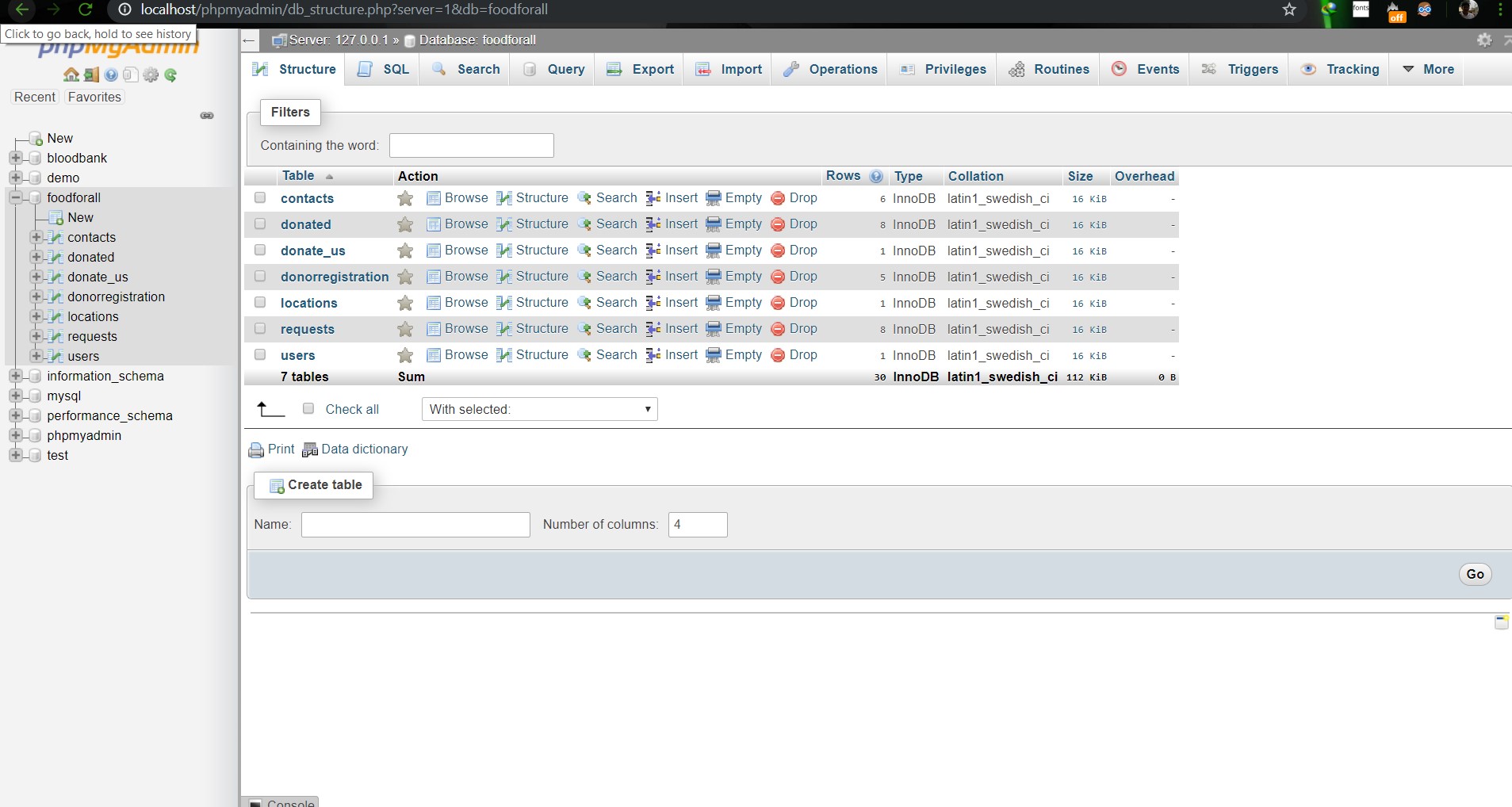                        **Image: DB(Foodforall)** <br> 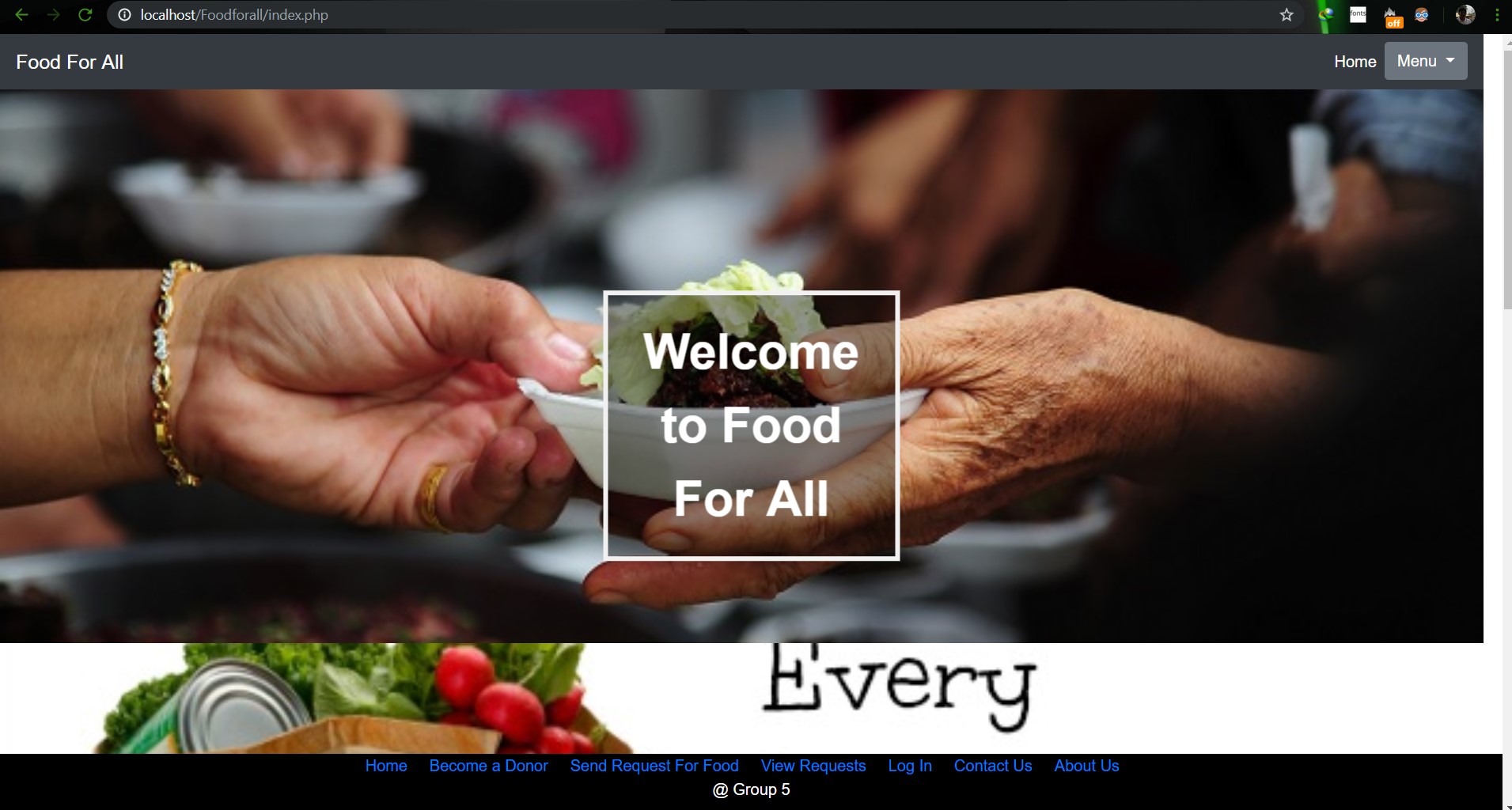                         **Image: Homepage** <br> 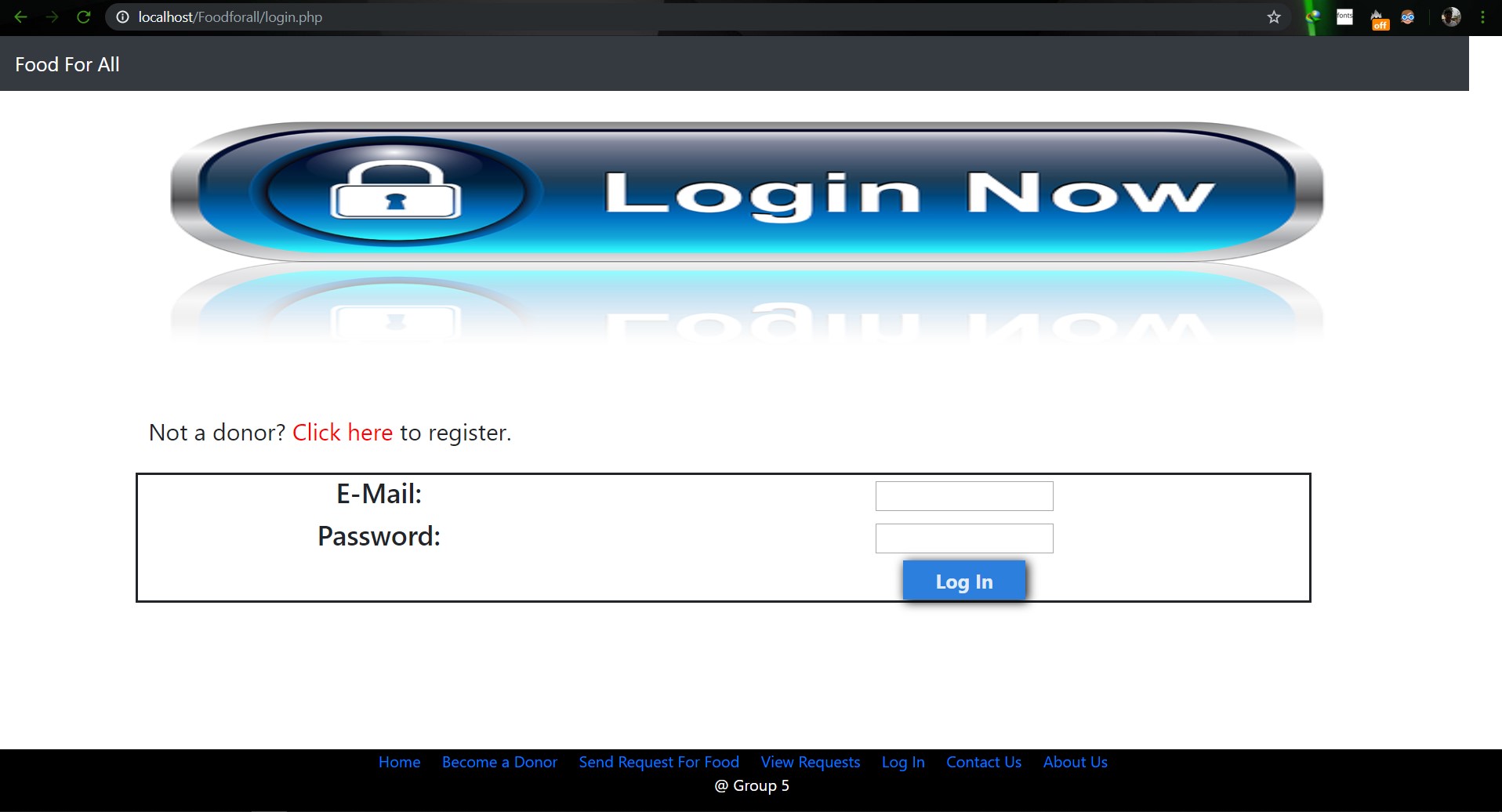                         **Image: Login Page** <br> 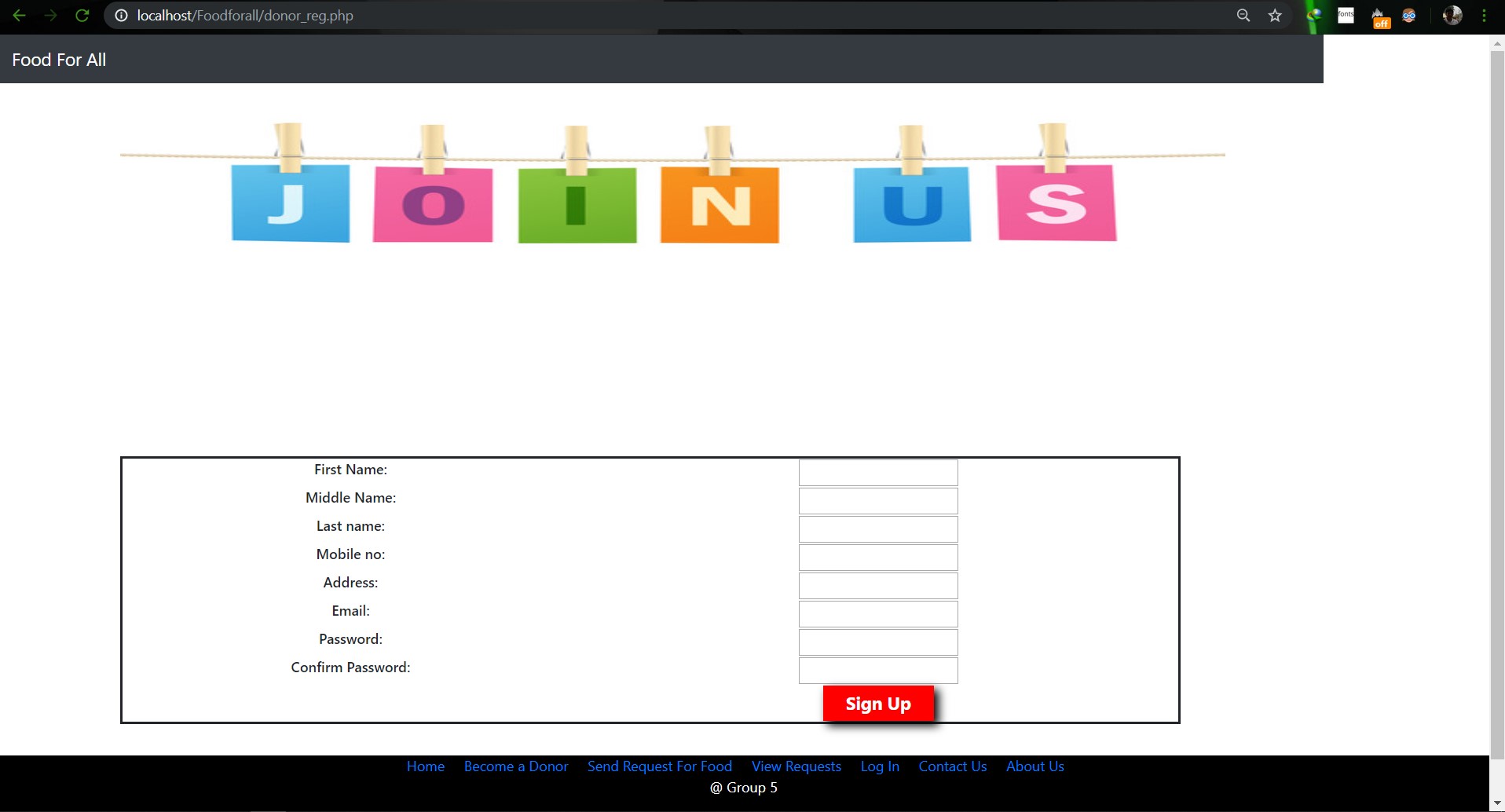                        **Image: Join us Page** <br> 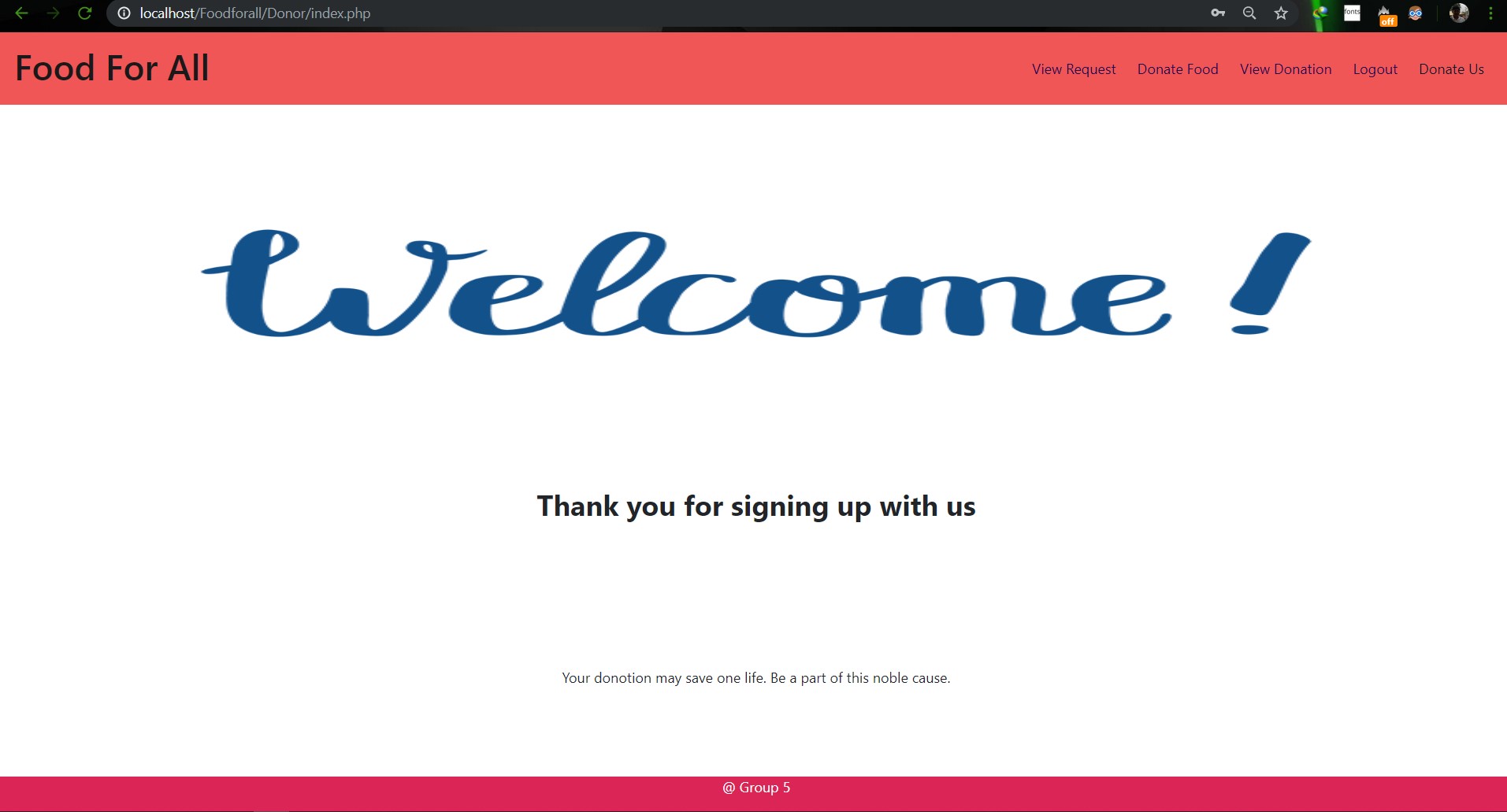                        **Image: Donor Login Page** <br> 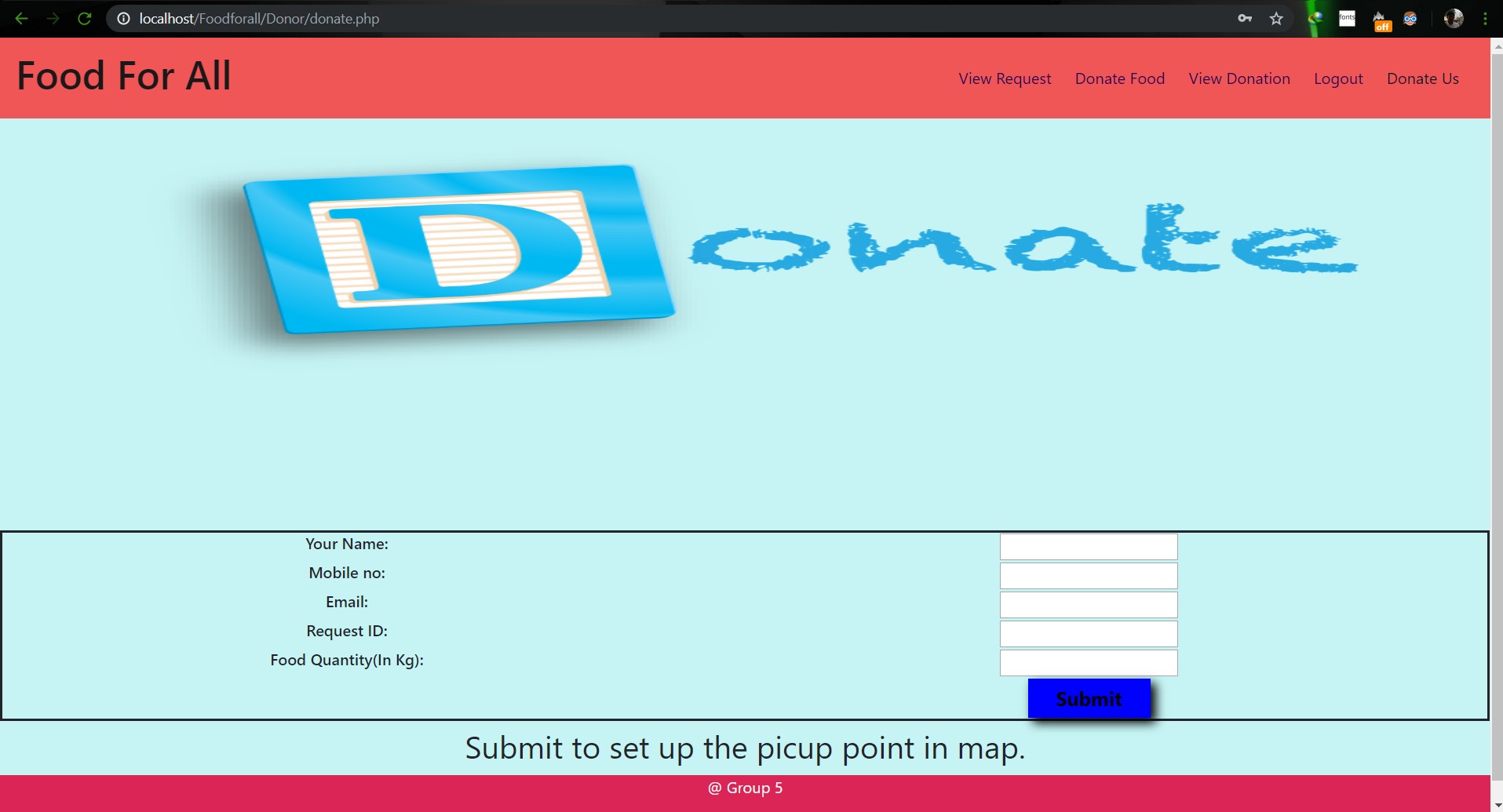                        **Image: Food Donation** <br> 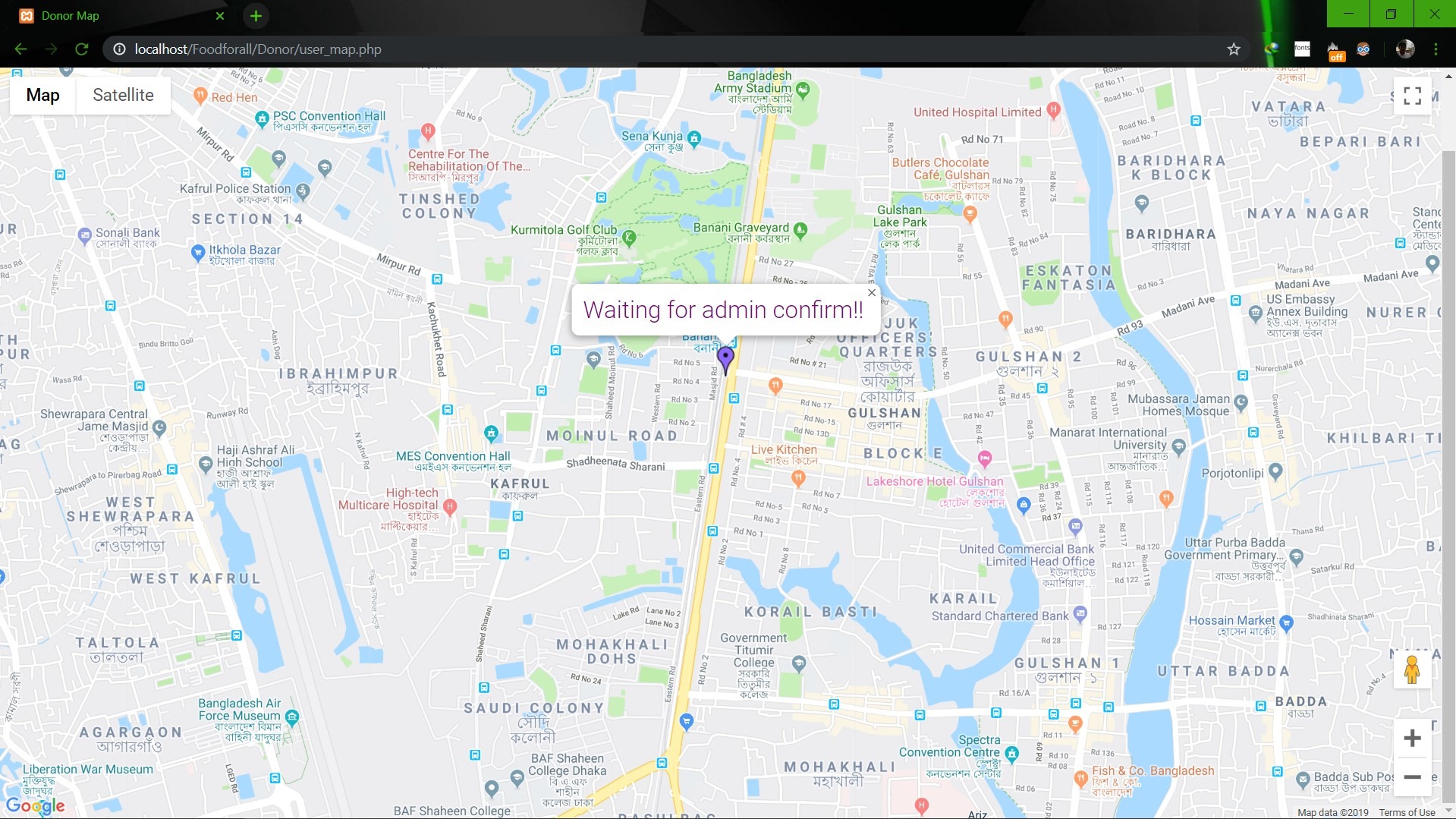                        **Image: User map** <br> 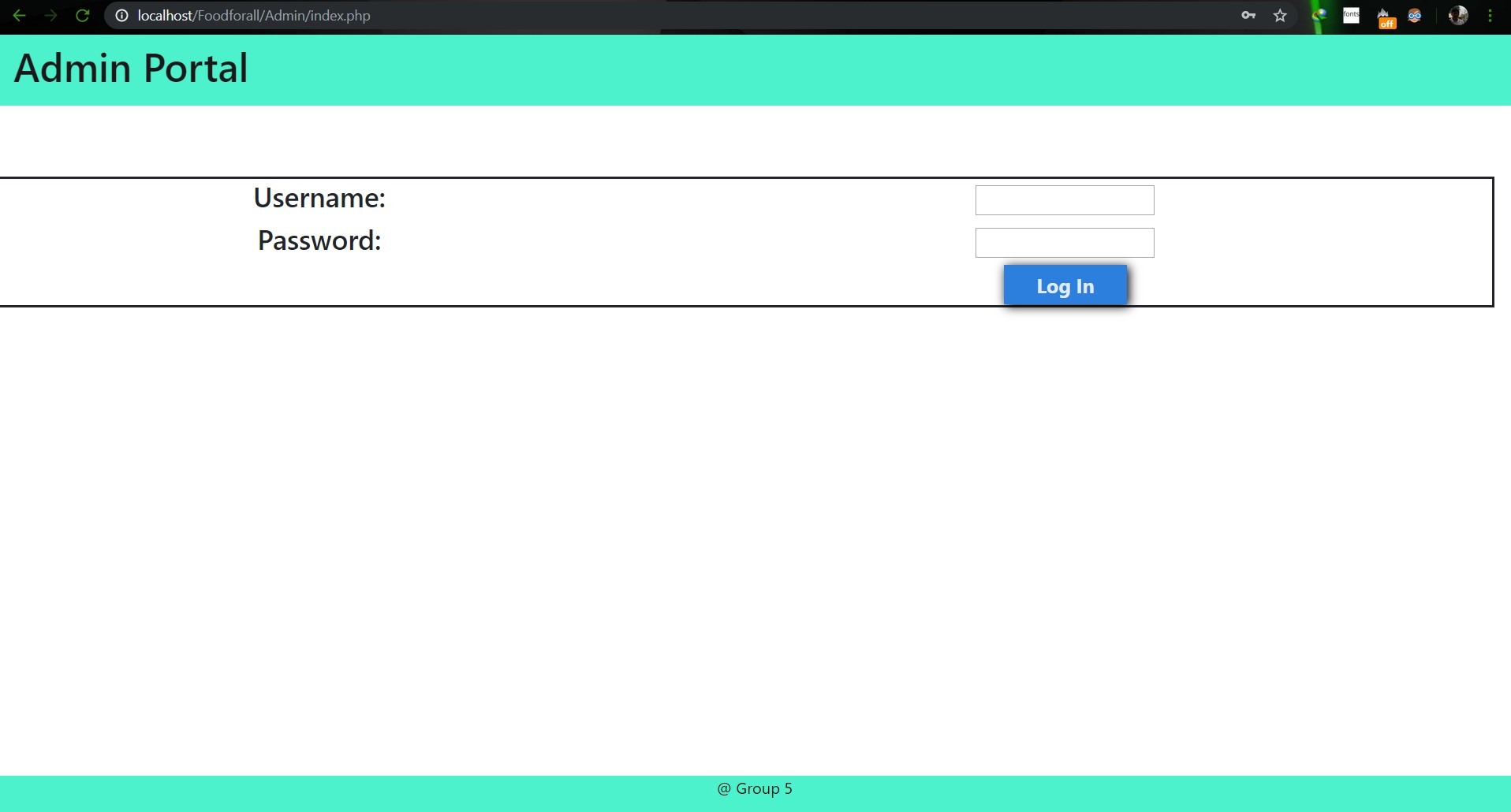                        **Image: Admin Login** <br> 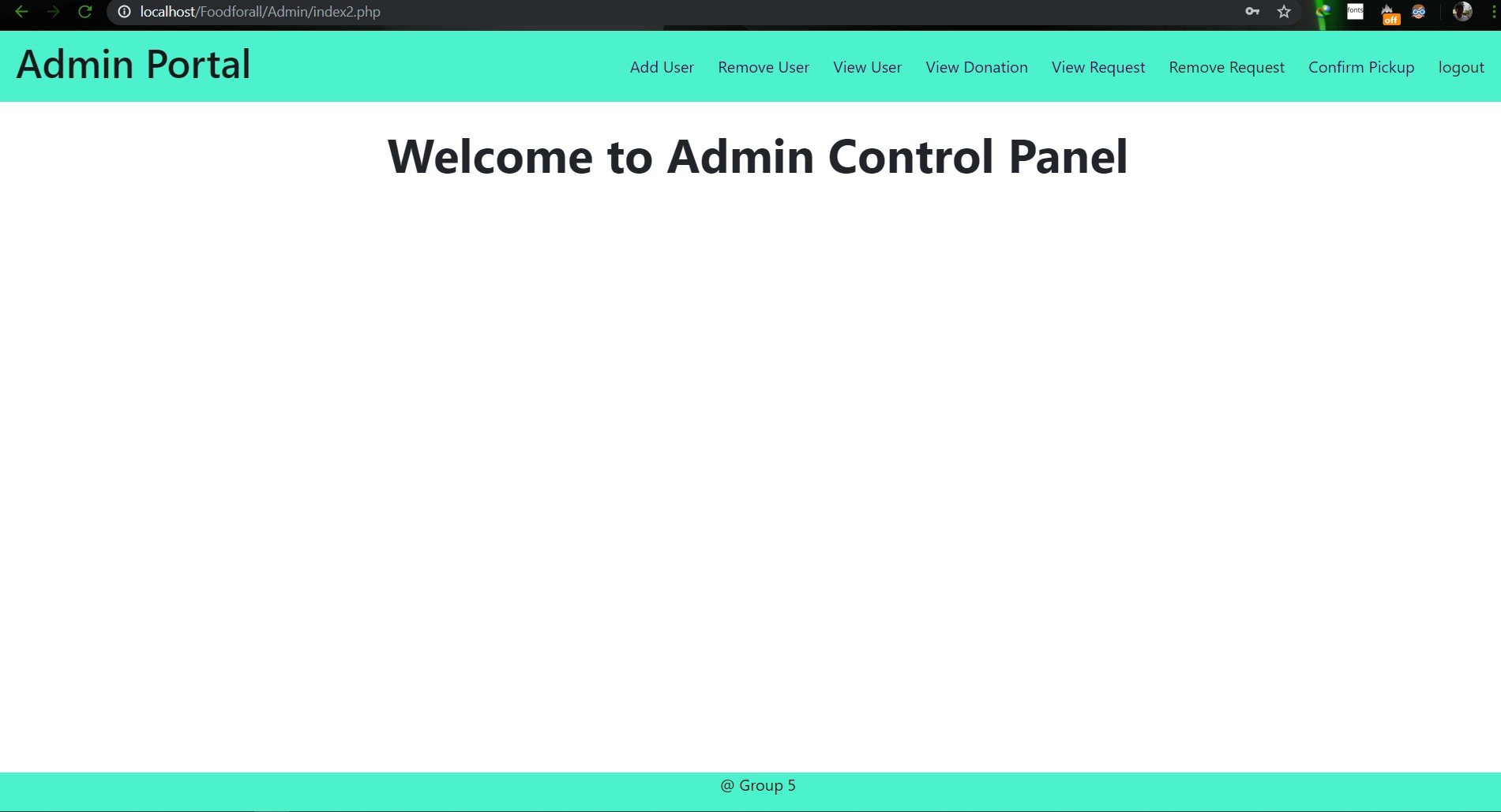                        **Image: Admin Home** <br> 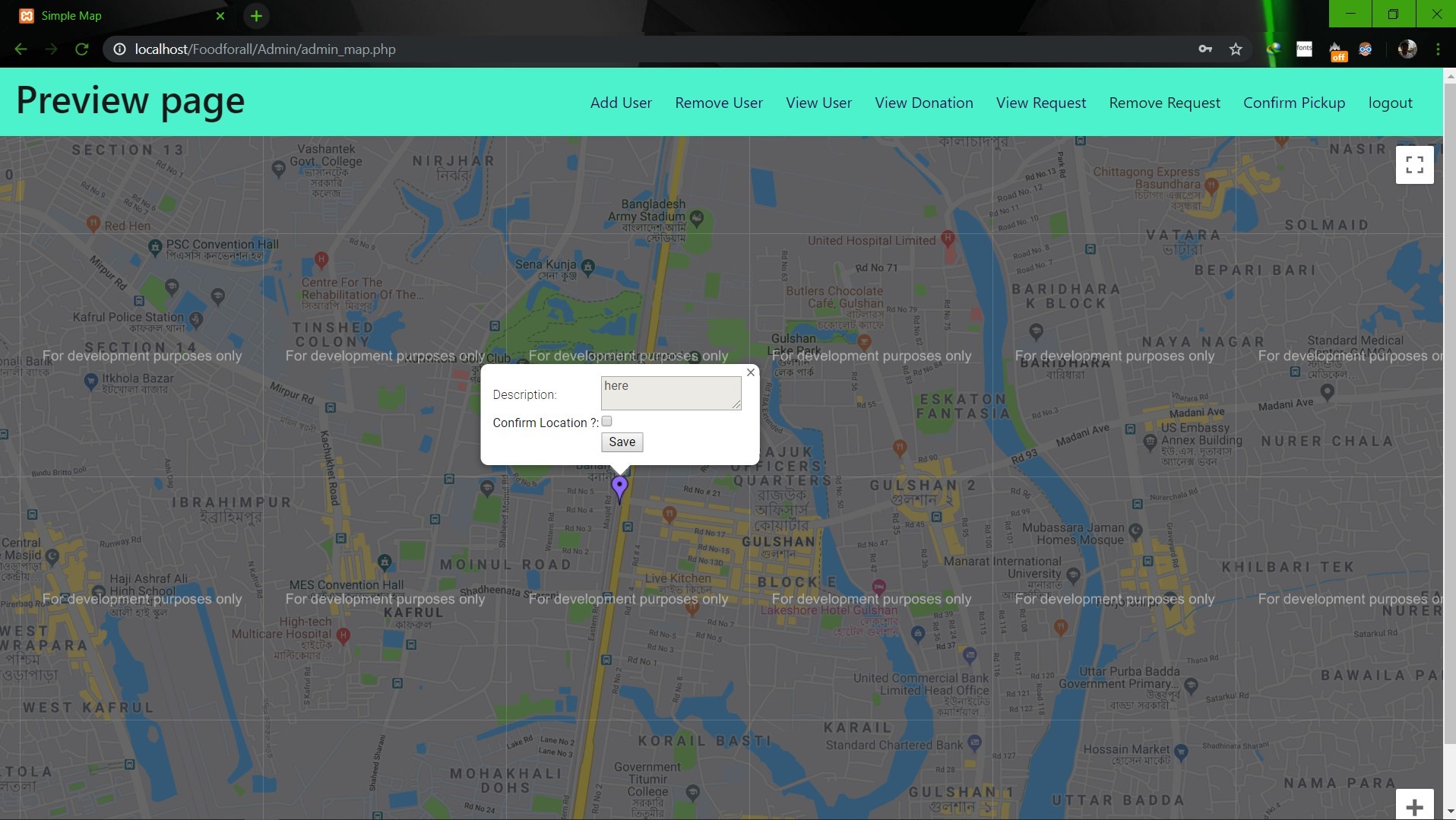                        **Image: Admin map** <br><br><br> **Conclusion:** 1. First of all we learnt how to use Github. It was completely new for us. But we now know how to use it. 2. We learnt about PHP, HTML and How to create DB connection in Mysql to create a project. 3. If we have more time we may be able to make the full project work properly. 4. In future, if we get chance we also want to create a android app for this weabsite. **References:** 1.https://getbootstrap.com/docs/4.3/examples/starter-template/ 2.https://www.w3schools.com/ 3.https://www.youtube.com/ 4.https://stackoverflow.com/questions/22138746/php-form-not-inserting-into-mysql-database 5.https://www.google.com/search?q=html+color+picker&oq=html+&aqs=chrome.0.69i59j69i57j69i60j69i65l2j69i60.3167j0j7&sourceid=chrome&ie=UTF-8 6.https://www.geeksforgeeks.org/ 7.https://www.youtube.com/watch?v=q2VV3-yWupU 8.https://bitbucket.org/webeasystep/markers_manager_php_mysql/src/master/
PriyankeshRaj
<h1 align="center">Hi 👋, I'm Priyankesh Raj</h1> <h3 align="center">A passionate upcoming Software Engineer from India</h3> <p align="left"> <img src="https://komarev.com/ghpvc/?username=priyankeshraj&label=Profile%20views&color=0e75b6&style=flat" alt="priyankeshraj" /> </p> <p align="left"> <a href="https://github.com/ryo-ma/github-profile-trophy"><img src="https://github-profile-trophy.vercel.app/?username=priyankeshraj" alt="priyankeshraj" /></a> </p> <p align="left"> <a href="https://twitter.com/priyankeshraj" target="blank"><img src="https://img.shields.io/twitter/follow/priyankeshraj?logo=twitter&style=for-the-badge" alt="priyankeshraj" /></a> </p> - 🌱 I’m currently learning **Machine Learning** - 💬 Ask me about **Java,SQL,Python,C++,C** - 📫 How to reach me **priyankeshraj@gmail.com** - 📄 Know about my experiences [https://drive.google.com/file/d/1qfFNUwHY-UG_SDTeGd8cGBZwsj6ExIwM/view?usp=sharing](https://drive.google.com/file/d/1qfFNUwHY-UG_SDTeGd8cGBZwsj6ExIwM/view?usp=sharing) - ⚡ Fun fact **I think I am Funny😂** <h3 align="left">Connect with me:</h3> <p align="left"> <a href="https://codepen.io/priyankeshraj" target="blank"><img align="center" src="https://cdn.jsdelivr.net/npm/simple-icons@3.0.1/icons/codepen.svg" alt="priyankeshraj" height="30" width="40" /></a> <a href="https://twitter.com/priyankeshraj" target="blank"><img align="center" src="https://cdn.jsdelivr.net/npm/simple-icons@3.0.1/icons/twitter.svg" alt="priyankeshraj" height="30" width="40" /></a> <a href="https://linkedin.com/in/priyankeshraj" target="blank"><img align="center" src="https://cdn.jsdelivr.net/npm/simple-icons@3.0.1/icons/linkedin.svg" alt="priyankeshraj" height="30" width="40" /></a> <a href="https://stackoverflow.com/users/priyankesh-raj" target="blank"><img align="center" src="https://cdn.jsdelivr.net/npm/simple-icons@3.0.1/icons/stackoverflow.svg" alt="priyankesh-raj" height="30" width="40" /></a> <a href="https://kaggle.com/priyankeshraj" target="blank"><img align="center" src="https://cdn.jsdelivr.net/npm/simple-icons@3.0.1/icons/kaggle.svg" alt="priyankeshraj" height="30" width="40" /></a> <a href="https://fb.com/priyankesh raj" target="blank"><img align="center" src="https://cdn.jsdelivr.net/npm/simple-icons@3.0.1/icons/facebook.svg" alt="priyankesh raj" height="30" width="40" /></a> <a href="https://instagram.com/priyansh82" target="blank"><img align="center" src="https://cdn.jsdelivr.net/npm/simple-icons@3.0.1/icons/instagram.svg" alt="priyansh82" height="30" width="40" /></a> <a href="https://www.codechef.com/users/priyankeshraj" target="blank"><img align="center" src="https://cdn.jsdelivr.net/npm/simple-icons@3.1.0/icons/codechef.svg" alt="priyankeshraj" height="30" width="40" /></a> <a href="https://www.hackerrank.com/priyankeshraj" target="blank"><img align="center" src="https://cdn.jsdelivr.net/npm/simple-icons@3.0.1/icons/hackerrank.svg" alt="priyankeshraj" height="30" width="40" /></a> <a href="https://codeforces.com/profile/devildrago999" target="blank"><img align="center" src="https://cdn.jsdelivr.net/npm/simple-icons@3.0.1/icons/codeforces.svg" alt="devildrago999" height="30" width="40" /></a> <a href="https://www.leetcode.com/priyankeshraj" target="blank"><img align="center" src="https://cdn.jsdelivr.net/npm/simple-icons@3.0.1/icons/leetcode.svg" alt="priyankeshraj" height="30" width="40" /></a> <a href="https://www.hackerearth.com/@priyankeshraj" target="blank"><img align="center" src="https://cdn.jsdelivr.net/npm/simple-icons@3.0.1/icons/hackerearth.svg" alt="@priyankeshraj" height="30" width="40" /></a> <a href="https://auth.geeksforgeeks.org/user/priyankeshraj" target="blank"><img align="center" src="https://cdn.jsdelivr.net/npm/simple-icons@3.0.1/icons/geeksforgeeks.svg" alt="priyankeshraj" height="30" width="40" /></a> </p> <h3 align="left">Languages and Tools:</h3> <p align="left"> <a href="https://getbootstrap.com" target="_blank"> <img src="https://devicons.github.io/devicon/devicon.git/icons/bootstrap/bootstrap-plain.svg" alt="bootstrap" width="40" height="40"/> </a> <a href="https://www.cprogramming.com/" target="_blank"> <img src="https://devicons.github.io/devicon/devicon.git/icons/c/c-original.svg" alt="c" width="40" height="40"/> </a> <a href="https://www.w3schools.com/cpp/" target="_blank"> <img src="https://devicons.github.io/devicon/devicon.git/icons/cplusplus/cplusplus-original.svg" alt="cplusplus" width="40" height="40"/> </a> <a href="https://www.w3schools.com/css/" target="_blank"> <img src="https://devicons.github.io/devicon/devicon.git/icons/css3/css3-original-wordmark.svg" alt="css3" width="40" height="40"/> </a> <a href="https://git-scm.com/" target="_blank"> <img src="https://www.vectorlogo.zone/logos/git-scm/git-scm-icon.svg" alt="git" width="40" height="40"/> </a> <a href="https://heroku.com" target="_blank"> <img src="https://www.vectorlogo.zone/logos/heroku/heroku-icon.svg" alt="heroku" width="40" height="40"/> </a> <a href="https://www.w3.org/html/" target="_blank"> <img src="https://devicons.github.io/devicon/devicon.git/icons/html5/html5-original-wordmark.svg" alt="html5" width="40" height="40"/> </a> <a href="https://www.java.com" target="_blank"> <img src="https://devicons.github.io/devicon/devicon.git/icons/java/java-original-wordmark.svg" alt="java" width="40" height="40"/> </a> <a href="https://developer.mozilla.org/en-US/docs/Web/JavaScript" target="_blank"> <img src="https://devicons.github.io/devicon/devicon.git/icons/javascript/javascript-original.svg" alt="javascript" width="40" height="40"/> </a> <a href="https://www.linux.org/" target="_blank"> <img src="https://devicons.github.io/devicon/devicon.git/icons/linux/linux-original.svg" alt="linux" width="40" height="40"/> </a> <a href="https://www.mysql.com/" target="_blank"> <img src="https://devicons.github.io/devicon/devicon.git/icons/mysql/mysql-original-wordmark.svg" alt="mysql" width="40" height="40"/> </a> <a href="https://www.oracle.com/" target="_blank"> <img src="https://devicons.github.io/devicon/devicon.git/icons/oracle/oracle-original.svg" alt="oracle" width="40" height="40"/> </a> <a href="https://www.postgresql.org" target="_blank"> <img src="https://devicons.github.io/devicon/devicon.git/icons/postgresql/postgresql-original-wordmark.svg" alt="postgresql" width="40" height="40"/> </a> <a href="https://www.python.org" target="_blank"> <img src="https://devicons.github.io/devicon/devicon.git/icons/python/python-original.svg" alt="python" width="40" height="40"/> </a> </p> <p><img align="left" src="https://github-readme-stats.vercel.app/api/top-langs?username=priyankeshraj&show_icons=true&locale=en&layout=compact" alt="priyankeshraj" /></p> <p> <img align="center" src="https://github-readme-stats.vercel.app/api?username=priyankeshraj&show_icons=true&locale=en" alt="priyankeshraj" /></p> <p><img align="center" src="https://github-readme-streak-stats.herokuapp.com/?user=priyankeshraj&" alt="priyankeshraj" /></p>
blefnk
🧑 this repo is a place where i’m building my personal website. i’ll be sharing stories from my life here, mostly about web stuff. it’s also a place where i’ll keep some things i’ve learned. there’ll be a blog, portfolio, tutorials, and who knows what else. stick around for updates! this site is basically... a docs of myself! ;P
ZarhanMemon
This is my failed project but i get to Know Alot how to handle docs/pdf with backend
brandoncox-commits
I got tired of referring back to the docs every time I built a new Claude agent, so I made agents that already know the rules. My attempt to lower the barrier to building Claude Code tools that actually work properly.
MuqaddasSajjad
Hello, my name is Muqaddas Sajjad. Being a specialist video editor, I can complete all your projects at ease. I am a workaholic and skilled enough to carry out all your projects successfully. Talking about experience, I have 2 years of working experience with client’s satisfaction. Additionally, I am graduating in Computer Science (CS). I have completed my education well and have entered into this verse to make a profession. I am giving a complete solution on Administration , Customer Support, Technical support, Information Researching,, E- Commerce, WordPress and so on. I am capable of grasping new tools. I am a master of MS Office, Google Docs and spreadsheets. I am proficient in typing and can type up to 100 words a minute in English. I have both written and verbal communication skills. Accuracy and attention to details are my working characteristics. 1. Microsoft access 2. Excel, PowerPoint 3. Microsoft Word 4. Outlook 5.video editor 6.Proofreading 7.Transcriptions 8.Telecommunication skills 9. Web research projects 10. Web scraping 11.Urdu and English Translations\ Transcriptions and with Proofreading. 11.Organizational skills etc. If you want to hire me or know more about me, just send me a message or Email. I am always available and ready to work at any given time. You can surely assume that your job will be done perfectly on time. Feel free to have a conversation with me. I am waiting to hearing from you. Thank you.
DarpanAbdul
Attending meeting-filled days wearing blue-light glasses, with a pizza slice in one hand and a dumbbell in the other, striking a perfect balance of endorphins and staying healthy, you wonder how the best developer ever gets any work done. The secret is, he knows coding is only the last-mile to any solution. We all know one engineer who seems to have the answers to all and everyone’s questions — or, more importantly, knows how to dig out answers. The one who knows exactly how to deal with that difficult issue you’re facing, or, can elegantly model a complex domain and implement logic in a readable, understandable, and maintainable manner. Difficult as it may be, I’ll attempt to break down the traits of the best programmer ever. Business-first mindset. Knowing the business is any developers’ first job. The best developer produces solutions and writes code that he knows will positively benefit the business. Knowing the what and why leads to effortless implementations (the how). It becomes easier to write great code when you know which internal code qualities are appreciated. The best developer doesn’t strive to produce the most performant code if the performance for a specific feature is not prioritized or necessary. The “everything’s an object“ mindset. The best developer obviously has an object-oriented approach and follows the mantra “everything’s an object.” He uses domain models to capture the complexity by creating conceptual blueprints of the world viewed thru the lens of their domains’ context. Coding is the last activity and is only carried out after having a thorough understanding of the domain, its events, and how different parts interact. Common issues are dealt with by tailoring known design patterns, allowing them to be implemented effortlessly. “Everything’s an object” is the perfect mindset that facilitates creating understandable and maintainable applications with ease. Each else-if and switch case is extracted into its own class. Implicit dependencies are levitated to explicit, and interfaces are preferred to concrete classes. The chase for flexible code is never-ending. Relentlessly accepts new tasks. The only tasks the best developer dreads are those poorly understood. Those that are poorly understood need clarification immediately. Assuming business requirements is always a terrible idea. The best developer is not shy of setting up meetings with business people. Despite being conscious of the shame, it entails as fellow engineers have read the latest and greats blog post spurting out nonsense like “developers should not attend meetings.” Project-wide refactorings are a breeze: extract a class there, implement an interface here, turn chaos into order with a set of nifty design patterns. Every refactoring activity leaves the codebase in a cleaner state. Commenting with style and purpose. The best developer doesn’t buy into the fairytale that code must be self-documenting. Code is rarely self-documenting. It needs comments. Documentation is to a large extend about “why” a piece of code exists, and there’s only so-much context a perfectly named class, method, or variable can capture. He doesn’t comment on language semantics, syntax, or even if a ternary turns crazy. He respects his peers enough to assume they know how to read code. On the other hand, commenting on the reasoning and intent is done so thoughtfully. Everyone does not have the same thought patterns and domain experience. Both are required to understand why some code exists. This perfectly commented method below exemplifies my point. Perfectly commented method in the aspnet core source code. Perfectly commented method in the aspnet core source code. It takes time to write good code doc comments. But it takes even longer for the uninitiated to understand why some code exists. Nicklas Millard is a software development engineer in one of the fastest-growing banks, building mission-critical financial services infrastructure. Previously, he was a Big4 Senior Tech Consultant developing software for commercial clients and government institutions.
fabfie
No description available
shinyshanthy
No description available
dev-Toumeh
I save my Documents here
sawant-omkar
To build a RAG AI system from development to ready production with hybrid retrieval search, cross-encoder reranking, citation enforcement and a CI-gated evaluation pipeline.
🤖 RAG-based chatbot that extracts knowledge from PDF documents, retrieves relevant context, and generates accurate answers using LLMs.
roachhd
my corner of the net that stores my ❤️ dev tools and Please Explain!, cheatsheets, configs and boilerplates, docs, and ho knows what other creepies are in the corner
DeepakKumarKhatri
Everything that I need to know about JWT Authentication API so, that I can use it further in my other projects instead of going through the docs every time.
FX-88
This dotfile repository has the purpose to "share" this configuration across all my devices. I've put so much effort into the docs because I know I might forget something.
iamsoumyamishra
I am building this project because I am facing problems taking my notes. I ues to read a lot of docs to know whats going around Tech World but I don't get where to store it so I thought to make a platform to manage those information, my ideas and important docs.
Silly-Goose-duh
This doc here can brief u the important stuff u need to know for building figma plugins. i have kept the links to the website from my bibilography where it explains in detail.
My first big learning project as self taught web developper. It is a web based chat application, which will be using at the end of the project : MySQL, Nodejs, Expressjs, JavaScript, HTML, CSS & React. I don't know all of these technologies yet but I will learn through this project and courses/doc.
Cbates85
Using the Scraper Tool in the Google Chrome extension, I can scrape pages but when I click "Export to Google Docs" it takes me to an OAuth Redirect Page and just says Redirecting and nothing else. What do I need to do to fix this so I can get these names exported into Google docs? I don't know if it's a setting issue or what but I'm trying to build my list and the export won't work. What would possibly cause this? Thanks.
PureLmnz
So, in this one i only spent a little over an hour on, and i wrote all the code from scratch no tutorials here, just used a few notes for a couple reference points... i know the solution isnt completely correct but i went ahead and submitted it because i am new, and just want to doc my progress, but any tips or hints on my solution would be much appreciated. thanks
BlackFoxgamingstudio
I have been challenged to prove I know Tech. My Goal is to land a high paying job as a Tech Consultant in the city of witch i was born. I have 5 day to research, Catalogue, and index the data. I also must Create Technical Documentation as powerpoint slides and Word Docs. Finally Using this Content I will Create A portfolio Expressing My work and knowledge of the material. With this asset I will Sell Myself as a Professional Tech Consultant.
Genre classification Now it's time to leverage what we learned in the lectures to a REAL classification project! Have you ever wondered what makes us, humans, able to tell apart two songs of different genres? How we do we inherenly know the difference between a pop song and heavy metal? This type of classifcation may seem easy for us, but it's a very difficult challenge for a computer to do. So the question is, could an automatic genre classifcation model be possible? For this project we will be classifying songs based on a number of characteristics into a set of 23 electronic genres. This technology could be used by an application like Pandora to recommend songs to users or just create meaningful channels. Super fun! Dataset beatsdataset.csv Each row is an electronic music song. The dataset contains 100 song for each genre among 23 electronic music genres, they were the top (100) songs of their genres on November 2016. The 71 columns are audio features extracted of a two random minutes sample of the file audio. These features have been extracted using pyAudioAnalysis (https://github.com/tyiannak/pyAudioAnalysis). Your task Create an algorithm that classifies songs into the 23 genres provided. Test out several different models and select the highest performing one. Also play around with feature selection methods and finally try to make a recommendation to a user. For the feature selection aspect of this project, you may need to get a bit creative if you want to select features from a non-tree algorithm. I did not go over this aspect of PySpark intentionally in the previous lectures to give you chance to get used to researching the PySpark documentation page. Here is the link to the Feature Selectors section of the documentation that just might come in handy: https://spark.apache.org/docs/latest/ml-features.html#feature-selectors Good luck! Have fun :) My approach I decided to approach this analysis in 4 main steps. Create Baseline: Train and evaluate models on raw data without pre-treating it for outliers, skewness or negative values. This way we can clearly see what effect our transformations have on our analysis. Test treatments: Train and evaluate models on treated data (outliers, skewness and negative values) and compare to baseline (#1). Feature Selection: Select the best performing models from the previous two approaches and perform feature selection on it to fine tune it. Make a recommendation to a user: Create a scrip to make a recommendation to a user. I intentionally left this part of the project a bit ambiguous Source https://www.kaggle.com/caparrini/beatsdataset
uniqueshiv
<h1 align="center">Hi 👋, I'm shiv kumar</h1> <h3 align="center">A passionate fullstack developer from India</h3> - 💬 Ask me about **React, Node, SQL , PHP, Linux, HTML, CSS** - 📫 How to reach me **uniqueshivchauhan@gmail.com** - 📄 Know about my experiences [Fullstack developer since 7 years.](Fullstack developer since 7 years.) <h3 align="left">Connect with me:</h3> <p align="left"> </p> <h3 align="left">Languages and Tools:</h3> <p align="left"> <a href="https://angular.io" target="_blank" rel="noreferrer"> <img src="https://angular.io/assets/images/logos/angular/angular.svg" alt="angular" width="40" height="40"/> </a> <a href="https://aws.amazon.com" target="_blank" rel="noreferrer"> <img src="https://raw.githubusercontent.com/devicons/devicon/master/icons/amazonwebservices/amazonwebservices-original-wordmark.svg" alt="aws" width="40" height="40"/> </a> <a href="https://getbootstrap.com" target="_blank" rel="noreferrer"> <img src="https://raw.githubusercontent.com/devicons/devicon/master/icons/bootstrap/bootstrap-plain-wordmark.svg" alt="bootstrap" width="40" height="40"/> </a> <a href="https://bulma.io/" target="_blank" rel="noreferrer"> <img src="https://raw.githubusercontent.com/gilbarbara/logos/804dc257b59e144eaca5bc6ffd16949752c6f789/logos/bulma.svg" alt="bulma" width="40" height="40"/> </a> <a href="https://circleci.com" target="_blank" rel="noreferrer"> <img src="https://www.vectorlogo.zone/logos/circleci/circleci-icon.svg" alt="circleci" width="40" height="40"/> </a> <a href="https://codeigniter.com" target="_blank" rel="noreferrer"> <img src="https://cdn.worldvectorlogo.com/logos/codeigniter.svg" alt="codeigniter" width="40" height="40"/> </a> <a href="https://www.w3schools.com/css/" target="_blank" rel="noreferrer"> <img src="https://raw.githubusercontent.com/devicons/devicon/master/icons/css3/css3-original-wordmark.svg" alt="css3" width="40" height="40"/> </a> <a href="https://www.docker.com/" target="_blank" rel="noreferrer"> <img src="https://raw.githubusercontent.com/devicons/devicon/master/icons/docker/docker-original-wordmark.svg" alt="docker" width="40" height="40"/> </a> <a href="https://expressjs.com" target="_blank" rel="noreferrer"> <img src="https://raw.githubusercontent.com/devicons/devicon/master/icons/express/express-original-wordmark.svg" alt="express" width="40" height="40"/> </a> <a href="https://firebase.google.com/" target="_blank" rel="noreferrer"> <img src="https://www.vectorlogo.zone/logos/firebase/firebase-icon.svg" alt="firebase" width="40" height="40"/> </a> <a href="https://cloud.google.com" target="_blank" rel="noreferrer"> <img src="https://www.vectorlogo.zone/logos/google_cloud/google_cloud-icon.svg" alt="gcp" width="40" height="40"/> </a> <a href="https://graphql.org" target="_blank" rel="noreferrer"> <img src="https://www.vectorlogo.zone/logos/graphql/graphql-icon.svg" alt="graphql" width="40" height="40"/> </a> <a href="https://heroku.com" target="_blank" rel="noreferrer"> <img src="https://www.vectorlogo.zone/logos/heroku/heroku-icon.svg" alt="heroku" width="40" height="40"/> </a> <a href="https://www.w3.org/html/" target="_blank" rel="noreferrer"> <img src="https://raw.githubusercontent.com/devicons/devicon/master/icons/html5/html5-original-wordmark.svg" alt="html5" width="40" height="40"/> </a> <a href="https://gohugo.io/" target="_blank" rel="noreferrer"> <img src="https://api.iconify.design/logos-hugo.svg" alt="hugo" width="40" height="40"/> </a> <a href="https://jasmine.github.io/" target="_blank" rel="noreferrer"> <img src="https://www.vectorlogo.zone/logos/jasmine/jasmine-icon.svg" alt="jasmine" width="40" height="40"/> </a> <a href="https://developer.mozilla.org/en-US/docs/Web/JavaScript" target="_blank" rel="noreferrer"> <img src="https://raw.githubusercontent.com/devicons/devicon/master/icons/javascript/javascript-original.svg" alt="javascript" width="40" height="40"/> </a> <a href="https://jestjs.io" target="_blank" rel="noreferrer"> <img src="https://www.vectorlogo.zone/logos/jestjsio/jestjsio-icon.svg" alt="jest" width="40" height="40"/> </a> <a href="https://karma-runner.github.io/latest/index.html" target="_blank" rel="noreferrer"> <img src="https://raw.githubusercontent.com/detain/svg-logos/780f25886640cef088af994181646db2f6b1a3f8/svg/karma.svg" alt="karma" width="40" height="40"/> </a> <a href="https://laravel.com/" target="_blank" rel="noreferrer"> <img src="https://raw.githubusercontent.com/devicons/devicon/master/icons/laravel/laravel-plain-wordmark.svg" alt="laravel" width="40" height="40"/> </a> <a href="https://materializecss.com/" target="_blank" rel="noreferrer"> <img src="https://raw.githubusercontent.com/prplx/svg-logos/5585531d45d294869c4eaab4d7cf2e9c167710a9/svg/materialize.svg" alt="materialize" width="40" height="40"/> </a> <a href="https://www.mongodb.com/" target="_blank" rel="noreferrer"> <img src="https://raw.githubusercontent.com/devicons/devicon/master/icons/mongodb/mongodb-original-wordmark.svg" alt="mongodb" width="40" height="40"/> </a> <a href="https://www.mysql.com/" target="_blank" rel="noreferrer"> <img src="https://raw.githubusercontent.com/devicons/devicon/master/icons/mysql/mysql-original-wordmark.svg" alt="mysql" width="40" height="40"/> </a> <a href="https://nextjs.org/" target="_blank" rel="noreferrer"> <img src="https://cdn.worldvectorlogo.com/logos/nextjs-2.svg" alt="nextjs" width="40" height="40"/> </a> <a href="https://www.nginx.com" target="_blank" rel="noreferrer"> <img src="https://raw.githubusercontent.com/devicons/devicon/master/icons/nginx/nginx-original.svg" alt="nginx" width="40" height="40"/> </a> <a href="https://nodejs.org" target="_blank" rel="noreferrer"> <img src="https://raw.githubusercontent.com/devicons/devicon/master/icons/nodejs/nodejs-original-wordmark.svg" alt="nodejs" width="40" height="40"/> </a> <a href="https://www.php.net" target="_blank" rel="noreferrer"> <img src="https://raw.githubusercontent.com/devicons/devicon/master/icons/php/php-original.svg" alt="php" width="40" height="40"/> </a> <a href="https://reactjs.org/" target="_blank" rel="noreferrer"> <img src="https://raw.githubusercontent.com/devicons/devicon/master/icons/react/react-original-wordmark.svg" alt="react" width="40" height="40"/> </a> <a href="https://redis.io" target="_blank" rel="noreferrer"> <img src="https://raw.githubusercontent.com/devicons/devicon/master/icons/redis/redis-original-wordmark.svg" alt="redis" width="40" height="40"/> </a> <a href="https://redux.js.org" target="_blank" rel="noreferrer"> <img src="https://raw.githubusercontent.com/devicons/devicon/master/icons/redux/redux-original.svg" alt="redux" width="40" height="40"/> </a> <a href="https://sass-lang.com" target="_blank" rel="noreferrer"> <img src="https://raw.githubusercontent.com/devicons/devicon/master/icons/sass/sass-original.svg" alt="sass" width="40" height="40"/> </a> <a href="https://travis-ci.org" target="_blank" rel="noreferrer"> <img src="https://www.vectorlogo.zone/logos/travis-ci/travis-ci-icon.svg" alt="travisci" width="40" height="40"/> </a> <a href="https://www.typescriptlang.org/" target="_blank" rel="noreferrer"> <img src="https://raw.githubusercontent.com/devicons/devicon/master/icons/typescript/typescript-original.svg" alt="typescript" width="40" height="40"/> </a> <a href="https://vuejs.org/" target="_blank" rel="noreferrer"> <img src="https://raw.githubusercontent.com/devicons/devicon/master/icons/vuejs/vuejs-original-wordmark.svg" alt="vuejs" width="40" height="40"/> </a> <a href="https://webpack.js.org" target="_blank" rel="noreferrer"> <img src="https://raw.githubusercontent.com/devicons/devicon/d00d0969292a6569d45b06d3f350f463a0107b0d/icons/webpack/webpack-original-wordmark.svg" alt="webpack" width="40" height="40"/> </a> </p>